
In-market audiences are groups of people that Google Ads identifies as actively researching and considering buying a particular type of product or service, such as cars, holidays or fitness gear. You can add them to your campaigns to reach likely buyers while they are still deciding. They matter because timing is everything in advertising: reaching someone who is already shopping is often more effective than reaching someone who is simply interested in a topic.
Key Takeaways
- Google now calls them in-market segments, part of its wider set of audience segments.
- Google says they reach people who are “researching products and are actively considering buying.”
- They are designed for advertisers who want conversions from likely buyers.
- You can use them in Search, Display, Video, Demand Gen and Standard Shopping campaigns.
- Google says it never uses sensitive information, such as health or religion, to tailor ads.
What Are In-Market Audiences?
Google’s help centre explains that in-market segments help you “find customers who are in the market, which means that they’re researching products and are actively considering buying a service or product like yours.”
It adds that these segments “are designed for advertisers focused on getting conversions from likely buyers” and that they “reach consumers close to completing a purchase.” In other words, they target intent, not just interest.
Here is a simple way to see the difference. Someone who loves cooking might sit in an affinity segment for food lovers all year. However, someone comparing stand mixers this week is in the market for one right now. In-market audiences aim at that second person.
You will see both names in use. Google renamed audience types as audience segments, so in the platform you’ll find “in-market segments.” Google’s Customer Match help page repeats the change, listing custom, in-market and affinity as the old audience types now called audience segments. Even so, many marketers and job ads still use the older phrase.
How In-Market Audiences Work
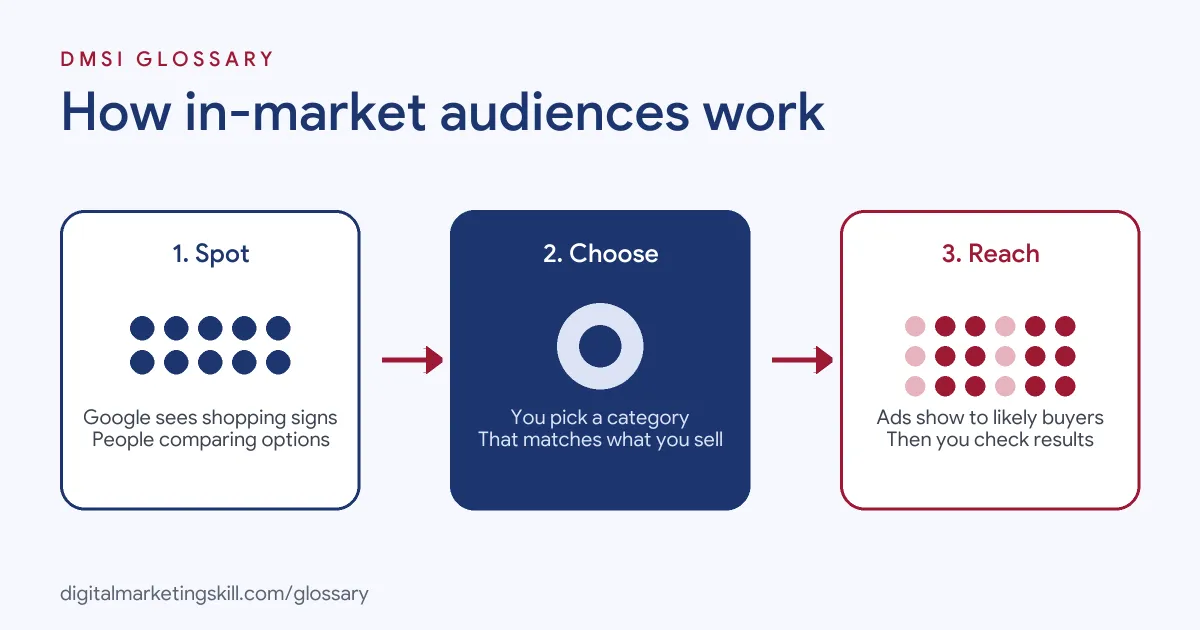
The process runs in three steps. First, Google estimates who is shopping for a category, based on signals such as browsing and search activity. Next, you choose the categories that match what you sell. Finally, Google Ads shows your ads to people who are likely in those segments.
The Signals
Google says audiences come from people’s activity on Google products and third-party websites, or from estimates based on content certain groups are likely to engage with. In its health example, Google describes in-market users as people “researching health products, browsing pages more frequently” and actively considering a purchase. It also says audience data refreshes every week.
The Categories
Google offers a curated list of in-market categories, which you can download as a CSV file. The categories sit in a tree. For example, one path runs from Sports and Fitness, to Fitness Products and Services, to Nutrition Drinks and Shakes. So you can pick a broad category or a narrow one.
How Strictly Google Follows Them
Your settings affect how tightly ads stick to the segment. Google warns that with optimised targeting, “your ads may reach people outside of your audience selections” if they are likely to convert. In Performance Max, audiences act as signals rather than strict limits.
In-Market Audiences Examples
Here are three made-up examples of how advertisers might use them:
- Car dealership: Adds an in-market segment for people shopping for cars to its Display campaign, with ads for test drives.
- Travel agent: Raises bids on Search for people in the market for holidays, because they are closer to booking.
- Gym chain: Uses a fitness products and services segment on YouTube to promote a joining offer.
In each case, the advertiser picks a category that matches a real buying decision, then writes ads for that moment.
In-Market vs Affinity vs Life Events
| Segment | Who it reaches | Typical goal |
|---|---|---|
| In-market | People showing recent purchase intent for one type of product | Sales and leads |
| Affinity | People with long-term passions, habits and interests | Awareness and reach |
| Life events | People going through milestones, such as moving home | Offers linked to big changes |
Google notes that life events segments are often larger than in-market ones, because a life event links to many purchases. By contrast, an in-market segment “corresponds with a single purchasing decision.”
How to Use In-Market Audiences in Google Ads
- Match categories to products. List what you sell and find the in-market categories that fit each one.
- Open the audience settings. In your campaign or ad group, go to audiences or use the Audience builder.
- Search for in-market segments. Browse the list or type a product type, then select the closest matches.
- Choose the setting. Next, decide whether to use the Targeting setting or the Observation setting.
- Write matching ads. Speak to people who are comparing options, for example with prices, reviews or offers.
- Exclude existing customers. Google says you can exclude your data segments, such as past buyers.
- Review the Audiences report. Finally, compare conversions and costs for each segment and adjust bids.
A Worked Example
Here is a made-up example in plain terms. A bed shop runs a Search campaign for “memory foam mattress.” It adds an in-market segment for people shopping for beds. It also adds its own list of past site visitors. Then it waits two weeks and checks the report.
The in-market group clicks a little less than the past visitors. But when they click, they buy more often than general searchers. So the shop raises its bids for that group. It also writes a new ad for them: “Compare our three best sellers, with free returns.” The ad speaks to people who are weighing up their choices. As a result, the shop gets more sales for the same spend.
Writing Ads for People Ready to Buy
People in the market are close to a choice, so your ad should help them make it. Keep these simple ideas in mind:
- Show what makes you different, such as price, speed or a guarantee.
- Use proof, like star ratings or a short review.
- Give a clear next step, such as “Book a test drive” or “Get a quote.”
- Send people to a page that matches the ad, not just your home page.
Best Practices
- Pick close matches. A narrow category that fits your product usually beats a broad one.
- Pair with your own data. Combine in-market segments with remarketing lists to compare results.
- Use strong offers. People in the market respond to clear reasons to choose you now.
- Test on Search first. For instance, add segments to an existing campaign and see which groups convert best.
- Check performance weekly. Because audience data refreshes weekly, results can shift a little.
Common Mistakes
A common mistake is choosing categories that are only loosely related, which wastes budget on the wrong shoppers. Another is treating in-market segments as a guaranteed list, even though optimised targeting may show ads to others. Some advertisers also use generic, top-of-funnel ads for people who are ready to buy. Finally, many never review the Audiences report, so they keep paying for segments that don’t convert.
Where You’ll Use In-Market Audiences at Work
Paid search roles expect you to know this segment type. For example, one real remote job listing includes this line:
- “Manage account structure and audience segmentation (in-market, remarketing, custom intent) tailored to each specialty service line” (Google Ads Manager).
As a Google Ads Specialist or PPC Specialist, you will choose in-market audiences, test them against other segments and report on the results. A Web Analytics Specialist may then dig into which segments bring the most valuable customers.
Learn It in the Google Specialist Track
The AI-Powered Google Specialist track covers Google Ads across Search, Display, Discovery, Gmail and YouTube, plus Google Analytics. You launch and measure a Google Ads campaign with conversion tracking, so you can see how in-market audiences perform on real results. You also get unlimited 1-on-1 mentoring and a U.S. Project Internship from day one.
For the full picture, read our glossary entry on audience segments in Google Ads. For campaign tips, see our guide to Google Ads optimisation.
Frequently Asked Questions
What are in-market audiences in Google Ads?
They are groups of people that Google identifies as actively researching and considering a purchase in a specific category.
What is the difference between in-market and affinity audiences?
In-market segments reach people with recent purchase intent. Affinity segments reach people with long-term interests and habits.
Can I use in-market audiences on Search?
Yes. Google lists in-market segments as available in Search, Display, Video, Demand Gen and Standard Shopping campaigns.
Are in-market audiences now called something else?
Yes. In Google Ads, they now appear as in-market segments, part of audience segments.
Does Google use sensitive data for in-market segments?
No. Google says it never uses sensitive information such as health, race, religion or sexual orientation to tailor ads.
Sources: Google Ads Help: About audience segments; Google Ads Help: About your data segments; Google Ads Help: About Customer Match; remote job listings on Himalayas.