
Internal linking is the practice of adding links from one page on your website to another page on the same website. These links help visitors find related content and help search engines discover your pages and understand how they connect. It matters because a page with no links pointing to it is hard for both people and Google to find.
Key Takeaways
- Internal links connect pages on the same domain. External links point to other websites.
- Google says every page you care about should have a link from at least one other page on your site.
- Google can generally only follow a link if it uses a standard HTML
<a>element with anhrefattribute. - Anchor text, the clickable words, tells people and Google what the linked page is about.
- There is no ideal number of links per page. Link when it genuinely helps the reader.
What Is Internal Linking?
Yoast describes internal links as “hyperlinks that connect one page of your website to another page on the same domain.” So when someone clicks one, they stay on your site and move to another page.
Internal linking is the habit of adding these links on purpose. Instead of leaving each page on its own, you connect it to the pages that explain, support or follow on from it.
For example, a gardening blog might publish a guide to growing tomatoes. Inside it, the writer links to an older post on making compost and to a product page for seed trays. As a result, readers find more useful content, and search engines see how those pages relate.
How Internal Linking Works
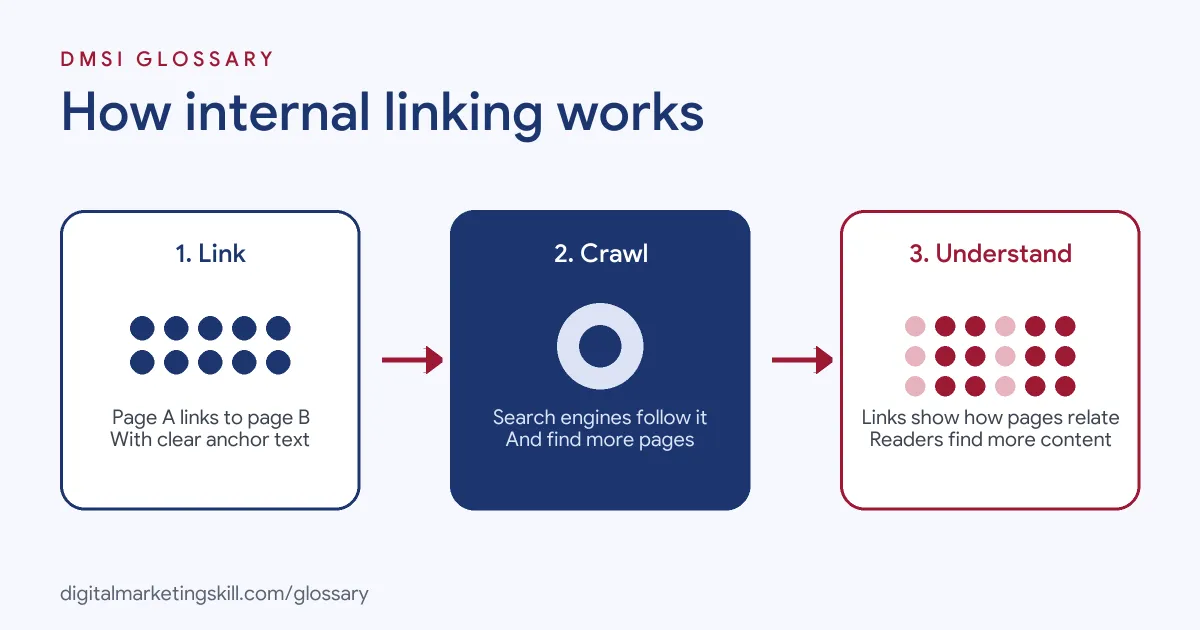
Search engines find most pages by following links. In its SEO Starter Guide, Google says “the vast majority of the new pages Google finds every day are through links.” So each internal link is a path that a crawler can follow from one page to the next.
Crawlable Links
Not every link format works for search engines. Google’s documentation says it “can only crawl your link if it’s an <a> HTML element (also known as anchor element) with an href attribute.” Links built only with script events, such as a button that runs code on click, may not be followed. So check that your menus and buttons use real links.
Anchor Text
Anchor text is the visible, clickable text of a link. According to Google, good anchor text is “descriptive, reasonably concise, and relevant” to both pages. Generic text, such as “click here” or “read more”, tells the reader very little. In addition, Google notes that when an image is the link, it uses the image’s alt text as the anchor text.
Types of Internal Links
Yoast lists four main types. Navigational links sit in your main menu. Contextual links appear inside the body of an article. Meanwhile, footer and sidebar links appear on many pages at once. Contextual links usually carry the most meaning, because the words around them explain why the link is there.
Internal Linking Examples
Here are three made-up examples of internal linking on different kinds of sites:
- Online shop: A product page for running shoes links to a sizing guide and to a category page for running socks.
- Service business: An accountant’s blog post about tax deadlines links to the “Book a consultation” page and to a related post on expenses.
- Content site: A main guide on email marketing links out to shorter posts on subject lines, list building and automation. Each of those posts links back to the main guide.
The third example is often called a topic cluster. It groups related pages, so readers and search engines can see the full topic in one place.
Internal Links vs External Links vs Backlinks
These link types are easy to mix up, so here is a quick comparison:
| Link type | Where it points | Who controls it |
|---|---|---|
| Internal link | From your page to another page on your site | You |
| External (outbound) link | From your page to a different website | You |
| Backlink | From another website to your site | The other site’s owner |
Google also encourages external links when they help. It says citing your sources “can help establish trustworthiness”. Backlinks, on the other hand, are part of off-page SEO, which you can’t fully control.
How to Build Internal Links
You can improve internal linking on any site with a simple routine:
- List your key pages. Note the pages that matter most, such as services, top products and main guides.
- Find orphan pages. Look for pages with no internal links pointing to them, and link to each one from a relevant page.
- Link in context. When you mention a topic you have covered elsewhere, link to that page within the sentence.
- Write clear anchor text. Use a few words that describe the target page, not “click here”.
- Link both ways. Point new posts to older ones, then update older posts to link to the new one.
- Check your links. Fix broken links and update any that point to redirected pages.
For a wider checklist, see our on-page SEO checklist.
How to Check Your Internal Links
A quick audit shows where your site needs more links. Start in Google Search Console, where the Links report lists the pages on your site with the most internal links. Then compare that list with your key pages. If an important service page sits near the bottom, it probably needs more links from related content.
Next, run a site crawler to find broken links, redirect chains and pages with no links pointing to them. Finally, read a few of your top posts as a visitor would. If you can’t easily reach the next useful page, add a link.
Best Practices for Internal Linking
- Put the reader first. Google advises thinking about what other pages “could help your readers understand a given page”.
- Keep anchor text natural. Google warns against cramming keywords into links, since keyword stuffing breaks its spam policies.
- Space your links out. Google says not to chain links next to each other, because it’s harder for readers to tell them apart.
- Use standard HTML links. Make sure menus and buttons use
<a href>elements. - Don’t overdo it. Google says there’s “no magical ideal number of links”, but if you think it’s too much, it probably is.
Common Mistakes to Avoid
Many site owners make the same few errors. First, they publish new pages and never link to them. Second, they use “click here” as anchor text throughout. Third, they build navigation with scripts that crawlers can’t follow. Finally, they add dozens of links to every page, so none of them stands out. Each of these is easy to fix during a regular content review.
Internal Linking on WordPress
On WordPress, you add an internal link in the block editor by selecting text and using the link button. Then you search for a post or page by name. In addition, menus, category pages and related-post sections all create internal links automatically. Some SEO plugins, such as Yoast SEO Premium, also include tools to help you manage internal links. Our entry on on-page SEO explains how links fit with titles, headings and content.
Where You’ll Use Internal Linking at Work
Internal linking appears in many SEO and content job listings. For example, recent remote roles ask candidates to:
- “Own SEO for our websites and content: keyword research, on-page optimization, meta titles and descriptions, internal linking, and monitoring rankings” (Marketing Specialist).
- Show a “Strong grasp of SEO fundamentals: search intent, topical authority, on-page optimization, and internal linking” (Consultant- Content Strategist).
- Create “header structures, schema-aware content layouts, and internal linking recommendations” (SEO Content Strategist).
So if you want to work as an SEO Specialist or Website Manager, employers will expect you to plan site structure, link pages with purpose and fix gaps.
Learn It in the WordPress and SEO Track
You can learn internal linking in the AI-Powered WordPress and SEO Specialist track. There, you build a WordPress site or store and rank it with an SEO content plan, so you have a live project to show. You also work on a U.S. Project Internship from day one, with unlimited 1-on-1 mentoring.
Frequently Asked Questions
What is internal linking in simple terms?
It means linking from one page of your website to another page on the same site, so people and search engines can find related content.
Why does internal linking matter for SEO?
Google finds most new pages through links. Internal links help it discover your pages and understand how they relate to each other.
How many internal links should a page have?
Google says there is no ideal number. Add links where they help the reader, and stop when it starts to feel like too many.
What is an orphan page?
It is a page with no internal links pointing to it. Search engines and visitors may struggle to find it.
Should internal links open in a new tab?
Usually not. Most sites open internal links in the same tab, so people can move through the site naturally.
Sources: Google Search Central: Link best practices; Google Search Central: SEO Starter Guide; Yoast: The ultimate guide to internal linking; remote job listings on Himalayas.