
Yoast SEO is a WordPress plugin that helps you optimise pages for search engines by checking your content, adding technical SEO features and letting you set titles and meta descriptions. It gives each page an SEO and readability score using a simple red, orange and green system. It matters because it is one of the most widely used SEO tools on WordPress, so knowing it is a common requirement in SEO and website jobs.
Key Takeaways
- The plugin listing on WordPress.org shows more than 10 million active installations.
- It analyses content for SEO and readability, using a red, orange and green traffic light.
- It handles technical tasks such as meta tags, canonical URLs, XML sitemaps, Schema.org data and breadcrumbs.
- The core plugin is free. Premium adds more features, such as extra schema types and a word complexity check.
- A green light is a helpful guide, not a promise of rankings.
What Is Yoast SEO?
When you write a page in WordPress, there are many small SEO jobs to remember. You need a good title, a meta description, the right keyphrase in the right places and clean technical settings. The plugin brings these jobs into one place, right below the editor.
Its plugin listing sums up the idea: it “tells you what to fix before you publish, not after. Red, orange, green. That is the whole idea.” It also says you “get in-depth content and readability analysis” without “needing to learn a new discipline first.”
For the bigger picture, read our guide to WordPress SEO.
How Yoast SEO Works
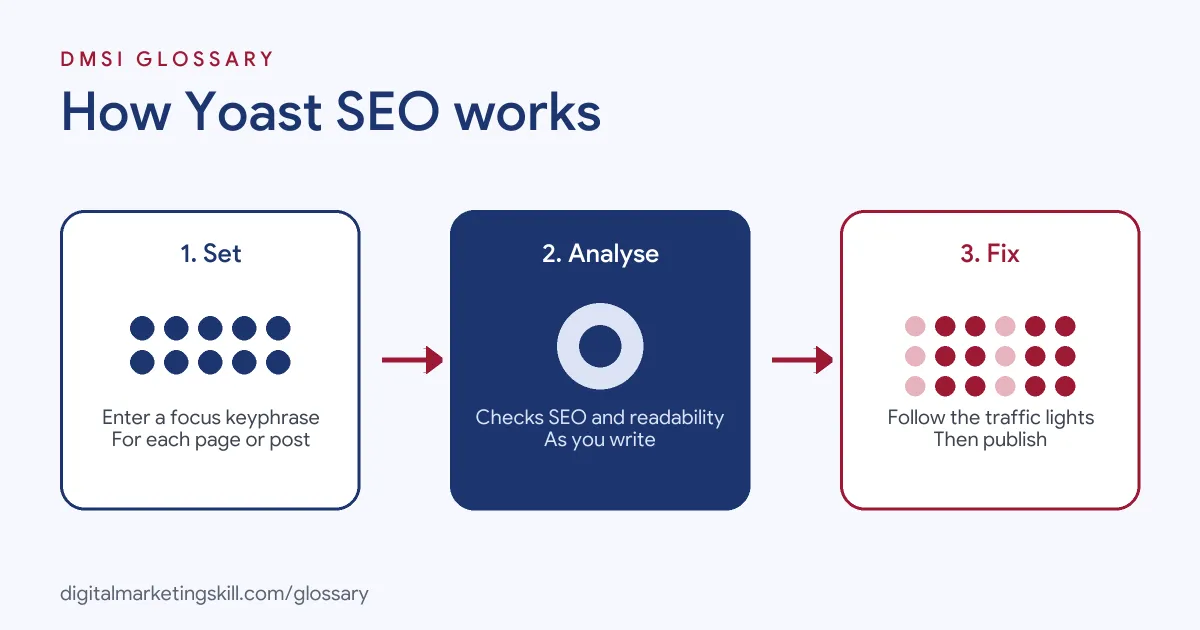
The plugin works in three layers. First, it adds technical SEO features to your whole site. Next, it analyses each page as you write. Finally, it gives you traffic-light scores and suggestions, so you can fix issues before you publish.
The SEO Analysis
You start by entering a focus keyphrase, the main search term you want the page to rank for. The plugin then checks how you use it across the page and suggests fixes. It also offers “SERP previews for both desktop and mobile results,” so you can see how the page might appear in search.
The Readability Analysis
Readability is the second score. Yoast’s feature page lists checks for subheading distribution, paragraph length, sentence length, consecutive sentences, passive voice and transition words. For example, its passive voice check “flags passive sentences so you can rewrite them in active voice.” Meanwhile, its transition words check helps “your content feels natural, logical, and easy to read.”
Technical SEO Features
Behind the scenes, the plugin handles many technical tasks. The listing mentions “automated meta tag optimization,” “canonical URLs to prevent duplicate content issues,” “advanced XML sitemaps,” “deep Schema.org integration” and “complete breadcrumb control.” It also notes that “post types marked as noindex will not appear in the sitemap.”
Blocks and Integrations
The plugin also adds tools inside the editor. Its listing mentions “HowTo and FAQ blocks with built-in schema support” and a “Breadcrumbs block for improved navigation.” It connects with other tools too, including a “Semrush integration for keyword research,” a “Wincher integration to track keyword performance” and an “Elementor integration for optimization inside your favorite builder.”
Structured Data and AI Search
Structured data helps machines understand a page. The listing says the plugin adds “Schema.org structured data, so search engines and AI systems can understand what your content is actually about.” In addition, it says Premium includes signals for experience, expertise, authoritativeness and trustworthiness.
Yoast SEO Examples
Here are three made-up examples of the plugin in use:
- Blog post: A writer sets “how to start a podcast” as the focus keyphrase. The analysis flags that it is missing from the introduction, so she adds it to the first sentence.
- Service page: A consultant uses the SERP preview to shorten a meta description that was cut off on mobile.
- Online shop: A store owner checks the XML sitemap to confirm product pages are included and thank-you pages are not.
In each case, the plugin turns SEO advice into a clear, page-by-page checklist.
Yoast SEO Free vs Premium
The plugin is free, with paid upgrades. Here is a simple comparison based on its listing and feature pages:
| Feature | Free | Premium |
|---|---|---|
| SEO and readability analysis | Yes | Yes |
| XML sitemaps, canonical URLs and breadcrumbs | Yes | Yes |
| Schema.org structured data | Yes | Outputs significantly more schema types |
| Bulk editor for titles and descriptions | Yes | Adds AI-drafted metadata to approve |
| Word complexity check | No | Yes |
A separate add-on, WooCommerce SEO, builds on Premium with tools for online shops, such as product structured data.
How to Set Up Yoast SEO
- In WordPress, go to Plugins, then Add New, and search for the plugin.
- Install and activate it.
- Run the configuration wizard. The listing says it “walks you through the essentials.”
- Check your site name, logo and social profiles in the settings.
- Open a post, scroll to the plugin box and enter a focus keyphrase.
- Write or edit your SEO title and meta description, using the preview to check length.
- Work through the suggestions until the scores improve, then publish.
For help writing the text that appears in search, see our glossary entries on the meta title and meta description.
A Worked Example: Fixing a Page
Here is a made-up example of a page going from red to green:
- A bakery writes a page about birthday cakes and sets “custom birthday cakes” as the focus keyphrase.
- The SEO light is red. The keyphrase isn’t in the first paragraph or the SEO title.
- So the owner adds it to the opening sentence and starts the title with it.
- The readability light is orange, because several sentences are very long.
- She splits them and adds a few transition words, such as “first” and “however.”
- Both lights turn green, and she publishes.
The page is now clearer for readers and better structured for search. Even so, the real test is whether it ranks and brings orders, so check Search Console and sales after a few weeks.
Best Practices
- Write for people first. Use the analysis as a guide, but keep the text natural.
- Use one focus keyphrase per page. Give each page its own main topic, so pages don’t compete.
- Write a custom meta description. A clear, specific summary can earn more clicks.
- Check your sitemap. Make sure the pages you want found are included.
- Keep it updated. Updates bring fixes, schema changes and new features.
Common Mistakes to Avoid
Many beginners chase a green light at any cost, stuffing the keyphrase into every sentence. Others use the same keyphrase on several pages, which makes them compete. Some never write meta descriptions, leaving search engines to pick text for them. Finally, many install two SEO plugins at once, which can create duplicate tags. One well-configured plugin is enough. So pick a single SEO tool, learn its settings well and review your key pages with it every few months.
Where You’ll Use Yoast SEO at Work
The plugin is named in many SEO and WordPress job listings. For example, recent remote listings ask for:
- “Working knowledge of SEO tools (e.g., Google Search Console, SEMrush, Ahrefs, Yoast, or similar).” (Marketing Specialist).
- “Experience with SEO tools such as Yoast or Rank Math, and with Google Analytics and Search Console.” (Freelance Website Developer and Graphic Designer).
- “Familiarity with plugins: Nitropack, Gravity Forms, ACF, Yoast SEO” (Senior Developer).
So as an SEO Specialist, WordPress Developer or Website Manager, you may set up the plugin, train writers to use it and check pages before they go live.
Learn It in the WordPress and SEO Track
You can practise on-page SEO in the AI-Powered WordPress and SEO Specialist track. It covers WordPress website and eCommerce development, search engine optimisation and content marketing. Your portfolio project is to build a WordPress site or store and rank it with an SEO content plan. You also get unlimited 1-on-1 mentoring and a U.S. Project Internship from day one.
To compare options, read our guide to WordPress SEO plugins.
Frequently Asked Questions
Is Yoast SEO free?
Yes, the core plugin is free in the WordPress plugin directory. A paid Premium version adds extra features.
What does the traffic light mean?
It is how the plugin scores a page. The listing sums it up as “Red, orange, green,” with red flagging things to fix and green the goal to aim for.
Does a green light guarantee good rankings?
No. The scores are guides. Rankings also depend on content quality, links, competition and many other factors.
What is a focus keyphrase?
It is the main search term you want a page to rank for. The plugin checks how you use it on the page and suggests improvements.
Does Yoast SEO create a sitemap?
Yes. It creates XML sitemaps, and post types you mark as noindex are left out of them.
Sources: WordPress.org: Yoast SEO plugin; Yoast: Readability analysis; remote job listings on Himalayas and Himalayas.