
YouTube Shorts is YouTube’s short-form video format for square or vertical videos up to three minutes long. Usually, viewers watch them in a scrolling feed, much like Reels or TikTok. As a result, Shorts give brands and creators a fast way to reach new people on YouTube. They also work well alongside longer YouTube videos.
Key Takeaways
- YouTube Shorts are square or vertical videos of up to three minutes.
- Viewers find them in the Shorts feed, in search, on the homepage and on channel pages.
- You can film a Short in the YouTube app or upload one from your computer.
- Shorts can help a channel qualify for the YouTube Partner Program.
- Strong Shorts hook viewers in the first seconds and point them to longer content.
What Are YouTube Shorts?
YouTube Shorts are quick videos made for phones. Typically, you hold the phone upright, film or upload a clip, and publish it as a Short. YouTube describes the format simply: “YouTube Shorts is a way for anyone to connect with a new audience.”
To count as a Short, a video needs two things. First, it must be “square or vertical,” according to YouTube Help. Second, it must be up to three minutes long. So a wide, landscape video won’t be treated as a Short.
Think of Shorts as the trailer and your long videos as the film. For example, a cooking channel might post a one-minute Short of a finished dish. Then viewers who enjoy it click through to the full recipe video. In the same way, a brand can tease a product in a Short and explain it in depth elsewhere.
Shorts are part of the wider trend toward short-form video. They compete with Instagram Reels and TikTok for the same quick-scrolling viewers.
Why It Matters
First of all, Shorts can reach people who have never heard of you. That is because the Shorts feed shows videos from channels viewers don’t yet follow. In addition, Shorts are cheap and quick to make, so small teams can post often. Also, they help you test ideas. For instance, if a topic does well as a Short, you can turn it into a full video with more confidence.
How YouTube Shorts Works
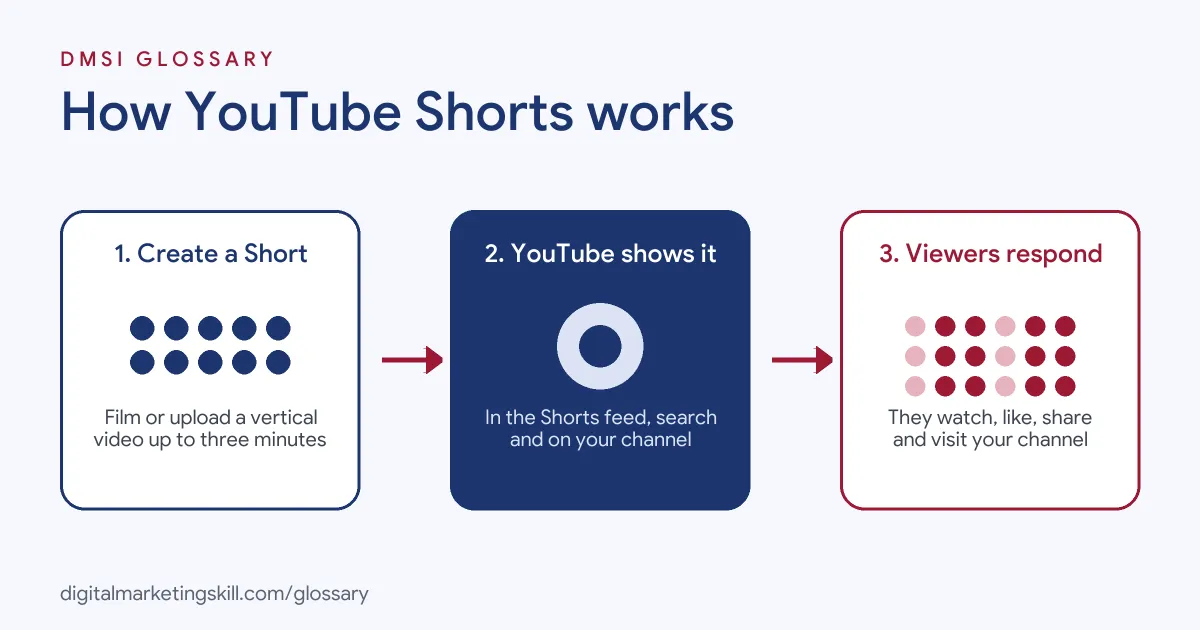
YouTube Shorts works in three main stages. First, you create a short vertical video. Then YouTube shows it in the Shorts feed and other places. Finally, viewers watch, react and sometimes follow you to your channel.
Creating a Short
You can record a Short with the Shorts camera in the YouTube app. Alternatively, you can upload a vertical video you made elsewhere. The app lets you add text, music and effects. When you are done, YouTube says you can “Tap Upload Short to publish your Short or Save draft to save it as a draft for later.”
Where Shorts appear
Next, YouTube shows your Short to viewers. Most people find Shorts in the Shorts tab, where they swipe from one video to the next. However, Shorts also appear in search results, on the homepage, on your channel page and in subscribers’ feeds. So one Short can be seen in several places.
How viewers respond
Meanwhile, viewers can like, comment, share and subscribe straight from the Short. In addition, you can link a Short to one of your longer videos. As a result, a Short can send viewers to deeper content, which is where you build real trust.
Shorts and the Partner Program
On top of that, Shorts can also help a channel earn money. YouTube Help lists one way to join the YouTube Partner Program as: “Get 1,000 subscribers with 10 million qualified Shorts views in the last 90 days.” However, joining depends on meeting all YouTube’s rules, not just the view count.
Music and copyright
Also, take care with sound. YouTube warns that if you upload a video made elsewhere, any protected material in it should be cleared for use on YouTube. Otherwise, you could get a Content ID claim. So use music from YouTube’s own library, or audio you have the rights to.
Measuring results
After you post, YouTube Studio shows how each Short performs. For example, you can see views, likes, comments and new subscribers. In addition, Shorts analytics show how many people chose to keep watching rather than swipe away. That number tells you if your hook works. So compare it across your Shorts to see which openings hold attention. Then use what you learn on the next batch. Over time, these small tests add up to a clear picture of what your audience wants. As a result, you spend less time on ideas that don’t land.
Shorts for brands
Shorts are not only for creators. Brands also use them to show products, share quick tips and answer common questions. For instance, a brand can turn customer questions into a series of one-minute answers. Also, Shorts are a natural home for user-generated content, as long as you have permission to share it.
Examples of YouTube Shorts
- A fitness coach. First, she posts a 30-second Short showing one exercise with clear text on screen. Then she links it to a full workout video on her channel.
- An online clothing shop. The team films quick try-on clips of new stock. As a result, viewers see how each item moves before they visit the shop.
- A software company. At first, it cuts its long tutorials into short tips, each answering one common question. So the same content now reaches people who prefer quick videos.
YouTube Shorts vs Instagram Reels vs TikTok
| Point | YouTube Shorts | Instagram Reels | TikTok |
|---|---|---|---|
| Home platform | YouTube | TikTok | |
| Main strength | Links to long videos and search | Links to Instagram profile and shop | Built around short video |
| Format | Square or vertical | Vertical | Vertical |
| Best use | Growing a YouTube channel | Growing an Instagram audience | Trend-led reach |
Many brands post the same clip on all three. However, each platform has its own style, so small edits help each version feel native. Always check each platform’s own help pages for current length limits.
How to Make YouTube Shorts
- Pick one idea. To begin, choose a single tip, moment or question for each Short.
- Plan the hook. Write the first line so it grabs attention straight away. A strong hook stops the scroll.
- Film upright. Next, use a square or vertical frame, with good light and clear sound.
- Keep it tight. Cut pauses and get to the point fast, even though Shorts can run up to three minutes.
- Add text and captions. Many people watch with the sound off, so add on-screen captions.
- Write a clear title. Use words people search for, so your Short can show up in search.
- Link to a longer video. Then connect the Short to related content on your channel.
- Review the results. Finally, check views, viewed-versus-swiped-away rates and subscribers in YouTube Studio.
Best Practices for YouTube Shorts
- Hook in the first seconds. For example, show the result or ask the question at the very start.
- Post consistently. A regular schedule gives YouTube more chances to show your work.
- Design for loops. For instance, end in a way that flows back to the start, so people watch again.
- Use cleared audio. Instead, pick tracks from YouTube’s library to avoid copyright claims.
- Repurpose with care. Use content repurposing to cut Shorts from long videos, but reframe each one for vertical viewing.
- Talk to viewers. Reply to comments, and use good questions as ideas for new Shorts.
Common Mistakes to Avoid
- Uploading landscape video. A wide video won’t be treated as a Short.
- Slow starts. Otherwise, long intros make viewers swipe away before the point arrives.
- Ignoring rights. Popular songs from outside YouTube’s library can bring Content ID claims.
- Posting with no goal. Instead, decide if each Short builds reach, drives clicks or grows subscribers.
- Copying other platforms’ watermarks. Re-upload clean files, not ones with another app’s logo.
Where You’ll Use YouTube Shorts at Work
YouTube Shorts skills show up in social media, video editing and YouTube strategy roles. They often sit next to TikTok and Reels in the same job. For example, real remote job listings ask for:
- “Deep understanding of TikTok, Reels, and YouTube Shorts as acquisition tools, not standalone entertainment.” (Creative Project Manager (YouTube+ Short-Form Distribution) – Remote).
- “Hands-on experience with YouTube Shorts and a perspective on how short-form complements or competes with long-form strategy.” (Director, YouTube Strategy).
- “Edit engaging videos for TikTok, Instagram Reels, Facebook, and YouTube Shorts.” (Short Form Video Editor (Social Media)).
Learn It in the Social Media and Paid Social Track
You can learn to plan and grow YouTube Shorts, along with wider video marketing, in the AI-Powered Social Media Management and Advertising track. Every track includes a U.S. Project Internship from day one, with unlimited 1-on-1 mentoring.
Frequently Asked Questions
How long can a YouTube Short be?
YouTube Help says a Short can be up to three minutes long. It must also be square or vertical.
Can I upload a Short from my computer?
Yes. You can upload a square or vertical video from YouTube Studio on a computer, or film one in the YouTube app.
Can you make money from YouTube Shorts?
Yes, through the YouTube Partner Program. One route is 1,000 subscribers and 10 million qualified Shorts views in 90 days, but other rules apply too.
Where do people see my Shorts?
Mostly, they appear in the Shorts feed. However, Shorts also appear in search, on the homepage, on your channel and in subscription feeds.
Should I post Shorts or long videos?
Many channels do both. In general, Shorts help new people find you, while long videos build deeper trust.
Sources: YouTube Help: Get started creating YouTube Shorts; YouTube Help: Upload YouTube Shorts; YouTube Help: YouTube Partner Program overview and eligibility; remote job listings on Himalayas, Himalayas and Himalayas.