
Google Merchant Center is a free Google tool where online and local shops upload details about the products they sell. Google then uses that product data to show items in free listings and in Shopping ads across Search, YouTube, Maps and other places. It matters because, without it, your products cannot appear in Google’s shopping results at all.
Key Takeaways
- Merchant Center holds your product data: titles, prices, images, stock levels and more.
- It is free to use, and it powers free product listings on Google.
- Shopping ads use your product data, not keywords, to decide when your ads show.
- Every product needs a set of required details, such as an ID, title, link, image, price and availability.
- The price and stock in your data must match your website, or products can be rejected.
What Is Google Merchant Center?
Think of Merchant Center as a product catalogue that you share with Google. Google’s help centre calls it “a free tool that helps millions of shoppers on Google discover, explore, and buy your products.” In other words, it is the bridge between your shop and Google’s shopping features.
Here is a simple example. A small homeware shop sells 300 candles and cushions. It adds all 300 products to Merchant Center, each with a photo, price and link. Now, when someone searches “linen cushion covers”, those products can appear in Google’s shopping results. The shop did not need to write a single ad to get there.
Merchant Center works for shops that sell online, in a physical store or both. You can add products by hand, upload a file or connect an online store platform, such as Shopify, so products sync automatically.
How Google Merchant Center Works
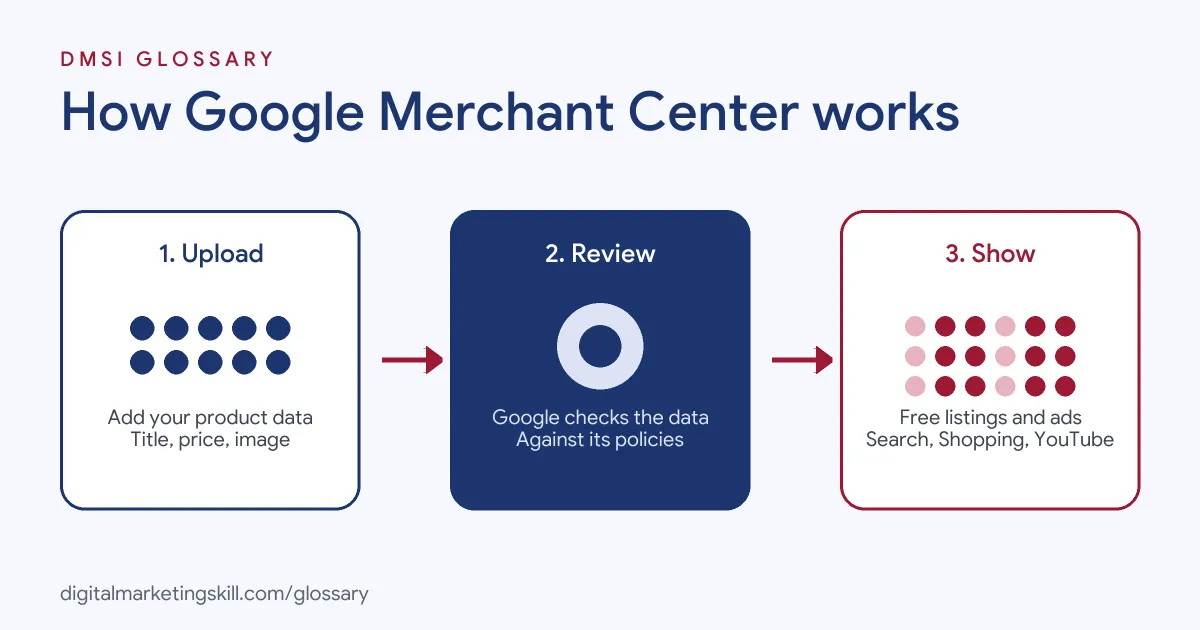
The process has three main parts. First, you upload your product data. Next, Google checks that data against its rules and your website. Finally, approved products can appear in free listings, and you can also promote them with ads.
Product Data and Feeds
Each product is a row of details, often called a product feed. Google’s product data specification lists the core fields. For example, every product needs a unique id of up to 50 characters, a title of up to 150 characters and a description of up to 5,000 characters. It also needs a link to the product page, an image_link, an availability status and a price. Most new products also need a brand.
Some fields depend on the product. For instance, used or refurbished items must state their condition. Products with a maker’s barcode should include a gtin, while products without one may need an mpn, the maker’s part number. Clothing and other items sold in several sizes or colours also need extra details in some countries. So before you build a feed, check which fields apply to your products and the countries you sell in.
Matching Your Website
Google is strict about accuracy. The price must match your landing page and checkout. Similarly, the availability, such as in stock or out of stock, must match what the site shows. Titles and descriptions should describe only the product, with no promotional text or links to other items. So if your website changes, your feed needs to change too.
Free Listings and Shopping Ads
Once products are approved, they can show for free across Google. However, many shops also link Merchant Center to Google Ads. According to Google, Shopping ads “use your existing Merchant Center product data (not keywords) to decide how and where to show your ads.” These ads show a product photo, title, price and store name, so shoppers see what they are getting before they click.
Google Merchant Center Examples
Here are three common ways businesses use it:
- Fashion store: An online clothing shop connects its store platform, so new stock syncs automatically. Then it runs a Shopping campaign for its best-selling jackets.
- Electronics retailer: A tech shop adds GTINs, the barcodes makers assign, to every product. As a result, Google can match its listings to the exact items shoppers are searching for.
- Local bookshop: A bookshop with one physical store lists its products for free. Shoppers nearby can find the books on Google before they visit.
In each case, clean product data does most of the work. The better the data, the more often products show for the right searches.
Free Listings vs Shopping Ads vs Performance Max
Merchant Center data can power three main options. Here is how they compare:
| Option | Cost | Where products can show | Best for |
|---|---|---|---|
| Free listings | Free | Across Google, including Search, Maps and YouTube | Every shop, as a starting point |
| Shopping campaign | Paid, in Google Ads | The Shopping tab, Search, Google Images and search partner sites | Control over which products you promote |
| Performance Max | Paid, in Google Ads | Most Google Ads channels, including YouTube, Gmail, Display, Search and Maps | Reaching shoppers across many channels at once |
In short, free listings get you started. Paid campaigns then help you reach more shoppers with the same product data.
How to Set Up Google Merchant Center
These steps follow Google’s own sign-up guide:
- Sign in with a Google Account. Note that each email address can hold only one Merchant Center account.
- Add your business details, such as store name, and say whether you sell online, in store or both.
- Choose the checkout options that match how you sell. You can change these later.
- Add your products. Google can pull them from your online store, or you can upload them yourself.
- If you use a platform such as Shopify, connect it, so products stay in sync.
- Fix any issues Google flags, such as missing images or price mismatches.
- Link your Google Ads account if you want to run Shopping or Performance Max campaigns.
After that, check the diagnostics regularly. Small feed errors can quietly stop products from showing.
Best Practices for Google Merchant Center
A few habits keep your feed healthy:
- Write clear titles. Include the product type and key details, such as colour or size, for each variant.
- Use real product photos. Google says not to add promotional text, watermarks or borders.
- Add GTINs where they exist. Google strongly recommends them. However, it also says, “When in doubt don’t provide this attribute.”
- Keep prices and stock in sync. Automatic syncing helps avoid mismatches.
- Avoid placeholder brands. Google says not to use values such as “N/A” or “Generic”.
Common Mistakes to Avoid
Beginners often trip over the same few issues. First, they let the feed price drift from the website price, which leads to rejected products. Second, they stuff titles with sales words like “best deal”. Third, they use one generic image for many variants. Finally, they set up the feed once and never check it again. Each of these is easy to avoid with a weekly check of the diagnostics page.
Where You’ll Use Merchant Center at Work
Feed skills appear in many paid search and e-commerce roles. For example, current remote job listings ask candidates to:
- “Manage and maintain product data feeds in Google Merchant Center” (Google Shopping Manager).
- “Learn to configure and optimise product feeds in Google Merchant Center” (Google Shopping Executive, Fresher).
- Show “familiarity with Google Merchant Center and product feeds” (Media Buyer Specialist).
So if you aim to become a Google Ads Specialist or PPC Specialist, especially for online shops, employers will expect you to manage a product feed. They will also expect you to fix the errors that stop products from showing.
Learn It in the Google Ads and Analytics Track
You can learn to run campaigns on Google in the AI-Powered Google Specialist track, which covers Google Ads and Google Analytics. There, you launch and measure a Google Ads campaign with conversion tracking, so you finish with real results to show. You also work on a U.S. Project Internship from day one, with unlimited 1-on-1 mentoring.
Want to go further? Read our guide to Google Ads for small business, or start with our glossary entry on Google Ads.
Frequently Asked Questions
What is Google Merchant Center used for?
It is used to upload and manage product data, so your products can appear in free listings and Shopping ads on Google.
Is Google Merchant Center free?
Yes. The tool itself is free, and so are free listings. You only pay if you run ads through Google Ads.
Do I need Merchant Center to run Shopping ads?
Yes. Shopping ads draw on the product data in Merchant Center, so you need an account linked to Google Ads.
Why was my product rejected?
Common reasons include a price or stock status that does not match your website, a missing image or a missing required field.
Can I connect my online store to Merchant Center?
Yes. Platforms such as Shopify can link to Merchant Center, so your products sync automatically.
Sources: Google Merchant Center Help: Get started; Google Merchant Center Help: Product data specification; Google Ads Help: About Shopping ads; remote job listings on Himalayas.