
Core Web Vitals are three Google metrics that measure how a page feels to visitors: how fast the main content loads, how quickly the page responds to a tap or click, and how stable the layout stays. Each metric has a clear “good” score, so you can see at a glance whether a page passes or needs work. They matter because Google’s ranking systems use them, and because slow, jumpy pages lose visitors.
Key Takeaways
- There are three metrics: Largest Contentful Paint (LCP) for loading, Interaction to Next Paint (INP) for responsiveness and Cumulative Layout Shift (CLS) for visual stability.
- A good page has an LCP of 2.5 seconds or less, an INP of 200 milliseconds or less and a CLS of 0.1 or less.
- Google judges each metric at the 75th percentile of real page visits, split by mobile and desktop.
- Field data from real Chrome users decides whether you pass. Lab tests only help you find the cause.
- Google says its ranking systems use these metrics, but they are one part of page experience, not the whole story.
What Are Core Web Vitals?
Web Vitals is a Google initiative that gives site owners one clear set of quality signals for user experience. The “core” metrics are the small group within it that applies to every web page. Google describes them as metrics that all site owners should measure and that appear across all of its tools.
Each metric covers one part of the experience. LCP asks, “Has the main content loaded yet?” INP asks, “Did the page react when I tapped?” CLS asks, “Did things jump around while I was reading?” Together, they turn a vague feeling of “this site is slow” into numbers you can track and fix.
For example, a visitor opens a product page on a phone. The hero image takes five seconds to show, the “Add to basket” button lags, and a banner pushes the text down. That page would fail all three checks. In other words, these metrics describe exactly the frustrations that make people leave.
How Core Web Vitals Work
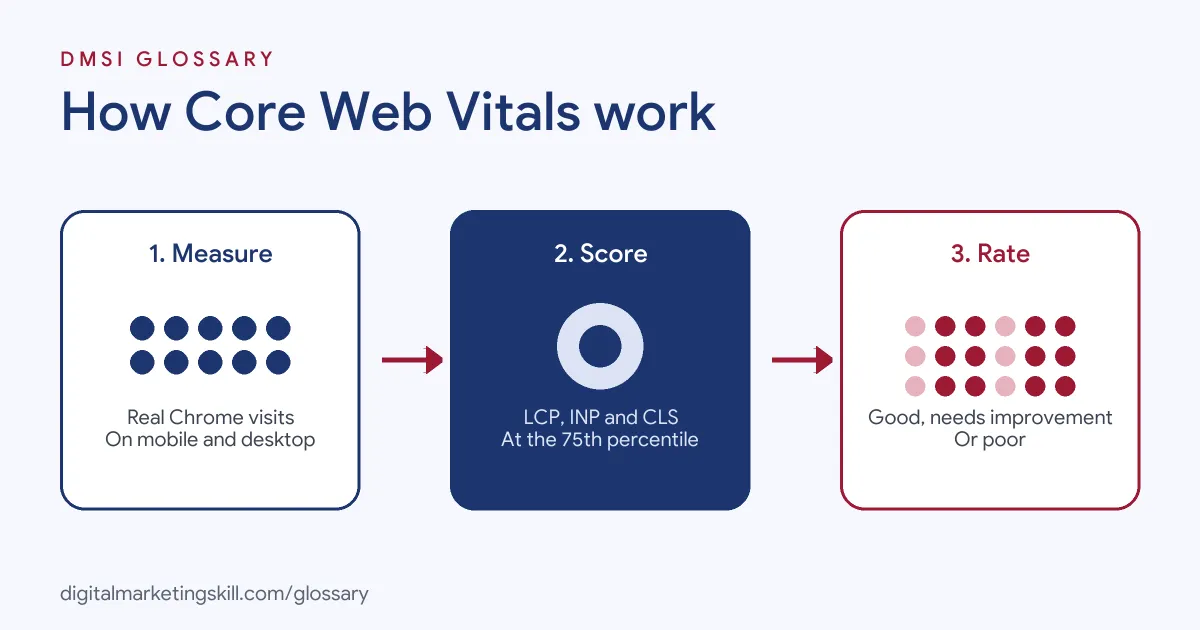
Chrome collects anonymous timing data from real users as they browse. Google then groups that data by page and by site, compares it with fixed thresholds and labels each metric as good, needs improvement or poor.
The Three Metrics and Their Thresholds
Google publishes the same thresholds in its Search Central and web.dev documentation:
| Metric | What it measures | Good | Poor |
|---|---|---|---|
| Largest Contentful Paint (LCP) | Loading: when the largest image or text block shows | 2.5 seconds or less | Over 4 seconds |
| Interaction to Next Paint (INP) | Responsiveness: how fast the page reacts to input | 200 milliseconds or less | Over 500 milliseconds |
| Cumulative Layout Shift (CLS) | Visual stability: how much content moves unexpectedly | 0.1 or less | Over 0.25 |
Anything between good and poor counts as “needs improvement”.
The 75th Percentile Rule
Google doesn’t score your average visit. Instead, it looks at the 75th percentile of page loads, segmented across mobile and desktop. So if at least 75% of visits meet the good threshold, the metric passes. A page passes overall only when all three metrics meet their targets at that percentile.
This rule exists for a reason. According to Google, it makes sure pages work well for most users, including people on slower phones and weaker networks.
How the Metrics Change Over Time
The set is not fixed. Google moves each metric through three stages: experimental, pending and stable. INP is a good example. It began as an experimental metric designed to capture responsiveness more fully than the older First Input Delay (FID), and it later replaced FID as a stable metric.
Core Web Vitals Examples
Here are three made-up examples that show how the scores play out on real kinds of sites:
- Online shop (example): A fashion store has a large hero photo that loads late, so its LCP sits at 4.6 seconds on mobile. After the team compresses the image and stops lazy-loading it, LCP drops into the good range.
- News site (example): Ads load after the article text and push paragraphs down. As a result, CLS reaches 0.3, which is poor. Reserving space for each ad slot fixes most of the shift.
- Booking form (example): A travel site runs heavy scripts when users pick a date. Each tap takes over half a second to update, so INP is poor. Splitting the script into smaller tasks makes the form feel instant.
In each case, one clear cause sits behind one failing metric. That’s why you diagnose each metric on its own.
How to Measure and Improve Core Web Vitals
You can check and fix your scores with free Google tools. Follow these steps:
- Open the Core Web Vitals report in Google Search Console. It groups similar URLs and shows which ones are poor, need improvement or are good, for mobile and desktop.
- Start with the poor groups. Search Console gives each URL group the status of its worst metric, so one failing metric drags the whole group down.
- Run an example URL through PageSpeed Insights. Its field data comes from the Chrome User Experience Report and covers the previous 28 days of real visits.
- Read the lab section below the field data. This comes from Lighthouse, which simulates a mid-tier phone on a mobile network and lists specific issues to fix.
- Fix the biggest cause first, such as an oversized hero image, a slow server or an ad with no reserved space.
- Wait for new field data. Because the report uses a trailing 28-day window, improvements show up gradually rather than overnight.
A Lighthouse performance score of 90 or above counts as good, 50 to 89 needs improvement and below 50 is poor. However, that lab score is not the same as passing the assessment, which depends on field data.
Field Data vs Lab Data
Beginners often confuse these two types of data, so here is a quick comparison:
| Type | Where it comes from | Best for |
|---|---|---|
| Field data | Real Chrome users, through the Chrome User Experience Report | Knowing whether you actually pass |
| Lab data | A simulated page load in Lighthouse on one device and network | Debugging and testing fixes before launch |
Google notes that the two can disagree. Field data reflects many devices and connections, while lab data reflects one controlled test. So trust field data for your result, and use lab data to find the cause.
Best Practices for Core Web Vitals
A few habits keep scores healthy over time:
- Never lazy-load the main image. Google’s LCP guide warns that lazy-loading the LCP image always adds an unnecessary delay.
- Give images and ads fixed space. Set width and height on images, and reserve room for embeds, so content doesn’t jump.
- Keep scripts lean. Remove plugins and third-party tags you don’t need, because heavy JavaScript slows responses to taps.
- Check mobile and desktop separately. Google scores them apart, so a page can pass on one and fail on the other.
- Review the report monthly. New themes, plugins and ad partners can break good scores without warning.
Common Mistakes to Avoid
First, many people chase a perfect lab score of 100 and ignore field data. Second, they test only the home page, while product or blog templates fail. Third, they expect overnight results, even though field data rolls over 28 days. Finally, some treat these metrics as the only ranking factor. Google says there is no single page experience signal, and it also looks at things like HTTPS, mobile display and intrusive pop-ups. So good content still comes first.
Where You’ll Use Core Web Vitals at Work
Page performance is a standard part of SEO and web roles. For example, current remote job listings ask candidates to do the following:
- “Oversee and guide technical SEO improvements, structured data implementation, and Core Web Vitals compliance” (Senior SEO Manager and Account Manager).
- “Work with engineering on Core Web Vitals, rendering, sitemaps, hreflang and indexing” (Head of SEO and AI Search).
So whether you work as an SEO Specialist, WordPress Developer or Website Manager, you will be expected to read these reports, explain them to clients and work with developers on fixes. It also pairs closely with technical SEO, which covers crawling, indexing and site structure.
Learn It in the WordPress and SEO Track
You can learn to measure and fix Core Web Vitals in the AI-Powered WordPress and SEO Specialist track. There, you build a WordPress site or store and rank it with an SEO content plan, so speed and stability become part of real work, not theory. You also join a U.S. Project Internship from day one, with unlimited 1-on-1 mentoring.
Want practical speed fixes for your own site? Read our guide to website page speed for simple ways to make pages load faster.
Frequently Asked Questions
What are Core Web Vitals in simple terms?
They are three scores from Google that show how fast your page loads, how quickly it reacts to taps and clicks, and how stable it stays while loading.
What is a good Core Web Vitals score?
An LCP of 2.5 seconds or less, an INP of 200 milliseconds or less and a CLS of 0.1 or less, measured at the 75th percentile of real visits.
Do Core Web Vitals affect SEO?
Yes. Google states that its ranking systems use them. However, they sit alongside many other signals, so relevant, helpful content still matters most.
Why does my PageSpeed score differ from my field data?
The score comes from a single simulated test, while field data comes from many real users on different devices and networks. As a result, the two often differ.
How long does it take to see improvements?
Field data in PageSpeed Insights and Search Console covers a trailing 28-day period. So after a fix, the numbers improve gradually over several weeks.
Sources: web.dev: Web Vitals; Google Search Central: Vitals and search results; web.dev: Defining the metric thresholds; Search Console Help: Vitals report; About PageSpeed Insights; Google Search Central: Page experience; remote job listings on Himalayas.