
Audience segments in Google Ads are groups of people you can add to campaigns based on who they are, their interests, what they’re researching or how they’ve interacted with your business. Google builds most of these groups from activity on its own products and on partner sites, while others come from your own data. They matter because they help you show ads to the people most likely to care. Without them, you pay to reach anyone who sees a page or types a word.
Key Takeaways
- Google renamed “audience types” to audience segments, and “remarketing” to “your data.”
- The main types are affinity, custom, detailed demographics, life events, in-market and your data segments.
- Not every type works in every campaign. For example, Search campaigns don’t support custom or life events segments.
- Google says it never uses sensitive information, such as health, race, religion or sexual orientation, to tailor ads.
- With optimised targeting or Performance Max, your segments act as signals, so ads may also reach people outside them.
What Are Audience Segments in Google Ads?
Google describes audience segments as groups of people “with specific interests, intents and demographic information, as estimated by Google.” You can add them to ad groups to reach people “based on who they are, their interests and habits, what they’re actively researching or how they’ve interacted with your business.”
Think of each segment as a filter on top of your campaign. A Search campaign already shows ads to people who type certain words. A segment lets you focus on one group within those people, or learn more about them.
The names changed a while ago, which can trip up new users. Google now uses “audience segments” for what it once called audience types, and “your data” for what it once called remarketing lists.
How Audience Segments Work
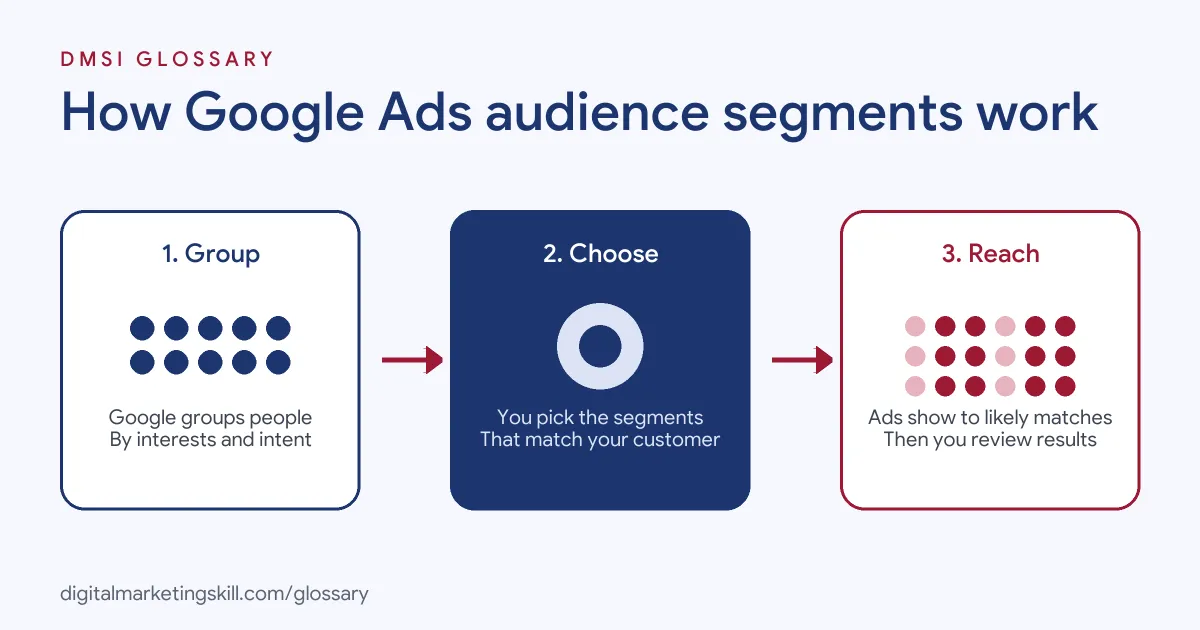
The process works in three steps. First, Google groups people using signals such as the sites they visit and the searches they make. Next, you pick the segments that match your customer. Finally, Google Ads shows your ads to people who are likely in those segments.
Where the Data Comes From
According to Google, segments come from people’s activity on Google products and third-party websites, or from estimates based on content certain groups are likely to like. Google adds that activity on third-party sites is mainly used for segments on those sites, while activity on Google products is mainly used on Google products. It also says the audience data refreshes every week.
Settings and Signals
How strictly Google follows your choice depends on your settings. Google Ads has both a Targeting setting and an Observation setting for segments, as its Customer Match policy shows. Meanwhile, Google warns that with optimised targeting, “your ads may reach people outside of your audience selections.” In Performance Max, segments work as audience signals, which Google says are not “a guarantee that ads will be served to only users within these audiences.”
One Audience per Ad Group
Google says each campaign and ad group can include only one audience at a time, although one audience can include several segments. You can change or edit it whenever you like. So plan your segments together, as one combined audience, rather than as separate add-ons.
Types of Audience Segments
Google lists these main types. Each one finds people in a different way, so pick the ones that fit your goal:
| Segment type | Who it reaches |
|---|---|
| Affinity | People based on their passions, habits and interests |
| Custom | People linked to keywords, URLs and apps that you enter |
| Detailed demographics | People based on long-term life facts |
| Life events | People in the middle of major milestones, such as moving home |
| In-market | People showing recent purchase intent |
| Your data | People who have interacted with your business, including Customer Match |
Google also offers lookalike segments, but only in Demand Gen campaigns.
Which Campaigns Support Which Segments
Google publishes a chart of which segment types each campaign supports. In summary:
- Demand Gen, Display and Video: all of affinity, custom, life events, in-market and your data.
- Search: affinity, in-market and your data, but not custom or life events.
- Standard Shopping: affinity, in-market and your data, but not custom or life events.
- Hotel: only your data segments.
In addition, detailed demographics work in Demand Gen, Display, Search, Video and Standard Shopping campaigns.
Audience Segments Examples
Here are three examples. The first comes from Google; the other two are made up:
- Running shoes (Google’s example): Rather than reaching the broad Sports Fans affinity segment, a running shoe company builds a custom segment to reach avid marathon runners.
- Removals firm (example): A removals company uses the life events segment for people who are moving home.
- Car dealer (example): A dealership adds an in-market segment for people researching cars, then raises bids for them on Search.
How to Add Audience Segments in Google Ads
- Know your customer. Write down what they like, need and want.
- Open the audience settings. In your campaign or ad group, go to the audience section or use the Audience builder.
- Browse or search segments. Look through affinity, in-market, life events and demographics, or create a custom segment.
- Add your data. Next, include your website visitors or customer lists if you have them.
- Choose the setting. Decide whether to use the Targeting setting or the Observation setting for each segment.
- Add exclusions. Google says you can only exclude your data segments and custom segments.
- Review results. Finally, check the Audiences report and adjust bids or segments.
A Worked Example
Here is a made-up example. A cycling shop runs a Search campaign for “road bikes.” First, it adds three segments in a way that lets it compare them: an in-market segment for bicycles, an affinity segment for cycling fans and its own list of past website visitors. After a month, it checks the Audiences report. The past visitors convert best, while the affinity group clicks a lot but rarely buys. So the shop raises bids for past visitors and in-market shoppers, and it stops paying extra for the affinity group. As a result, the same budget now goes further, because it favours the people most likely to buy.
Best Practices
- Start broad, then narrow. Compare a few segments first, then keep the ones that convert.
- Use custom segments for niches. They let you go narrower than Google’s ready-made lists.
- Add your own data. Past visitors and buyers are often your best groups.
- Match the segment to the goal. For instance, in-market suits sales, while affinity suits awareness.
- Check in each week. Google updates the data each week, so small shifts are normal. Don’t panic over one bad day.
Common Mistakes
A common mistake is adding too many small groups, so the ads barely reach anyone. Another is assuming that Performance Max will only show ads to your chosen segments, which Google says isn’t the case. Some advertisers also forget that certain segment types aren’t available in every campaign. Finally, many never check the Audiences report. So they miss which groups buy.
Where You’ll Use Audience Segments at Work
Paid media roles ask for audience skills again and again. For example, real remote job listings include lines like these:
- “Experience with campaign optimization, bidding strategies, audience segmentation, and remarketing” (Remote Senior Google Ads Specialist).
- “Knowledge of audience segmentation, keyword targeting, and budget allocation” (Marketing Ads Specialist).
- “Strong understanding of digital marketing principles, performance funnels, audience segmentation, and paid media strategies” (Media Buyer).
So as a Google Ads Specialist or PPC Specialist, you will choose, test and report on segments every week. A Web Analytics Specialist will often help by building the data that feeds your own lists.
Learn It in the Google Specialist Track
The AI-Powered Google Specialist track covers Google Ads across Search, Display, Discovery, Gmail and YouTube, plus Google Analytics. You launch and measure a Google Ads campaign with conversion tracking, so you can test audience segments on real results. You also get unlimited 1-on-1 mentoring and a U.S. Project Internship from day one.
To reach people who already know you, read our glossary entry on remarketing. For the strategy behind it, see our guide to target audience segmentation.
Frequently Asked Questions
What are audience segments in Google Ads?
They are groups of people, defined by interests, intent, demographics or past interaction with you, that you can add to campaigns.
What is the difference between affinity and in-market segments?
Affinity segments reach people based on long-term interests and habits. In-market segments reach people who show recent purchase intent.
Can I use audience segments in Search campaigns?
Yes. Search supports affinity, detailed demographics, in-market and your data segments, but not custom or life events segments.
Will my ads only show to my chosen segments?
Not always. With optimised targeting or Performance Max, Google may show ads to other people likely to convert.
How often does Google update audience data?
Google says audience data refreshes every week.
Sources: Google Ads Help: About audience segments; Google Ads Help: About your data segments; Google Advertising Policies: Customer Match policy; remote job listings on Himalayas.