
The conversion rate is the percentage of people, visits or ad interactions that end in a desired action, such as a purchase, sign-up or call. In Google Ads, it is conversions divided by ad interactions over the same period. It matters because it shows how well your ads, landing pages and offers turn interest into results, and small changes in it can make a big difference to cost per sale.
Key Takeaways
- Google Ads calculates it as conversions ÷ ad interactions that can be tracked to a conversion, over the same time period.
- Google’s own example: 50 conversions from 1,000 interactions is a 5% rate.
- The rate can exceed 100% in Google Ads if you count “Every” conversion or track several actions.
- Google Analytics reports two versions: session key event rate and user key event rate.
- Always define the action and the base before you compare numbers.
What Is Conversion Rate?
Every campaign aims for some action. A conversion is that action happening. The rate tells you how often it happens compared with the chances you had.
Google Ads explains that rates “are calculated by simply taking the number of conversions and dividing that by the number of total ad interactions that can be tracked to a conversion during the same time period.” For example, “if you had 50 conversions from 1,000 interactions, your conversion rate would be 5%.”
The base changes by tool. In Google Ads, it is usually ad interactions, such as clicks. In Google Analytics, it can be sessions or users. So two tools can report different figures for the same campaign, and both can be right.
How Conversion Rate Works
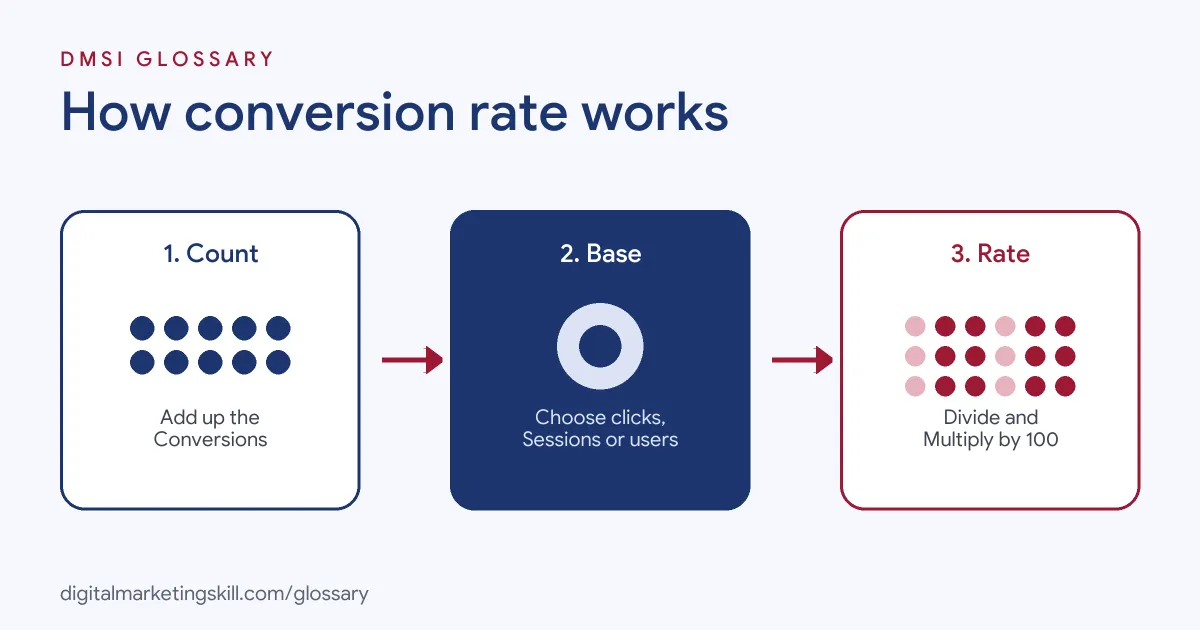
Working out the rate takes three steps. First, you count the conversions. Next, you choose the base, such as clicks, sessions or users. Finally, you divide conversions by the base and multiply by 100.
In Google Ads
Google Ads uses interactions as the base. It also warns that, “If you’re tracking more than one conversion action, or you choose to count ‘Every’ conversion, your conversion rate might be over 100%.” That is because one click can lead to more than one conversion, such as two purchases.
In Google Analytics
Google Analytics offers two rates. Session key event rate is “the percentage of sessions that converted,” calculated as sessions with a key event divided by total sessions. User key event rate is “the percentage of users who converted.” In other words, one measures visits and the other measures people. For example, if one person visits three times and buys once, the session figure counts one sale in three visits, while the user figure counts one sale from one person. Neither is wrong, but you should always say which one you are reporting.
Why It Matters for Cost
This rate links directly to what you pay per result. If you pay $1 per click and 5% of clicks convert, each conversion costs $20. However, if the rate rises to 10%, the same clicks bring twice as many results, and each one costs $10. These numbers are an example only.
Conversion Rate Examples
Here are three made-up examples:
- Online shop: A store gets 4,000 clicks from Shopping ads and 120 sales. Its rate is 3%.
- Lead form: A consultancy shortens its form from ten fields to four. As a result, its rate rises from 2% to 3.5% with the same traffic.
- Analytics view: A blog sees a user key event rate higher than its session rate, because many readers visit several times before they subscribe.
What Affects the Rate
Many things shape how often visitors act. Most of them sit in one of four groups:
- Traffic quality: people who searched for exactly what you sell are more likely to buy than casual browsers.
- Message match: visitors act more often when the page repeats the promise in the ad.
- Page experience: slow pages, long forms and unclear buttons all get in the way.
- Offer and trust: a clear price, guarantee or review can tip a hesitant visitor into acting.
Here is a made-up example. A tutoring service runs ads for “online maths tutor.” The ads send people to the home page, which talks about every subject. The rate is low. Then the team builds a page just for maths, with the same headline as the ad and a short booking form. With the same traffic, far more visitors book a trial lesson. Nothing changed in the ads, only in the page.
So when the number disappoints, check all four groups before you change your bids or budget. Often the fastest gain is on the page, not in the ad account.
Conversion Rate Measures Compared
This table compares the most common versions:
| Measure | Formula | Where you see it |
|---|---|---|
| Ad conversion rate | Conversions ÷ ad interactions | Google Ads |
| Session key event rate | Sessions with a key event ÷ total sessions | Google Analytics |
| User key event rate | Users who performed a key event ÷ total users | Google Analytics |
| Click-through rate | Clicks ÷ impressions | Ad platforms (a step before conversion) |
In short, click-through rate shows whether people click, while conversion rate shows whether they act after clicking.
How to Measure and Improve Conversion Rate
Follow these steps:
- Set up tracking first. Without conversion tracking, you cannot measure the rate.
- Define the action. Decide which conversion matters most, such as a sale or a qualified lead.
- Pick the base and stick with it. Compare clicks with clicks, or sessions with sessions.
- Match the ad to the page. Make sure the landing page delivers what the ad promised.
- Remove friction. Cut extra form fields, speed up the page and make the next step obvious.
- Test changes. A/B test headlines, offers and forms one at a time.
- Review by segment. After that, compare the rate by device, keyword and audience to find weak spots.
Best Practices for Conversion Rate
- Read it with volume. A 20% rate on 10 clicks means less than 5% on 10,000 clicks.
- Use a clear primary action. Mixing small and big actions can inflate the number.
- Check the counting setting. In Google Ads, “Every” and “One” counting give different rates.
- Look beyond the average. Mobile and desktop visitors often behave differently.
- Tie it to cost and value. A higher rate is only better if each conversion is still worth having.
Common Conversion Rate Mistakes
Several errors lead to poor decisions. First, people compare rates from tools that use different bases. Second, they count small actions, such as page views, as conversions and get flattering numbers. Third, they judge a change after a handful of visits. Finally, they push for a higher rate with misleading offers, which can bring low-quality leads. Each of these makes the number look better while the business does worse.
Where You’ll Use Conversion Rate at Work
This metric appears in almost every performance marketing role. For example, recent remote job listings ask candidates to:
- “Improve landing page conversion rates by testing headlines, offers, forms and page speed” (Google Ads Specialist).
- “Monitor key performance indicators such as cost per lead, cost per acquisition, click-through rate, conversion rate, and return on ad spend” (Media Buyer Specialist).
- “Analyze funnel performance and provide optimization recommendations to improve conversion rates” (CRM and Internal Growth Specialist).
So as a Google Ads Specialist, PPC Specialist or Web Analytics Specialist, you will track this rate, explain changes and test ways to lift it. You will often present it to clients next to cost per result, so they can see both efficiency and outcome.
Learn It in the Google Ads Track
You can learn to track and improve conversion rates in the AI-Powered Google Specialist track. There, you launch and measure a Google Ads campaign with conversion tracking, so you can show real results. You also join a U.S. Project Internship from day one, with unlimited 1-on-1 mentoring.
For practical ideas, read our guide to conversion rate optimisation.
Frequently Asked Questions
What is conversion rate in simple terms?
It is the share of clicks, visits or people that end in the action you want, such as a sale. For example, 5 sales from 100 clicks is a 5% rate.
How do you calculate conversion rate?
Divide conversions by the base, such as ad interactions or sessions, then multiply by 100. Google’s example is 50 ÷ 1,000 = 5%.
Why is my Google Ads rate over 100%?
In Google Ads, this can happen if you count “Every” conversion or track several actions, because one click can lead to more than one conversion.
Why do Google Ads and Google Analytics show different rates?
They often use different bases. Google Ads uses ad interactions, while Google Analytics uses sessions or users.
What is a good conversion rate?
It depends on your industry, offer and traffic. The best benchmark is your own past performance for the same type of campaign.
Sources: Google Ads Help: Conversion rate; Google Analytics Help: Dimensions and metrics; Google Ads Help: About conversion measurement; remote job listings on Himalayas.