
A conversion is any valuable action you want a person to take, such as buying a product, signing up for a newsletter or calling your business. You decide which actions count, and then you track how often they happen. It matters because conversions are how marketers prove that ads, emails and web pages actually produce results, not just clicks.
Key Takeaways
- You choose what counts as a conversion. Google Ads gives “a purchase, sign-up or phone call” as examples.
- Conversion rate is conversions divided by interactions. So 50 conversions from 1,000 clicks is 5%.
- Google Ads can track website actions, app installs, phone calls and offline sales.
- In Google Analytics, the important actions you mark are called key events.
- Good tracking matters more than big numbers. If tracking is wrong, every decision built on it is wrong too.
What Is a Conversion?
Every marketing campaign has a goal, whether that is a sale, a lead or a booking. A conversion is the moment a person completes that goal. Google Ads Help puts it this way: “You choose what you identify as valuable – like a purchase, sign-up or phone call.”
So a conversion for an online shop is usually a sale. For a training provider, it might be a completed application form. For a plumber, it is often a phone call. In other words, the same word means different things for different businesses, and that’s fine. What matters is that you define it clearly before you spend money.
Marketers often split conversions into two groups. Main goals, such as a sale, are sometimes called macro conversions. Smaller steps along the way, such as adding to a basket or watching a product video, are often called micro conversions. Tracking both shows you where people drop off.
How Conversion Tracking Works
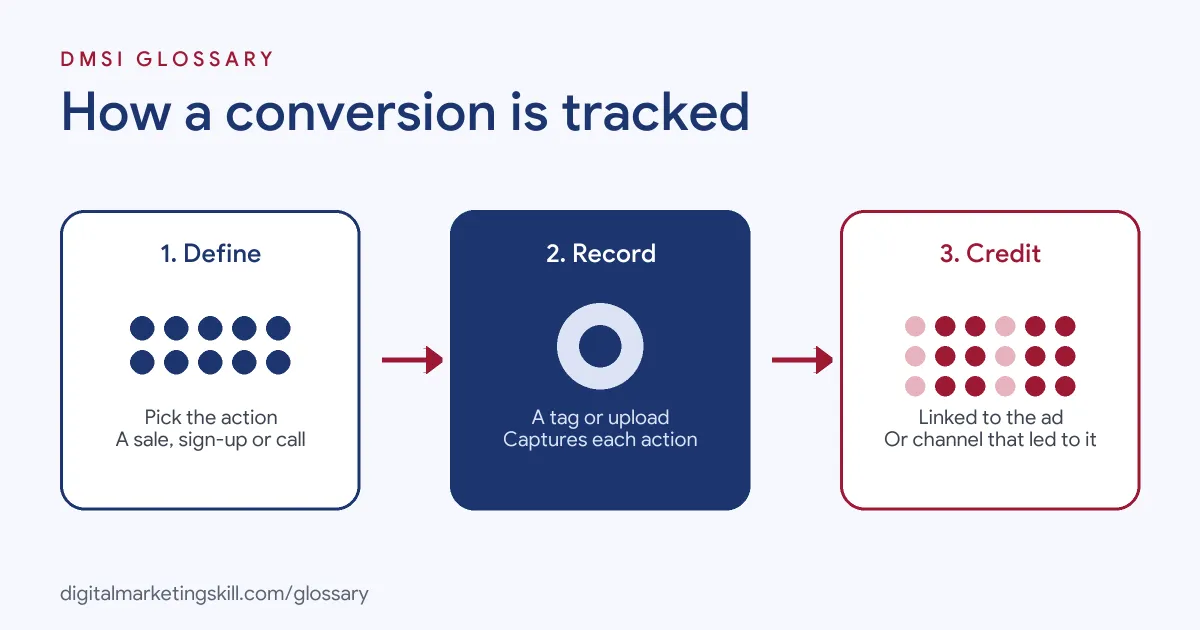
Tracking this kind of action takes three parts. First, you define the action. Next, you add a tag or connect a data source that can record it. Finally, the platform links each recorded action back to the ad, keyword or campaign that led to it.
Tags and Cookies
On a website, you add the Google tag or a similar code snippet. Google Ads Help explains that when someone clicks your ad, “a temporary cookie is placed on their computer or mobile device.” Then, when that person completes the action, the system recognises the cookie and records it.
Some actions don’t need a tag at all. For example, Google can track phone calls through a forwarding number. It can also record app downloads and in-app purchases from Google Play automatically.
Conversion Actions and Key Events
In Google Ads, each tracked goal is a “conversion action”, which Google defines as “a specific customer activity that’s valuable to your business.” Google Analytics uses a slightly different name. There, you mark important events as key events. A standard property lets you mark up to 30 of them.
The two systems connect. Google Analytics Help says you can create Google Ads conversions based on your key events and use them for bidding. Some events, such as purchase, count as key events by default.
Conversion Rate
Google Ads defines conversion rate as “the average number of conversions per ad interaction, shown as a percentage.” Its own worked example is simple. If you had 50 conversions from 1,000 interactions, your conversion rate would be 5%. You can work out the same rate for a landing page, an email or a whole website.
Conversion Examples
Here are three made-up examples that show how different businesses define their main goal:
- Example: online clothing store. The main goal is a completed purchase. The team also tracks “add to basket” as a smaller step, so it can see where shoppers drop off.
- Example: marketing course provider. The main goal is a submitted application. A secondary goal is a download of a free career guide.
- Example: dental clinic. The key action is a phone call from an ad, tracked with a forwarding number. Online booking requests count too.
In each case, the business picked actions tied to revenue. As a result, its reports show what really brings in customers.
Conversion Types in Google Ads
Google Ads Help lists four main sources of conversion data:
| Type | What it tracks | How it is recorded |
|---|---|---|
| Website | Purchases, sign-ups and other actions on your site | The Google tag on your pages |
| App | Installs of Android or iOS apps and in-app actions | App tools, or automatically for Google Play |
| Phone call | Calls from ads, calls to a number on your site, and clicks on a mobile number | A Google forwarding number or a tag |
| Offline | Sales that finish elsewhere, such as in a shop or over the phone | Data you upload from files or an API |
Google also reports view-through conversions. These measure cases where someone saw your ad, didn’t click it, and converted later. Google keeps them out of the main Conversions column.
How to Set Up Conversion Tracking
The exact menus differ between tools, but the process stays the same:
- Pick your main goal. Choose the one action that best signals a new customer or lead.
- Add smaller steps. Pick one or two earlier actions, such as a form start or a basket add.
- Install the tag. Add the Google tag, Meta Pixel or similar code to your site, or use a tag manager.
- Create the conversion action. In Google Ads, set up the action, or import a key event from Google Analytics.
- Test it. Complete the action yourself and check that the platform records it.
- Use it for bidding and reports. Then judge campaigns by cost per conversion, not just clicks.
Note that marking an event as a key event in Google Analytics only affects data from that point on. It doesn’t change past reports, so set tracking up before you launch.
Best Practices
- Track value, not just volume. A sale worth a lot matters more than a cheap sign-up, so add values where you can.
- Keep the list short. Too many goals make reports confusing and can steer automated bidding the wrong way.
- Improve the page, not only the ad. A strong landing page can lift conversion rate without extra spend.
- Bring in offline sales. If deals close on the phone, upload them, so you see which campaigns produce revenue.
- Check tracking after every site change. A new theme or checkout can quietly break your tags.
Common Mistakes
Many beginners count page views or clicks as goals, which makes weak campaigns look strong. Others install the tag twice, so every sale is counted double. Some never test tracking, and find out weeks later that nothing recorded. Finally, many teams chase a higher conversion rate while ignoring lead quality. Our guide to conversion rate optimisation mistakes covers more of these.
Where You’ll Use Conversion Tracking at Work
Almost every digital marketing role reports on these results, and most hiring managers will ask how you measure them. For example, real remote job listings ask candidates to:
- “Manage advertising budgets, test campaign improvements, monitor conversion tracking, and work with Marketing and Sales” (Paid Ads Specialist).
- Manage live campaigns while “tracking conversions accurately, and providing clear performance reports” (Media Buyer Specialist).
- “Drive continuous improvements in ROAS, CPA, CTR, and conversion rates” (Media Buyer).
So whether you aim to be a Digital Marketing Manager, a Growth Marketer or a Freelance Digital Marketer, you will set conversion goals and explain the results to clients or managers.
Learn It in the Full Stack Programme
You can learn to define, track and improve conversions in the Full Stack programme, which covers all four tracks and all ten courses. Along the way, you complete one portfolio project from each track, including a Google Ads campaign with conversion tracking and an automated email sequence that converts. You also join a U.S. Project Internship from day one, with unlimited 1-on-1 mentoring.
Frequently Asked Questions
What is a conversion in simple terms?
It is an action you want people to take, such as buying, signing up or calling. When someone does it, that counts as one conversion.
How do you calculate conversion rate?
Divide the number of conversions by the number of interactions, then multiply by 100. For example, 50 conversions from 1,000 clicks gives a 5% conversion rate.
What is the difference between a conversion and a key event?
Key event is the name Google Analytics uses for an important action you mark. Google Ads calls tracked goals conversions, and you can create them from your key events.
What is a good conversion rate?
It depends on your industry, offer, traffic source and goal. The most useful benchmark is your own past rate, so aim to beat it over time.
What is a view-through conversion?
It is a conversion from someone who saw your ad but did not click it. Google Ads reports these separately from the main conversions column.
Sources: Google Ads Help: About conversion measurement; Google Ads Help: Conversion rate definition; Google Analytics Help: About key events; remote job listings on Himalayas.