
Cross-selling is a sales technique where you suggest extra products or services that go well with what a customer is already buying. Classic examples are a case with a new phone, batteries with a toy or a support plan with software. Done well, cross-selling helps customers get everything they need in one go, while raising the value of each order.
Key Takeaways
- Cross-selling adds a related item. Upselling, by contrast, swaps the item for a better version.
- WooCommerce describes cross-sells as “complementary products that you recommend based on items in a customer’s cart.”
- Online shops usually show these suggestions in the cart, at checkout or in follow-up emails.
- The best suggestions solve a real problem, such as a missing cable or a care product.
- Under UK rules, extras must not be added with a pre-ticked box.
What Is Cross-Selling?
Picture buying a tent at an outdoor shop. The assistant asks, “Do you have pegs and a mallet?” You realise you do not, and you are glad they mentioned it. That is cross-selling at its best: a timely, helpful reminder.
Online, the same idea appears as “you may also need” or “frequently bought together” sections. A shopper adds a coffee machine to the basket, and the cart suggests descaling tablets and a milk jug. Each suggestion fits the original purchase.
It differs from upselling. Upselling encourages a better or bigger version of the same item. Cross-selling, on the other hand, adds a different item that complements it. Many stores use both at different points in the journey.
How Cross-Selling Works
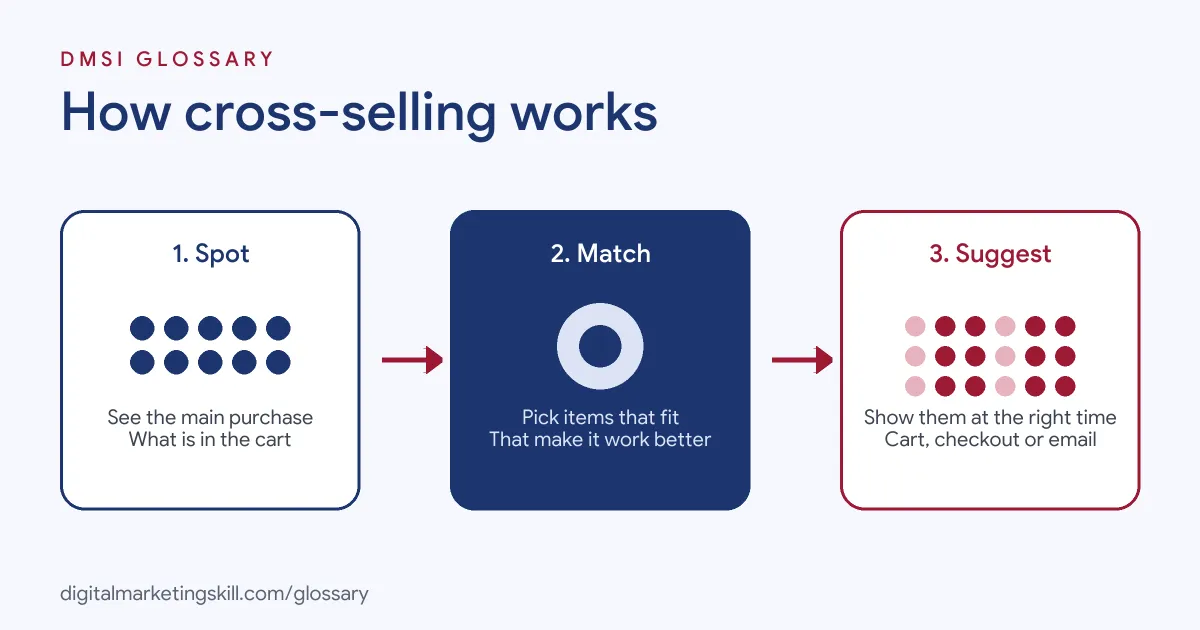
Most cross-selling follows three steps. First, you spot what the customer is buying. Next, you match it with items that genuinely go with it. Finally, you show those items at the right moment, usually when the customer is ready to buy.
Find the Right Pairs
Good pairs are obvious once you see them. Think of products people often need together, or items without which the main product will not work well. Order history is a great guide. For instance, if many buyers of a printer return later to buy ink, offer the ink at checkout.
Show Them at the Right Time
Timing matters. In WooCommerce, cross-sells appear on the cart page, but only when the cart layout includes a cross-sells section. Its example is recommending “a scarf or wool wash with a wrap.” Shopify works in a similar way. Its Search and Discovery app lets merchants customise complementary and related product suggestions on product pages, as long as the theme includes those sections.
Email is another good moment. A short message after delivery can suggest a care kit or an accessory, once the customer has started using the product.
Related Products
Some platforms also show related products automatically. WooCommerce explains that it “automatically generates related products based on categories or tags shared with the product being viewed.” These are not chosen by hand, so they are less targeted than cross-sells you pick yourself.
Cross-Selling Examples
Here are three made-up examples of cross-selling in action:
- Electronics shop: When a customer adds a laptop to the cart, the cart page suggests a sleeve, a mouse and a USB hub.
- Beauty brand: A shopper buys a cleanser. The confirmation email suggests the matching toner and moisturiser, with a short routine guide.
- Agency: A client hires an agency for SEO. The account manager suggests adding monthly content writing, because new pages support the SEO work.
In each case, the extra item makes the first purchase work better.
Cross-Selling vs Upselling
| Factor | Cross-selling | Upselling |
|---|---|---|
| What you offer | An extra item that goes with the purchase | A better version of the same item |
| Example | A case for a new phone | A phone with more storage |
| Where in WooCommerce | Cart page | Product page |
| Goal | Add items to the order | Raise the value of one item |
Both aim to raise order value. However, they work best when each one genuinely helps the customer.
How to Set Up Cross-Selling Online
- Study your orders. Look for items that people often buy together.
- Choose two or three pairs per product. Keep suggestions short and relevant.
- Add them in your platform. In WooCommerce, assign cross-sells in the product editor’s linked products settings.
- Check the cart layout. WooCommerce notes that assigning products does not add a missing cross-sells section to your cart.
- Write a short reason. For example, “You will need these batteries to get started.”
- Add post-purchase emails. Suggest care products or accessories after delivery.
- Measure and adjust. Track the share of orders that include a suggested item, and replace pairs that never sell.
Simple Pairing Ideas
Not sure where to start? Here are a few easy pairs that work in many shops. For example, a phone goes with a case and a charger. Dresses go with belts or bags. Bikes need a lock, lights and a helmet. Paint sells well with brushes, tape and rollers. Similarly, an online course pairs with a workbook or a coaching call. Each pair answers the same question: what else will the buyer need to get the most from this?
Once you have a list, test it. Keep the pairs that sell, and swap out the ones that do not. Over time, your data will show you the best matches.
Best Practices for Cross-Selling
- Solve a problem. Suggest items that make the main product work better or last longer.
- Keep prices in proportion. An add-on should usually cost much less than the main item.
- Do not overload the page. Too many suggestions can distract from checkout.
- Ask clearly for extras. UK consumer contract rules say a default option, “such as a pre-ticked box on a website,” is not express consent to an additional payment.
- Personalise where you can. Use past orders to suggest items the customer does not already own, as part of wider personalisation.
Common Mistakes to Avoid
First, shops suggest random best-sellers that have nothing to do with the cart. Second, they show so many add-ons that customers abandon checkout. Third, they pre-tick add-ons, which breaks UK rules and annoys shoppers. Finally, they suggest items the customer already bought. Each mistake makes the offer feel like noise rather than help. So review your suggestions every few months and remove any that customers ignore.
How to Measure Cross-Selling
Start with the attach rate: the share of orders that include at least one suggested item. Next, watch average order value over time. Then check whether checkout completion drops after adding suggestions, because that would mean they distract buyers. Finally, look at repeat purchases. In short, good cross-selling should lift order value without slowing people down.
Cross-Selling in B2B and Services
The idea is not limited to online shops. In B2B, account managers suggest related services to existing clients. For example, a payroll provider might offer an HR tool, or an agency might add email marketing to an SEO contract. Because the client already trusts you, a relevant offer often feels natural. Still, the same rule applies: suggest what genuinely helps.
Where You’ll Use Cross-Selling at Work
Cross-selling skills appear in account management, sales and marketing roles. For example, remote job listings ask candidates to:
- “Identify cross-sell, upsell, and whitespace opportunities within existing accounts.” (Onboarding IAM).
- “Identify account expansion opportunities by cross-selling and up-selling opportunities within targeted” accounts (Account Executive, CFO Solutions).
- Handle “Cross-Selling and Upselling: Identify opportunities for selling additional products or services to existing clients.” (Sales Representative for a Marketing Company).
So if you aim to be a Growth Marketer, Digital Marketing Manager or Agency Owner, cross-selling will shape your e-commerce pages and email automation. It also helps agencies grow accounts with existing clients.
Learn It in the Full Stack Programme
Cross-selling ties together store pages, email automation and analytics, so the best fit is the Full Stack programme (all four tracks). You take all ten courses and complete one portfolio project from each track. You also get unlimited 1-on-1 mentoring and a U.S. Project Internship from day one.
For more ideas, read our guide to e-commerce store features.
Frequently Asked Questions
What is cross-selling in simple terms?
It means suggesting extra items that go with what a customer is buying. For example, a case with a new phone.
What is the difference between cross-selling and upselling?
Cross-selling adds a related item to the order. Upselling encourages a better or bigger version of the same item.
Where should cross-sells appear on a website?
Common places are the cart, the checkout and follow-up emails. In WooCommerce, cross-sells appear on the cart page when the layout includes that section.
Is cross-selling only for e-commerce?
No. Service businesses and B2B firms cross-sell too, for example by offering related services to existing clients.
How many cross-sell suggestions should I show?
Usually two or three. More than that can distract people from finishing their purchase.
Sources: WooCommerce: Related products, up-sells and cross-sells; Shopify Help: Product recommendations; legislation.gov.uk: Consumer Contracts Regulations, regulation 40; remote job listings on Himalayas.