
Click-to-WhatsApp ads are Meta ads on Facebook and Instagram that open a WhatsApp chat with your business when someone taps them. Instead of sending people to a website, the ad starts a conversation, so they can ask questions, get a quote or buy through messages. They matter because many customers prefer to chat, and a quick, personal reply can turn interest into a sale faster than a form.
Key Takeaways
- Meta says these ads “send people that click on your ads directly into conversations with your business in WhatsApp”.
- They support image, video, carousel and slideshow formats.
- Supported objectives include Engagement, Leads, Sales and Traffic.
- When you reply to someone who came from one of these ads, a free entry point window opens for 72 hours.
- Fast, helpful replies matter more than the ad itself, because the sale happens in the chat.
What Are Click-to-WhatsApp Ads?
Most ads send people to a landing page. These ads send them into a chat instead. The person taps the button, WhatsApp opens, and a message thread with your business is ready to go.
Meta’s developer documentation describes them as ads that “send people that click on your ads directly into conversations with your business in WhatsApp”. In other words, the ad is the start of a conversation, not the end of one.
For example, a furniture shop might run an Instagram ad for a new sofa range. A shopper taps “Send message”, asks if the sofa comes in grey and gets a reply with photos and prices. Later, the shop sends a payment link, and the sale is done without a single web page.
How Click-to-WhatsApp Ads Work
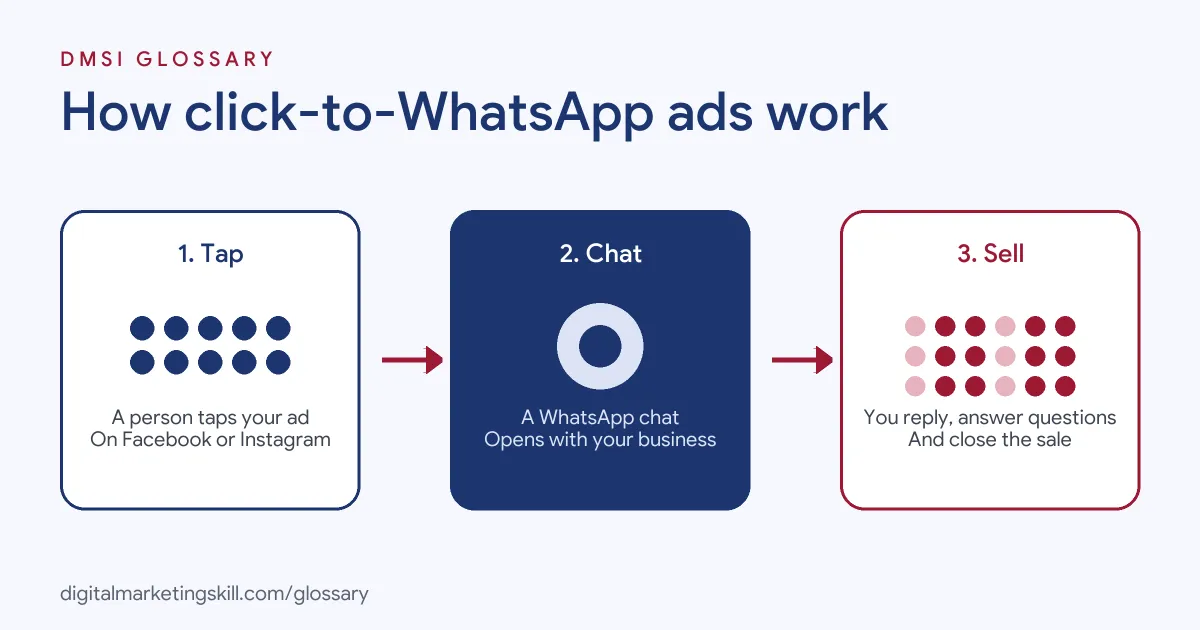
The process has three steps. First, a person sees your ad on Facebook or Instagram and taps it. Next, WhatsApp opens a chat with your business. Finally, your team or a chatbot replies, answers questions and guides the person towards a purchase or booking.
Formats and Objectives
Meta says these ads “support ads with an image, a video, a carousel, or a slideshow”. You can also add call prompts. In addition, the supported campaign objectives are Engagement, Leads, Sales and Traffic, so you can choose the goal that matches your business. Meta reviews each ad before it runs.
The Free Entry Point Window
Pricing on the WhatsApp Business Platform has a special rule for these ads. When someone messages you from one of them and you reply, Meta says “a Free Entry Point (“FEP”) window will be opened, starting from the time when you responded”. It adds that “FEP windows remain open for 72 hours”. During that time, all messages are free, including template messages.
The Customer Service Window
Separately, a 24-hour customer service window opens as normal when a customer messages you. Meta notes that this window “is independent of the FEP window”. Outside a customer service window, template messages are the only type you can send. Meta now charges on a per-message basis, and templates fall into three categories: Marketing, Utility and Authentication.
Click-to-WhatsApp Ads Examples
Here are three made-up examples of businesses using these ads:
- Furniture shop: A carousel ad shows five sofas. Shoppers who tap it ask about colours and delivery, and staff reply with photos and prices.
- Travel agency: A video ad promotes a holiday package. People who message get a short quiz in the chat, then a tailored quote.
- Driving school: An image ad offers a free first lesson. Learners message to book, and an automated reply offers three time slots.
In each case, the chat replaces the landing page. As a result, the quality of the conversation decides the result.
Click-to-WhatsApp Ads vs Other Ad Destinations
Here is how this destination compares with two common alternatives:
| Destination | What happens after the tap | Best for |
|---|---|---|
| WhatsApp chat | A conversation with your business opens | Questions, quotes, bookings and personal selling |
| Website landing page | The person visits your site | Detailed information and online checkout |
| In-app lead form | A form opens inside Facebook or Instagram | Collecting contact details at scale |
Many businesses test all three. Chat often suits products that need a little explaining or reassurance before people buy.
How to Set Up Click-to-WhatsApp Ads
The exact menus change over time, but the broad steps are:
- Set up WhatsApp for your business. Make sure the WhatsApp number you will advertise is ready to receive messages.
- Connect it to your Facebook Page. The ad needs to know which WhatsApp number to open.
- Create a campaign. Choose Engagement, Leads, Sales or Traffic as the objective.
- Choose WhatsApp as the destination. Then pick your audience, budget and placements.
- Build the ad. Use an image, video, carousel or slideshow with a clear offer.
- Prepare your replies. Write a welcome message and quick answers to common questions.
- Staff the inbox. Decide who replies, and when, before the ads go live.
After that, track how many chats start, how many get a reply and how many end in a sale.
How to Write the First Reply
The first reply sets the tone for the whole chat. So keep it short, warm and useful. Here is a made-up example for the furniture shop: “Hi, thanks for messaging Oak and Co. Which sofa caught your eye? I can send photos, sizes and delivery times.” It thanks the person, names the business and asks one simple question. As a result, the customer knows what to do next. Avoid long blocks of text or a list of ten options. Instead, guide the person one step at a time, just as a helpful shop assistant would in person.
Best Practices for Click-to-WhatsApp Ads
- Reply fast. People who tap a chat ad expect a quick answer.
- Use the free window well. The 72-hour window gives you time to follow up at no message cost.
- Start with a clear prompt. Suggest a first question, such as “What sizes do you have?”
- Mix automation and people. Let a chatbot handle simple questions and pass complex ones to staff.
- Respect consent. Only send later marketing messages to people who agreed to receive them. In the UK, the ICO says its consent rules cover texts and direct messages via social media, as well as emails.
Common Mistakes to Avoid
The biggest mistake is running ads with nobody ready to answer. As a result, you pay for chats that go cold. Another mistake is sending long, robotic replies that feel like spam. Some businesses also forget to track sales from chats, so they cannot prove the ads work. Finally, many treat the chat like a one-off. Instead, follow up within the free window while the person is still interested.
How to Measure Results
Track the journey from tap to sale. First, count how many conversations each ad starts. Next, record how many of those people got a reply, and how fast. Then note how many asked for a quote or booking, and how many paid. Finally, divide your ad spend by the number of sales to find your cost per sale. These numbers show whether the problem is the ad, the reply speed or the offer itself.
Where You’ll Use Click-to-WhatsApp Ads at Work
We did not find recent remote job listings that name this exact ad type. Even so, chat-based ads are common in markets where people use WhatsApp every day. A Paid Social Specialist sets up the campaigns, while a Social Media Manager often plans the replies and tracks results. So the skill combines ad buying with customer conversations. Employers value people who can do both, because the sale only happens if the chat goes well.
Learn It in the Social Media Track
You can learn to plan and run chat-based ads in the AI-Powered Social Media Management and Advertising track. It covers social media advertising, marketing and analytics. You plan, create and run a paid social campaign for a real brand. In addition, you get unlimited 1-on-1 mentoring and a U.S. Project Internship from day one.
For more ideas, read our guides to WhatsApp marketing and the WhatsApp Business app. You can also learn how an AI chatbot can handle simple replies.
Frequently Asked Questions
What are click-to-WhatsApp ads in simple terms?
They are Facebook and Instagram ads that open a WhatsApp chat with your business when someone taps them.
Which ad formats can I use?
Meta says these ads support images, videos, carousels and slideshows.
Are messages free after someone taps the ad?
When you reply, a free entry point window opens for 72 hours. During that time, Meta says all messages are free, including templates.
Which campaign objectives work with click-to-WhatsApp ads?
Meta lists Engagement, Leads, Sales and Traffic as supported objectives.
Do I need someone to answer the chats?
Yes, or a chatbot for simple questions. The ad only starts the conversation, so fast replies decide the result.
Sources: Meta for Developers: Ads that click to WhatsApp; Meta for Developers: WhatsApp Business Platform pricing; UK ICO: Electronic mail marketing.