
A 301 redirect is an instruction from a web server that tells browsers and search engines a page has moved permanently to a new address. Visitors who request the old URL are sent straight to the new one. It matters because it keeps people and search engines on the right page when you change URLs, merge content or move a site, so you do not lose traffic or links.
Key Takeaways
- 301 is the HTTP status code for “Moved Permanently.” The new address goes in the Location header.
- Google treats a permanent redirect as a signal that the new URL should be the canonical one shown in results.
- Server-side redirects, such as 301 and 308, are the most reliable type for Google to understand.
- Use a 302 or 307 instead when the move is only temporary.
- Avoid long redirect chains, because Google says they have a negative effect on crawling.
What Is a 301 Redirect?
MDN Web Docs explains that the HTTP 301 Moved Permanently status “indicates that the requested resource has been permanently moved to the URL in the Location header.” When a browser receives it, it “will automatically request the resource at the URL in the Location header.”
For example, imagine you rename a blog post from /seo-tips-2/ to /seo-tips/. Without a redirect, anyone using the old link hits an error. With one in place, they land on the new page without noticing.
Redirects are a core part of technical SEO. In other words, every time a URL changes, a redirect protects the visits and links the old address had earned.
How a 301 Redirect Works
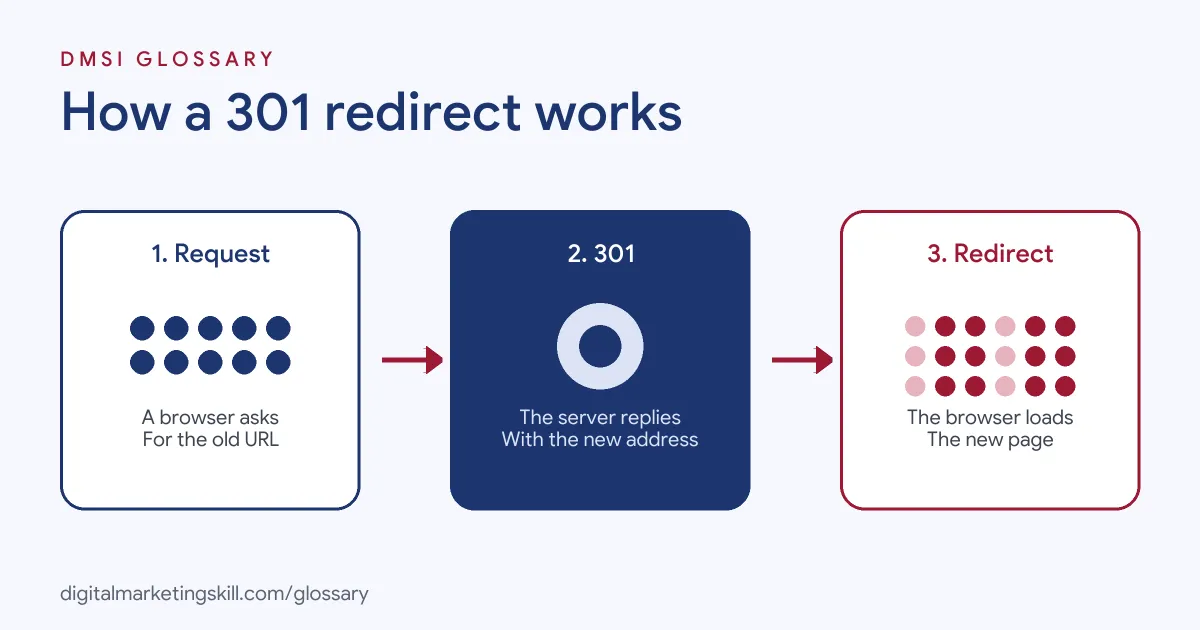
The process takes a fraction of a second. First, a browser or crawler requests the old URL. Next, the server replies with a 301 status and the new address. Finally, the browser requests the new URL and shows that page instead.
What Google Does With It
Google’s documentation says that with a permanent redirect, “the indexing pipeline uses the redirect as a signal that the redirect target should be canonical.” In practice, Google shows the new URL in search results. By contrast, with a temporary redirect it shows the source page.
MDN adds that search engines receiving a 301 “will attribute links to the original URL to the redirected resource, passing the SEO ranking to the new URL.” That is why redirects matter so much during site changes.
Server-Side vs Other Methods
There are several ways to redirect a page. However, Google lists them in order of how likely it is to interpret them correctly, and “a server side redirect has the highest chance.” Setting one up usually requires access to server files, such as the .htaccess file on Apache, or a server-side script. Google says to “only use JavaScript redirects if you can’t do server-side or meta refresh redirects.”
301 vs 308
Both mean “moved permanently.” The difference is technical. MDN notes that when a browser gets a 301 in response to a form submission (a POST request), it may switch to a GET request. To avoid that change, MDN says to “use 308 Permanent Redirect instead.” For normal page moves, a 301 is the common choice.
301 Redirect Examples
Here are three common situations, based on the cases Google lists:
- One preferred home page: A site can be reached at several addresses, such as with and without “www.” Redirects send all of them to the one preferred URL.
- Merging two websites: A company combines two brands into one site. As a result, it redirects each old page to the matching new page.
- Removing a page: A shop deletes an old product and redirects its URL to the newer version, so visitors are not left at a dead end.
Redirect Types Compared
This table sums up Google’s guidance on permanent and temporary redirects:
| Type | Examples | What Google shows in results |
|---|---|---|
| Permanent | HTTP 301, HTTP 308, meta refresh (0 seconds) | The new redirect target |
| Temporary | HTTP 302, 303, 307, meta refresh (more than 0 seconds) | The original source page |
| JavaScript | A script that changes the location | Use only if server-side or meta refresh redirects are not possible |
How to Set Up a 301 Redirect
Follow these steps whenever a URL changes:
- List old and new URLs. Map every old address to the closest matching new page.
- Choose the method. Use a server-side redirect where you can, or your platform’s built-in tool.
- Add the redirects. On WordPress, this is often done with a redirect plugin or an SEO plugin’s redirect feature.
- Test each one. Visit the old URL and check that it lands on the right page in one step.
- Update internal links. Point your own links straight at the new URL, so visitors skip the redirect.
- Update your sitemap. List only the new URLs.
- Watch Search Console. After that, check for errors and confirm Google picks up the new pages.
A 301 Redirect Plan for a Site Move
Moving a whole site to a new domain is the biggest redirect job you will face. A simple plan keeps it under control. First, export every URL from the old site, including blog posts, product pages and images that get traffic. Next, match each one to its new address in a spreadsheet. Then add a 301 redirect for every row, and test a sample before launch.
Here is a made-up example. A bakery moves from an old domain to a new one with 120 pages. It maps all 120 URLs, adds the redirects on launch day and tests 20 of them by hand. After that, it checks Search Console every few days for errors. Because every old link now lands on the right page, customers who saved old bookmarks still find their favourite recipes.
Best Practices for a 301 Redirect
- Redirect to the closest match. Send each old page to the most similar new one, not just the home page.
- Use permanent only when you mean it. Google advises permanent redirects “when you’re sure that the redirect won’t be reverted.”
- Avoid chains. Point A straight to C, rather than A to B to C.
- Keep a redirect map. Store it in a sheet, so future changes don’t break old redirects.
- Check your platform first. Google notes that platforms such as Blogger or Shopify may already have built-in redirect tools.
Common 301 Redirect Mistakes
Several errors waste traffic and links. First, teams redirect every old page to the home page, which confuses visitors. Second, they use a temporary redirect for a permanent move, so Google keeps showing the old URL. Third, they build long chains during repeated redesigns. Finally, they forget to update internal links, so the site keeps sending visitors through extra hops. Each of these is easy to catch with a quick crawl of your own site after any change.
Where You’ll Use a 301 Redirect at Work
Redirects are a routine task in SEO and website roles. For example, recent remote job listings ask candidates to:
- “Own the fundamentals with precision: title tags, meta descriptions, heading hierarchy, canonicals, redirects, XML sitemaps and robots.txt” (SEO Strategist).
- Run audits “covering crawlability, indexation, rendering, redirects, canonical tags, internal link structures, structured data, and page quality” (Senior Technical SEO Specialist).
- Keep records of “publication history, URL changes, and redirects” (Content Operations Specialist).
So as an SEO Specialist, WordPress Developer or Website Manager, you will plan redirects for every URL change and check that they work.
Learn It in the WordPress and SEO Track
You can learn to manage URLs and redirects safely in the AI-Powered WordPress and SEO Specialist track. There, you build a WordPress site or store and rank it with an SEO content plan. You also work on a U.S. Project Internship from day one, with unlimited 1-on-1 mentoring.
Many redirect tools come with SEO plugins, so see our guide to WordPress SEO plugins.
Frequently Asked Questions
What is a 301 redirect in simple terms?
It is a permanent forwarding address for a web page. Anyone who visits the old URL is sent automatically to the new one.
What is the difference between a 301 and a 302 redirect?
A 301 is permanent, so Google shows the new URL. A 302 is temporary, so Google keeps showing the original page in results.
Does a 301 redirect pass SEO value?
MDN says search engines attribute links to the original URL to the new one, passing the ranking to the new URL.
When should I use a 308 instead of a 301?
Use a 308 when you need the browser to keep the same request method, such as for form submissions. For normal page moves, a 301 works well.
How do I add a 301 redirect in WordPress?
Most people use a redirect plugin or an SEO plugin with a redirect feature. Developers can also add rules to the server configuration.
Sources: Google Search Central: Redirects and Google Search; MDN Web Docs: 301 Moved Permanently; Google Search Central: Crawl budget management for large sites; remote job listings on Himalayas.