
A URL slug is the last, readable part of a web address that names a specific page, such as “url-slug” in example.com/glossary/url-slug/. It tells people and search engines what the page is about before they open it. It matters because a short, clear slug makes links easier to trust, share and understand, and it helps your page fit neatly into your site’s structure.
Key Takeaways
- A slug is the part of the URL that identifies one page in plain words.
- Google recommends readable words rather than long ID numbers in URLs.
- Use hyphens, not underscores, to separate words. Google says hyphens clearly signal a word boundary.
- URLs are case sensitive, so stick to lowercase to avoid duplicate versions of a page.
- Once a page is live, avoid changing its slug unless you also set up a redirect.
What Is a URL Slug?
Every web page has an address. Part of that address is the domain, such as example.com. Another part may show the section, such as /blog/. The final part names the page itself. That final part is the slug.
Yoast, the maker of a popular WordPress SEO plugin, defines a slug as “the part of a URL that identifies a particular page on a website in an easy-to-read form”. For its own article at yoast.com/slug, the slug is simply “slug”.
For example, compare these two addresses for the same blog post. The first is example.com/?p=4821. The second is example.com/email-subject-line-tips/. Both work, but only the second tells you what you will find.
How a URL Slug Works
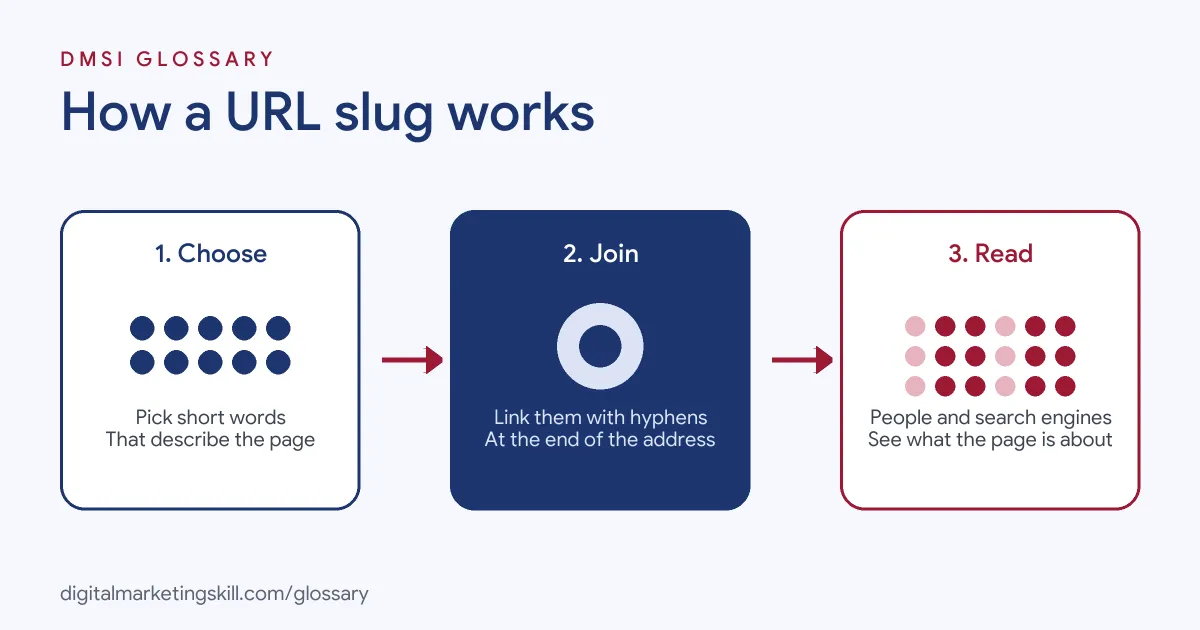
A slug works in three simple steps. First, you choose short, descriptive words for the page. Next, your website joins them with hyphens and adds them to the end of the address. Finally, visitors and search engines read the slug to understand the page before they open it.
Readable Words
Google’s URL guidance says that, when possible, you should “use readable words rather than long ID numbers in your URLs”. It also suggests using words in your audience’s language. For example, a German audience would see German words in the URL.
Hyphens, Not Underscores
Google recommends “using hyphens (-) instead of underscores (_) to separate words”. It explains that underscores are often used to keep concepts together, as in programming, while “hyphens clearly signal a word boundary”. It also advises against running words together, such as “greendress”.
Case Sensitivity
Google treats /APPLE and /apple as two different URLs with their own content. So if your server treats them the same, Google suggests converting all text to the same case. In practice, lowercase slugs avoid this problem entirely.
URL Slug Examples
Here are three made-up examples of weak and strong slugs:
- Blog post: Instead of /post-4821, use /email-subject-line-tips. The new version tells readers exactly what to expect.
- Product page: Instead of /Product_Red_Running_Shoe_Size_10_New, use /red-running-shoes. It is shorter, lowercase and uses hyphens.
- Service page: Instead of /services/page-2, use /services/local-seo-audit. Each part of the address now carries meaning.
In each case, the better URL slug is short, clear and focused on the main topic of the page. It also still makes sense if someone reads it in a text message or an email.
Good vs Bad URL Slug Choices
Here is a quick comparison of common choices:
| Choice | Example | Why it matters |
|---|---|---|
| Readable words | /red-running-shoes | Clear to people and search engines |
| Long ID numbers | /index.php?topic=42&area=3a5 | Google advises against unreadable IDs |
| Hyphens | /summer-clothing | Google’s recommended word separator |
| Underscores | /summer_clothing | Not recommended, since underscores join concepts |
| Joined words | /greendress | Harder to read and to understand |
In short, readable words joined by hyphens are the safe default for almost every page.
How to Write a Good URL Slug
Follow these steps each time you publish a page:
- Start with the main topic. Use the words people would search for, often your focus keyphrase.
- Cut filler words. Remove words such as “a”, “the” and “and” unless they are needed for meaning.
- Keep it short. Yoast lists overly long slugs as a common mistake.
- Use lowercase and hyphens. This follows Google’s advice and avoids duplicate URLs.
- Avoid dates unless they matter. A slug without a date stays useful if you update the page later.
- Check for duplicates. Yoast also warns against creating duplicate slugs.
- Set it before you publish. Changing it later means you need a redirect.
How Slugs Fit Your Site Structure
A slug rarely stands alone. Usually, it sits after a folder such as /blog/ or /services/. Google suggests organising content “so that URLs are constructed logically and in a manner that is most intelligible to humans”. So a reader who sees /services/local-seo-audit/ knows both the section and the page.
For sites that serve several countries, Google also suggests structures that make it easy to target each market. Two recommended options are a country-specific domain, such as example.de, or a country folder, such as example.com/de/. Either way, keep the slug itself in the language your audience searches in.
Slugs, Filters and Parameters
Online shops often add parameters for filters and sorting, such as ?color=red. Google advises using “as few parameters as you can” and trimming ones that do not change the content. It warns that overly complex URLs can create “unnecessarily high numbers of URLs” that point to the same or similar content. As a result, Googlebot may use more bandwidth than needed or fail to index everything. When you do need parameters, Google recommends an equals sign between each key and value, and an ampersand between parameters.
How to Edit a Slug in WordPress
In WordPress, you can edit the slug when you write or edit a post. However, Yoast notes this “only works with the right permalink settings”. You can change those under Settings, then Permalinks. WordPress’s own documentation explains that the default “Plain” setting creates addresses like ?p=N, which are “not user-friendly and also not optimized for search engines”. So most sites switch to the “Post name” option, which uses the post’s slug in the address.
Best Practices for a URL Slug
- Match the page topic. The slug should describe the content, not the campaign or the date.
- Stay consistent. Use the same style across the whole site.
- Use percent encoding when needed. Google says non-ASCII characters in links should be percent encoded.
- Treat live slugs as permanent. WordPress says permalinks “should never be changed”, hence the name.
- Redirect if you must change one. A 301 redirect sends visitors and search engines to the new address.
Common Mistakes to Avoid
A common mistake is leaving the default slug, such as a long auto-generated title or a number. Another is changing a slug on a popular page without a redirect, which breaks every link to it. Some sites also mix uppercase and lowercase, creating duplicate URLs. Finally, many people stuff several keywords into one slug. Instead, keep it short and natural.
Where You’ll Use URL Slugs at Work
Job ads usually call this skill “URL structure”. For example, remote listings mention:
- “Develop and execute an on-page SEO strategy across our Wix website, including metadata, headings, internal linking, URL structure, and image optimization” (Digital Marketing Manager).
- “Strong understanding of on-page SEO fundamentals including metadata, headings, internal linking, anchor text, and URL structure” (SEO Content Editor).
So if you want to work as an SEO Specialist, WordPress Developer or Website Manager, you will write slugs for new pages, fix poor ones and set up redirects when addresses change.
Learn It in the WordPress and SEO Track
You can learn to plan every URL slug on a real site in the AI-Powered WordPress and SEO Specialist track. You build a WordPress site or store and rank it with an SEO content plan. In addition, you get unlimited 1-on-1 mentoring and a U.S. Project Internship from day one.
For more help, read our guides to on-page SEO and website SEO optimisation. You can also learn how a 301 redirect protects a changed address.
Frequently Asked Questions
What is a URL slug in simple terms?
It is the readable end part of a web address that names a page, such as “red-running-shoes” in example.com/red-running-shoes.
Should I use hyphens or underscores in a slug?
Use hyphens. Google recommends hyphens because they clearly separate words, while underscores tend to join them.
Does a URL slug affect SEO?
It helps people and search engines understand the page. Google recommends readable, descriptive words in URLs.
Can I change a slug after publishing?
You can, but set up a 301 redirect from the old address. Otherwise, links to the old URL will break.
Should slugs be lowercase?
Yes. Google treats URLs as case sensitive, so mixed case can create duplicate versions of the same page.
Sources: Google Search Central: URL structure best practices; Yoast: What is a slug; WordPress.org: Customize permalinks; remote job listings on Himalayas.