
Audience targeting is the practice of choosing who sees your ads, based on facts such as where people live, who they are, what they like or how they have dealt with your business before. Instead of showing an ad to everyone, you focus your budget on the people most likely to care. It matters because the right message shown to the wrong people is wasted money.
Key Takeaways
- Audience targeting lets you pick people by location, demographics, interests, intent or past contact with you.
- Each platform has its own options. LinkedIn adds job and company details, while TikTok and Google focus on interests and behaviour.
- Your own data, such as site visitors and customer lists, is often the strongest signal.
- Many platforms now offer automated targeting that uses your choices as hints rather than hard limits.
- Too narrow an audience can raise costs, while too broad an audience can waste spend.
What Is Audience Targeting?
Every ad platform holds a lot of data about its users. Audience targeting is how you use that data to tell the platform, “Show my ad to these people.” You set the rules, and the platform finds users who match.
For example, a yoga studio in Leeds doesn’t need its ads seen in Lisbon. It might target women and men aged 25 to 45, within ten miles of the studio, who show an interest in fitness. As a result, every pound goes towards people who could actually visit.
Google describes the main idea well. Its help centre says audience segments let you reach people based on who they are, their interests and habits, what they are actively researching, or how they have interacted with your business.
How Audience Targeting Works
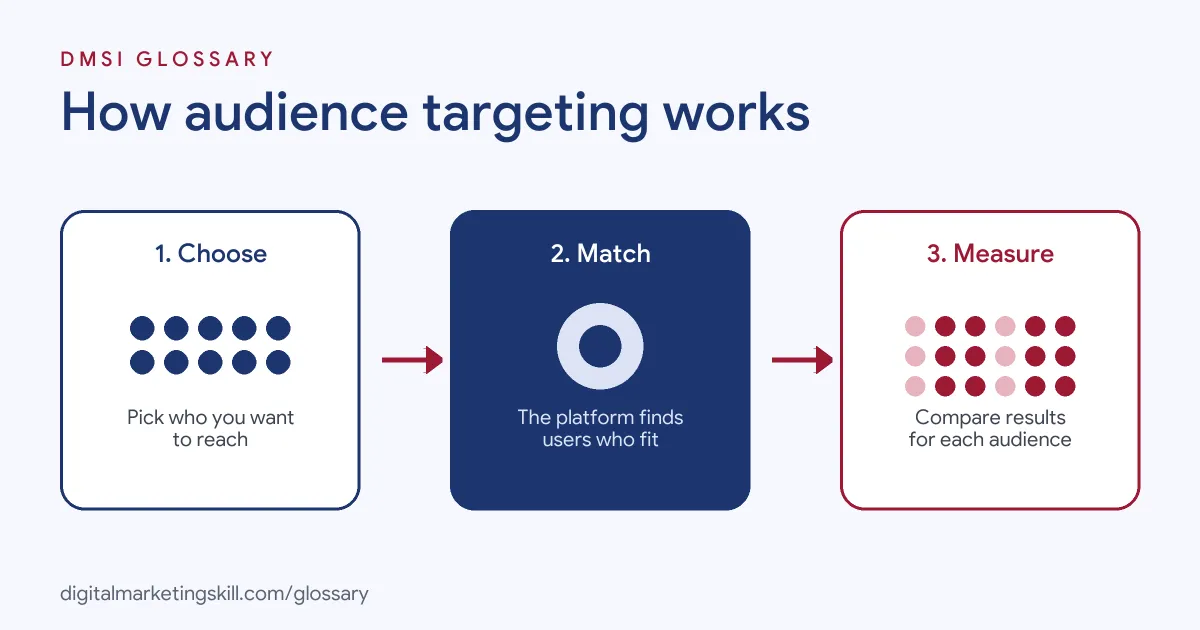
Platforms group users into segments using what they know about each person’s activity. When you build a campaign, you choose segments or set filters. Then the platform shows your ads to people who fit, and it reports how each audience performs.
The Main Types of Targeting
Most platforms offer some version of these options:
- Location: countries, regions, cities or a radius around a point.
- Demographics: age, gender and, on some platforms, things like parental status.
- Interests and habits: long-term passions, such as travel or cooking. Google calls these affinity segments.
- Intent: people actively researching or shopping for something. Google calls these in-market segments.
- Your own data: people who visited your site, used your app or are on your customer list.
- Professional details: on LinkedIn, job title, company, skills and more.
How Platforms Combine Your Rules
The way you combine options changes the size of your audience. TikTok’s help centre explains this clearly. Choices within the same dimension use OR logic, so picking two interests includes people who match either one. Choices across dimensions use AND logic, so picking “female” and “25–44” includes only people who match both.
In other words, adding more interests widens your audience, while adding more dimensions narrows it. So check the estimated audience size after each change, and you will see the effect straight away.
Location Targeting in Detail
Location sounds simple, but there are choices to make. LinkedIn, for example, offers three options. Permanent location uses the place a member lists on their profile. Recent location uses their IP address to spot short visits. The third option combines both.
So which should you pick? If you run a local shop, you may want people who live nearby. However, if you sell to visitors, such as a hotel or a conference, recent location may suit you better. In short, think about where your buyers are when they need you, not just where they live.
Where the Data Comes From
Google says its audiences come from people’s activity on Google products and third-party websites, or are estimated from the content certain groups tend to like. Privacy changes can affect this data. For instance, Google notes that Apple’s App Tracking Transparency rules may affect some segments on iOS traffic.
Audience Targeting Examples
Here are three made-up examples on different platforms:
- B2B software (example): A payroll tool targets finance managers at companies with 50 to 500 staff on LinkedIn. Because job and company data are built in, few clicks are wasted on students or job seekers.
- Online shop (example): A trainer brand uses Google in-market segments for people shopping for running shoes. It adds its past site visitors as a second audience and bids higher on them.
- Local café (example): A café on TikTok targets people aged 18 to 34 within three miles who are interested in food. It tests this against Smart targeting to see which brings more visits.
In each case, the audience matches the offer. That match is what makes targeting work.
Audience Targeting by Platform
Each platform has its own strengths:
| Platform | Main targeting options | Automated option |
|---|---|---|
| Google Ads | Affinity, in-market, custom and your-data segments, plus demographics | Optimised targeting in some campaign types |
| TikTok | Demographics, audiences, interests and behaviours, and device type | Smart targeting |
| Location, company, job experience, education, interests and traits | Auto-Targeting |
LinkedIn notes that location is required for every campaign. It also warns that reach for some attributes may be limited in the European Economic Area and Switzerland.
How to Set Up Audience Targeting
The menus differ by platform, but these steps work almost everywhere:
- Describe your ideal customer. Write down who buys from you, where they live and what problem you solve for them.
- Start with location. Only target places you can serve or ship to.
- Add one or two key filters. Choose the age range, interests or job details that matter most.
- Add your own data. Upload customer lists and build site-visitor audiences where allowed.
- Check the audience size. Most platforms show an estimate. If it is tiny, loosen your filters.
- Exclude people you don’t want. For example, exclude current customers from a first-purchase offer.
- Test against automation. Run your chosen audience next to the platform’s automated option and compare cost per result.
Best Practices
A few habits lead to better results:
- Match the message to the audience. A new visitor and a past buyer need different ads.
- Don’t stack too many filters. Each extra dimension shrinks the pool, which can push up costs.
- Use your own data. People who know you are usually easier to convert.
- Judge on results, not reach. Compare audiences on cost per lead or sale.
- Review audience reports. Google’s audience report shows demographics, segments and exclusions in one place.
Common Mistakes to Avoid
First, many beginners target “everyone” to get cheap reach. Second, others go the opposite way and build audiences so narrow that ads barely run. Third, they forget to exclude existing customers. Finally, they never test their manual choices against the platform’s automated options. Each mistake wastes budget, and each is easy to fix with a simple test.
Where You’ll Use Audience Targeting at Work
This is a core skill in every paid media role. For example, current remote job listings ask for:
- A “Good understanding of marketing funnels, audience targeting, conversion tracking, and attribution” (Media Buyer).
- Someone to “Develop and execute TikTok advertising strategies, including audience targeting, creative testing, and campaign optimization” (Paid Media Strategist).
- “Expert-level knowledge of platform-specific levers, bidding strategies, ad formats, and audience targeting” (Manager, Paid Acquisition and Investment).
So as a Paid Social Specialist, Social Media Manager or Content Creator, you will plan, test and report on audiences often. One of the most useful tools to learn is the custom audience, built from your own data.
Learn It in the Social Media Track
You can learn to plan and test audiences in the AI-Powered Social Media Management and Advertising track. There, you plan, create and run a paid social campaign for a real brand, so you finish with results you can show. You also get unlimited 1-on-1 mentoring and a U.S. Project Internship from day one.
For platform tips, read our guide to Facebook ad targeting.
Frequently Asked Questions
What is audience targeting in simple terms?
It means choosing which people see your ads, based on things like location, age, interests or past visits to your site.
What are the main types of audience targeting?
The main types are location, demographics, interests, intent, your own data and, on LinkedIn, professional details such as job title.
Is narrow or broad targeting better?
Neither is always better. Narrow audiences are precise but can cost more. Broad audiences give the platform more room to find buyers. Test both.
Does audience targeting work with privacy changes?
Yes, but some data is less complete. Google notes that Apple’s tracking rules can affect some segments on iOS, so your own data matters more.
Which platform has the best targeting?
It depends on your goal. LinkedIn suits job-based B2B targeting, while Google’s in-market segments reach people actively shopping.
Sources: Google Ads Help: About audience segments; TikTok Ads Help: About ad targeting; LinkedIn Help: Targeting options for LinkedIn Ads; remote job listings on Himalayas.