
Cumulative Layout Shift (CLS) is a Google metric that measures how much the content on a web page moves around unexpectedly while people are using it. A low score means the page stays steady, while a high score means text, buttons and images jump about. It matters because it is one of the three Core Web Vitals, and sudden shifts make people lose their place or tap the wrong thing.
Key Takeaways
- CLS scores unexpected movement of visible content, not speed.
- A good score is 0.1 or less. Anything over 0.25 is poor.
- Each shift is scored as impact fraction × distance fraction, and CLS reports the worst burst of shifts.
- Images, ads and embeds without set sizes, injected content and web fonts are the most common causes.
- Shifts within 500 milliseconds of a click or tap don’t count, because users expect them.
What Is Cumulative Layout Shift?
You start reading an article on your phone. Suddenly, an advert loads above the text and pushes everything down. You lose your line. Or worse, you go to tap “Cancel” and hit “Buy” instead because the buttons moved. That is a layout shift.
Google’s web.dev guide defines CLS as a measure of the largest burst of layout shift scores for every unexpected layout shift during a page’s life. A layout shift happens whenever a visible element changes its position from one frame to the next.
Note the word “unexpected”. If you open a menu and it pushes content down, that is fine, because you asked for it. CLS is about movement that the visitor didn’t cause.
How Cumulative Layout Shift Works
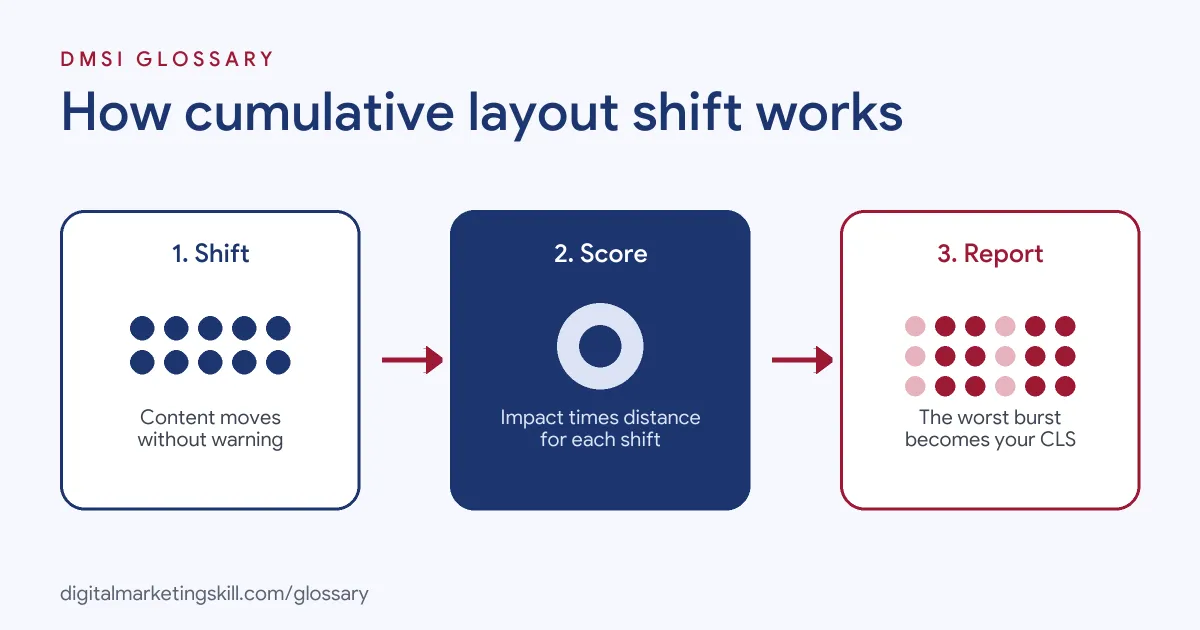
The browser watches visible elements as the page renders. Each time one moves without warning, it gives that shift a score. Then it groups shifts that happen close together and reports the biggest group.
How Each Shift Is Scored
Every shift gets a score based on two numbers:
- Impact fraction: how much of the screen the moving element affects, counting both its old and new position.
- Distance fraction: how far it moved, compared with the screen’s largest side.
The score is the two multiplied together. Google gives a clear example. An element fills half the screen, then moves down by 25% of the screen height. Together, its old and new positions cover 75% of the screen, so the impact fraction is 0.75. It moved 25%, so the distance fraction is 0.25. As a result, the shift scores 0.75 × 0.25 = 0.1875, which is already above the 0.1 target.
Bursts of Shifts
Shifts often come in clusters. So Google groups them into “session windows”. A window holds shifts that happen less than one second apart, up to a maximum of five seconds in total. CLS is the score of the worst window, not the total for the whole visit.
This was not always the case. Google notes that CLS used to add up every shift across the whole life of the page. Under that method, many small shifts spread over a long visit, such as reading a lengthy article, could add up to a high score. Today, only the worst burst counts.
What Doesn’t Count
Not every change counts as a shift. If a new element appears or an element changes size, it only counts when it makes other visible elements move. In addition, shifts within 500 milliseconds of a user interaction are excluded, because the user expects them.
Cumulative Layout Shift Thresholds
Google rates CLS at the 75th percentile of real visits, split by mobile and desktop:
| Rating | CLS score |
|---|---|
| Good | 0.1 or less |
| Needs improvement | Over 0.1 and up to 0.25 |
| Poor | Over 0.25 |
Unlike the other Core Web Vitals, CLS has no unit. It is a score, not a time.
Cumulative Layout Shift Examples
Here are three made-up examples based on the common causes Google lists:
- Image without size (example): A blog’s featured image has no width or height set. The text loads first, then the image appears and shoves it down. Adding the image dimensions lets the browser save the space in advance.
- Late ad slot (example): A recipe site injects an ad between paragraphs after the page loads. Readers lose their place each time. Reserving a fixed-height box for the ad stops the jump.
- Web font swap (example): A landing page shows a fallback font, then swaps to a brand font with different letter widths. The headline reflows and pushes the button down. Choosing a fallback font with similar sizing reduces the shift.
In each case, the fix is to reserve space before the content arrives.
Lab vs Field Cumulative Layout Shift
CLS often looks different in different tools, and Google explains why:
| Source | What it measures | What it can miss |
|---|---|---|
| Lab tools, such as Lighthouse | Shifts during a basic page load | Shifts that happen later, such as on scroll |
| Field data, such as the Chrome User Experience Report | Shifts across the full life of the page for real users | The exact cause, which you still need to debug |
So if your field CLS is much higher than your lab result, the problem is probably happening after the first load, for example when lazy-loaded content appears as people scroll.
How to Measure and Fix Cumulative Layout Shift
Follow these steps to find and remove shifts:
- Check field data. Use PageSpeed Insights or the Core Web Vitals report in Search Console to see real-user CLS.
- Find the moving elements. Record the page in the Chrome DevTools Performance panel and look for layout shift entries.
- Set image sizes. Give every image width and height, so the browser reserves the right space.
- Reserve space for ads and embeds. Use fixed-size containers for ads, iframes and videos.
- Avoid injecting content above existing content. Add banners and notices in reserved space, or below what people are reading.
- Manage web fonts. Pick fallback fonts that are close in size to your brand font.
- Re-test after scrolling. Scroll the whole page during tests, so you catch shifts from lazy-loaded content.
Best Practices
A few habits keep layouts steady:
- Design with placeholders. Plan the space for every image, ad and widget from the start.
- Be careful with pop-ups and banners. Cookie notices and promo bars that push content can add shifts.
- Test on mobile. Smaller screens make each shift a bigger share of the view.
- Review new plugins. Sliders, ad tools and widgets often inject content late.
Common Mistakes to Avoid
First, many site owners trust a good lab score and miss shifts that happen later in the visit. Second, they strip width and height from images to make them responsive, which removes the reserved space. Third, they let ad tools insert slots wherever they like. Finally, they only test the top of the page. Each of these leaves real visitors with a jumpy page.
Where You’ll Use Cumulative Layout Shift at Work
Layout stability is part of page performance work in SEO and web roles. For example, current remote job listings include these lines:
- “Proven experience improving Core Web Vitals, including Largest Contentful Paint, Interaction to Next Paint, and Cumulative Layout Shift using real-user data” (Senior Frontend Engineer, Performance).
- “Diagnosing, triaging, and leading to resolution issues involving unnecessary renders, long tasks, memory leaks, forced reflows, layout shifts, expensive painting, and excessive JavaScript execution” (Senior Frontend Engineer, Performance).
As an SEO Specialist, WordPress Developer or Website Manager, you will often find CLS issues in themes and plugins and fix them yourself. For the wider picture, see our page on Core Web Vitals.
Learn It in the WordPress and SEO Track
You can learn to build stable, fast pages in the AI-Powered WordPress and SEO Specialist track. There, you build a WordPress site or store and rank it with an SEO content plan. You also get unlimited 1-on-1 mentoring and a U.S. Project Internship from day one.
For layout tips that work on any screen, read our guide to responsive web design.
Frequently Asked Questions
What is Cumulative Layout Shift in simple terms?
It is a score for how much a page’s content jumps around unexpectedly while you use it. Lower is better.
What is a good CLS score?
Google says 0.1 or less is good, at the 75th percentile of real visits. Over 0.25 is poor.
What causes layout shift?
The most common causes are images, ads, embeds and iframes without set sizes, content injected after load, and web fonts.
Why is my CLS different in PageSpeed Insights?
Lab tests only check the first load. Field data covers the full visit, so shifts from scrolling or late content only show up there.
Do shifts after a click count?
Not if they happen within 500 milliseconds of the interaction. Google treats those as expected.
Sources: web.dev: Cumulative Layout Shift; web.dev: Optimise CLS; web.dev: Defining the metric thresholds; About PageSpeed Insights; remote job listings on Himalayas.