
Local Services Ads are Google ads for service businesses, such as plumbers and electricians, that appear at the top of search results and charge you for leads rather than clicks. Customers can call, message or sometimes book you directly from the ad. They matter because a local trade can reach people who need help right now, and pay only for valid enquiries about the services it offers.
Key Takeaways
- You pay for valid leads, such as calls and messages, not for clicks.
- Leads that Google judges invalid or low quality are not charged, and charged leads may be credited later.
- The Google Verified badge shows that a business has passed Google’s screening process, in select categories.
- You set an average weekly budget, and Google never spends more than your monthly maximum.
- They are only available for certain service categories and areas.
What Are Local Services Ads?
When someone searches for a local service, such as “emergency plumber”, they may see a special block of ads at the top of Google. Each ad shows a business name, reviews and often a badge. That block is the Local Services unit.
Google explains that with Local Services Ads, you can “advertise your business on Google and receive leads directly from potential customers”. These leads arrive “as phone calls and messages sent through your Local Services ad”. You can then reply, track bookings and manage leads online.
For example, a roofer in a busy town might appear when homeowners search for roof repairs. A homeowner taps the ad, calls the roofer and describes the leak. That call is a lead, and the roofer pays for it only if Google treats it as valid.
How Local Services Ads Work
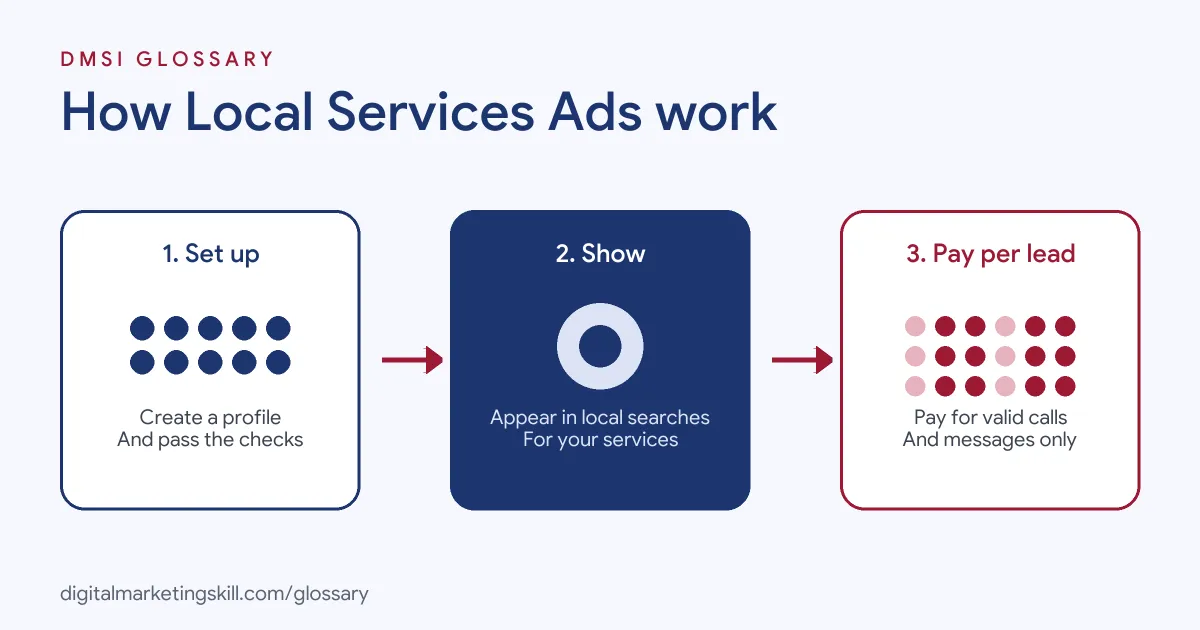
The system works in three steps. First, you set up a profile, pass the required checks and set a budget. Next, your ad appears when people search for your services in your chosen areas. Finally, customers call, message or book, and you pay for each valid lead.
The Google Verified Badge
Google says the Google Verified badge “helps inspire confidence by signalling to consumers that your business has passed Google’s proprietary screening process”. Profiles show the badge along with the checks the business has completed. However, it is not available in every category. For instance, Google notes it is unavailable for automotive, beauty and dining.
Pre-Badge Ads
You do not always have to wait for the full badge. Google offers pre-badge ads once you pass preliminary checks. Requirements include a licence or business registration, reviews where needed, and billing and budget set-up. However, pre-badge listings appear below providers who have completed all checks and earned the badge.
Responding to Leads
Speed matters here. Google advises you to respond to as many messages as you can, even if you decline the job. It warns that if you “regularly fail to answer calls or respond to messages, your ad ranking may be affected”.
Examples of Lead-Based Local Ads
Here are three made-up examples of businesses using these ads:
- Plumber: A one-person plumbing firm sets a modest weekly budget. It answers every call within minutes, which keeps its ranking healthy.
- Cleaning company: A cleaning business receives message leads asking for quotes. It replies with a standard price list and books follow-up calls.
- Removals firm: A removals company marks a few leads as poor quality in the feedback survey. Over time, it hopes to receive more of the jobs it wants.
In each case, the business treats every lead like a customer call, because that is exactly what it is.
Local Services Ads vs Search Ads
Both appear on Google, but they work differently:
| Feature | LSA | Standard search ads |
|---|---|---|
| What you pay for | Valid leads, such as calls and messages | Clicks on the ad |
| Who can use them | Eligible service categories in supported areas | Most businesses |
| Trust signals | Reviews and, in select categories, the Google Verified badge | Ad text and assets |
| Where you manage them | A dedicated leads inbox | Google Ads |
Many local firms run both. The lead-based ads capture urgent calls, while search ads can promote specific offers.
How You Are Charged
Google says you are “charged for each valid lead”. Lead prices may vary with your location, the job type, the type of lead and your bidding mode. Google also notes that message leads are “typically priced lower” than phone leads, though not always. Once you reach your monthly maximum, your ad stops showing for the rest of the month unless you raise the budget.
Billing runs through Google Ads. So if your Google Ads account is suspended, your LSA campaigns are suspended too. Even so, you should pause or edit them in the dedicated leads inbox, not in the main Google Ads interface.
How to Set Up Local Services Ads (LSA)
Follow these broad steps:
- Check eligibility. Google lists eligible categories, such as plumbers, electricians, cleaners and roofers.
- Create your profile. Add your services, areas and business details.
- Complete the checks. Submit licences or registration, and collect reviews if your category needs them.
- Set your budget. Choose an average weekly budget based on how many leads you want.
- Choose a bidding mode. Decide the maximum you are willing to pay for a lead.
- Manage leads daily. Answer calls and messages fast, and record notes in the inbox.
After that, review your reports each week. They show your spend and the number of leads from calls, messages and other channels.
What to Measure in Local Services Ads
Lead counts alone can mislead you. Instead, track the full chain from lead to paid job. First, count calls, messages and bookings separately. Next, record how many became quotes and how many became paid work. Then divide your spend by the number of paid jobs to get a cost per job. As a result, you can see whether a higher lead price still makes sense, because some lead types may turn into work far more often than others.
Best Practices
- Answer fast. Missed calls can hurt your ranking as well as your sales.
- Build reviews. Reviews support your profile and your eligibility in some categories. In Google’s wider local results, too, Google says more reviews and positive ratings can help a business’s local ranking.
- Use the feedback survey. Tell Google when a lead is poor quality.
- Keep your services accurate. Only list jobs you actually do, so leads match your work.
- Track bookings. Record which leads became paid jobs, not just how many came in.
Common Mistakes to Avoid
A common mistake is letting calls go to voicemail. As a result, the business pays for leads it never speaks to and may lose ranking. Another mistake is listing services you do not want, which brings the wrong enquiries. Some owners also forget to report poor leads, so they miss possible credits. Finally, many set a budget and never check it. Instead, compare leads with booked jobs every week.
Where You’ll Use Local Services Ads at Work
These ads appear often in PPC job ads for local and home service brands. For example, remote listings mention:
- “Local Services Ads (LSA) Management” (PPC Specialist).
- “Coach team members on Google Ads and Local Services Ads (LSA)” (Google Ads Senior Account Manager).
- Managing and optimising “campaigns across Google Ads, Meta Ads, and Google Local Services Ads (LSA)” (Paid Ads and Programmatic Specialist).
So if you want to work as a Google Ads Specialist or PPC Specialist for local clients, you will set up profiles, manage budgets and report on cost per booked job.
Learn It in the Google Ads Track
You can learn to plan lead-based local ads alongside search campaigns in the AI-Powered Google Specialist track. It covers Google Ads and Google Analytics, and you launch and measure a Google Ads campaign with conversion tracking. In addition, you get unlimited 1-on-1 mentoring and a U.S. Project Internship from day one.
For local marketing ideas, read our guides to Google Business Profile leads and local SEO. You can also learn how pay-per-click advertising differs.
Frequently Asked Questions
What are Local Services Ads in simple terms?
They are Google ads for local service businesses that appear at the top of search results and charge you for valid leads, not clicks.
Do I pay for every call?
No. Google says leads judged invalid or low quality are not charged. Charged leads may also be credited later if found to be low quality.
What is the Google Verified badge?
It signals that a business has passed Google’s screening process. It is available in select categories only.
Can I control my spending?
Yes. You set an average weekly budget. Google may spend more in some weeks but never more than your monthly maximum.
Which businesses can use them?
Only certain service categories in supported areas, such as plumbers, electricians, cleaners, roofers and removals firms. Check eligibility for your area.
Sources: Google Local Services Help: Getting started with Local Services Ads; Google Local Services Help: How leads work; Google Business Profile Help: Local ranking factors; remote job listings on Himalayas.