
No-code AI means building and using AI tools, such as chatbots, assistants and automated workflows, without writing any code. Instead, you describe what you want in plain language, fill in settings or drag and drop steps on a screen. For marketers, no-code AI makes it possible to create a custom assistant or automate a task in an afternoon, without waiting for a developer.
Key Takeaways
- These tools replace code with plain-language instructions, forms and visual builders.
- OpenAI’s GPT builder lets you “describe what you want,” and ChatGPT helps draft the GPT for you.
- Microsoft calls Copilot Studio a “low-code” studio for building AI agents and workflows.
- Automation tools such as Zapier let you connect AI to your other apps without programming.
- Access depends on your plan. For example, OpenAI says personal ChatGPT accounts can’t create new GPTs.
What Is No-Code AI?
Building an AI tool once meant hiring developers. Today many platforms let anyone set one up through a simple interface. You give the AI instructions, connect it to your files or apps and test it, all without touching code.
Microsoft describes its Copilot Studio as “a graphical, low-code studio for building and managing AI-powered agents and workflows.” It adds that, “because it’s low-code, you can build capable solutions without an extensive technical background.” Low-code and no-code sit close together: both aim to remove programming as the barrier.
OpenAI’s GPT builder is another example. Its help centre says you can choose a “Conversational builder,” where you “describe what you want, and ChatGPT will help draft the GPT for you.”
How No-Code AI Works
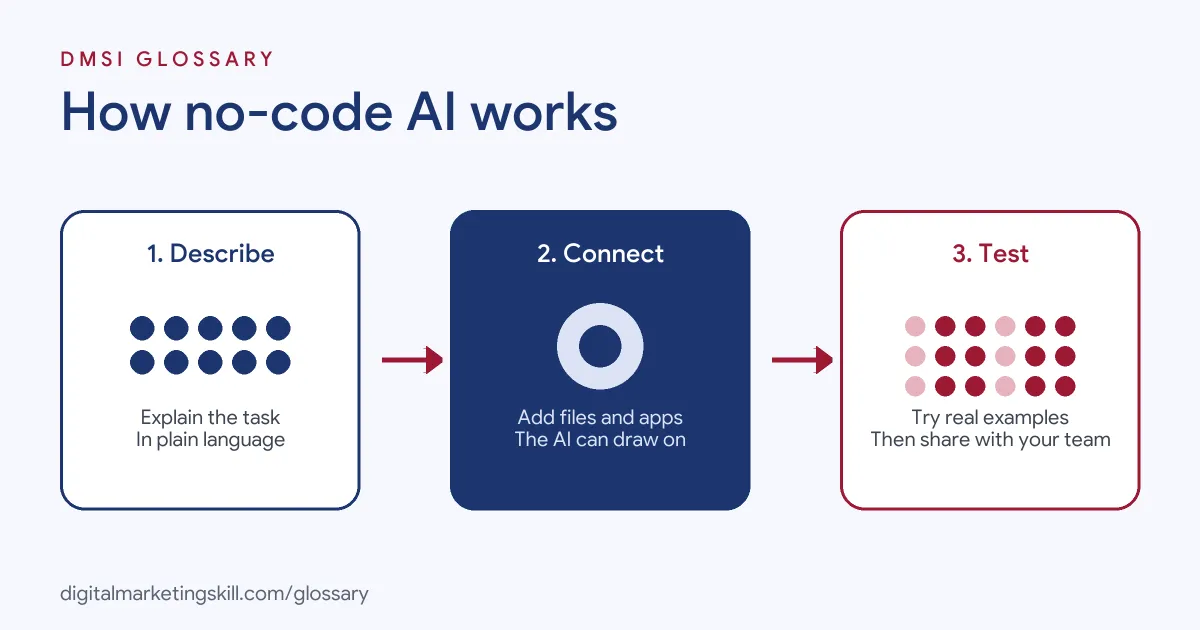
Most of these tools follow three steps. First, you describe the job in plain language or pick a template. Next, you add knowledge, such as documents, and connect the tools it can use. Finally, you test the result and share it with your team or customers.
Instructions
Instructions shape how the AI behaves. OpenAI explains that a GPT’s instructions “define how your GPT behaves: what it should do, how it should respond, and what it should avoid.” So the quality of your instructions matters as much as the tool itself.
Knowledge
You can also give the AI reference material. OpenAI says files uploaded as knowledge “give it source material to use during a conversation,” and it allows up to 20 files per GPT. Copilot Studio similarly lets agents draw on “the knowledge sources you connect.”
Actions and Workflows
Some tools can take actions, not just chat. Microsoft says Copilot Studio workflows use “a drag-and-drop designer,” and that agents can use tools to take action. Zapier, meanwhile, says you can build automations in its editor, with code, or by asking an AI assistant such as Claude or ChatGPT.
No-Code AI Examples
Here are three made-up examples from marketing teams:
- Brand voice assistant: A team builds a custom GPT with its style guide as knowledge. Writers paste in drafts and get suggestions in the brand’s tone.
- FAQ helper: A training provider creates an agent that answers common course questions from its own help documents.
- Lead tagging: A small business uses an automation tool to send each new enquiry to an AI step, which labels it by topic before it reaches the inbox.
In each case, nobody wrote code, but the team still had to plan, test and review the results. The tool saved time on repeat work, while people kept control of quality and tone.
No-Code AI Tools Compared
| Tool | What you build | Detail from the provider |
|---|---|---|
| Custom GPTs (OpenAI) | Tailored ChatGPT assistants | Up to 20 knowledge files; available on Business, Enterprise and Edu workspaces |
| Copilot Studio (Microsoft) | AI agents and workflows | Low-code; create an agent by describing it in plain language |
| Zapier | Automations that include AI steps | Connects thousands of apps; can build workflows by asking an AI assistant |
Features and plan rules change often, so check each provider’s help pages before you commit. It is also worth trying a free trial first, where one is offered.
How to Build Your First No-Code AI Tool
- Pick one small job. For example, answering common customer questions or drafting social captions.
- Check your access. Make sure your plan allows you to create custom tools.
- Write clear instructions. Say what the AI should do, how it should sound and what it should avoid.
- Add trusted knowledge. Next, upload accurate, up-to-date documents only.
- Test with real examples. Try tricky questions and note any wrong or odd answers.
- Refine and retest. Adjust the instructions until the answers are reliable.
- Share carefully. Finally, roll it out to a small group first, then widen access.
Sample Instructions
Here is a made-up set of instructions for a caption-writing assistant. Notice how it covers the task, the tone and the limits:
- “You write Instagram captions for a family-run bakery in Leeds.”
- “Use a warm, friendly tone and plain British English.”
- “Keep each caption under 60 words and open with a short hook.”
- “End with one call to action, such as ‘Pop in today’ or ‘Order via the link in our bio’.”
- “Never invent prices, opening hours or offers. If you don’t know, ask.”
The last line matters most. It stops the assistant from making up facts that a customer might rely on.
A Worked Example
Here is a made-up example. A small agency spends hours each week answering the same client questions about reporting. So one team member builds a simple assistant. She writes clear instructions, uploads the agency’s reporting guide and three sample reports, then tests it with twenty real questions from past emails. Four answers are wrong, so she adds a missing section to the guide and tightens one instruction. On the second test, every answer is correct. The team then shares it internally first, and staff check its replies before sending them to clients.
Best Practices
- Start narrow. A tool that does one job well beats one that tries to do everything at once.
- Keep humans in the loop. Review anything customers will see before it goes live.
- Protect data. Don’t upload private customer details unless your plan and policies allow it.
- Write down how it works. For instance, record the instructions and files you used, so others can maintain it.
- Review regularly. Update knowledge files when your products, prices or policies change.
Common Mistakes
A common mistake is assuming “no code” means “no effort,” then skipping testing. Another is uploading outdated documents, so the assistant gives wrong answers with confidence. Some teams also build a tool nobody asked for, instead of solving a real, repeated task. Finally, many forget to check plan limits and permissions, then find they can’t share the tool with their team. A quick check at the start avoids wasted work later on.
Where You’ll Use No-Code AI at Work
No-code skills show up across marketing, design and operations roles. For example, real remote job listings include lines like these:
- “Working knowledge of no-code automation platforms (Workato, Zapier, Tray) or scripting” (Senior Lead, Systems Administration).
- “Configure and build customer-specific solutions within the no-code platform.” (Solutions Analyst).
- “Strong hands-on web design and implementation skills using a no-code platform such as Framer, Webflow, or a comparable tool.” (Designer, Brand and Marketing).
So as a Growth Marketer, a Marketing Automation Specialist or a Freelance Digital Marketer, you can use no-code AI to save time and offer more to clients. Employers increasingly expect you to be comfortable with these tools.
Learn It in the Full Stack Programme
AI fundamentals, including strategy and planning, are part of every DMSI track. The Full Stack (all four tracks) programme covers all ten courses, with one portfolio project from each track, so you practise using AI tools across social, email, Google Ads and SEO. You also get unlimited 1-on-1 mentoring and a U.S. Project Internship from day one.
To connect AI to your other apps, read our glossary entry on Zapier. To see what sits behind these tools, see our entry on the AI API.
Frequently Asked Questions
What is no-code AI in simple terms?
It means building or using AI tools without writing code, usually by giving plain-language instructions and choosing settings.
Is no-code AI the same as low-code?
They are close. No-code tools need no programming at all, while low-code tools may allow a little code for advanced features.
Can I build a custom GPT on a free account?
OpenAI says new GPT creation isn’t available on personal ChatGPT accounts, including Free, Go, Plus and Pro. Business, Enterprise and Edu users may be able to, depending on workspace settings.
Do I still need technical skills?
You don’t need to code. However, you do need clear thinking, good instructions and careful testing. Those are skills any marketer can learn with practice.
Is no-code AI safe to use with customer data?
Only if your plan, settings and company policies allow it. When in doubt, leave personal data out.
Sources: OpenAI Help: Creating a GPT; Microsoft Learn: Copilot Studio overview; Zapier: How it works; remote job listings on Himalayas.