
A permalink is the permanent web address of a single page, post or archive on your website, such as example.com/what-is-seo/. The word is short for “permanent link”, because the address is meant to stay the same for as long as the page exists. It matters because every share, backlink and search result points to that address, so a clear, stable permalink protects your traffic and makes your content easy to find.
Key Takeaways
- A permalink is the full, lasting URL of a piece of content. The slug is the readable last part of it.
- WordPress offers several permalink structures, from “Plain” addresses with ID numbers to readable “Post name” addresses.
- WordPress says its default Plain setting is “not user-friendly and also not optimized for search engines”.
- Google recommends readable words, hyphens between words and simple URL structures.
- Change permalinks only with great care, and always add a redirect from the old address.
What Is a Permalink?
Every post or page on a website needs an address that people can link to. That address is its permalink. WordPress’s own documentation defines permalinks as “the permanent URLs of your posts, pages, categories, and other archive pages on your website”.
It adds that these URLs “are permanent and should never be changed — hence the name permalink”. The documentation also explains how they get used. Other bloggers link to your article with its permalink, you share the permalink on social media, and search engines use it when they index your content.
For example, a marketing blog might publish a guide at example.com/email-subject-lines/. That address goes into tweets, newsletters and other websites. If it changed next month without a redirect, all those links would break.
How a Permalink Works
A permalink is built in three steps. First, you choose a site-wide structure in your content management system. Next, each post adds its own slug, usually based on its title. Finally, the system combines them into one fixed address that people and search engines use.
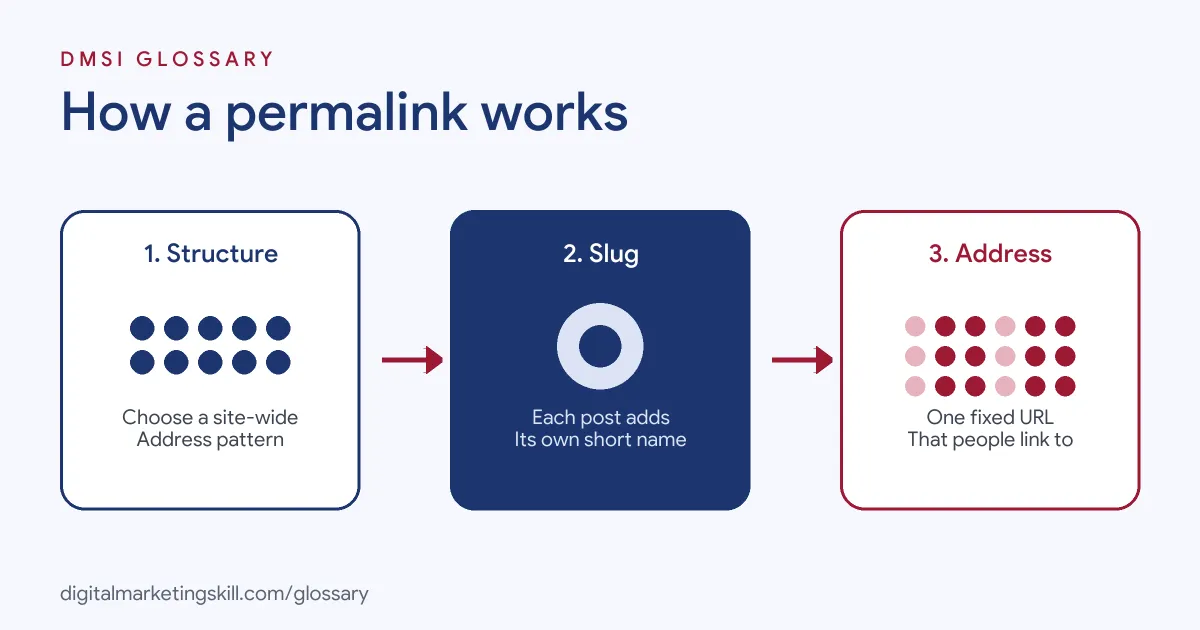
The Site-Wide Structure
In WordPress, you set the structure under Settings, then Permalinks. The documentation lists six options: Plain, Day and name, Month and name, Numeric, Post name and Custom Structure. This setting decides whether addresses include dates, categories, ID numbers or just the post name.
The Slug
The slug is the readable end of the address, such as “email-subject-lines”. Yoast explains that you can edit a WordPress slug while writing a post. However, it notes this “only works with the right permalink settings”. With the Plain setting, for instance, there is no readable slug in the address at all.
The Server Set-Up
Readable permalinks depend on your web server. WordPress notes that your hosting provider “should have set up the web servers with the necessary configurations” for its readable options to work. If they do not work, you may need to contact your host.
Permalink Examples
Here are three made-up examples of how the same post looks under different settings:
- Plain: example.com/?p=123. It works on every server, but it tells readers nothing.
- Day and name: example.com/year/month/day/email-tips/. It shows the publish date in the address, which can make evergreen content look old.
- Post name: example.com/email-tips/. It is short, readable and easy to share.
In each case, the content is identical. Only the address changes, yet that address affects how people and search engines see the page. So the choice deserves a few minutes of thought.
Types of Permalinks in WordPress
WordPress groups its options into three broad types:
| Type | What it looks like | What WordPress says |
|---|---|---|
| Plain | example.com/?p=N | The default; works on all servers but is not user-friendly or optimised for search |
| Pretty | Words such as the post name, and sometimes dates or categories | SEO-friendly and attractive |
| Almost Pretty | The same, with /index.php/ added before the path | Otherwise similar to Pretty permalinks |
Most marketing sites choose a Pretty structure, often “Post name”. As a result, every address clearly describes its page.
How to Set Up Permalinks in WordPress
Follow these steps on a new site, before you publish much content:
- Open the settings. In the WordPress dashboard, go to Settings, then Permalinks.
- Choose a structure. “Post name” is a simple, readable choice for most blogs and business sites.
- Use a custom structure if needed. WordPress offers structure tags, such as category or post name, for custom patterns.
- Save your changes. Then open a few posts to check the new addresses work.
- Write clean slugs. Keep each slug short, lowercase and separated by hyphens.
- Test on your host. If readable addresses fail, ask your hosting provider about server configuration.
After that, leave the structure alone. Changing it later affects every address on the site at once, along with every link that points to those addresses.
Best Practices for a Permalink
- Use readable words. Google recommends “readable words rather than long ID numbers” in URLs.
- Separate words with hyphens. Google says hyphens “clearly signal a word boundary”, unlike underscores.
- Stick to lowercase. Google treats /APPLE and /apple as different URLs.
- Avoid dates for evergreen content. A date in the address can make a useful guide look out of date.
- Keep addresses stable. If you must change one, set up a 301 redirect from the old address.
Common Mistakes to Avoid
A common mistake is launching a site on the Plain setting and switching later, which changes every address at once. Another is editing the slug of a popular post without a redirect, so old links break. Some sites also use long, keyword-stuffed slugs that look spammy. Finally, many people mix uppercase and lowercase letters, which can create duplicate addresses for the same page.
How to Check Your Current Permalinks
If you take over an existing site, check its addresses before you change anything. Start in Settings, then Permalinks, and note which option is selected. Next, open a handful of posts, pages and category archives, and read their addresses. Are they readable? Do some include dates, ID numbers or capital letters? Then look for patterns, such as one section that uses a different style. Finally, write down what you find and decide whether a change is worth the risk. Often, the safest choice on an established site is to keep the current structure and only fix the worst individual slugs, with redirects.
What to Do If You Must Change a Permalink
Sometimes a change is unavoidable, for instance when you merge two posts or fix a confusing address. In that case, plan it carefully. First, list every address that will change. Next, set up a 301 redirect from each old address to its new one. Then update your own internal links, so visitors go straight to the new page. Finally, check your analytics and Search Console over the following weeks for broken links or lost traffic.
Where You’ll Use Permalinks at Work
Job ads rarely say “permalink”. Instead, they ask for the wider skill of URL structure. For example, one remote listing asks a candidate to “Develop and execute an on-page SEO strategy across our Wix website, including metadata, headings, internal linking, URL structure, and image optimization” (Digital Marketing Manager).
In practice, a WordPress Developer, SEO Specialist or Website Manager chooses the permalink structure on new sites, fixes poor addresses and manages redirects during redesigns. It is one of the first settings you check when you take over a website.
Learn It in the WordPress and SEO Track
You can learn to set up permalinks on a real site in the AI-Powered WordPress and SEO Specialist track. It covers WordPress website and eCommerce development, plus search engine optimisation and content marketing. You build a WordPress site or store and rank it with an SEO content plan. In addition, you get unlimited 1-on-1 mentoring and a U.S. Project Internship from day one.
To get started, read our guides on how to install WordPress and build a WordPress website. You can also learn how to write a good URL slug.
Frequently Asked Questions
What is a permalink in simple terms?
It is the permanent web address of a page or post, such as example.com/what-is-seo/, that people use to link to it.
What is the difference between a permalink and a slug?
The permalink is the full address. The slug is the readable last part of it, such as “what-is-seo”.
Which permalink setting is best in WordPress?
For most sites, “Post name” works well because it is short and readable. WordPress calls its default Plain setting not user-friendly.
Can I change my permalinks later?
You can, but WordPress says permalinks should never be changed. If you must, add 301 redirects from every old address.
Why are my readable permalinks not working?
Your web server may need configuring. WordPress suggests contacting your hosting provider if the Pretty options do not work.
Sources: WordPress.org: Customize permalinks; Google Search Central: URL structure best practices; Yoast: What is a slug; remote job listings on Himalayas.