
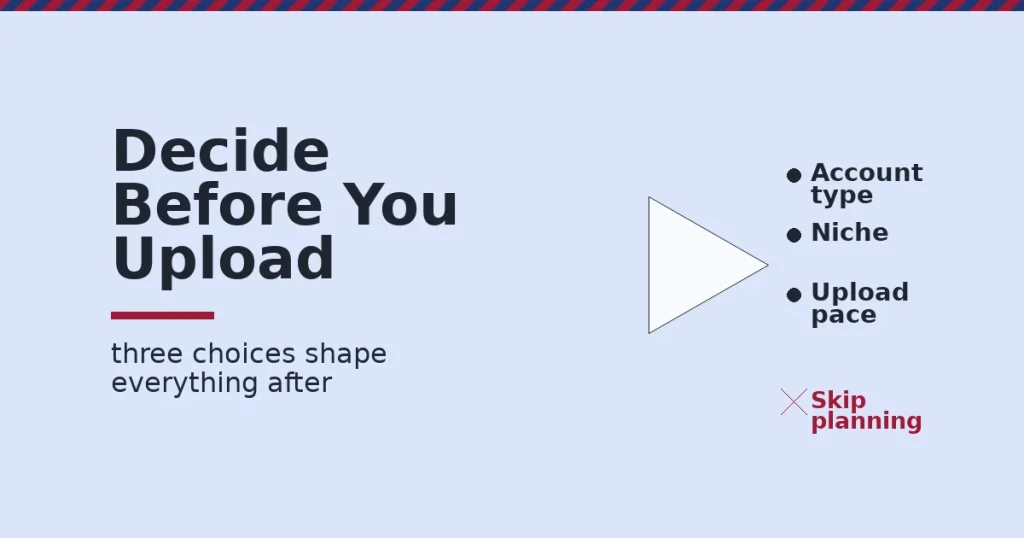
To create a YouTube channel that can actually grow, make three decisions before you upload anything. Pick the account type. Choose the niche. Pick an upload rhythm you can sustain. The signup form takes two minutes. Those three decisions, not the form, decide whether the channel goes anywhere.
Key Takeaways
- Reach is real, but so is the field. YouTube’s own press page reports over 20 million videos uploaded daily, so a new channel competes inside a very large, constant stream of content.
- Monetization has a fixed bar. The YouTube Partner Program requires 1,000 subscribers. It also requires either 4,000 public watch hours in the last 12 months or 10 million Shorts views in the last 90 days.
- Short-form is now a major format. YouTube reports Shorts averaging over 200 billion daily views, so a channel’s format choice affects how it gets discovered.
- Watch time leads in at least one major market. Nielsen data cited by YouTube shows it has led US streaming watch time for close to three years, a US-specific but telling signal of where attention already sits.
- YouTube is built for a global audience. The platform is localized in over 100 countries across 80 languages, according to its own press materials.
In this guide
- What Most “How to Create a YouTube Channel” Guides Miss
- How Creating a YouTube Channel Actually Works
- Three Channel Types, and What Each Is Built For
- How to Set Up Each Channel Type Right
- How to Measure a New Channel’s Progress
- The One Rule: Match the Account Type to Who Will Ever Touch the Channel
- A Real Case: What Consistent Output Looks Like in Practice
- Frequently Asked Questions About How to Create a YouTube Channel
- Your Next Step: Set Up the Channel Right, Then Show Up
What Most “How to Create a YouTube Channel” Guides Miss
Most guides to creating a YouTube channel are a list of clicks. Open YouTube. Click your profile icon. Click Create a Channel. Fill in a name. None of that is wrong, and it takes two minutes.
What it skips is the handful of decisions made in those same two minutes. Those decisions quietly decide whether the channel can grow at all. The account type matters. So does the name. A single clear topic matters even more, and so does the upload pace you can actually keep for months.
Treat the numbers here as named and dated by source, not as a guarantee. YouTube’s own figures describe its whole platform, not any single new channel’s odds, and the Nielsen watch-time figure is US-only. The account-type comparison below is our own way of organizing the decision, not an official YouTube ranking.
One more ground rule: nothing here is permanent. You can change a channel’s name, its topic focus and even its upload schedule later. But early decisions set the first signal. Both viewers and YouTube’s systems use that first signal to judge the channel, so getting it right from the start saves real time later.
A rushed first week of setup is rarely fatal, but it is almost always expensive. Fixing a mismatched account type or a muddled niche after a hundred videos takes far more work than choosing correctly before you upload a single one.
How Creating a YouTube Channel Actually Works
Technically, a YouTube channel is created the moment you link a Google Account to YouTube and give it a channel name. Google’s own YouTube help documentation confirms this happens automatically, and one person can run several channels from a single Google Account.
What matters more is what you set up around that automatic step. The account type, the channel’s focus, and the first few uploads together teach both viewers and YouTube’s systems what the channel is about.
Channel Art, About Section and First Upload
Fill in a profile photo, a banner image and an About section before your first upload, not after. YouTube’s own channel customization guidance treats these as the baseline a new visitor checks before deciding whether to subscribe.
Write the About section around the one-sentence topic you settled on earlier, in plain language a stranger would understand in five seconds. A vague About section wastes the one moment a curious new visitor is actually reading.
Pin one video to the top of the channel page as soon as you have one worth pinning, usually your best or most representative upload. That single pinned video does more to keep a new visitor past the first look than anything else on the page.
Personal Account or Brand Account First
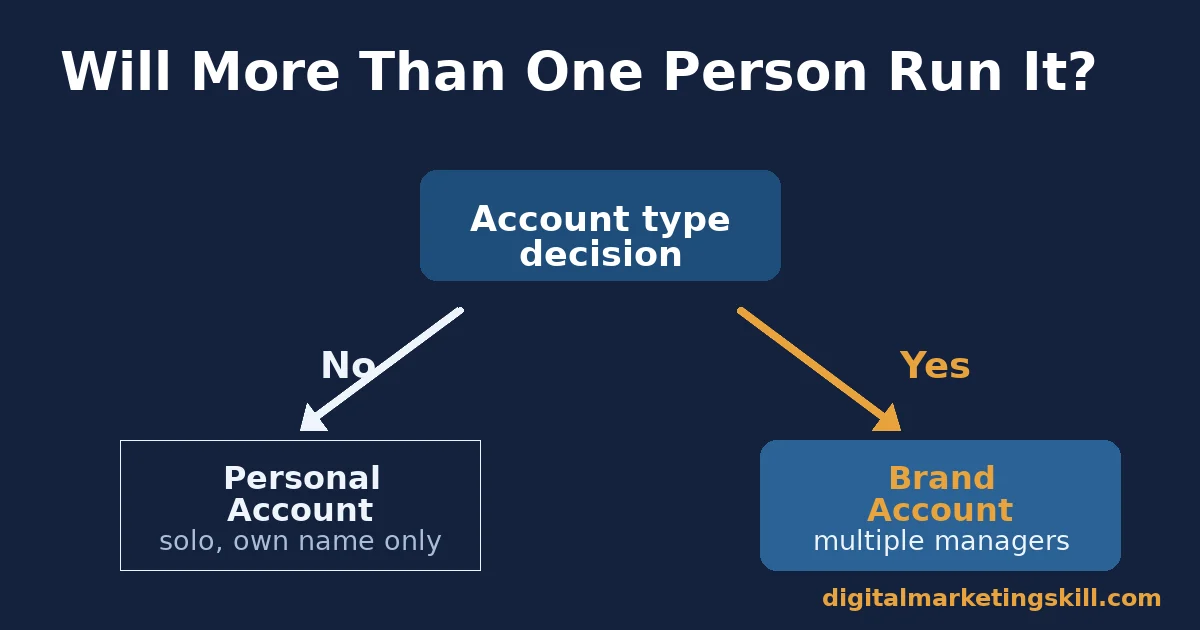
A channel under your personal Google Account ties the channel to your personal name and login. A Brand Account separates the channel from your personal identity. It also lets more than one person manage it, each with their own login and permission level.
Choose a Brand Account if more than one person might ever help run the channel. The same applies if the channel’s name is not your own name. Choose a personal channel only for a true one-person, personal-name project you are certain will stay that way.
Pick the Niche Before the Name
Decide what the channel is actually about before you decide what to call it. A channel that covers one clear topic gives YouTube’s recommendation system a consistent signal about who to show it to. A channel that jumps between unrelated topics sends a much weaker, mixed signal.
Write your channel’s topic in one sentence, the same way you would write a skill gap in our guide to how to upskill in digital marketing. If you cannot state the topic in a sentence, viewers and the algorithm will struggle to state it too.
Test the sentence on someone outside your own head before you commit to it. If a friend cannot repeat your channel’s topic back to you after hearing it once, it is still too vague to guide a hundred future video ideas.
Three Channel Types, and What Each Is Built For
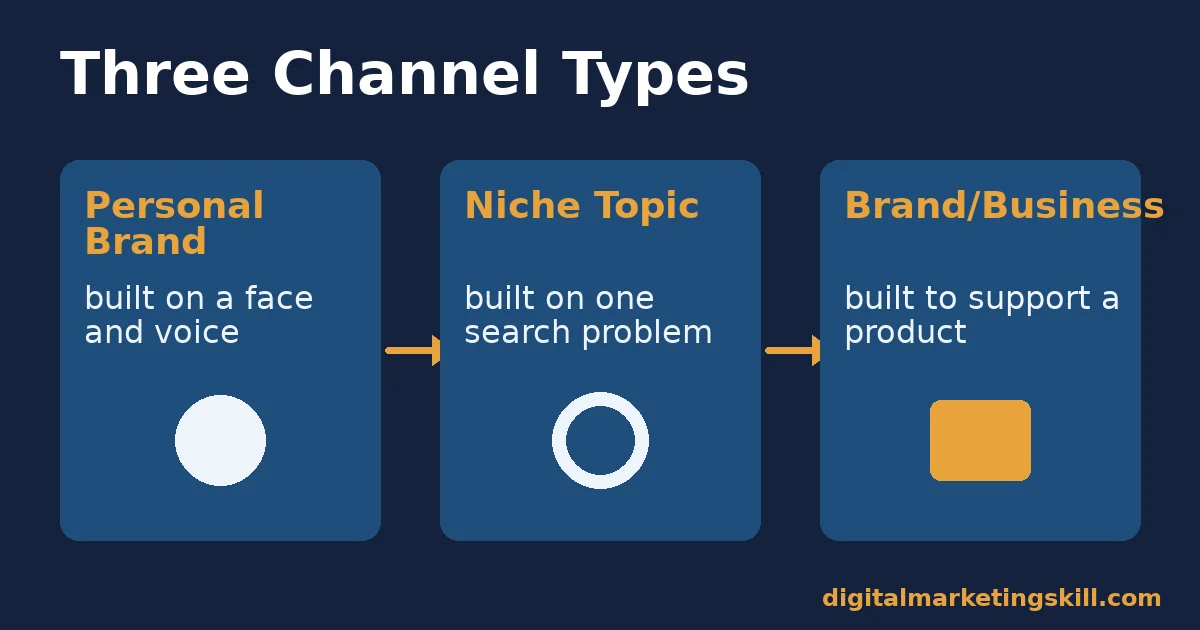
Most new creators default to a general “lifestyle” channel. That is rarely the fastest path to growth. Three narrower channel types consistently perform better for a new creator, each for a different reason.
Personal Brand Channels: Built on a Face and a Point of View
A personal brand channel is built around one presenter’s voice, opinions and on-camera presence. Viewers subscribe to the person as much as the topic. That builds loyalty fast, once it clicks.
The trade-off is fragility. The channel’s output depends on one person’s time, energy and willingness to stay on camera. Growth usually tracks how consistently that one person shows up, nothing else.
Niche Topic Channels: Built on a Single Search Problem
A niche topic channel is built around answering one category of question well, such as a specific software tool, hobby, or skill. The presenter matters less than the usefulness of each video.
The trade-off is competition from other channels answering the exact same question. A niche topic channel wins mainly on clarity, depth and a consistent upload pace, rather than on personality alone.
Brand or Business Channels: Built to Support a Product
A brand or business channel exists to support something outside YouTube: a company, a course, a service. Growth is one goal, but trust and conversion toward that outside product matter just as much.
The trade-off is that pure entertainment value is rarely the point. These channels need a clear reason for someone outside existing customers to watch, not just a product pitch with a camera pointed at it.
Which Type Should You Pick to Create a YouTube Channel Today?
If you are comfortable on camera and want to build an audience around your own voice, start a personal brand channel. If you would rather stay behind the camera and answer one kind of question well, a niche topic channel fits better.
When the channel exists to support a business you already run, build a brand channel instead, and judge its early success by trust and watch time, not by immediate sales. Most people who create a YouTube channel underestimate how much the account type they choose shapes everything that follows.
How to Set Up Each Channel Type Right
Each channel type above needs a different setup choice in its first week. Match the fix below to whichever type you are building, so you create a YouTube channel that fits how you actually plan to use it.
Personal Brand: Lead With a Consistent Face and Format
Settle on a simple, repeatable video format before your first upload: the same rough structure, length and sign-off every time. A predictable format tells returning viewers what they are getting. That is what turns a one-time viewer into a subscriber.
Write down your filming and editing rhythm somewhere you will see it, and protect it like a deadline. Personal brand channels stall most often for one reason: the person behind them simply stops showing up.
Niche Topic: Lead With a Content Map, Not Random Ideas
Before uploading, write a list of 20 to 30 specific questions your niche topic answers. This becomes your upload queue for months, and it stops the common trap of running out of ideas after the first ten videos.
Group related questions into short series. A viewer who watches one video in a series is far more likely to watch a second from the same channel than to stumble onto an unrelated video by chance.
Revisit the content map every few weeks rather than writing it once and forgetting it. New questions appear as viewers comment and ask things you did not anticipate. The best niche channels keep folding those real questions back into the upload queue.
Brand or Business: Lead With Proof, Not a Pitch
Spend most early videos demonstrating real expertise, real results or real process, with only an occasional direct pitch. Viewers return for useful or interesting content. The trust that builds from that is what eventually makes the pitch work.
Separate the channel’s YouTube goals from its sales goals in your own head. A channel can grow views and subscribers well before it drives meaningful conversions. Judging it only by sales too early causes many business channels to quit before they compound.
Give a brand or business channel at least a few months of consistent, useful uploads before judging whether it is “working.” Trust-building content compounds slowly at first, then much faster once a channel has a visible back catalog worth browsing.
How to Measure a New Channel’s Progress
Subscriber count is the number everyone watches, but it is a lagging signal. These four metrics show whether a channel is actually working before subscriber growth shows it.
Check them weekly for the first few months, right after you create a YouTube channel, rather than only glancing at the subscriber total. Early patterns in these four numbers tell you what to fix long before subscriber growth would reveal the same problem on its own.
Four Metrics That Matter More Than Subscribers Early On
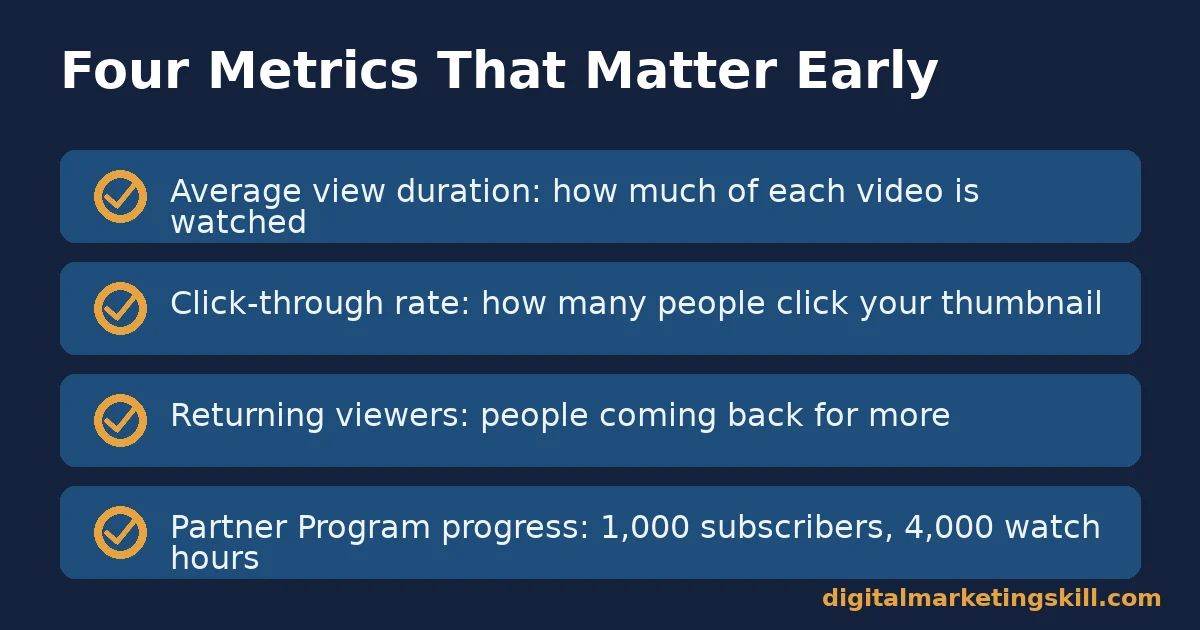
Average view duration. The average share of each video a viewer actually watches. A short average view duration on an early video is the clearest sign the content or pacing needs to change.
Click-through rate on impressions. The share of people shown your thumbnail and title who click it. A low rate points to a weak thumbnail or title, not necessarily a weak video.
Returning viewers. The share of views from people who have watched the channel before. Rising returning-viewer numbers mean the channel is building an actual audience, not just one-off discovery.
Progress toward Partner Program thresholds. Your running totals toward 1,000 subscribers and 4,000 watch hours, or the Shorts equivalent, are the concrete, official numbers that mark real channel traction.
Check these four numbers from YouTube Studio’s own analytics, not from guesses. Anyone who sets out to create a YouTube channel and ignores these four signals usually only discovers a problem months later, once it has already cost real growth.
The One Rule: Match the Account Type to Who Will Ever Touch the Channel
Here is the rule worth deciding before anything else. If more than one person could ever help manage the channel, or the channel’s name is not your own name, create it as a Brand Account from day one, not your personal account.
Illustrative, invented example: two creators each start a cooking channel under their personal name. A year later, one wants to add a co-host and a video editor, each with their own login.
Because the first channel sits on a personal account, adding them means sharing a personal Google password. The second creator started as a Brand Account and adds the same two people as managers in minutes, with no shared password and no risk to a personal account.
A Real Case: What Consistent Output Looks Like in Practice
As published on the Digital Marketing Skill Institute’s reviews page, former student Azeezat Bukola said she made double the amount she paid for her course within her first month of applying what she learned consistently.
This case is about consistent execution of a learning plan, not a YouTube channel specifically. It is one published, self-reported result, not a typical outcome, and our earnings disclaimer applies to every figure in this guide.
The lesson that does transfer directly to a new channel is the same one: a consistent, applied plan beats sporadic effort, whether you are building a channel or building a client base.
Most creators who successfully create a YouTube channel and keep it growing describe the same pattern in hindsight: unglamorous, repeated effort over months, not a single lucky video. Plan for that pattern from the start, rather than expecting an early viral break.
Frequently Asked Questions About How to Create a YouTube Channel
How do I create a YouTube channel step by step?
Sign in to a Google Account, go to YouTube, select your profile picture, and choose “Create a channel.” Decide between a personal or Brand Account first, since switching later takes more work than choosing correctly at the start.
Do I need a Brand Account to create a YouTube channel?
No. A personal account works for a true solo project under your own name. A Brand Account is strongly recommended if the channel might ever have more than one manager, or uses a name other than your own.
How many subscribers do I need to make money on YouTube?
You need 1,000 subscribers, plus one of two watch requirements. Either 4,000 public watch hours in the past 12 months, or 10 million Shorts views in the past 90 days, qualifies you for the YouTube Partner Program under Google’s own eligibility rules.
How often should a new channel upload?
Pick a pace you can sustain for at least three months without burning out, even if that is only once a week. A slower, consistent pace outperforms a fast start that stops after a month.
Can I rename a YouTube channel after creating it?
Yes. A channel name can be changed later, though frequent renames can briefly confuse returning viewers and search results. It is still better to pick a durable name that is not tied to a single trend.
Should I create a YouTube channel around one topic or many?
One clear topic almost always grows faster for a new channel. It gives both viewers and YouTube’s recommendation system a consistent reason to keep suggesting it to the right audience.
What is the biggest mistake new YouTube channels make?
Stopping. Most new channels that fail do not fail because of a bad first video. They fail because the uploads stop after a handful of videos, long before the channel’s small early audience has a chance to compound.
Do I need expensive equipment to create a YouTube channel?
No. A phone camera and basic free editing software are enough to start. Equipment upgrades matter far less early on than a clear topic, a watchable format and consistent uploads. Most creators upgrade gear gradually, once a channel’s early videos already prove the content itself works.
Can I create a YouTube channel for free?
Yes. Creating a YouTube channel costs nothing, and uploading, basic editing in YouTube Studio, and publishing videos are all free. The only costs come later, from optional gear, software or paid promotion.
What should I check before I create a YouTube channel?
Confirm your account type, write your one-sentence topic, and sketch 20 to 30 video ideas before you touch the signup form. Checking these first saves the rework of fixing them after you already have subscribers.
Can a business and a personal creator share one YouTube channel?
Technically yes, but it rarely works well. Mixing a business’s product updates with one person’s personal vlogs confuses the recommendation system. It also confuses the audience about what the channel is actually for, and that confusion slows growth for both goals at once.
Your Next Step: Set Up the Channel Right, Then Show Up
Before you create a YouTube channel this week, write down your account type, your one-sentence topic, and the upload pace you can sustain for three months, wherever you live in your country. Those three answers matter more than any setting in the signup form itself, and they cost nothing but a few minutes of honest planning before the camera comes out.
Build Your Content and Marketing Skills With Support
If you want a structured place to build the content, SEO and social media skills that support a growing channel or business, the Digital Marketing Skill Institute’s Master Diploma in Digital & AI Marketing can help.
It is organized into four AI-powered tracks: AI-Powered Social Media Management and Advertising, AI-Powered Lead Generation and Email Automation, AI-Powered Google Specialist, and AI-Powered WordPress and SEO Specialist. The four tracks are built from ten courses, with a Full Stack option to complete all four.
The program includes unlimited 1-on-1 coaching and mentoring, a U.S. Project Internship with a verified U.S. Work Reference Letter, and dual US and UK accreditation recognised in more than 100 countries, delivered 100% online.
See the full program details on the Master Diploma program page, browse more guides on the digital marketing blog, or go straight to the application page to start building your skills, anywhere in your country. Learn more about the Institute at digitalmarketingskill.com, and start wherever you are today at digitalmarketingskill.com.
Every figure in this guide was checked against its original source before publication. Figures marked as illustrative are invented examples, not real results.
![9 Amazing Digital Marketing Skills to Make Money Online [With Proof]](https://digitalmarketingskill.com/wp-content/uploads/2019/07/9-Amazing-Digital-Marketing-Skills-to-Make-Money-Online-With-Proof-17.png)





