
A meta title is the title you give a web page in its HTML code, inside the <title> element. Browsers show it in the tab, and search engines often use it as the clickable headline in their results. It matters because it is usually the first thing a searcher reads, so it shapes whether they click your page or the one below it.
Key Takeaways
- A meta title lives in the
<title>element in the page’s<head>. It is not the same as the heading people see on the page. - Google calls the result headline a “title link”. It often uses your title tag, but it can also build one from headings and other text.
- Google sets no length limit, yet it cuts long titles to fit the screen. MDN says search engines typically show about the first 55–60 characters.
- Each page needs its own clear, accurate title. Repeated or stuffed titles are more likely to be rewritten.
- In WordPress, a plugin such as Yoast SEO lets you set this title separately from the post title.
What Is a Meta Title?
Think of it as the label on a folder. The folder holds the whole page, but the label tells people what is inside before they open it. It sits in the code, so visitors don’t see it on the page itself.
You will hear several names for the same thing. Developers say “title tag” or “title element”. Yoast calls it the “SEO title”. Google talks about the “title link”, which is the version it actually shows in search results. Here, it simply means the text you write inside the <title> element.
Here is a simple example:
<title>Running Shoes for Flat Feet - Stride Shop</title>
That one line tells browsers, search engines and screen readers what the page is about. It also adds the shop name at the end, so the brand appears in results too.
How a Meta Title Works
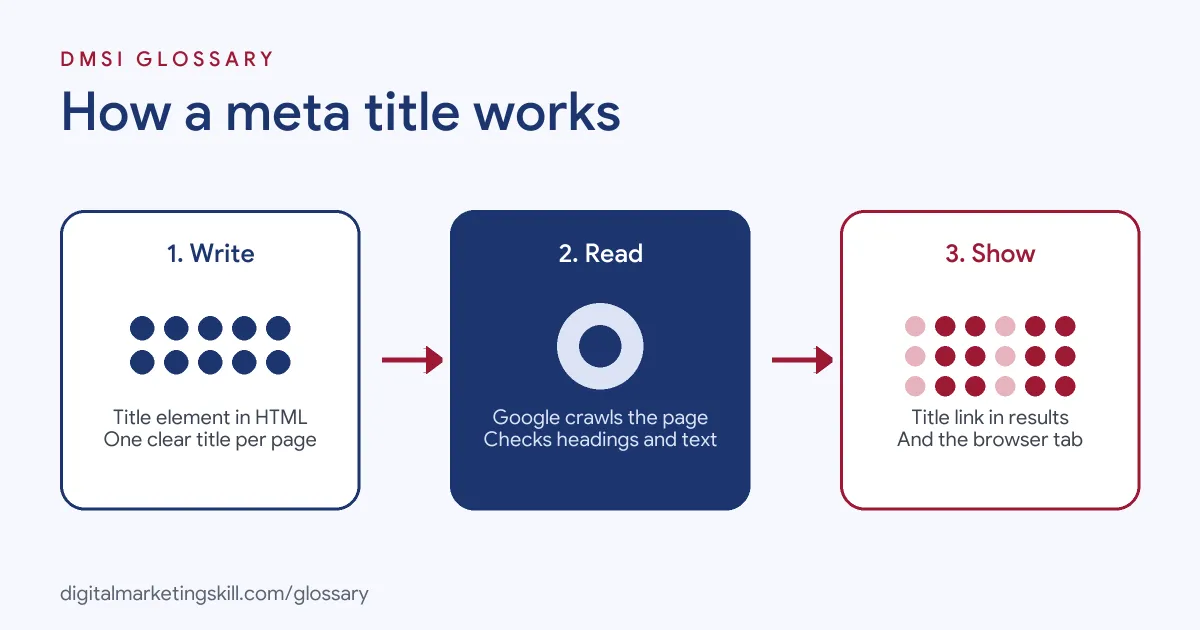
The title does three jobs at once. First, it names the browser tab. Next, it gives search engines a strong clue about the page’s topic. Finally, it often becomes the headline that searchers click.
Where the Title Sits in the Code
MDN Web Docs explains that the <title> element is always used inside the page’s <head> block. A page should have only one. It can contain plain text only, so any HTML tags inside it simply show as text. Most website builders and WordPress themes write this element for you, based on the settings you choose.
How Google Builds Title Links
Google doesn’t always copy your title word for word. Its Search Central documentation says it creates title links automatically from several sources. These include the <title> element, the main visible heading, <h1> elements, og:title tags, other large text on the page, and the anchor text of links pointing to it.
In practice, the title tag is the source you control most directly. So if you write an accurate, clear title, Google is more likely to use it. On the other hand, if the title is vague, stuffed or out of date, Google may swap in text from elsewhere on the page.
Length and Truncation
Google says there is no limit on how long a <title> element can be. However, it truncates title links in results as needed, typically to fit the device width. MDN adds that search engines typically display about the first 55–60 characters, so text after that may be lost.
Yoast makes a useful point here. Google measures the space in pixels, not characters. That’s why a title full of wide letters, such as “W” and “M”, gets cut sooner than one full of narrow letters.
Meta Title Examples
Here are three pages, each with a weak title and a stronger one:
- Home page of a bakery: “Home” tells searchers nothing. A better title is “Sourdough Bakery in Leeds – Crumb and Crust”. Google’s own guidance warns against vague labels like “Home”.
- Product page: “Shoes, shoes, running shoes, cheap shoes” is keyword stuffing. Instead, try “Women’s Trail Running Shoes – Stride Shop”. It is shorter and easier to trust.
- Blog post: “Untitled post” often appears when someone forgets to fill in the field. A clear option is “How to Repot a Snake Plant in Five Steps”.
In each case, the better title says exactly what the page offers. It also puts the most important words first.
Title Tag vs H1 vs Meta Description
These elements work together, but they do different jobs:
| Element | Where people see it | Main job |
|---|---|---|
| Meta title | Browser tab and, often, the search result headline | Name the page and win the click |
| H1 heading | At the top of the page itself | Confirm the topic once the visitor arrives |
| Meta description | Sometimes as the text under the result headline | Summarise the page and give a reason to click |
| og:title | Link previews on social platforms | Set the headline when someone shares the page |
Your H1 and title tag can match, but they don’t have to. Yoast suggests keeping them close, because a big gap between the two can make Google more likely to rewrite the title.
How to Write a Meta Title
Follow these steps for any page you publish:
- Pick the main topic. Decide which search the page should answer. Use your keyword research to choose the main phrase.
- Put the key phrase near the start. Yoast recommends placing your keyphrase at the beginning of the SEO title where you can.
- Describe the page accurately. Say what the visitor will get. Avoid promises the page can’t keep.
- Add your brand. Google suggests putting the site name at the start or end, split by a hyphen, colon or pipe.
- Check the width. Use a preview tool, such as the Yoast snippet preview, to see how it looks on mobile and desktop.
- Publish, then monitor. Google has to recrawl the page before it notices a change, which it says may take a few days to a few weeks. After that, watch clicks in Google Search Console.
Setting a Meta Title in WordPress
WordPress uses your post title to build the page title by default. With Yoast SEO, you can override it in the “Search appearance” section of the editor. Yoast also offers a “Title” variable, which pulls the post title in automatically. Meanwhile, a width bar turns red if the title is likely to be too long.
Best Practices for a Meta Title
- Give every page its own title. Google advises that each page should have distinct title text, rather than near-identical boilerplate.
- Be specific. A title such as “Vegan Chocolate Cake Recipe” beats “Recipes” every time.
- Keep the language consistent. Google tries to show a title link in the same language and script as the page, so match the two.
- Avoid repeated keywords. Google gives “Foobar, foo bar, foobars, foo bars” as an example of title text that doesn’t help users.
- Test changes on key pages. Yoast describes one of its own pages whose traffic rose by over 30% after it got a more compelling title, while rankings stayed largely the same.
Common Meta Title Mistakes
Most problems come from a handful of habits. First, some sites leave half-empty titles, such as a separator with no page name before it. Second, many sites copy the same title across dozens of pages. Third, some titles go stale, for example on pages that repeat every season. Google lists all three as reasons it may adjust a title link. Finally, some writers stuff in every keyword they can think of. That makes the result look spammy and harder to read.
Where You’ll Use a Meta Title at Work
Writing and fixing titles is a routine task in SEO and content roles. For example, remote job listings include lines such as:
- “keyword research, on-page optimization, meta titles and descriptions, internal linking, and monitoring rankings” (Marketing Specialist).
- “Write compelling meta descriptions” (Content Writer), a task that usually sits right next to the meta title.
So if you want to work as an SEO Specialist, Website Manager or content writer, you will write page titles every week. You will also audit them across whole sites, using tools that flag missing, long or duplicate titles.
Learn It in the WordPress and SEO Track
You can practise writing a meta title for real pages in the AI-Powered WordPress and SEO Specialist track. There, you build a WordPress site or store and rank it with an SEO content plan. You also join a U.S. Project Internship from day one, with unlimited 1-on-1 mentoring.
For a wider view, read our on-page SEO checklist and our guide to WordPress SEO plugins. You can also see how titles fit into on-page SEO as a whole.
Frequently Asked Questions
Is a meta title the same as a title tag?
Yes. Both names describe the text inside the <title> element. Yoast calls it the SEO title, while Google calls the version it shows a title link.
How long should a meta title be?
Google sets no fixed limit, but it shortens long titles to fit the screen. As a guide, MDN says search engines typically show about the first 55–60 characters.
Why did Google change my meta title?
Google builds title links from several sources. So if your title is vague, repeated across pages, stuffed with keywords or no longer accurate, it may use a heading or other text instead.
Should the meta title match the H1?
It doesn’t have to match exactly. Still, keeping the two close helps, because it shows Google and visitors that the page delivers what the result promised.
Where do I add a meta title in WordPress?
By default, WordPress uses your post title. With a plugin such as Yoast SEO, you can write a separate one in the search appearance settings for each page.
Sources: Google Search Central: Influencing your title links; MDN Web Docs: The title element; Yoast: How to create the right page titles; remote job listings on Himalayas.