
A carousel ad is a single advert that holds several images or videos, called cards, which people swipe through one at a time. Each card can have its own headline and, on many platforms, its own link. It matters because you can show more products, steps or benefits in one ad than a single image allows.
Key Takeaways
- A carousel ad shows two or more cards in one ad unit that viewers swipe through.
- Facebook, Instagram, LinkedIn and TikTok all offer carousel formats, each with its own rules.
- LinkedIn allows 2 to 10 cards, with card headlines of up to 45 characters.
- Meta’s developer docs say carousel ads are not supported for Facebook Stories, while Instagram Stories carousels take up to ten images or videos.
- Carousels suit product ranges, step-by-step stories and before-and-after sequences.
What Is a Carousel Ad?
Picture a row of postcards side by side. The viewer sees the first card, then swipes to see the next. That is the basic idea of the format.
Meta’s developer documentation describes it simply: a carousel ad “displays multiple creatives in Feed and links to your website or mobile app”. On Instagram, according to Meta, each card has one image or video and a call-to-action button, plus one shared message.
For example, a shoe shop could run one ad with five cards: trainers, boots, sandals, slippers and a final card saying “Shop the full range”. Each card links to its own product page. As a result, a shopper who loves the boots lands straight on the boots page.
Carousels are a common format in paid social, alongside single images, videos and collection ads.
How a Carousel Ad Works
A carousel combines three parts: a set of cards, the text around them and the links behind them. The platform then shows it in the feed, where people can swipe.
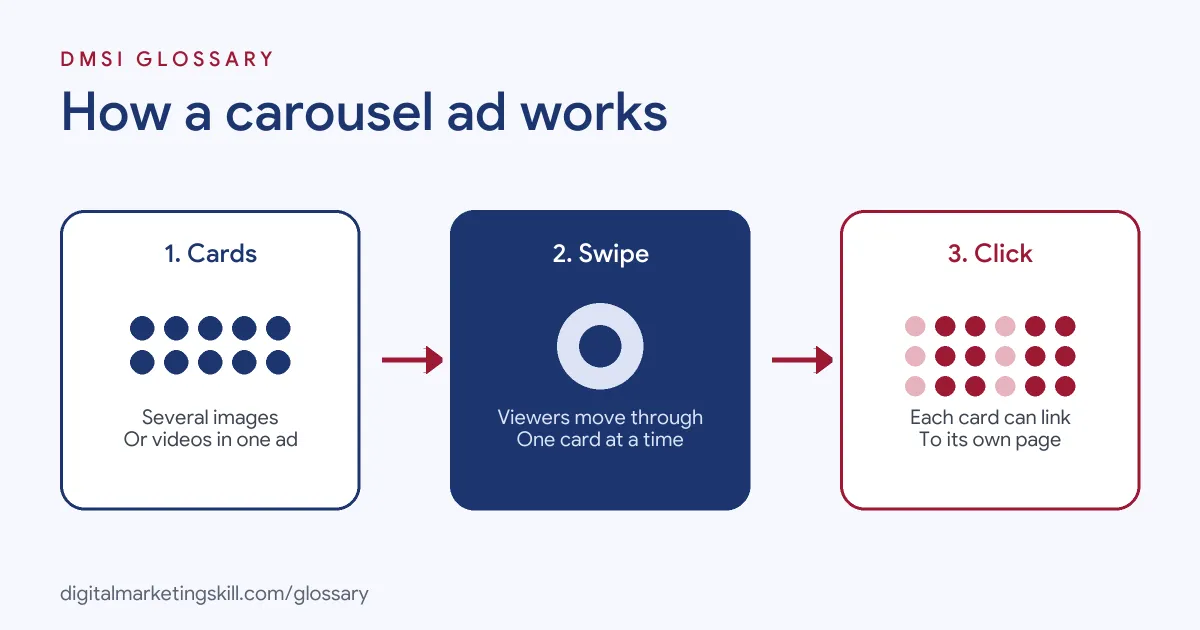
The Cards
Each card is an image or a video. On LinkedIn, the help centre recommends 1080 x 1080 pixel images with a 1:1 ratio, up to 10 MB each. LinkedIn’s spec page also notes that its carousel ads do not support video. On Instagram, Meta says images must be at least 600 x 600 pixels, and videos must be square and no longer than 60 seconds.
The Text
Most carousels have one main message plus a short headline on each card. LinkedIn, for instance, allows up to 255 characters of introductory text, but suggests using up to 150 to avoid truncation on some devices. Its card headlines can be up to 45 characters.
The Links
Cards can send people to different places. LinkedIn says carousel cards “may be directed to different destination URLs”. TikTok, similarly, says each frame within its carousel “links to a unique landing page”. However, if you use a LinkedIn Lead Gen Form, every card links to the same form.
Carousel Ad Examples
Here are three made-up examples of the format in action:
- Product range: A kitchenware brand shows four pans, one per card, each linking to its own product page.
- Step-by-step story: A language app walks through “Day 1, Day 7, Day 30” with a learner’s progress on each card, ending with a “Start free” card.
- Tips that teach: An accounting firm on LinkedIn shares five quick tax tips for freelancers, one per card. The last card offers a free checklist.
In each case, the swipe carries the viewer forward. In other words, each card gives a reason to see the next one.
Carousel Ad Specs by Platform
Here is a quick comparison from each platform’s official documentation:
| Platform | Cards | Media | Key detail |
|---|---|---|---|
| 2 to 10 | Images only; 1:1, 1080 x 1080 px recommended, 10 MB max | Card headline up to 45 characters | |
| Instagram feed | At least 2 (3 for app ads) | Images at least 600 x 600 px; square videos up to 60 seconds | Each card has its own call-to-action button |
| Instagram Stories | Up to 10 | Images or videos | Viewers may see one to three cards before “Expand Story” |
| Multiple cards | Images or videos | Not supported for Facebook Stories | |
| TikTok | Multiple images | Images in the in-feed placement | Each frame can link to a unique landing page |
Specs change over time, so always check the platform’s help centre before you design.
How to Create a Carousel Ad
The steps below follow the general flow in most ads managers. The exact menu names vary by platform.
- Pick a goal. Decide whether you want traffic, leads, sales or awareness.
- Plan the story. Choose what each card shows and how the sequence flows from first to last.
- Make the first card strong. It is the only one everyone sees, so it must earn the swipe.
- Size your media. Use the same ratio for every card, such as 1:1, so the set looks tidy.
- Write short card headlines. Keep them within the platform’s limit, such as 45 characters on LinkedIn.
- Add the links. Point each card to the most relevant page.
- Preview on mobile. Check that text is readable and nothing important gets cropped.
- Launch and review. Compare results with a single-image ad on the same audience.
How to Measure Results
Judge the format against your goal, not against likes. For traffic, compare click-through rate and cost per click. For sales or leads, compare cost per result. Where the platform reports results by card, also look at which cards people click most.
Here is a made-up example. A furniture shop runs a five-card carousel next to a single-image ad, with the same budget and audience. The carousel gets fewer clicks overall. However, most of its clicks land on one card, a green armchair, and those clicks buy more often. So the shop moves the armchair to the first card and builds its next single-image ad around it. In short, a carousel can also work as a quick test of which product people want.
Carousel Ad Best Practices
- Tell one story. The cards should feel like a set, not a random pile of images.
- Use a final card with a clear ask. For example, “See all colours” or “Book a demo”.
- Keep visuals consistent. Matching colours and layouts make the swipe feel smooth.
- Remember you can’t edit later on LinkedIn. LinkedIn says that once your ad is saved, you cannot edit the carousel cards.
- Check placement support. For instance, Meta’s docs say carousel ads are not supported for Facebook Stories.
Common Carousel Ad Mistakes
A frequent mistake is a weak first card. If it doesn’t grab attention, nobody swipes. Another is mixing image shapes, so some cards look cropped or squashed. Some advertisers also send every card to the home page, which wastes the chance to link each product directly. Finally, many people put long text on each image, which is hard to read on a phone.
Where You’ll Use Carousel Ads at Work
Carousel design is a common request in social media roles, both for ads and organic posts. For example, remote job listings ask candidates to:
- “Design promotional graphics, carousel posts, and social media stories” (Social Media & Customer Engagement Executive).
- “Design high-converting social graphics, carousels, promotional collaterals, and short-form video content” (Social Media & Digital Marketing Specialist).
- Create “high-engagement formats (carousels, reels, interactive posts, and compelling copy)” for a content calendar (Social Media Content Manager).
So if you plan to work as a Social Media Manager, Paid Social Specialist or Content Creator, you will plan, design and test carousels often.
Learn It in the Social Media Track
You can practise building and testing a carousel ad in the AI-Powered Social Media Management and Advertising track. It covers content creation for graphics and video, plus social media advertising. Your portfolio project is a paid social campaign you plan, create and run for a real brand. You also get unlimited 1-on-1 mentoring and a U.S. Project Internship from day one.
For step-by-step help, see our guide to Facebook ad campaigns, or check sizes and rules in our Instagram marketing guidelines.
Frequently Asked Questions
What is a carousel ad in simple terms?
It is one ad with several swipeable images or videos. Each card can have its own headline and link.
How many cards can a carousel ad have?
It depends on the platform. LinkedIn allows 2 to 10 cards, and Instagram Stories carousels take up to ten images or videos.
Can a carousel ad include video?
On Meta’s platforms, yes. However, LinkedIn says its carousel ads do not support video.
When should I use a carousel instead of a single image?
Use one when you have several products, steps or benefits to show. A single image is simpler when you have one clear message.
Can each card link to a different page?
Usually, yes. LinkedIn and TikTok both allow different destinations per card, except when a LinkedIn ad uses a Lead Gen Form.
Sources: Meta for Developers: Video and carousel ads; Meta for Developers: Instagram carousel ads; LinkedIn Help: Carousel ads specifications; LinkedIn: Carousel ad specs; TikTok Ads Help: About carousel ads; remote job listings on Himalayas.