
A topic cluster is a group of web pages on one subject, made up of a broad pillar page and several focused pages on related subtopics, all joined by internal links. The pillar gives the overview, and each cluster page goes deep on one question. Together, they show search engines and readers that your site covers the subject properly, rather than in scattered one-off posts.
Key Takeaways
- A topic cluster has three parts: one pillar page, several cluster pages and the internal links between them.
- HubSpot, which popularised the model, says it is also known as “content clusters” or the “hub and spoke” model.
- Every cluster page links back to the pillar, and the pillar links out to each cluster page.
- Google says it uses links to judge how relevant pages are and to find new pages to crawl, so the links do real work.
- Clear, descriptive anchor text helps both readers and Google understand what each linked page covers.
What Is a Topic Cluster?
Think of a topic cluster as a small library on one subject. The pillar page is the front desk. It explains the whole topic at a high level and points you to the right shelf. Each cluster page is one of those shelves, and it answers a single, specific question in detail.
HubSpot describes topic clusters as “an SEO content strategy that links a broad pillar page to a set of focused cluster pages on related subtopics.” In other words, you plan content around a subject first, rather than around one keyword at a time.
This matters because search has changed. According to HubSpot, Google has steadily moved from matching exact keywords to understanding what a query actually means. As a result, a site that covers a topic in depth, with pages that clearly connect, tends to look more useful than a site with many loose posts. Google itself said its BERT models help Search understand the context of words in longer, more conversational queries.
How a Topic Cluster Works
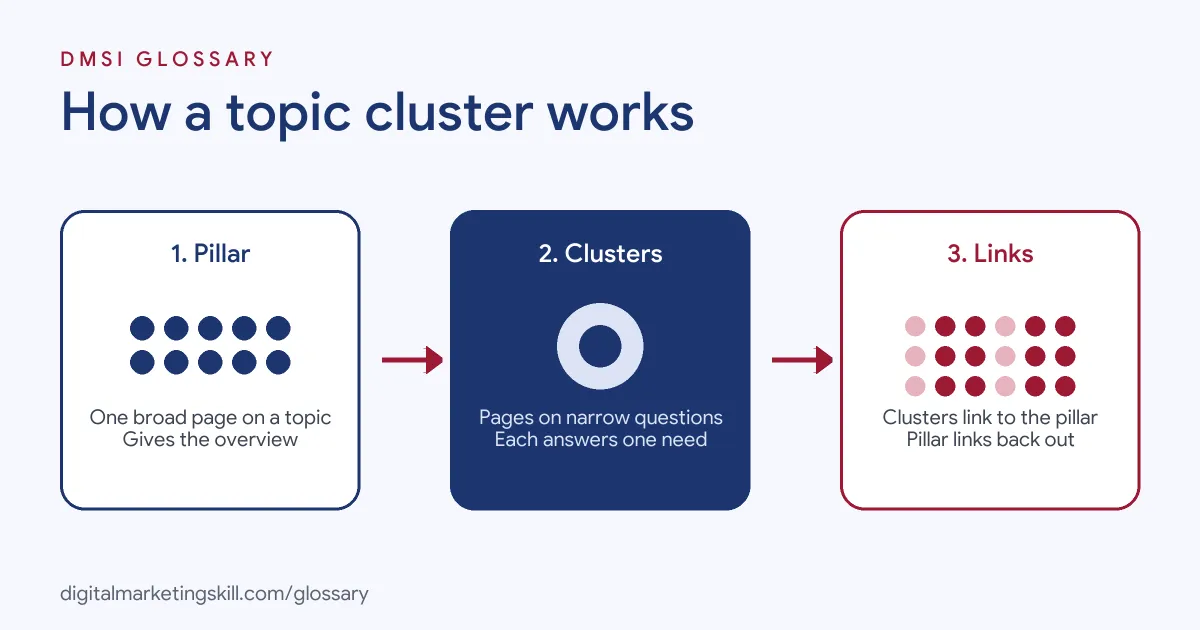
Every topic cluster works the same way. First, you choose a broad subject your audience cares about. Next, you write one pillar page that covers it. Then you publish cluster pages on the smaller questions and link everything together.
The Pillar Page
The pillar page covers the main subject from end to end, but it doesn’t try to answer every detail. For example, HubSpot suggests that an email marketing software company could write a pillar page that explains what email marketing is, why marketers use it and what success looks like.
So the pillar is broad by design. It introduces each subtopic briefly, then sends readers to the cluster page that covers it fully.
The Cluster Pages
Each cluster page targets one narrow question or long-tail search. In HubSpot’s email example, the cluster pages cover subject line testing, segmentation, automated drip sequences, deliverability fixes and compliance. Because each page has one job, you can answer that question better than a broad page ever could.
The Internal Links in a Topic Cluster
The links hold the whole topic cluster together. HubSpot says every cluster page should link to the pillar using clear, descriptive anchor text, and the pillar should link out to the relevant cluster pages.
Google’s own guidance explains why this matters. Google says it “uses links as a signal when determining the relevancy of pages and to find new pages to crawl.” It also notes that it can generally only crawl a link if it is an HTML <a> element with an href attribute. That’s why plain, crawlable links are part of the structure, not an extra.
Topic Cluster Examples
Here are three made-up examples to show how the model fits different businesses:
- Accounting software: The pillar covers “small business bookkeeping.” Cluster pages cover invoicing, expense tracking, payroll basics and year-end checklists.
- Fitness studio: The pillar covers “strength training for beginners.” Cluster pages cover first workouts, form tips, rest days and simple meal ideas.
- Travel blog: The pillar covers “a guide to Lisbon.” Cluster pages cover where to stay, day trips, public transport and food to try.
In each case, the pillar answers “what is this about?” while the cluster pages answer “how do I do this specific thing?”
Topic Cluster vs Standalone Blog Posts
Many sites start with standalone posts, each chasing its own keyword. Here is how the two approaches compare:
| Feature | Topic cluster | Standalone posts |
|---|---|---|
| Planning | Planned around one subject and its questions | Planned one keyword at a time |
| Linking | Every page links to the pillar and back | Links added at random, if at all |
| Reader path | Clear route from overview to detail | Readers often hit a dead end |
| Risk of overlap | Low, since each page has one job | Higher, as posts compete for the same search |
In short, a cluster turns a loose archive into an organised network of related pages.
How to Build a Topic Cluster
You can build your first cluster with a simple process:
- Pick a core topic. Choose a subject broad enough for several pages but close to what you sell.
- List the questions. Use keyword research tools, customer emails and search suggestions to collect the specific questions people ask.
- Group the questions. Next, merge questions that share the same intent, so each cluster page answers one need.
- Write the pillar page. Cover the whole topic at a high level, with a short section for each subtopic.
- Write the cluster pages. After that, give each page one clear focus and a full answer.
- Add the links. Link each cluster page to the pillar and link the pillar to each cluster page, using descriptive anchor text.
- Review and extend. Finally, check which pages get traffic and add new cluster pages as fresh questions appear.
Best Practices
- Write anchor text that describes the page. Google warns against generic text such as “click here” or “read more.” Instead, use words that tell readers what they will find.
- Keep one intent per page. If two pages answer the same question, merge them.
- Link sideways when it helps. HubSpot notes that cluster pages often link to each other as well as to the pillar.
- Update the pillar. Each time you publish a new cluster page, add a link to it from the pillar.
- Measure the whole group. Track traffic and conversions across the cluster, not just page by page.
Common Mistakes
The first mistake is choosing a topic that is too narrow, so there is nothing left for cluster pages to cover. The second is the opposite: a topic so broad that the pillar becomes a vague list. Another common error is forgetting the links, which leaves the pages sitting side by side but not connected. Finally, many teams publish the pillar and then stop. A topic cluster only grows its value when you keep adding and linking new pages.
Where You’ll Use Topic Clusters at Work
Content and SEO roles often ask for this way of planning. For example, real remote job listings include lines like these:
- “Support organic content strategy through keyword research, topic clustering, content planning, and on-page SEO optimization” (Content Marketing Manager, Industrial B2B).
- “Strong grasp of SEO fundamentals: search intent, topical authority, on-page optimization, and internal linking” (Content Strategist).
So if you want to work as an SEO Specialist, Content Strategist or Website Manager, you will need to plan pillar pages, map cluster pages and set up the links between them. Employers will also want to see a site where you have done it.
Learn It in the WordPress and SEO Track
You can practise building a topic cluster in the AI-Powered WordPress and SEO Specialist track. There, you build a WordPress site or store and rank it with an SEO content plan, so you finish with a real site to show employers. You also get unlimited 1-on-1 mentoring and a U.S. Project Internship from day one.
To go deeper on the links themselves, read our glossary entry on internal linking. For a wider plan, see our guide to a content marketing framework.
Frequently Asked Questions
What is a topic cluster in simple terms?
It is a set of pages about one subject. One broad pillar page gives the overview, several cluster pages cover the details, and internal links connect them all.
What is the difference between a pillar page and a cluster page?
A pillar page covers a broad topic at a high level. By contrast, a cluster page answers one specific question within that topic in depth.
How many cluster pages does a topic cluster need?
There is no fixed number. Start with the main questions your audience asks, then add pages as new questions come up.
Do topic clusters still matter for SEO?
Yes. Google uses links to judge relevance and find pages, and a clear structure helps readers. However, each page still needs to be genuinely useful.
Can I turn old blog posts into a topic cluster?
Often, yes. Group related posts under one subject, write or update a pillar page, then add links between the pillar and each post.
Sources: HubSpot: Topic clusters; Google Search Central: Link best practices for Google; Google: Understanding searches better than ever before; remote job listings on Himalayas.