
Mobile-first indexing means Google uses the mobile version of your website to index and rank your pages. Google crawls your site as a smartphone would, so what a phone user sees is what Google judges. That’s why a weak mobile page can hold back your whole site in search.
Key Takeaways
- Google crawls and indexes pages with its smartphone agent. As a result, the mobile version of a page is the one that counts.
- Google calls the move to mobile-first indexing complete. Only a very small set of broken mobile sites are still crawled with the desktop crawler.
- Your mobile pages need the same content, headings, structured data and metadata as your desktop pages.
- Google recommends responsive design because it is the easiest set-up to build and maintain.
- Most problems come from hidden or missing content on mobile, blocked resources and bad redirects.
What Is Mobile-First Indexing?
Search engines keep a huge index of web pages. When Google adds your page to that index, it has to pick one version to read. With mobile-first indexing, it picks the version a phone user would get.
Google’s documentation puts it simply: it “uses the mobile version of a site’s content, crawled with the smartphone agent, for indexing and ranking.” So if your desktop page has a long guide but your mobile page shows only a short summary, Google sees the short summary.
Google also says a mobile version is not strictly required to appear in search. However, it adds that “it is very strongly recommended.” In other words, a site that doesn’t work well on phones is at a clear disadvantage.
This is a core part of technical SEO. It sits alongside crawling, page speed and site structure as something every website owner has to get right.
How Mobile-First Indexing Works
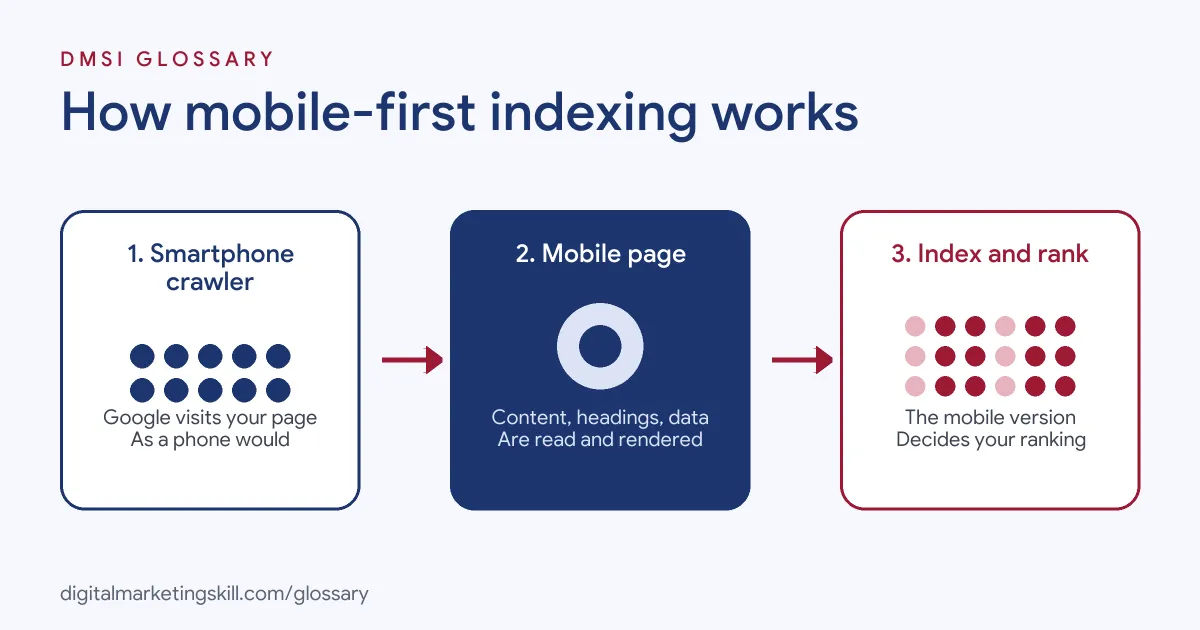
The process has three parts. First, Google’s crawler visits your page as a smartphone. Next, it reads and renders the mobile HTML, images and code. Finally, it stores that version in the index and uses it to rank the page.
The Smartphone Crawler
Google once crawled the web mainly as a desktop computer. That changed over several years. Google’s Search Central blog later announced that “the trek to Mobile First Indexing is now complete.”
A few sites still don’t work on phones at all. For these, Google said it would keep trying to crawl them with its “legacy desktop Googlebot crawler for the time being.” The main errors it found were mobile pages that show errors, mobile sites blocked in robots.txt, and mobile pages that all redirect to the homepage.
Three Ways to Build for Mobile
Google describes three set-ups for mobile sites:
- Responsive design: the same HTML on the same URL, which changes its layout to fit the screen.
- Dynamic serving: the same URL, but the server sends different HTML depending on the device.
- Separate URLs: a different URL for mobile, often an “m-dot” address such as m.example.com.
Google says it recommends responsive design “because it’s the easiest design pattern to implement and maintain.” With responsive pages, your content and metadata are the same on every device. Therefore, most mobile-first indexing advice only applies to the other two set-ups.
What Google Compares
For dynamic serving or separate URLs, Google checks that the mobile page matches the desktop page. That includes the main content, headings, structured data, titles, meta descriptions, images, alt text and videos. If something is missing on mobile, Google simply doesn’t see it.
Mobile-First Indexing Examples
Here are three made-up examples that show how this plays out:
- Example 1, the cut-down blog: A travel blog shows full articles on desktop but only the first two paragraphs on phones, with a “read more on desktop” note. Under mobile-first indexing, Google indexes the two paragraphs. As a result, the page can lose rankings for terms in the hidden text.
- Example 2, the m-dot shop: An online store runs m.shop.com for phones. Its product pages have Product structured data on desktop but not on mobile. Consequently, the pages may lose rich results, because Google reads the mobile version.
- Example 3, the responsive site: A local bakery uses a responsive WordPress theme. Every device gets the same HTML. So it has very little to fix, apart from checking speed and tap targets.
Mobile Set-ups Compared
Each set-up has a different level of risk under mobile-first indexing:
| Set-up | How it works | Mobile-first indexing risk |
|---|---|---|
| Responsive design | Same URL and HTML; layout adapts to the screen | Low: content and metadata match by default |
| Dynamic serving | Same URL; different HTML by device, using the Vary header | Medium: mobile HTML can miss content |
| Separate URLs (m-dot) | Different URL for mobile, with redirects and link tags | Higher: needs matching content, canonical tags, hreflang and robots.txt rules |
In short, responsive design removes most of the work. That’s one reason most modern WordPress themes are responsive.
How to Prepare Your Site for Mobile-First Indexing
Use these steps to audit a site. They follow Google’s own best practices.
- Find your set-up. Check if the site is responsive, uses dynamic serving or has a separate mobile URL.
- Compare content. Open key pages on a phone and on a desktop. Make sure the mobile page has the same text, headings, images and links. Google says accordions and tabs are fine.
- Check robots rules. Use the same robots meta tags on both versions. Also, don’t block mobile CSS, JavaScript or images in robots.txt.
- Match structured data and metadata. Keep titles, meta descriptions and structured data the same on mobile. For separate URLs, use mobile URLs inside the markup.
- Review images and video. Use good-quality images, stable URLs and the same alt text. Then make sure videos are easy to find on the mobile page.
- Avoid lazy-loading main content on tap. Google warns against loading primary content only after a user interacts with the page.
- Test in Search Console. Finally, use the URL Inspection tool to see how Google’s crawler renders a page.
Best Practices for Mobile-First Indexing
- Choose responsive design for new sites. It is Google’s recommended pattern and the simplest to maintain.
- Design for the phone first. Write and lay out content for a small screen, then expand it for desktop. This way, nothing important gets cut.
- Keep ads modest. Google points to the Better Ads Standard, since large ads at the top of a mobile page hurt usability.
- Keep the same headings. Google advises using the same clear headings on mobile as on desktop.
- Plan for crawl load on m-dot sites. If you use separate URLs, make sure the mobile host can handle more crawling.
Common Mistakes to Avoid
Google lists the errors it sees most often. For example, sites leave out structured data or images on mobile. Others add noindex tags to mobile pages by mistake. Some send many desktop pages to one mobile page, or even to the mobile homepage. Also, mobile URLs sometimes contain fragments such as #section, which Google can’t index as separate pages. Lastly, thinner content and unclear headings on mobile can lower page quality.
Each of these mistakes has the same cause. Someone treated the mobile site as a smaller copy, rather than the main version.
Where You’ll Use Mobile-First Indexing at Work
Few job listings name mobile-first indexing directly. Instead, they ask for the skills behind it. For example, remote listings ask for:
- A “strong understanding of technical SEO concepts, including site structure, schema markup, and mobile optimization” (SEO Specialist).
- “Experience with responsive design, mobile optimization, or technical SEO” (Website and Digital Marketing Specialist).
- A “solid understanding of responsive design principles and mobile-first development” (Website Designer and Developer).
So if you want to work as an SEO Specialist, WordPress Developer or Website Manager, you’ll need to audit mobile pages and fix what Google can’t see.
Learn It in the WordPress and SEO Track
You can learn to build mobile-ready sites in the AI-Powered WordPress and SEO Specialist track. There, you build a WordPress site or store and rank it with an SEO content plan. You also get unlimited 1-on-1 mentoring and a U.S. Project Internship from day one.
For more background, read our guide to mobile-first indexing and our tips on building a mobile-friendly website.
Frequently Asked Questions
What is mobile-first indexing in simple terms?
It means Google reads and ranks the version of your page that a phone user sees. If content is missing on mobile, Google doesn’t count it.
Does mobile-first indexing affect desktop rankings?
Yes. Google uses one index, built from the mobile version, for ranking. So a weak mobile page can hurt how the page ranks for desktop searches too.
Do I need a separate mobile website?
No. Google recommends responsive design, where one URL and one set of HTML adapt to every screen. Separate mobile URLs work, but they need much more care.
Is hidden content in tabs a problem?
Not usually. Google says accordions and tabs are acceptable on mobile. However, content that only loads after a user taps or scrolls may not be seen.
How do I see what Google sees on mobile?
Use the URL Inspection tool in Google Search Console. It shows whether Google crawled the page as desktop or mobile. Also, a live test gives you a screenshot of the rendered page.
Sources: Google Search Central: Mobile-first indexing best practices; Google Search Central Blog: Mobile-first indexing has landed; Search Console Help: URL Inspection tool; remote job listings on Himalayas.