
Content pillars are the three to five core themes a brand posts about again and again on social media. Every post fits under one of them, so the feed feels varied but still focused. They matter because they stop you posting at random and help you plan, create and measure content around what your audience actually cares about.
Key Takeaways
- Brandwatch and Eclincher both describe them as three to five recurring themes.
- Common types include educational, entertaining, community, inspirational and promotional posts.
- A content calendar tells you when to post; your pillars tell you what to post and why.
- You find good themes by studying your audience, your best posts and your competitors.
- Tracking results by theme shows which topics drive engagement, clicks and sales.
What Are Content Pillars?
Brandwatch, a social listening company, defines content pillars as “the three to five core themes or topics that form the foundation of a brand’s social media strategy.” It adds that they work as recurring categories that guide what you post.
Think of them as the sections of a magazine. A food magazine might have recipes, restaurant reviews and kitchen tips. Each issue changes, but readers always know what to expect. In the same way, your followers learn what your account offers.
Sendible, a social media management tool, gives a simple example. A fitness brand might choose workouts, nutrition tips, success stories and mental health. Then every post, story or video ties back to one of those four themes.
How Content Pillars Work
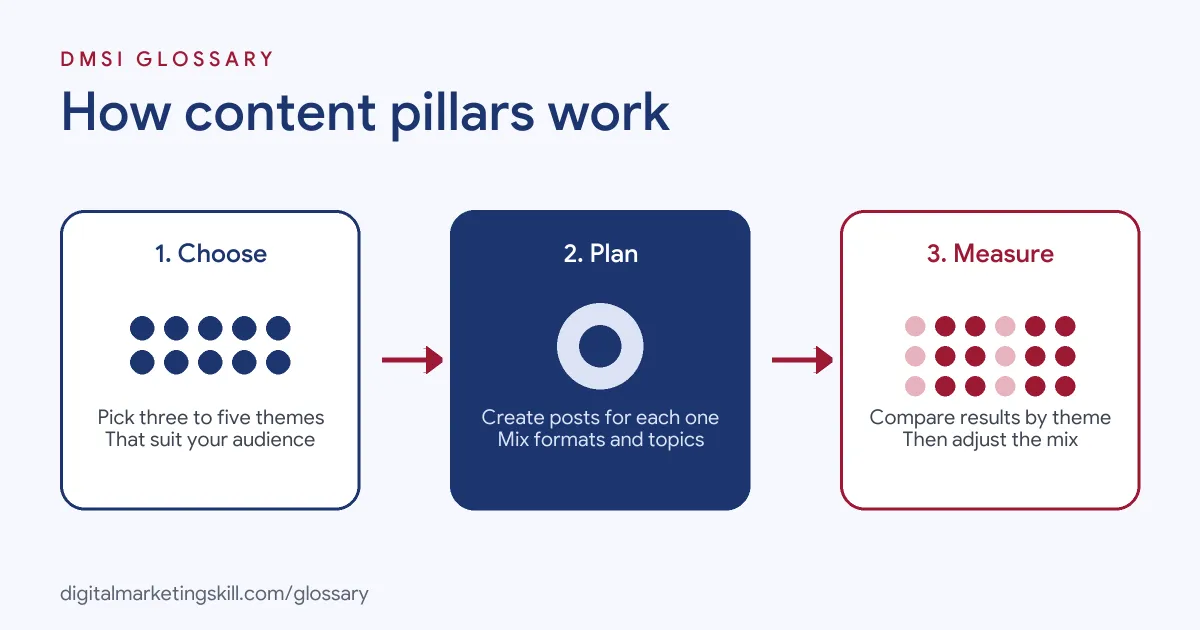
The process has three stages. First, you pick a small set of themes that match your audience and your goals. Next, you plan and create posts under each theme. Finally, you measure which themes perform best and adjust the mix.
Choosing the Themes
Good themes sit where three things overlap: what your brand knows, what your audience cares about and what your data shows. Brandwatch suggests starting with an audit. Group your top posts by theme rather than format, and you will often see two or three natural clusters.
Planning the Posts
Once you have your themes, planning gets faster. Instead of staring at a blank page, you ask, “What can we post this week for each theme?” Sendible also suggests giving each theme its own hashtags, which keeps posts organised and easy to find.
Measuring Results by Theme
Because each post has a label, you can compare whole themes, not just single posts. For example, you might find that tips get the most saves while customer stories get the most clicks. As a result, you know where to put more effort.
Content Pillars Examples
Eclincher, a social media software company, shares these examples of posts under common themes:
- Educational: A skincare brand explains how different ingredients work on the skin.
- Entertaining: A food brand shares funny cooking fail videos or memes.
- Conversational: A clothing brand runs an Instagram poll asking followers to choose the colour for its next product.
Here is a made-up full set for a local bakery: baking tips, behind the scenes, customer moments and new bakes. Each theme gives the team a clear lane to create within.
Types of Content Pillars
Brandwatch groups the main types like this:
| Type | Purpose | Example formats |
|---|---|---|
| Educational | Teach your audience something useful | How-to guides, tips, explainers |
| Entertaining | Create moments people share | Memes, behind the scenes, trending audio |
| Community | Make followers feel they belong | Polls, Q&As, user-generated content |
| Inspirational | Motivate action or aspiration | Customer stories, milestones, quotes |
| Promotional | Drive sales and product awareness | Launches, offers, demos, testimonials |
Brandwatch adds that most brands weight their mix towards educational and community posts, keeping promotional posts to around 20% of output. That way, the feed doesn’t feel like one long advert.
A Sample Weekly Mix
Here is a made-up plan for the bakery above, posting five times a week:
| Day | Theme | Post idea |
|---|---|---|
| Monday | Baking tips | A short reel on how to tell when bread is proved |
| Tuesday | Behind the scenes | A photo of the team at the ovens before sunrise |
| Wednesday | Customer moments | A repost of a customer’s birthday cake photo |
| Thursday | Baking tips | A carousel of five common sourdough mistakes |
| Friday | New bakes | A weekend special with a clear call to order |
Notice that only one post in five is a direct sales post. The others give people a reason to follow, so the Friday offer lands with a warmer audience.
How to Measure Each Theme
Brandwatch suggests judging posts on engagement, saves, shares and click-throughs, rather than likes alone. So, once a month, put every post in a simple sheet with its theme and these numbers. Then add up the totals for each theme and compare the averages.
For instance, you might see that tips posts earn twice as many saves as anything else, while new bakes drive most of the clicks. That tells you two things. First, tips build long-term interest. Second, product posts turn that interest into orders. Both have a job, so you keep both, but you might shift the balance. Over time, this habit turns gut feeling into a plan you can defend to a client or manager.
Content Pillars vs Content Calendar vs Pillar Pages
These terms sound alike, so it helps to separate them. Your themes decide what you post. A content calendar decides when you post it. Meanwhile, a pillar page is an SEO idea: a long web page that covers a broad topic and links to related pages. In short, social themes guide a feed, while pillar pages structure a website.
How to Create Content Pillars
- Know your audience. Sendible suggests asking which platforms they use, what topics interest them and what problems they need solved.
- Audit your past posts. Next, sort your best posts by theme and look for patterns.
- Study competitors. Sendible suggests listing the top five competitors and noting which of their posts perform well, and where they leave gaps.
- Check trends. Follow industry news and social trends so your themes stay relevant.
- Pick three to five themes. Choose ones that fit both your goals and your audience’s interests.
- Set the mix. Decide roughly how often each theme appears in a typical week.
- Review regularly. Finally, compare results by theme and adjust.
Best Practices
- Keep the list short. Three to five themes is enough to give variety without losing focus.
- Write a one-line purpose for each. For example, “Tips: help beginners bake better bread at home.”
- Mix formats within a theme. One topic can work as a reel, a carousel and a story.
- Tag every post. That makes reporting by theme quick and simple.
Common Mistakes
A frequent mistake is choosing too many themes, which brings back the scattered feed you were trying to fix. Another is picking themes that suit the brand but not the audience. Some teams also lean too hard on promotion, so followers tune out. Another trap is copying a rival’s themes. Sendible advises visiting competitor channels for ideas only, because original content works better than a copy. Finally, many people set their themes once and never review them, even when the data shows one is falling flat.
Where You’ll Use Content Pillars at Work
We didn’t find current remote listings that name this exact term, so here is how it fits the roles instead. A Social Media Manager usually sets the themes and the weekly mix. A Content Creator then turns each theme into posts, reels and stories. Meanwhile, a Paid Social Specialist can test which themes work best as ads. In every case, you will need to explain your choices with results, so tracking by theme pays off.
Learn It in the Social Media Track
You can practise planning content pillars in the AI-Powered Social Media Management and Advertising track. It covers content creation, social media marketing and analytics, and advertising. You also plan, create and run a paid social campaign for a real brand, with unlimited 1-on-1 mentoring and a U.S. Project Internship from day one.
For a step-by-step method, read our blog guide on how to build content pillars. To schedule your posts, see our glossary entry on the content calendar.
Frequently Asked Questions
How many content pillars should a brand have?
Most guides suggest three to five. That gives enough variety to keep a feed interesting without losing focus.
What are examples of content pillars?
Common examples are educational tips, behind-the-scenes posts, customer stories, community posts and promotions. A fitness brand might use workouts, nutrition, success stories and mental health.
Are content pillars the same as a content calendar?
No. Your themes decide what you post. A calendar decides when each post goes out.
How often should I review my themes?
Check results by theme regularly, for example every month or quarter. Then adjust if one theme keeps underperforming.
Do content pillars work for small businesses?
Yes. In fact, they help small teams most, because they save planning time and keep posting steady.
Sources: Brandwatch: Content pillars; Sendible: Social media content pillars; Eclincher: Social media content pillars; HubSpot: Topic clusters.