
Social media analytics is the practice of collecting and reading data from social platforms to see how your posts, ads and accounts perform and who your audience is. It covers numbers such as impressions, engagement, clicks, video views and follower growth, usually found in each platform’s built-in analytics tools. It matters because it shows what is working, what isn’t and where to spend your time and budget next.
Key Takeaways
- Social media analytics turns platform data into decisions about content, timing, audience and budget.
- Every major platform has its own analytics tool, such as YouTube Analytics, LinkedIn Page analytics and Pinterest Analytics.
- Platforms define metrics in their own way. For example, Pinterest counts a video view after at least 2 seconds with 50% of the video in view.
- Engagement rate is often calculated as engagements divided by impressions, which makes posts of different sizes easier to compare.
- Good analysis links social numbers to business goals, such as website visits, leads or sales.
What Is Social Media Analytics?
Think of social media analytics as the scoreboard for your social channels. Posting without checking the numbers is like playing a match without knowing the score. You might feel busy, but you can’t tell if you are winning.
The data falls into a few groups. First, there is reach and visibility, such as impressions. Next, there is engagement, such as likes, comments, shares and saves. Then there are actions, such as link clicks. Finally, there is audience data, such as followers’ locations and interests. Our glossary entries on impressions and engagement rate explain two of the most common metrics.
For example, a bakery might see that its short videos get far more views than its photos. As a result, it can plan more videos and fewer photo posts next month.
How Social Media Analytics Works
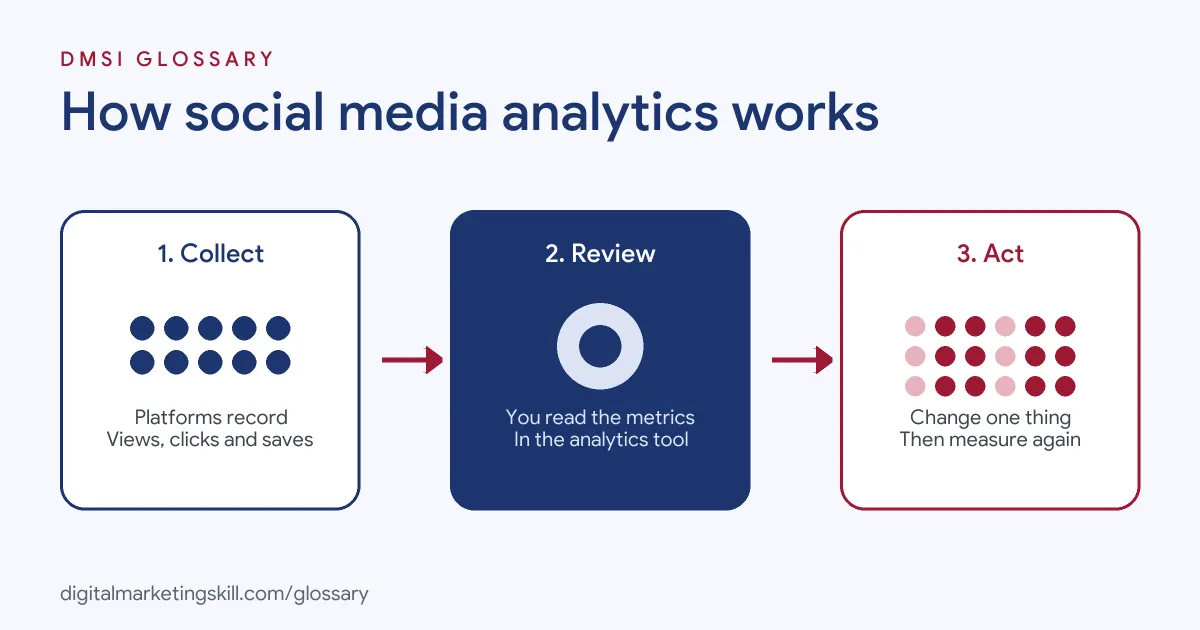
The process has three steps. First, the platform records what happens to each post, such as views, clicks and saves. Next, you review those numbers in the analytics tool or a report. Finally, you decide what to change, then measure again.
Built-In Platform Tools
Each platform offers its own dashboard. For instance, YouTube Analytics opens from YouTube Studio and has tabs for Overview, Content, Reach, Engagement, Audience, Revenue and Trends. LinkedIn Page analytics covers content, followers, search appearances, competitors and more, and LinkedIn says it is “available for all Page admin roles.” Meanwhile, Pinterest says, “To view Pinterest Analytics, you need to set up a business account.”
How Platforms Define Metrics
Metric names look similar across platforms, but the rules behind them can differ. Pinterest defines impressions as “The number of times your Pins or ads were on screen.” It counts a video view as a view of at least 2 seconds with 50% of the video in view. On YouTube, the Reach tab shows impressions, impressions click-through rate, views and unique viewers, while the Engagement tab shows watch time and average view duration. So always check the definition before you compare platforms.
Time Ranges
Tools also limit how far back you can look. For example, Pinterest lets you view custom ranges for “the past year and a half,” and its Overview shows the last 30 days by default. As a result, many teams export data regularly, so they keep a longer history. Pinterest lets you export a snapshot as a CSV file.
Paid and Organic Data
Organic and paid results often live in different places. Post insights show how your organic posts perform, while ad results sit in each platform’s ads tool, such as Meta Ads Manager or LinkedIn Campaign Manager. So when you report, say clearly which numbers are paid and which are organic. Otherwise, a boosted post can make your organic reach look far better than it really is.
Social Media Analytics Examples
Here are three made-up examples of analytics leading to action:
- Fashion brand (example): Its Instagram data shows that posts with people wearing the clothes get twice the saves of flat product shots. So it changes its photo style.
- B2B software firm (example): LinkedIn Page analytics shows most engaged followers work in finance. The firm then writes more posts for finance teams.
- YouTube creator (example): Average view duration drops sharply after the first 30 seconds. The creator shortens the intro, and watch time rises.
In each case, the data answered a clear question, and the team changed one thing in response.
Social Media Analytics Tools Compared
Here is a quick look at three built-in tools, based on each platform’s help pages:
| Tool | Where to find it | Useful for |
|---|---|---|
| YouTube Analytics | YouTube Studio, then Analytics | Reach, watch time, audience and revenue |
| LinkedIn Page analytics | Your LinkedIn Page, as an admin | Content, followers, search appearances and competitors |
| Pinterest Analytics | A Pinterest business account | Impressions, saves, outbound clicks and video views |
In short, start with the free built-in tools. Then add a reporting tool if you manage many accounts at once.
How to Use Social Media Analytics
- Set a goal. Decide what success means, such as more website visits or more leads.
- Pick a few key metrics. Choose three to five numbers that match the goal.
- Record a starting point. Note your current averages, so you can see change over time.
- Check results on a schedule. For example, review weekly and report monthly.
- Compare like with like. Compare video with video and paid with paid.
- Find the pattern. Look at your best and worst posts and ask what they have in common.
- Test one change. Change one thing, such as the posting time or the hook, then measure again.
- Link to business results. Use tracked links, so you can see visits and sales from social.
A Worked Engagement Rate Example
Here is a made-up example. A post gets 5,000 impressions and 250 engagements. So its engagement rate is 250 divided by 5,000, which is 5%. Another post gets 20,000 impressions and 400 engagements, which is 2%. The second post reached more people, but the first one connected better. That’s why rates are often more useful than raw totals. Still, keep both, because a high rate on a tiny audience may not move the business.
Best Practices for Social Media Analytics
- Focus on goals, not vanity numbers. Followers matter less than the actions people take.
- Use rates as well as totals. Rates make posts of different sizes easier to compare.
- Keep your own records. Export data regularly, because tools limit how far back you can look.
- Tag your links. Add UTM parameters, so your website analytics shows which posts drive visits.
- Tell a story in reports. Explain what happened, why, and what you will do next.
Common Mistakes to Avoid
A common mistake is tracking everything and acting on nothing. Another is comparing numbers across platforms without checking how each one defines them. Some teams also judge a post after a few hours, before it has finished reaching people. Others report likes and followers but never connect social activity to visits, leads or sales. Finally, many forget to export data, so they lose history they later need.
Where You’ll Use Social Media Analytics at Work
Reading and reporting social data is a core part of social media roles. For example, real remote job listings ask for:
- “Knowledge of social media analytics and reporting tools.” (Social Media Marketer).
- An “Analytical mindset with experience using social media analytics tools.” (Content Manager, Social Media and Influencer Marketing).
So if you want to work as a Social Media Manager, Paid Social Specialist or Content Creator, employers will expect you to turn numbers into clear decisions and simple reports.
Learn It in the Social Media Track
Social media marketing and analytics is a core part of the AI-Powered Social Media Management and Advertising track. It also covers AI fundamentals, content creation and social media advertising. Your portfolio project is a paid social campaign that you plan, create and run for a real brand. You also get unlimited 1-on-1 mentoring and a U.S. Project Internship from day one.
Next, read our guide to the social media report, which shows how to present your results.
Frequently Asked Questions
What is social media analytics in simple terms?
It is looking at the numbers behind your social posts and accounts, then using them to decide what to do next.
Which metrics matter most?
It depends on your goal. For awareness, watch reach and impressions. For action, watch clicks, leads and sales.
Are platform analytics tools free?
Most built-in tools come with your account. However, some need a business or creator account, such as Pinterest Analytics.
How often should I check my analytics?
Many teams review weekly and report monthly. Check more often during a paid campaign.
Why don’t numbers match across platforms?
Each platform defines metrics in its own way. For example, a video view on one platform may need a different watch time than on another.
Sources: YouTube Help: Get started with YouTube Analytics; LinkedIn Help: LinkedIn Page analytics; Pinterest Help: Pinterest Analytics; remote job listings on Himalayas.