
A boosted post is an existing organic post on Facebook or Instagram that you pay to show to more people, turning it into an ad without building a full campaign. You pick a goal, an audience, a budget and how long it should run, and Meta does the rest. It matters because it is the quickest way for a small business to put money behind content that is already working.
Key Takeaways
- Boosting turns a post you have already published into a paid ad.
- You choose four things: a goal, an audience, a budget and a duration.
- It is simpler than Meta Ads Manager, but it gives you fewer options for targeting, placements and reporting.
- Some posts can’t be boosted, for example content with copyrighted music or posts that break advertising standards.
- Boosting works best on posts that already perform well organically.
What Is a Boosted Post?
Normally, a post on your business page reaches only some of your followers. A boost pays for extra reach. The post looks almost the same, but it carries a “Sponsored” label and can appear in the feeds of people who don’t follow you yet.
As Hootsuite puts it, boosting turns “an organic piece of content into a promoted post.” In other words, you don’t need new creative. You simply choose a post, set a few options and pay to show it to more people.
That’s why many small businesses start their paid social journey here. Later, most move on to Meta Ads Manager for more control. For background, see our guide to social media marketing principles.
How a Boosted Post Works
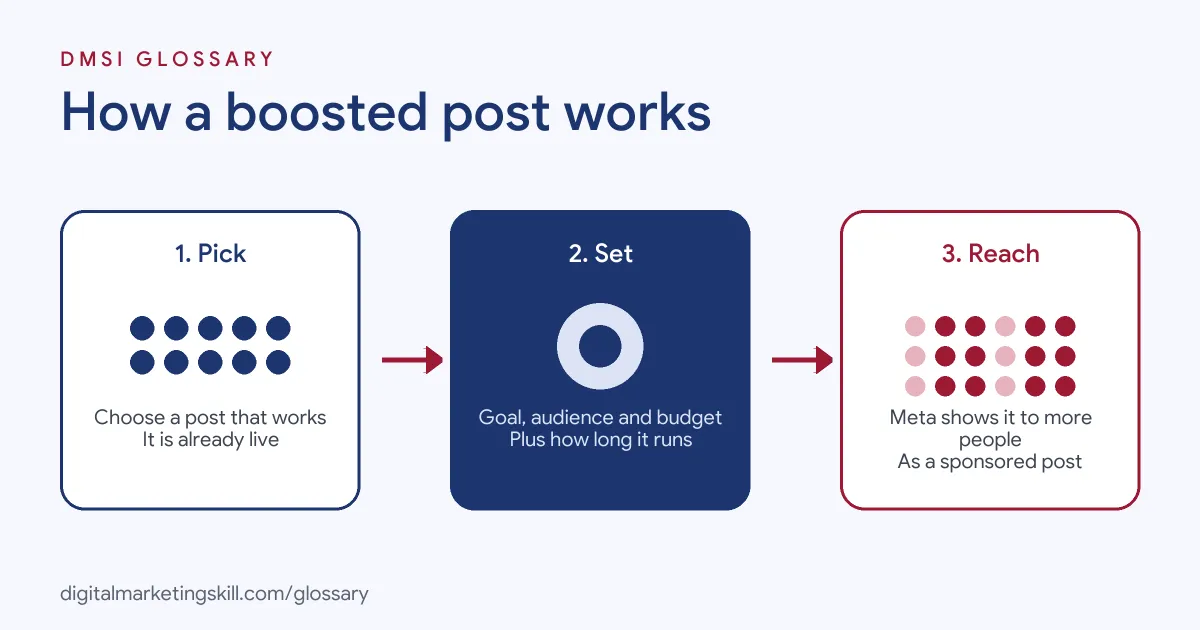
The process has three steps. First, you choose a post that is already live. Next, you set the goal, audience, budget and duration. Finally, Meta reviews the ad and, once approved, shows it to the audience you picked until the budget or time runs out.
Choosing a Goal
The goal tells Meta what result you want. On Instagram, for example, Shopify lists options for “more profile visits, more website visits, or more direct messages.” Pick the goal that matches the next step you want people to take.
Choosing an Audience
Next, you decide who sees the post. According to Shopify, Instagram offers two audience options, “which it calls automatic or custom.” With the automatic option, Meta chooses who sees the post for you. With a custom audience, you set details such as location, age and interests yourself.
Budget and Duration
Then you set how much to spend and for how long. Shopify notes that you can choose to run the ad until you pause it, or set it for a specific range of time. A higher budget usually means more reach, although results depend on the post and the audience.
Boosted Post Examples
Here are three made-up examples of how a business might use a boost:
- Café: A photo of a new seasonal drink gets twice the usual likes. The owner boosts it to people within a few miles of the shop for a week.
- Online shop: A short video showing a best-selling bag gets strong comments. The brand boosts it with a website visits goal and a link to the product page.
- Coach: A post that answers a common client question gets shared widely. The coach boosts it with a messages goal, so interested people can start a chat.
In each case, the post had already proved itself. The boost simply gave it more reach.
Boosted Post vs Ads Manager Ad
This is the choice most beginners face. Here is how the two compare:
| Feature | Boosted post | Ads Manager ad |
|---|---|---|
| Where you create it | From the post itself, in the app or on your page | In Meta Ads Manager |
| Creative | An existing post | New or existing posts, with many formats |
| Goals and targeting | A short list of goals and simple audience options | The full range of objectives and audience tools |
| Reporting | Basic results | Detailed analytics across many metrics |
| Best for | Quick, small pushes behind content that works | Structured campaigns, testing and scaling |
Shopify sums it up well: “The biggest reason to create boosted Instagram stories or posts over using paid Instagram ads is simplicity.” By contrast, Ads Manager gives you “access to advanced customization and detailed analytics.” To learn the advanced route, see our glossary entry on Meta Ads Manager.
How to Boost a Post
The steps below follow the usual flow on Instagram. Facebook works in a very similar way.
- Switch to a professional (business or creator) account and link it to a Facebook page if asked.
- Open the post you want to promote and tap Boost.
- Choose a goal, such as more profile visits, website visits or messages.
- Pick an automatic audience or build a custom one.
- Set your budget and how long the boost should run.
- Review the preview, add a payment method and submit. After that, Meta reviews the ad before it goes live.
Best Practices for Boosting
- Boost proven winners. Pick posts with above-average engagement, because paid reach rarely saves a weak post.
- Match the goal to the post. A product video suits website visits, while a question post suits messages.
- Keep the audience relevant. Local businesses, for instance, should limit the boost to the area they serve.
- Start small and compare. Run a few small boosts and see which posts give the best cost per result.
- Know when to graduate. Once you want testing or several audiences, move to Ads Manager.
How to Measure a Boosted Post
A boost is only worth it if you can see what it did. So before you spend, decide which number matters most. Then check it when the boost ends.
- Reach: how many people saw the boosted post. This matters most for awareness.
- Cost per result: what you paid for each visit, message or follow. Use this to compare one boost with another.
- Clicks and visits: how many people went to your profile or website.
- What happened next: sales, sign-ups or bookings. For this, add UTM tags to your link, so your analytics tool can track the visit.
For example, imagine two boosts with the same budget. One gets 300 website visits and the other gets 120. In that case, the first post is the better one to boost again, or to turn into a full campaign in Ads Manager.
Common Mistakes to Avoid
New advertisers often boost every post out of habit, which spreads the budget thin. Others choose a goal that doesn’t match what they want, such as engagement when they really need sales. Some forget the rules. Hootsuite notes that “if Instagram has detected copyrighted material in your content, you won’t be allowed to boost it,” and that Reels “can only be boosted from professional accounts.” Finally, many never check the results, so they can’t tell whether the money worked.
Where You’ll Use Boosted Posts at Work
Boosting is a common task for social media roles at small and mid-sized businesses. For example, one remote job listing for a Social Media Manager asks the hire to:
- “Manage boosted posts and optimize content around platform algorithms for reach and engagement” (Social Media Manager).
In larger teams, Paid Social Specialists usually work in Ads Manager instead. Even so, they are often asked which posts deserve a boost, so it helps to understand both. Employers will also expect you to report on reach, clicks and cost per result.
Learn It in the Social Media Track
You can learn when to boost and when to build a full campaign in the AI-Powered Social Media Management and Advertising track. It covers content creation, social media marketing and analytics, and social media advertising. Your portfolio project is to plan, create and run a paid social campaign for a real brand. You also work on a U.S. Project Internship from day one, with unlimited 1-on-1 mentoring.
For more on running paid campaigns, see our glossary entry on paid social.
Frequently Asked Questions
What does it mean to boost a post?
It means paying to show a post you have already published to more people. The post then appears as a sponsored ad in their feeds.
Is a boosted post the same as an ad?
Yes, a boost is a simple type of ad. However, Ads Manager ads offer more objectives, targeting options and reporting.
Why can’t I boost my post?
Common reasons include copyrighted music, content that breaks Meta’s advertising standards, or a personal rather than professional account.
How long should I boost a post?
Long enough for the system to gather results, usually several days rather than a few hours. Then compare the cost per result with your other posts.
Should I boost or use Ads Manager?
Boost when you want a quick push behind a strong post. Use Ads Manager when you want testing, multiple audiences or sales tracking.
Sources: Shopify: How to boost an Instagram post; Hootsuite: Why you cannot boost on Instagram; remote job listing on Himalayas.