
DMARC (Domain-based Message Authentication, Reporting and Conformance) is an email standard that tells receiving servers how to treat mail that claims to come from your domain but fails SPF or DKIM. It also sends you reports, so you can see who is sending email in your name. It matters because it protects your brand from spoofing and helps genuine emails reach the inbox.
Key Takeaways
- DMARC builds on SPF and DKIM. It checks that the visible From domain matches a domain that passed one of those checks.
- Your policy can be none, quarantine or reject.
- Gmail and Yahoo require bulk senders to publish a DMARC record. A policy of p=none is accepted.
- Reports, sent to the address in your rua tag, show who is sending mail as your domain.
- Most domains start with p=none, study the reports, then move step by step to stricter policies.
What Is DMARC?
SPF and DKIM each prove something useful. However, neither one on its own tells a receiving server what to do when a check fails. Nor do they check the From address people actually see. DMARC fills both gaps.
The standard, published as RFC 7489, describes it as a way for a sending organisation to state domain-level policies for message validation, disposition and reporting. In plain English, you publish a short rule that says, “If an email claims to be from my domain and fails the checks, here is what to do with it, and please tell me about it.”
Google’s help centre puts it simply. DMARC tells receiving servers whether to reject, quarantine or deliver messages from your domain that don’t pass SPF or DKIM.
Google also warns senders not to put a Gmail address in the From line when sending through other services. That’s because Gmail uses a DMARC quarantine policy for its own domain, so such mail may land in spam.
How DMARC Works
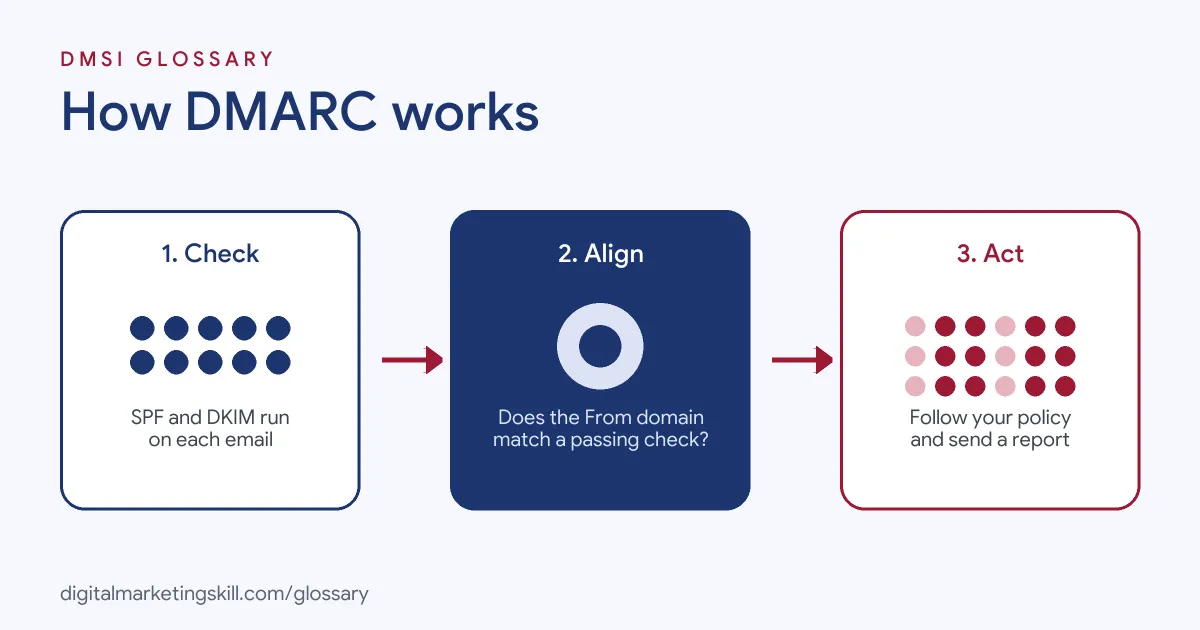
When an email arrives, the receiving server runs SPF and DKIM checks. Then it looks up your record and checks alignment. Finally, it applies your policy and adds the result to a report for you.
Alignment
Alignment is the heart of DMARC. To pass, Google says, a message must pass SPF or DKIM, and the authenticating domain must match the domain in the From header. So a spammer can’t pass just by using their own domain for SPF while showing yours in the From line.
There are two alignment modes. In relaxed mode, the organisational domains must match, so news.example.com aligns with example.com. In strict mode, only an exact match counts. RFC 7489 sets relaxed as the default for both the adkim and aspf tags.
The Three Policies
The p tag sets what receivers should do with failing mail:
| Policy | What it asks receivers to do | When to use it |
|---|---|---|
| p=none | Take no specific action, just report | Starting out and gathering data |
| p=quarantine | Treat failing mail as suspicious, for example by sending it to spam | Once most genuine mail passes |
| p=reject | Refuse failing mail outright | When you are confident all real senders pass |
Reports
The rua tag lists where aggregate reports should go. These reports show which servers sent mail as your domain and whether it passed. Google warns that the number of reports can be large, from many a day to hundreds or even thousands for big organisations. So it recommends a dedicated group or mailbox for them.
DMARC Record Examples
Here are three example records, with placeholder addresses, for different stages:
- Monitoring (example):
v=DMARC1; p=none; rua=mailto:[email protected]. This collects reports without changing delivery. - Partial rollout (example):
v=DMARC1; p=quarantine; pct=25; rua=mailto:[email protected]. The pct tag applies the policy to only a quarter of failing mail. - Full protection (example):
v=DMARC1; p=reject; rua=mailto:[email protected]; adkim=s; aspf=s. This rejects failing mail and uses strict alignment, similar to the example in Google’s guide.
In each case, the record starts with v=DMARC1 and sits as a TXT record at _dmarc.yourdomain.com.
DMARC vs SPF vs DKIM
Each standard has a different job:
| Standard | What it checks | Its role |
|---|---|---|
| SPF | Whether the sending server is allowed to send for the domain | Server permission |
| DKIM | Whether the message carries a valid signature from the domain | Message integrity |
| DMARC | Whether the From domain aligns with a passing SPF or DKIM domain | Policy and reporting |
So DMARC doesn’t replace the other two. Instead, it ties them to the address your readers see.
How to Set Up DMARC
Google’s set-up guide follows these steps:
- Set up SPF and DKIM first. Google says you must turn on SPF, DKIM or both before using DMARC. It suggests waiting 48 hours after doing so.
- Create a reports mailbox. Use a group or dedicated inbox, because reports can arrive in large numbers.
- Check third-party senders. Make sure every tool that sends as your domain is authenticated.
- Write your record. Start with v=DMARC1; p=none and add your rua address.
- Add it to DNS. Create a TXT record at your domain host.
- Read the reports. Find genuine senders that fail, and fix them.
- Tighten slowly. Move to quarantine, then reject. The pct tag lets you apply the policy to part of your mail first.
A Simple Rollout Plan
Here is a made-up plan for a small business that sends newsletters, invoices and staff email:
- Weeks 1 to 4: publish p=none and collect reports. Spot a forgotten invoicing tool that fails, and set up DKIM for it.
- Weeks 5 to 8: move to p=quarantine with pct=25, then raise pct to 100 once reports stay clean.
- Week 9 onwards: switch to p=reject, and keep reading reports each month.
The exact timing will vary. Even so, the pattern stays the same: watch first, fix what fails, then tighten. That’s why the standard includes the pct tag. RFC 7489 says it exists to allow a slow rollout, because an “all or nothing” choice puts many organisations off trying strong authentication at all.
Best Practices
A few habits make the move to enforcement safe:
- Don’t jump straight to reject. Real mail from a forgotten tool could bounce.
- Use a reporting tool. Raw reports are hard to read, so a dashboard helps.
- Cover subdomains. The policy applies to subdomains too, unless you set a separate sp tag.
- Review after every new tool. Each new sender needs SPF or DKIM that aligns.
Common Mistakes to Avoid
First, many senders publish p=none and never look at the reports. Second, they move to reject before checking every sending service. Third, they forget that a tool signing with its own domain won’t align with yours. Finally, they send reports to a personal inbox that quickly overflows. Each of these either weakens protection or blocks genuine mail.
Where You’ll Use DMARC at Work
DMARC appears in email marketing, outbound and security roles. For example, current remote job listings ask for:
- “Working knowledge of email authentication (SPF, DKIM, DMARC, BIMI), domain and IP warming, reputation monitoring, and inbox placement testing” (Senior Manager, B2B Outbound Marketing).
- Someone to “Configure and maintain SPF, DKIM, DMARC, anti-spam, anti-phishing, anti-malware, impersonation, and BEC protection policies” (Cybersecurity Engineer).
- Someone to “Configure and maintain email security controls including DMARC, SPF, and DKIM” (Cyber Security Analyst).
As an Email Marketing Specialist or Marketing Automation Specialist, you will check DMARC whenever a new tool sends as your brand. It works hand in hand with DKIM and SPF.
Learn It in the Lead Generation and Email Track
You can learn to set up trusted sending in the AI-Powered Lead Generation and Email Automation track. There, you build a lead magnet and an automated email sequence that converts. You also get unlimited 1-on-1 mentoring and a U.S. Project Internship from day one.
For more ways to reach the inbox, read our guide to email deliverability.
Frequently Asked Questions
What is DMARC in simple terms?
It is a rule in your domain settings that tells other mail servers what to do with fake or failing emails that use your domain, and sends you reports.
Do I need DMARC?
If you send bulk email to Gmail or Yahoo, yes. Both require bulk senders to publish a DMARC record, and p=none is the minimum.
What does p=none mean?
It means receivers take no specific action on failing mail. You still get reports, so it is a safe place to start.
What is DMARC alignment?
It means the domain in the From address matches the domain that passed SPF or DKIM. Relaxed mode allows subdomains to match.
How long should I stay on p=none?
Stay until your reports show that all genuine senders pass. Then move to quarantine, and later to reject.
Sources: IETF RFC 7489: DMARC; Google Workspace Help: Set up DMARC; Google: Email sender guidelines; Yahoo Sender Hub: Sender best practices; remote job listings on Himalayas.