
A lead form is a short online form that collects contact details, such as a name and email address, from people who want something you offer. It can sit on a landing page or open directly inside an ad on platforms like Google and LinkedIn. It matters because every lead you can follow up with starts with someone filling one in.
Key Takeaways
- A lead form swaps something of value, such as a guide, quote or demo, for a person’s contact details.
- Forms can live on your website or inside an ad. Ad forms often fill in details for the user.
- Google lead form assets work in Search and Performance Max campaigns, and need a privacy policy link.
- LinkedIn Lead Gen Forms allow up to 12 fields and fill them in from the member’s profile.
- Fewer, clearer fields usually mean more completed forms, but you may trade some lead quality.
What Is a Lead Form?
This is the point where an anonymous visitor becomes a named contact. Without it, you only know that someone looked. With it, you can email them, call them or add them to a nurture sequence.
Most forms follow a simple deal. You offer something useful, and the visitor shares a few details in return. For example, a training school might offer a free career guide. To get it, visitors enter their name, email and country.
The form itself can be very short. Yet small choices, such as the number of fields or the button text, can change how many people finish it. That is why marketers test forms as carefully as they test ads.
How a Lead Form Works
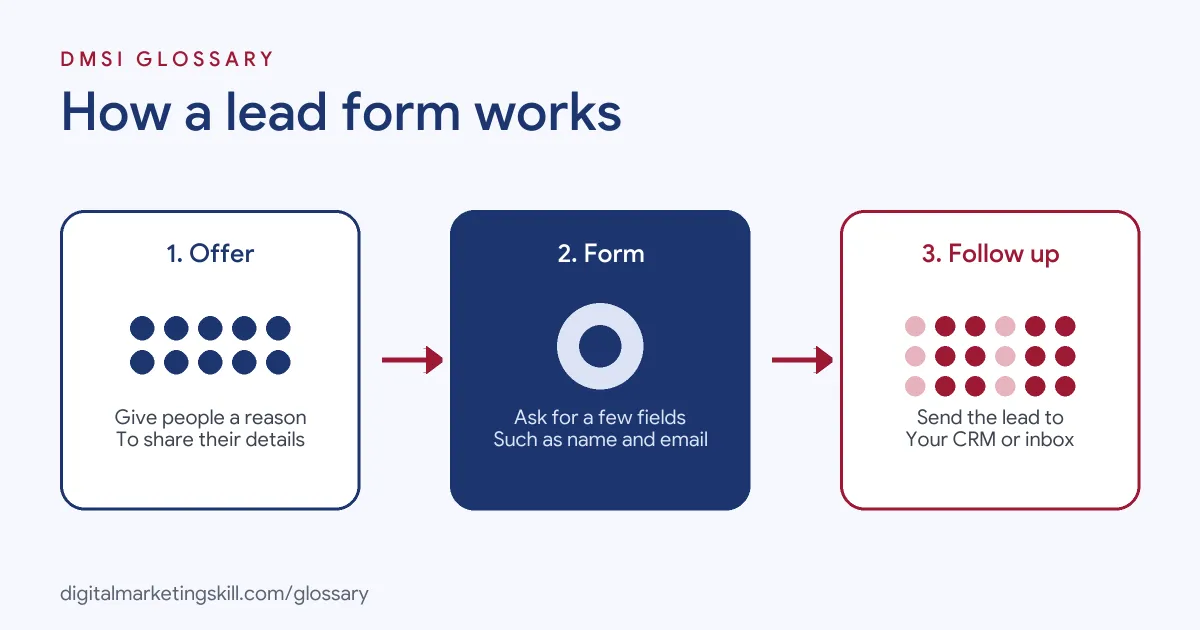
Every form follows three steps. First, an offer gives people a reason to act. Next, the form asks for a few details. Finally, the data goes to your CRM, email tool or inbox, so you can follow up.
Website Forms
The classic version sits on a landing page. Someone clicks an ad or a link, lands on your page and fills in the form there. You control the design, the fields and the thank-you page. However, every extra click between the ad and the form is a chance for people to leave.
In-Ad Forms
Platforms now let people fill in a form without leaving the ad. Google says its lead forms let people “submit their information in a form directly in your ad”. LinkedIn’s Lead Gen Forms go further. They automatically fill in “contact and profile information” when a member clicks the call-to-action button. As a result, the form takes seconds to complete.
Where the Data Goes
A lead is only useful if you act on it quickly. Google offers CSV downloads, email alerts, an API, webhooks and Zapier to deliver leads. Be careful, though. Google says it stores leads for 60 days, and CSV downloads cover only the last 30 days. So you need to connect or download your leads often.
Lead Form Examples
Here are three made-up examples of lead forms in action:
- Free guide: A marketing course offers a career checklist. Its website form asks for first name and email only, then sends the checklist by email.
- Quote request: A roofing company adds a Google lead form to its search ads. People enter their phone number and postcode, and the sales team calls back the same day.
- B2B demo: A software firm runs LinkedIn ads with a Lead Gen Form. It asks for work email, job title and company size, which LinkedIn fills in from the member’s profile.
In each case, the form asks only for what the next step needs. That keeps it short and easy to finish.
Lead Form Options Compared
Here is how the main options compare:
| Option | Where it appears | Key detail |
|---|---|---|
| Website form | Your landing page | Full control over design, fields and follow-up |
| Google lead form asset | Search and Performance Max ads | Privacy policy link required; leads stored for 60 days |
| LinkedIn Lead Gen Form | Sponsored Content and messaging ads | Up to 12 fields, including up to three custom questions; profile data fills in fields |
LinkedIn also says there is no extra cost for Lead Gen Forms beyond the ads themselves. Meanwhile, Google limits lead forms to accounts with “a good history of policy compliance” in eligible industries.
How to Create a Lead Form That Converts
Follow these steps whether you build the form on your site or inside an ad platform:
- Start with the offer. Decide what people get and why it is worth their details.
- Choose only the fields you need. If sales will call, ask for a phone number. If not, leave it out.
- Write a clear headline and button. Say exactly what happens after they submit.
- Add your privacy policy. Both Google and LinkedIn require a link to one for in-ad forms.
- Connect your tools. Send leads to your CRM or email platform automatically.
- Test before launch. LinkedIn, for instance, lets you send test leads to check your integrations.
- Follow up fast. Send a welcome email or call while the person still remembers you.
After that, review the numbers each week. Look at how many people start the form, how many finish and how many become customers.
How to Measure Form Results
Track a few simple numbers for each form, so you know where people drop off:
- Completion rate: the share of people who open the form and then submit it.
- Cost per lead: your ad spend divided by the number of leads.
- Lead-to-customer rate: the share of leads who later buy.
- Speed to follow-up: how long it takes your team to reply.
Together, these tell you whether a cheap lead is really a good lead. For instance, a form with fewer submissions may still win if more of its leads become customers.
Best Practices
- Follow basic usability rules. Nielsen Norman Group reports a study where forms that met usability guidelines got 78% first-try submissions, compared with 42% for forms that did not.
- Use hidden fields for tracking. LinkedIn supports hidden fields for details such as the UTM source, so you can see which ads bring the best leads.
- Balance volume and quality. LinkedIn’s work email check blocks common free email domains. It can raise lead quality, but it may lower the number of people who submit.
- Add a thank-you step. Tell people what happens next and point them to a useful page.
- Respect consent rules. Only add people to marketing emails if they have agreed.
Common Mistakes to Avoid
The most common mistake is asking for too much too soon. A first-time visitor rarely wants to share their budget and phone number. Another mistake is forgetting to connect the form, so leads sit unseen until they expire. Some teams also judge forms on volume alone, then find that many leads never reply. Finally, many forms lack a clear promise. If people do not know what they will get, they will not fill it in.
Where You’ll Use Lead Forms at Work
Lead forms come up in growth, paid media and conversion roles. For example, remote job listings mention:
- “Experience optimizing lead form pages end-to-end through UI/UX savvy” (Senior CRO, Affiliate Marketing).
- Leading “LinkedIn advertising, including Sponsored Content, Lead Gen Forms and other formats” (Senior Paid Media Manager).
So if you want to work as a Lead Generation Specialist, Email Marketing Specialist or Marketing Automation Specialist, expect to build forms, connect them to tools and report on how many leads turn into sales.
Learn It in the Lead Generation Track
You can learn to build and test a lead form in the AI-Powered Lead Generation and Email Automation track. There, you build a lead magnet and an automated email sequence that converts, so your form connects to a real follow-up. You also get unlimited 1-on-1 mentoring and a U.S. Project Internship from day one.
For more ideas, read our guides to Facebook lead ads and lead generation tools. You can also learn how a lead magnet gives people a reason to sign up.
Frequently Asked Questions
What is a lead form in simple terms?
It is a short form that collects contact details from people who want your offer, so you can follow up with them later.
How many fields should a lead form have?
As few as your next step needs. LinkedIn allows up to 12, but a short form is usually easier to finish.
Can I add a lead form to Google Ads?
Yes. Google lead form assets work in Search and Performance Max campaigns. You need a privacy policy and an eligible account.
How long does Google keep leads?
Google says it stores leads for 60 days, and CSV downloads cover the last 30 days. So connect a CRM or download often.
Is a lead form better on my site or in an ad?
Both work. In-ad forms are faster for users, while website forms give you more control. Test both and compare cost per qualified lead.
Sources: Google Ads Help: About lead form assets; LinkedIn Marketing Solutions Help: Lead Gen Forms; LinkedIn Marketing Solutions Help: Lead Gen Form fields; Nielsen Norman Group: Website forms usability; remote job listings on Himalayas.