
An AI API is a way for software to send a request to an AI model, such as a prompt, and get the model’s answer back automatically, without anyone typing into a chat window. Developers and automation tools use it to build AI into websites, apps and workflows. For marketers, an AI API is what lets a CRM write first drafts, a chatbot answer customers or an automation sort leads, all at scale.
Key Takeaways
- API stands for application programming interface: a set of rules that lets one program talk to another.
- OpenAI says its API offers “a consistent interface to state-of-the-art AI models” for text, language tasks, vision and more.
- Anthropic describes the Claude API as “a RESTful API” at api.anthropic.com.
- To use either, you need an account and an API key, which you must keep secret.
- No-code tools such as Zapier and n8n let marketers connect to AI APIs without writing code.
What Is an AI API?
When you use a chatbot in your browser, you type a question and read the reply. An API does the same thing, but between machines. Your software sends the request in a set format, the AI provider’s servers run the model, and the answer comes back as data your software can use.
OpenAI’s developer quickstart puts it this way: its API “provides a consistent interface to state-of-the-art AI models for text generation, natural language processing, computer vision, and more.” Anthropic’s documentation says the Claude API “provides programmatic access to Claude models.”
Programmatic is the key word. It means a program, not a person, makes the request. So you can process one request or thousands, on a schedule or whenever an event happens.
How an AI API Works
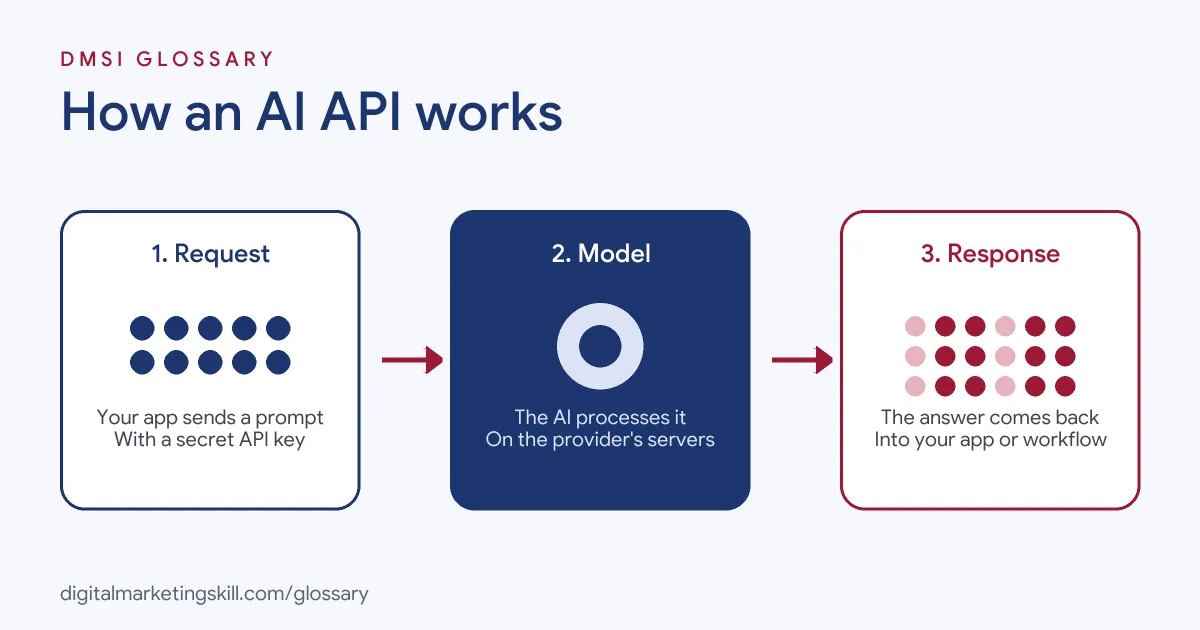
Every request follows the same basic pattern. First, your app sends a request with your API key, the model name and your input. Next, the provider’s servers run the model. Finally, the response comes back with the output, which your app can display, store or pass on.
API Keys
The key proves who you are. OpenAI’s quickstart tells you to create an API key in the dashboard and “store the key in a safe location.” Anthropic says you need a Claude Console account and an API key from the Console. Each request then carries the key in a header. For Claude, the documentation lists an Authorization header or the x-api-key header.
Endpoints
An endpoint is a specific address for a specific job. Anthropic lists several, including the Messages API for conversations, the Message Batches API for large volumes and a Token Counting API to check costs before you send. It notes that batches come with “a 50 percent cost reduction” because they run asynchronously.
SDKs
Writing raw requests by hand is fiddly, so providers offer SDKs, which are code libraries that handle the details. OpenAI’s quickstart shows official SDKs for languages such as JavaScript and Python, and says each SDK “automatically reads your API key from the system environment.”
AI API Examples
Here are three made-up examples of how marketing teams use one:
- Lead sorting: Each new form entry goes to an AI model, which tags it as “sales-ready,” “nurture” or “not a fit.” The tag then decides which email sequence the lead receives.
- Product descriptions: An online shop sends product details to a model and gets a first draft of each description, which an editor then checks.
- Review summaries: A weekly automation sends new customer reviews to a model and posts a short summary of themes to the team chat.
In each case, people still review the output. The API saves time on the first draft or the sorting, not on judgement.
AI API vs Chat App
| Feature | Chat app | AI API |
|---|---|---|
| Who sends the request | A person typing | Software, automatically |
| Scale | One conversation at a time | Many requests, on demand or in batches |
| Where the answer goes | On screen | Into your app, CRM, sheet or website |
| Set-up | Sign in and start | Account, API key and some technical set-up |
| Best for | Ad hoc tasks and thinking | Repeated tasks built into workflows |
Many marketers start in the chat app to test a prompt, then move it to an API once it works reliably.
How to Use an AI API for the First Time
- Pick one repeat task. For example, summarising form enquiries or drafting product descriptions.
- Test the prompt in a chat app. Refine it until the output is consistently good.
- Create an account and key. Next, sign up with the provider and create an API key, then store it securely.
- Choose how to connect. Use an SDK if you code, or a no-code tool such as Zapier or n8n if you don’t.
- Send a test request. Run one example and check the response.
- Add guardrails. Decide where a person must review the output before it goes live.
- Monitor cost and quality. Finally, track usage and spot-check results each week.
A Worked Example: Sorting Enquiries
Here is a made-up example. A language school gets around 50 enquiries a day through its website form. Staff used to read each one and decide who should reply. Now a no-code automation sends every new message to an AI model with a short prompt: “Label this enquiry as course question, price question, complaint or other, and reply with the label only.”
The label comes back in a second. Course questions go to the admissions team, price questions get a helpful email with the fee page, and complaints go straight to a manager. A staff member checks a sample each Friday to make sure the labels are right. As a result, replies go out faster, and nobody spends the morning sorting the inbox.
Best Practices
- Keep keys secret. Never paste an API key into a public page, a shared document or front-end code.
- Count tokens. Providers charge by usage, so check the size of your inputs and outputs.
- Use batches for big jobs. For instance, Anthropic offers a batch option at reduced cost for work that doesn’t need an instant answer.
- Protect personal data. Think carefully before sending customer details to any outside service.
- Keep a human check. AI models can make mistakes, so review anything that customers will see.
Common Mistakes
A common mistake is exposing an API key, for example in website code, which lets others run up charges on your account. Another is moving straight to automation before the prompt works well by hand. Some teams also forget to set spending limits or check usage, so costs surprise them. Finally, many publish AI output without review, which can spread errors quickly at scale.
Where You’ll Use an AI API at Work
AI APIs appear in technical job ads, and increasingly in automation and marketing operations roles. For example, real remote job listings include lines like these:
- “2+ years of experience developing with the OpenAI API or similar LLM APIs” (ChatGPT Developer).
- “Have hands-on experience with Python, OpenAI APIs, and LangChain.” (AI/ML Engineer, Intern).
- “AI: OpenAI / Anthropic APIs, vector DBs, Cursor/Claude daily” (Member of Technical Staff, Full Stack).
As a marketer, you may not write the code yourself. However, a Marketing Automation Specialist or Growth Marketer will often connect an AI API through a no-code tool, and knowing how it works helps you plan, cost and test those workflows.
Learn It in the Full Stack Programme
AI fundamentals, including strategy and planning, are part of every DMSI track. The Full Stack (all four tracks) programme covers all ten courses, with one portfolio project from each track, so you see how AI fits into social, email, Google Ads and SEO work. You also get unlimited 1-on-1 mentoring and a U.S. Project Internship from day one.
To connect an AI API without code, read our glossary entry on Zapier. To understand the models behind it, see our entry on the large language model.
Frequently Asked Questions
What is an AI API in simple terms?
It is a way for software to send a request to an AI model and get the answer back automatically, so AI can work inside your apps and workflows.
Do I need to code to use an AI API?
Not always. Developers use SDKs, but no-code tools such as Zapier and n8n can connect to AI APIs for you.
What is an API key?
It is a secret code that identifies you to the provider. Every request includes it, so keep it safe and never share it publicly.
How is an AI API charged?
Providers usually charge by usage, often measured in tokens. For example, OpenAI says its embedding requests are billed based on the number of tokens in the input. Check each provider’s pricing page before you start.
Is an AI API the same as ChatGPT or Claude?
Not quite. The chat apps are interfaces for people. The API gives software direct access to the models behind them.
Sources: OpenAI: Developer quickstart; Anthropic: Claude API overview; OpenAI: Vector embeddings guide; remote job listings on Himalayas.