
A custom GPT is a version of ChatGPT set up for one specific job, using your own instructions, reference files and chosen tools. For example, a marketer might build one that writes product descriptions in their brand’s voice. It matters because it saves you from pasting the same long prompt and background every time, so a team gets more consistent results.
Key Takeaways
- OpenAI describes GPTs as “versions of ChatGPT configured for a specific purpose.”
- Each one combines instructions, knowledge files and capabilities such as web search or data analysis.
- You can attach up to 20 knowledge files, each up to 512 MB.
- OpenAI says new GPT creation isn’t available on personal plans. Business, Enterprise and Edu workspaces can create them if settings allow.
- OpenAI has announced plans to retire custom GPTs in favour of Plugins, so check the current options before you build.
What Is a Custom GPT?
OpenAI’s help centre explains: “GPTs (also called custom GPTs) are versions of ChatGPT configured for a specific purpose.” Each one combines three things: instructions, knowledge and selected capabilities.
Think of it as a briefed assistant. Instead of explaining your brand, audience and rules at the start of every chat, you set them up once. Then anyone with access opens the assistant and starts working. That makes results more consistent, because everyone starts from the same brief.
For example, a small agency builds an assistant called “Ad Copy Helper”. Its instructions describe the agency’s tone and the character limits for search ads. Its knowledge files include a style guide and past winning ads. Staff paste in a product brief, and it returns draft headlines in the right style.
How a Custom GPT Works
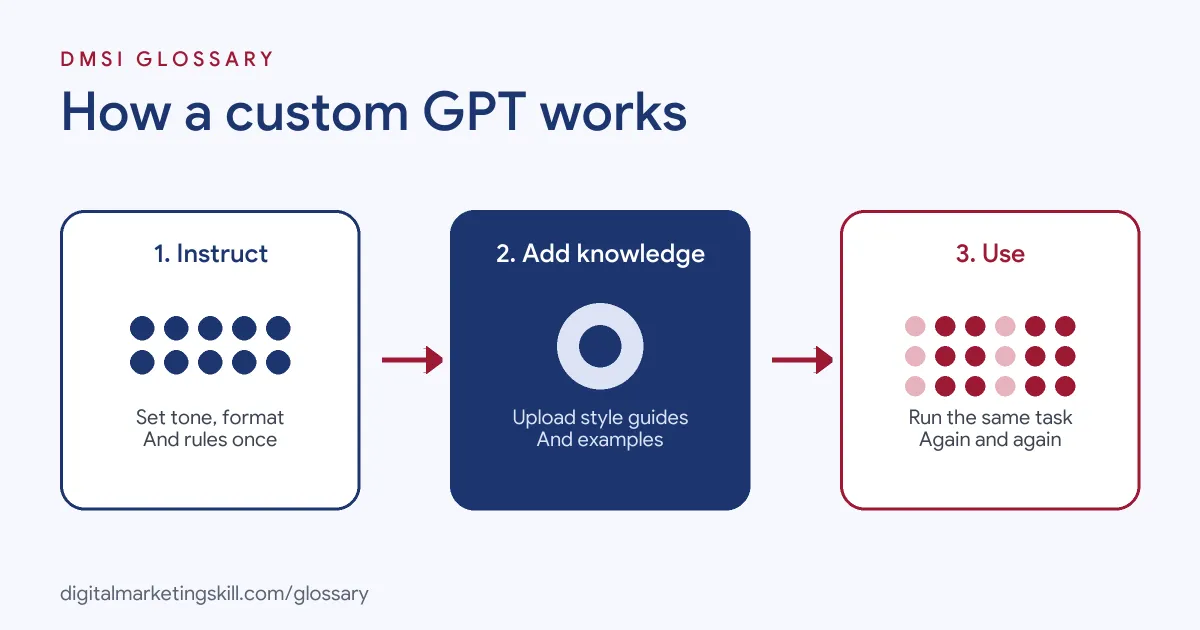
You build it once, then use it many times. OpenAI offers two ways to build. The “Conversational builder” lets you “Describe what you want, and ChatGPT will help draft the GPT for you.” The “Configuration view” lets you “Set up the GPT directly by editing its fields.”
Instructions
According to OpenAI, “Instructions define how your GPT behaves: what it should do, how it should respond, and what it should avoid.” This is where you set tone, format, rules and the steps it should follow.
Knowledge Files
“Knowledge lets your GPT use information from files you upload.” You can attach up to 20 files, each up to 512 MB. OpenAI says these files serve as a “reference when answering questions”, so they suit style guides, product sheets and FAQs.
Capabilities and Actions in a Custom GPT
You can switch on built-in tools. OpenAI lists web search, image generation, and Code Interpreter and Data Analysis, which can “Run calculations, analyze data, and generate charts.” Actions go further: they “allow your GPT to connect to external APIs that you define.” However, a GPT can use either apps or actions, not both at the same time.
Custom GPT Examples for Marketing
Here are three made-up examples:
- Brand voice writer: Loaded with a tone-of-voice guide, it rewrites drafts so every email sounds like the same brand.
- Report explainer: With data analysis switched on, it reads an exported ads report and summarises what changed in plain English.
- FAQ assistant: Set up with product sheets as knowledge, it helps the support team draft accurate answers to common questions.
In each case, a person still checks the output before it goes to a customer or client. The custom GPT speeds up the first draft, but the final call stays with the team. Over time, the team can improve the instructions based on what it keeps fixing by hand.
Custom GPT vs a Normal Chat vs the API
Each option suits a different need:
| Option | Set-up | Best for |
|---|---|---|
| Normal chat | None; you write a prompt each time | One-off questions and tasks |
| Custom GPT | Instructions, files and tools set once | Repeat tasks shared across a team |
| API | Code and developer work | Building AI into your own website or app |
OpenAI is clear on that last point: GPTs are not a way to embed ChatGPT in an external website or app. For that, it points to the API.
How to Build a Custom GPT
- Pick one repeat task, such as writing product descriptions or summarising reports.
- Check your plan. OpenAI says new GPT creation is available in Business, Enterprise and Edu workspaces, where settings allow it.
- Open the builder and choose the conversational builder or the configuration view.
- Write clear instructions: the goal, the tone, the format and what to avoid.
- Upload knowledge files, such as your style guide and examples of good work.
- Turn on only the capabilities the task needs, and leave the rest off.
- Test it with real tasks and fix the instructions where it goes wrong.
- Select Share to see the sharing options for your workspace.
Writing Better Instructions
OpenAI’s guidelines offer practical tips. First, “Break down multi-step instructions into simpler, more manageable steps.” Second, use delimiters between sets of instructions and examples. Third, “Frame instructions positively,” telling it what to do rather than only what not to do. Finally, define the terms you expect it to use, with a few examples.
A Sample Set of Instructions
Here is a made-up example for a product description assistant. Notice how each part is short and clear:
- Role: You write product descriptions for an online homeware shop.
- Tone: Warm, simple and British English. No hype words.
- Format: One headline, then three short benefit bullets, then one closing line.
- Rules: Only use facts from the product sheet. If a detail is missing, ask for it.
- Examples: See the file “best descriptions” for the style to copy.
Instructions like these are easy to test. If an answer goes wrong, you can see which line to fix.
Best Practices
- Keep it to one job. A focused assistant performs better than one that tries to do everything. If you need two jobs done, build two assistants.
- Feed it good examples. Past work that performed well teaches style faster than rules alone.
- Protect sensitive data. OpenAI notes that consumer plans may use data for training unless you opt out. Business, Enterprise and Edu data isn’t used for training by default.
- Check third-party actions. Data sent to outside apps is handled under those services’ own policies.
- Review outputs. AI can make mistakes, so a person should check anything that gets published.
Common Custom GPT Mistakes
Many people write vague instructions, then wonder why results vary. Others upload messy or outdated files, so the assistant repeats old information. Some switch on every tool, which can make answers less focused. Another mistake is expecting it to remember past chats. OpenAI says GPTs don’t use saved memory or previous conversations, so each chat starts fresh. Finally, some teams forget that builders can’t see users’ conversations, so they never collect feedback on what works.
Where You’ll Use Custom GPTs at Work
Employers now list custom assistants among everyday AI skills. For example, a recent remote job listing asks candidates to:
- “Configure custom GPTs, Claude projects or AI agents using approved business information, instructions and resources” (AI Automation and Admin Specialist).
- Show “Daily, fluent use of AI tools such as ChatGPT and Claude, including custom GPTs, projects or AI agents” (AI Automation and Admin Specialist).
So whether you aim to be a Digital Marketing Manager, a Growth Marketer or a Freelance Digital Marketer, expect to set up assistants that help your team work faster and more consistently.
Learn It in the Full Stack Track
AI fundamentals, including strategy and planning, are part of every DMSI track. The widest fit is the Full Stack option, which covers all four tracks. You take all ten courses and complete one portfolio project from each track. You also work on a U.S. Project Internship from day one, with unlimited 1-on-1 mentoring.
Next, read our guide on how to write ChatGPT prompts and our list of AI marketing tools. You may also like our glossary entries on ChatGPT and prompt engineering.
Frequently Asked Questions
What is a custom GPT in simple terms?
It is a version of ChatGPT set up for one task, with your own instructions, files and tools, so you don’t have to repeat the same prompt each time.
Can free users make one?
No. OpenAI says new GPT creation isn’t available on personal plans, including Free, Go, Plus and Pro. Free users can still use existing GPTs.
How many files can I upload?
Up to 20 knowledge files, each up to 512 MB. Short, well-organised files are easier to check and keep up to date than one huge document.
Can the builder see my chats with a GPT?
No. OpenAI says builders cannot view individual conversations users have with their GPTs.
Are custom GPTs being replaced?
OpenAI has announced plans to retire custom GPTs in favour of Plugins. Existing GPTs stay usable for now, so check OpenAI’s help centre for the latest details.
Sources: OpenAI Help: GPTs FAQ; OpenAI Help: Creating a GPT; OpenAI Help: Guidelines for writing GPT instructions; remote job listings on Himalayas.