
An attribution window is the period after someone clicks or views an ad during which a later conversion, such as a purchase, is credited to that ad. For example, a 7-day click window counts sales made within seven days of a click. It matters because the window you choose changes how many results your ads appear to drive, and on some platforms it also changes how the ads are optimised.
Key Takeaways
- A window sets how long after an ad interaction a conversion still counts.
- Meta’s default setting is 7-day click and 1-day view for website conversions.
- Google Ads calls it a conversion window, and the default is 30 days.
- Google Analytics uses a lookback window: 30 days by default for acquisition key events, and 90 days for others.
- Comparing platforms with different windows can make the same campaign look better or worse than it is.
What Is an Attribution Window?
People rarely buy the moment they see an ad. They might click today, think about it and buy next week. An attribution window decides whether that later purchase still counts for the ad.
Google defines its version, the conversion window, as “the period of time after an ad interaction (such as an ad click or video view) during which a conversion, such as a purchase, is recorded”. If the conversion happens after the window closes, the ad gets no credit for it.
For example, imagine someone clicks a Meta ad on Monday and buys on the following Friday. With a 7-day click window, the sale counts. With a 1-day click window, it does not, even though it is the same sale.
How an Attribution Window Works
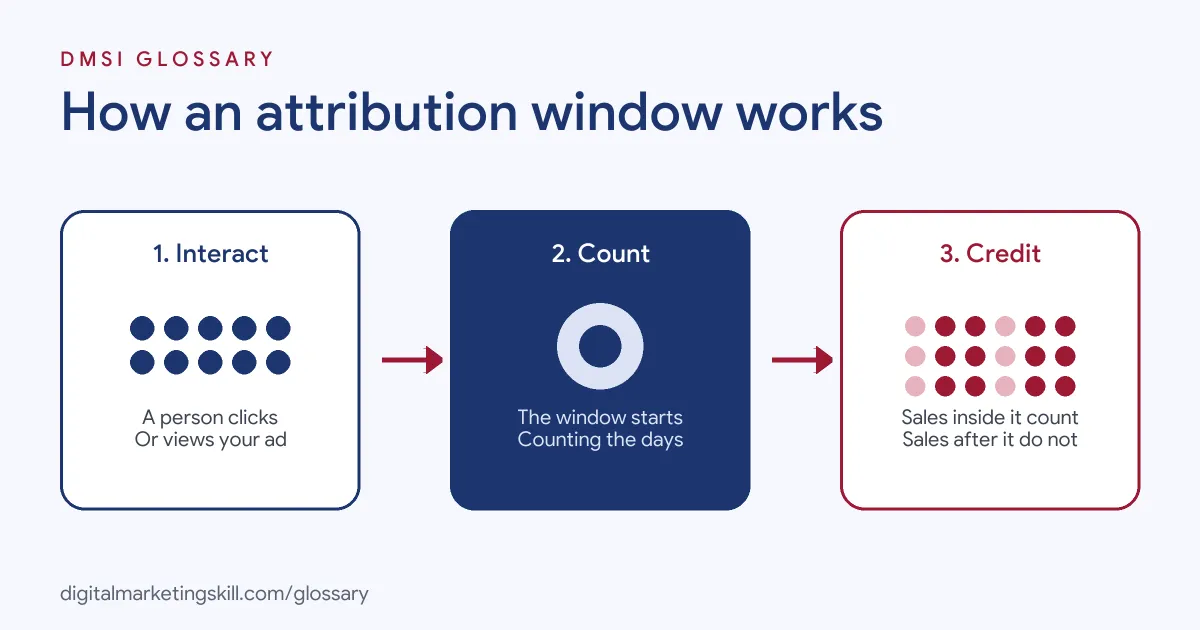
Every window follows three steps. First, a person clicks or views your ad. Next, the window starts counting. Finally, any conversion inside the window is credited to the ad, while anything after it is not.
Click and View Windows
Some platforms track clicks and views separately. On Meta, a click-through window counts conversions after someone clicks. A view-through window counts conversions after someone sees the ad but does not click. According to Jon Loomer’s guide, Meta’s click window can be 1 or 7 days, and the view window can be 1 day or none.
Engaged-View Windows for Video
Meta also offers an engaged-view window for video ads, set to 1 day or none. However, Jon Loomer notes that you can only choose 1-day engaged view if the view-through window is also set to 1 day.
Optimisation and Reporting
On Meta, the setting does more than change reports. Jon Loomer explains that it changes “both how your ad set is optimized for delivery” and “how conversions are reported”. So a shorter window may push Meta to look for people who buy quickly.
Attribution Window Examples
Here are three made-up examples of how the window changes results:
- Impulse buys: A shop selling phone cases finds that most sales happen within a day of a click. A short window gives a cleaner view of what the ads really drive.
- Considered purchases: A furniture brand finds that buyers take weeks to decide. In Google Ads, it keeps a longer conversion window so it does not miss late sales.
- Short promotion: Google’s own example is a week-long offer. The advertiser sets a seven-day conversion window to match the length of the promotion.
In each case, the right window matches how long customers really take to decide. There is no single correct setting. Instead, the best choice depends on your product, your price and how people shop for it.
Attribution Window Settings by Platform
Here is how the main platforms compare:
| Platform | Name | Default and options |
|---|---|---|
| Meta Ads | Attribution setting | Default 7-day click and 1-day view; click 1 or 7 days; view 1 day or none |
| Google Ads | Conversion window | Default 30 days; can be set for each conversion action |
| Google Analytics | Key event lookback window | Acquisition key events 30 days (or 7); other key events 90 days (or 30 or 60) |
As a result, the same sale can appear in one platform’s report and not in another’s. This is a common reason why numbers in ad platforms and analytics tools do not match.
How to Choose an Attribution Window
Follow these steps to pick a sensible window:
- Learn your buying cycle. Ask how long customers usually take to decide.
- Check the time lag data. Google suggests the time lag report in Attribution reports, which shows how long people take to convert after an ad interaction. Bear in mind that this report only covers ad interactions on google.com, not the Display Network or search partners.
- Match the window to the cycle. Google notes that if most conversions happen 25 to 30 days after a click, your window should be at least that long.
- Keep settings consistent. Use the same window when you compare campaigns or time periods.
- Remember changes are not retroactive. In both Google Ads and Google Analytics, a new window applies from the day you change it.
- Write it in your reports. State the window next to every result, so readers know what they are looking at.
Best Practices for Using an Attribution Window
- Question view-through results. A sale counted after a view, with no click, is weaker evidence than a sale after a click.
- Compare like with like. Do not compare a 7-day click result in Meta with a 30-day window in Google Ads without saying so.
- Check your own sales data. Your shop or CRM shows total sales, whatever the window.
- Know what the setting covers. Jon Loomer notes Meta’s setting applies to website conversions, not to actions on Meta’s apps such as Instant Form completions.
Common Mistakes to Avoid
A common mistake is changing the window in the middle of a test, which makes before and after numbers impossible to compare. Another is celebrating a “winning” ad that mostly gets credit from views. Some marketers also forget that Google Ads and Google Analytics use different defaults, so they assume one tool is broken. Finally, many never write the window in their reports. As a result, clients compare numbers that were never measured the same way.
How Windows Change the Numbers
Here is a simple made-up example. A campaign gets 100 clicks. Ten people buy on the same day, eight buy within a week and six buy within a month. With a 1-day click window, the report shows 10 sales. Switch to a 7-day click window, and it shows 18. A 30-day window shows 24. The ads did not change at all. Only the counting rule changed. That is why you should always ask which window a number uses before you judge it.
Where You’ll Use Attribution Windows at Work
Attribution windows come up often in paid social and media buying job ads. For example, remote listings ask candidates to:
- “Explain how different attribution windows affect reported performance” (Senior Paid Social Manager).
- “Know how attribution windows change creative results, and flag a “winner” propped up by view-through conversions” (Creative Strategist, Paid Social and Performance Design).
- Show a “Strong understanding of pixels, conversion signals, attribution windows, and server-side tracking” (Senior Media Buyer).
So if you want to work as a Paid Social Specialist or Social Media Manager, you will need to choose windows, explain them and keep reports honest. Clients trust a marketer who can say clearly what each number means.
Learn It in the Social Media Track
You can learn to set and report on an attribution window in the AI-Powered Social Media Management and Advertising track. It covers social media marketing and analytics as well as advertising. You plan, create and run a paid social campaign for a real brand. In addition, you get unlimited 1-on-1 mentoring and a U.S. Project Internship from day one.
For more on measurement, read our guides to Facebook Ads Manager and Google Analytics campaign tracking. You can also learn how an attribution model shares credit between touchpoints.
Frequently Asked Questions
What is an attribution window in simple terms?
It is the time after someone clicks or sees an ad during which a purchase or sign-up still counts for that ad.
What is Meta’s default attribution window?
For website conversions, the default is 7-day click and 1-day view. You can change it at the ad set level.
What is the default conversion window in Google Ads?
The default is 30 days. You can set a different window for each conversion action, but changes only apply going forward.
Is an attribution window the same as an attribution model?
No. The window sets how long a conversion can count. The model decides how credit is shared between the touchpoints inside that time.
Why do Meta and Google Analytics show different results?
They often use different windows and models. For instance, Google Analytics defaults to a 90-day lookback for most key events.
Sources: Google Ads Help: About conversion windows; Google Analytics Help: Attribution settings; Jon Loomer: Meta ads attribution setting guide; remote job listings on Himalayas.