
Lead ads are social media ads that let people share their contact details through a form that opens inside the app, without visiting your website. Platforms such as Meta, LinkedIn and TikTok often fill in parts of the form for the user, so it takes only a few taps. They matter because removing the jump to a landing page can make sign-ups much easier on a phone, which helps you collect more leads for the same budget.
Key Takeaways
- The form opens inside the platform, so people never leave the app they are using.
- LinkedIn’s version, Lead Gen Forms, fills in details from the member’s profile and has no extra cost beyond the ad itself.
- TikTok calls its version Instant Form and says it can decrease form friction and sync leads to your CRM in real time.
- Easier forms can mean more leads but lower intent, so qualify and follow up quickly.
- Connect the platform to your CRM or email tool, so no lead sits unseen.
What Are Lead Ads?
Most ads send people to a website. Lead ads work differently. When someone taps the button, a short form slides up inside the app. The person checks or edits the details, then submits, and they stay right where they were.
Each platform uses its own name. Meta calls the form an Instant Form. LinkedIn uses Lead Gen Forms, while TikTok uses Instant Form too. Google has a similar feature called lead form assets for Search and Performance Max.
For example, a language school might run a TikTok ad offering a free trial class. Viewers tap “Sign up”, see a form with their name already filled in, add their email and submit. The school gets the lead in seconds, and the viewer can keep scrolling.
How Lead Ads Work
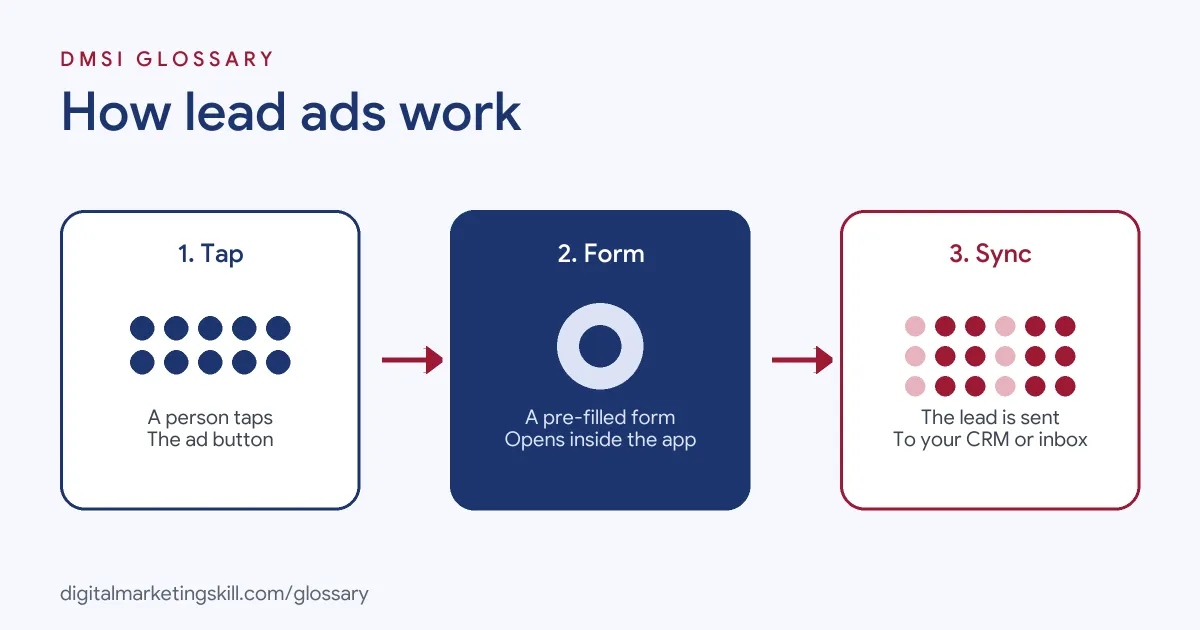
Lead ads follow three simple steps. First, someone sees the ad and taps the call-to-action button. Next, a pre-filled form opens inside the app. Finally, they submit, and the lead goes to your CRM, email tool or a download file.
Pre-Filled Forms
Pre-filling is what makes these ads fast. LinkedIn says its forms automatically populate “contact and profile information when a member clicks the call-to-action button”. It also notes that some fields, such as work email and phone number, can be edited by the member. Gender, however, is never pre-filled.
Form Fields and Questions
You choose what to ask. On LinkedIn, you can select up to 12 fields, including up to three custom questions. First name, last name and email are pre-selected and count towards the total. In addition, LinkedIn offers a “Validate work email” option that blocks common free email domains, which may raise quality but lower submissions.
Getting the Leads
Leads are only useful if you act on them. LinkedIn lets you sync leads to marketing automation platforms or CRMs, or download them as a CSV file. TikTok lists “Real-time Customer Relationship Management (CRM) system sync” as a benefit. Meanwhile, on Google, lead form data is stored for 60 days, so you need to download or connect it in time.
Lead Ads Examples
Here are three made-up examples of lead ads on different platforms:
- LinkedIn B2B demo: A software company offers a free audit. Its Lead Gen Form asks for work email, job title and company size, all pre-filled from LinkedIn profiles.
- Meta local service: A gym runs an Instagram ad for a free week pass. Its Instant Form asks for name, phone number and preferred visit time.
- TikTok course launch: An online academy promotes a free masterclass. Its Instant Form collects name and email, and leads sync straight into its email tool.
In each case, the form asks only for what the next step needs. Then a fast follow-up turns the lead into a conversation. Without that follow-up, even a perfect form produces names that quickly go cold.
Lead Ads by Platform
Here is how the main platforms compare:
| Platform | Form name | Key detail |
|---|---|---|
| Lead Gen Forms | Up to 12 fields, including three custom questions; no extra cost beyond the ad | |
| TikTok | Instant Form | Set Instant Form as the optimisation location in a Lead generation campaign |
| Meta (Facebook and Instagram) | Instant Form | Form completions happen inside Meta’s apps |
| Lead form assets | Works in Search and Performance Max; leads stored for 60 days |
LinkedIn also lets you build audiences from people who engaged with your forms. As a result, you can retarget them in future campaigns.
How to Create Lead Ads
The menus differ by platform, but the flow is similar. On TikTok, for instance, the steps are:
- Open TikTok Ads Manager. Go to the Campaigns tab and click Create.
- Choose the objective. Select Lead generation as the advertising objective.
- Set the optimisation location. In the ad group, choose Instant Form.
- Attach a form. At ad level, create a new Instant Form or attach an existing one.
- Write a clear offer. Tell people exactly what they get for their details.
- Connect your CRM. Sync leads in real time, or download them often.
- Test before launch. Submit a test lead to check that it arrives where it should.
After that, track cost per lead and, more importantly, how many leads become customers. Those two numbers together show whether the campaign is really working.
Best Practices for Lead Ads
- Add a qualifying question. One short question, such as budget or timeline, helps sort serious leads from casual ones.
- Follow up within minutes. In-app leads can forget they signed up if you wait too long.
- Use hidden tracking fields. LinkedIn supports hidden fields, such as UTM source, for clearer reporting.
- Include a privacy policy. LinkedIn requires a valid privacy policy URL for its forms.
- Match the thank-you screen to the offer. Tell people what happens next and when.
Common Mistakes to Avoid
A common mistake is judging lead ads on cost per lead alone. Cheap leads are worthless if nobody answers the phone. Another mistake is leaving leads in the platform instead of syncing them, so follow-up comes days late. Some advertisers also ask too many questions, which defeats the point of a quick in-app form. Finally, many forget consent. Only add people to marketing emails or texts if they agreed.
Lead Ads vs Landing Pages
Both routes collect leads, so which should you use? Lead ads keep people inside the app, which usually means less effort and faster sign-ups. Landing pages, by contrast, give you room to explain the offer, add proof and build trust before the form. So many teams test both. A simple rule is to compare them on cost per qualified lead, not just cost per lead. The cheaper option is not always the better one.
Where You’ll Use Lead Ads at Work
We found few recent remote listings that use the exact words “lead ads”. However, the skill appears under platform names. For example, one listing asks a candidate to lead “LinkedIn advertising, including Sponsored Content, Lead Gen Forms and other formats” (Senior Paid Media Manager).
In practice, a Paid Social Specialist or Social Media Manager builds lead ads, writes the form questions, connects them to a CRM and reports on lead quality. So learning to run them well, on more than one platform, makes you useful to many employers.
Learn It in the Social Media Track
You can learn to run lead ads in the AI-Powered Social Media Management and Advertising track. It covers social media advertising, marketing and analytics. You plan, create and run a paid social campaign for a real brand. In addition, you get unlimited 1-on-1 mentoring and a U.S. Project Internship from day one.
For a deeper guide, read our article on Facebook lead ads and our list of lead generation tools. You can also learn how a lead form works on your own site.
Frequently Asked Questions
What are lead ads in simple terms?
They are social media ads with a form that opens inside the app, so people can share their details without visiting a website.
Are lead ads better than sending people to a landing page?
They are often easier for users, so they can bring more leads. However, landing pages give you more space to explain and qualify. Test both.
Do LinkedIn Lead Gen Forms cost extra?
No. LinkedIn says there is no additional cost for Lead Gen Forms beyond the cost of the associated ads.
How many questions can I ask on LinkedIn?
You can include up to 12 fields, and up to three of them can be custom questions.
How do I get leads out of the platform?
Connect the platform to your CRM or email tool, or download the leads as a file. TikTok and LinkedIn both support CRM syncing.
Sources: LinkedIn Marketing Solutions Help: Lead Gen Forms; LinkedIn Marketing Solutions Help: Lead Gen Form fields; TikTok Ads Help: Lead generation with Instant Form; Google Ads Help: About lead form assets; Jon Loomer: Meta ads attribution setting guide; remote job listings on Himalayas.