
Snapchat Ads are paid adverts that businesses run inside the Snapchat app, set up and managed through Snapchat Ads Manager. They show as full-screen ads between content in the app, as Sponsored Snaps, and through the camera as AR Lenses. So they let you reach people in a full-screen, mobile-first space. Also, they suit brands that want quick, visual messages for a younger audience.
Key Takeaways
- Snapchat Ads are paid placements you create and manage in Snapchat Ads Manager.
- Formats include single image or video ads, Story Ads, Collection Ads, Commercials, Sponsored Snaps and AR Lenses.
- You can target by location and demographics, upload customer lists and build lookalike audiences.
- The Snap Pixel and Conversions API send website and app events back to Snapchat.
- Ads work best when they are vertical, short and made for sound and mobile screens.
What Are Snapchat Ads?
Snapchat is a camera and messaging app, so it is built around the phone camera. Mostly, people use it to send photos and short videos to friends. Snap describes how people use it “to create, share, and enjoy visual content with their close family and friends.” So Snapchat Ads try to fit into that quick, visual habit.
Think of a busy high street. Shops put signs there because that is where people already walk. In the same way, Snapchat Ads appear where people already tap and swipe. For example, a short video ad can show while someone watches content in the app. Then the viewer can swipe up or tap to visit your site, install your app or see your products.
Behind the scenes, you build and run these ads in Snapchat Ads Manager, so everything sits in one place. Snap invites advertisers to “Launch a targeted ad campaign from Snapchat Ads Manager.” In short, Snapchat Ads are one part of wider paid social work, next to platforms such as Meta, LinkedIn and TikTok.
Why It Matters
Why should a marketer care? First, Snapchat gives you a different audience mix from other platforms. Snap says that “approximately 80% of Snapchatters are over 18,” based on its own data. Second, its formats are full-screen, so your message gets the whole phone. In addition, AR Lenses let people play with your brand through the camera. On the other hand, the style is fast, so slow or polished TV ads often fall flat.
How Snapchat Ads Work
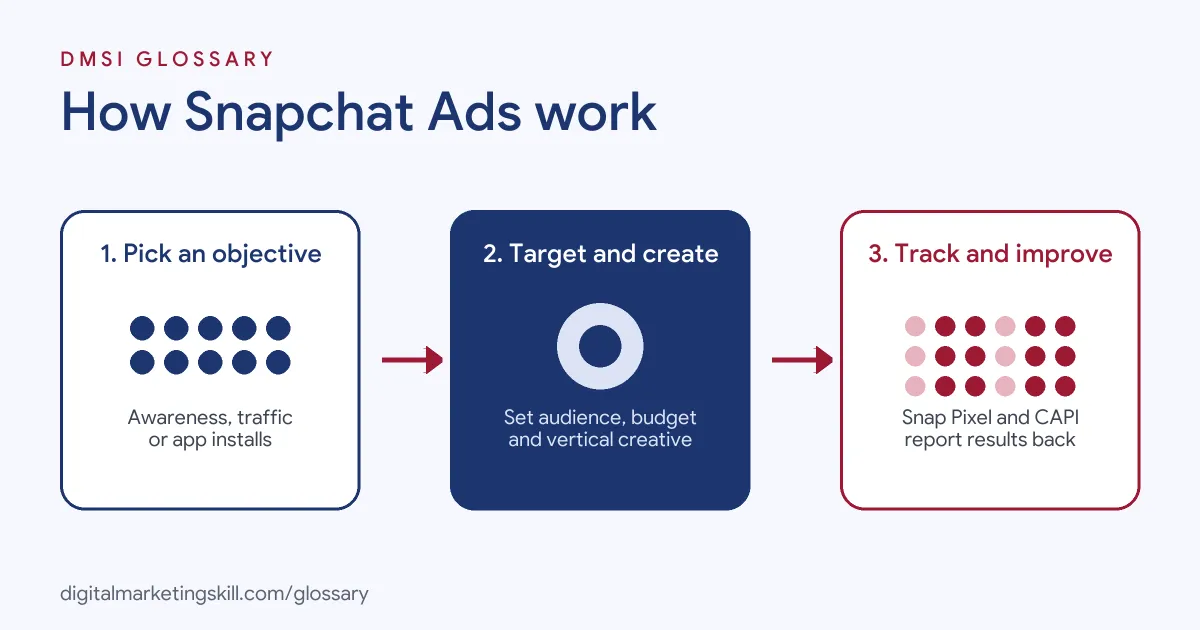
Snapchat Ads follow a familiar paid social pattern. So you pick a goal. Then you choose who to reach, set a budget and add creative. After that, Snapchat’s system decides when and where to show each ad.
Step 1: Choose an Objective
To begin, you choose what you want, so delivery matches your goal. Snap asks you to “Find a Snapchat ad objective that matches your business goals.” For example, the brand awareness objective helps you “Reach people and get the word out about your business.” Also, app install goals aim to “Drive more installs of your mobile app.” In short, your campaign objective shapes how Snapchat delivers your ads.
Step 2: Set Your Audience
Then you decide who sees your ads. Snap’s standard targeting lets you “Select location and demographics including age, gender, language, and more.” In addition, you can “Upload a contact list, such as email or phone numbers, of your existing customers.” As a result, that creates a custom audience. From there, Snapchat can build a lookalike audience of people who resemble your best customers.
Step 3: Pick a Format
Then you choose how the ad looks. Snapchat also offers several formats:
- Single Image or Video Ads. Snap calls this a “versatile ad type” for reaching new customers.
- Story Ads. Here, “Snapchatters can tap through a series of images or videos you curate.”
- Collection Ads. These “make it easy for customers to browse and buy your products.”
- Commercials. A “non-skippable ad format” for your most important message.
- Sponsored Snaps. These let you “send Snaps directly to your audience.”
- AR Lenses and Filters. Lenses let people “experience your interactive AR ad through the camera.”
Step 4: Track and Improve
Finally, you measure results. For instance, the Snap Pixel tracks actions on your website. Also, Snap’s Conversions API lets you “pass web, app, and offline conversion events directly to Snap.” Snap recommends that web advertisers use it “alongside a Pixel integration.” In other words, this works much like the Meta Conversions API. As a result, Snapchat can optimise delivery and report on real sales or sign-ups.
What Good Creative Looks Like
Still, creative matters a lot on Snapchat. For example, ads that look like normal Snaps can blend in better than studio adverts. So many brands film on a phone, with a real person talking to the camera. In addition, captions help because some people watch without sound. Also, a strong first second stops the thumb before it taps away. Finally, a clear call to action tells people what to do next. Taken together, these simple habits make your budget work harder.
Examples of Snapchat Ads
- A fashion shop launching a new range. The team runs Collection Ads with four products under a short video. So viewers can tap a product and go straight to its page.
- A food delivery app. The marketer chooses an app install objective and uses short vertical videos. Then she targets people in the cities where the service runs.
- A drinks brand at a summer festival. The brand builds an AR Lens that adds a fun effect to selfies. As a result, people share Snaps with the branded Lens with their friends.
Snapchat Ads vs TikTok Ads vs Meta Ads
| Point | Snapchat Ads | TikTok Ads | Meta Ads |
|---|---|---|---|
| Where ads run | Snapchat app | TikTok app | Facebook, Instagram, Messenger and more |
| Main style | Full-screen, camera-first, friend-focused | Full-screen short video feed | Feeds, Stories and Reels |
| Stand-out formats | AR Lenses, Story Ads, Sponsored Snaps | In-feed video, Spark Ads | Carousel, Reels and lead ads |
| Management tool | Snapchat Ads Manager | TikTok Ads Manager | Meta Ads Manager |
| Tracking | Snap Pixel and Conversions API | TikTok Pixel and Events API | Meta Pixel and Conversions API |
How to Set Up Snapchat Ads
- Create a business account. Sign up for Snapchat Ads Manager with your business details and payment method.
- Install tracking. Add the Snap Pixel to your site. Then, where you can, set up the Conversions API too.
- Pick your objective. Choose the goal that matches what you want, such as awareness, traffic or app installs.
- Define your audience. Set location and age, and add customer lists or Pixel audiences if you have them.
- Set budget and schedule. Then decide how much to spend and when the campaign should run.
- Make vertical creative. Then produce short, full-screen videos or images that grab attention in the first second.
- Launch and watch. Also, check early results, such as swipe-ups and cost per result.
- Test and scale. Finally, test new creative and audiences, then move budget to what works.
Best Practices for Snapchat Ads
- Design for the phone. Shoot vertical and fill the screen, because people hold their phones upright.
- Hook fast. Show your brand or offer early. After all, people tap past quickly.
- Look native. Simple, phone-shot ad creative often fits better than glossy TV ads.
- Use a clear action. Tell people exactly what to do next, such as “Shop now” or “Install”.
- Track properly. Ideally, use both the Snap Pixel and Conversions API for fuller data.
- Refresh often. Swap creative regularly to avoid ad fatigue.
Common Mistakes to Avoid
- Reusing horizontal videos. Wide videos look small and out of place on Snapchat.
- Skipping the pixel. Without tracking, you can’t see which ads drive sales. As a result, budget decisions become guesswork.
- Too much text. After all, people struggle to read busy screens in a quick view.
- Targeting too narrowly. In fact, small audiences can limit delivery and raise costs.
- Judging too early. Instead, give campaigns time to learn before you make big changes.
- Copying other platforms. Instead, adapt creative to Snapchat’s camera-first style.
Where You’ll Use Snapchat Ads at Work
Snapchat Ads often appear in paid media and performance roles, next to Meta and TikTok. For example, real remote job listings ask for:
- “Strong experience across Meta Ads, Google Ads, TikTok Ads and Snapchat Ads.” (Digital Marketing/Paid Media Specialist – Event Ad Spend).
- “Exposure to TikTok Ads, Snapchat Ads or programmatic buying.” (Performance Ads Specialist (Meta & Google)).
- “Paid social platform experience (Meta, TikTok, Snapchat Ads Manager) is a strong bonus, not a requirement.” (User Acquisition Manager (PPC)).
Learn It in the Social Media and Paid Social Track
You can learn to plan and run Snapchat Ads and other paid social platforms in the AI-Powered Social Media Management and Advertising track. Every track includes a U.S. Project Internship from day one, with unlimited 1-on-1 mentoring.
Frequently Asked Questions
Where do Snapchat Ads appear?
They show as full-screen ads between content in the app. Also, they can arrive as Sponsored Snaps or appear through the camera as AR Lenses.
Do I need a pixel for Snapchat Ads?
You can run ads without one. However, the Snap Pixel lets you track actions on your site and build audiences, so it is well worth adding.
What is a Snapchat Story Ad?
It is a set of images or videos that people tap through. So it works like a mini Story from your brand.
Can I target my existing customers?
Yes. You can upload a contact list to build a custom audience. Then Snapchat can find similar people with a lookalike audience.
Are Snapchat Ads only for young people?
No. Snap says that around 80% of its users are over 18, based on its own data. So check your audience fit with a small test first.
Sources: Snapchat for Business: Snap Ads; Snapchat for Business: Snapchat Ad Formats and Specs; Snapchat for Business: Snapchat Ads Targeting Options; Snap for Developers: Conversions API; remote job listings on Himalayas, Himalayas and Himalayas.