
Rank tracking is the practice of checking, over time, where your web pages appear in search results for the keywords you care about. You pick a list of keywords, a location and a device, and a tool records your position on a regular schedule. As a result, you can see whether your SEO work is moving pages up or down. It also shows you when competitors overtake you, so you can react quickly.
Key Takeaways
- Rank tracking records your search position for chosen keywords on a regular schedule.
- Results change by location, device and the searcher, so you track with fixed settings.
- Google Search Console shows average position from real searches, while rank trackers check set keywords.
- Visibility and share of voice scores sum up many rankings in one number.
- Rankings are a signal, so you judge them alongside clicks, traffic and conversions.
What Is Rank Tracking?
When someone searches on Google, they see a list of results. Your page might be first, fifth or on page three. Rank tracking simply records that position for each keyword you choose. Then it repeats the check, so you can watch the trend.
For example, a bakery in Leeds might track “birthday cakes Leeds” and “vegan bakery Leeds”. Each week, the tool notes where the bakery’s site appears. So if a new page about vegan cakes goes live, the owner can see if it climbs.
It is a bit like checking a league table. One match result tells you little. However, the table over a whole season shows who is really improving. In the same way, rank tracking turns single searches into a clear trend.
Rankings are not the same for everyone. Google says that “For your specific search your position might be different than the average because of many variables,” such as search history and location. That is why rank trackers fix the location and device for each check. As a result, you compare like with like each time.
Why It Matters
Why track rankings at all? Because most clicks go to the top results, so a small move up can mean a lot more visits. Also, rank tracking helps you prove the value of SEO work to a client or manager. In addition, a sudden drop can warn you about a technical problem or a Google algorithm update. So you can find the cause before traffic falls further.
What Rank Tracking Can’t Tell You
Rank tracking is useful, but it has limits. For example, it shows your position, not how many people clicked. Also, a keyword can rank first and still bring little traffic if few people search for it. In addition, results pages now include maps, videos, shopping boxes and AI answers. So a “number one” spot may sit lower on the screen than it sounds.
Because of this, treat rankings as an early signal rather than the final result. Then confirm what they mean with traffic, leads and sales data. In short, rankings tell you where you stand, while analytics tells you whether it pays off.
Local and Mobile Rankings
Location changes results a lot. For instance, a search for “coffee shop” in Manchester shows different results from the same search in Bristol. Likewise, mobile and desktop results can differ. So if your customers mainly search on phones nearby, track mobile results in that area. Otherwise, your reports may show a picture your customers never see.
How Rank Tracking Works
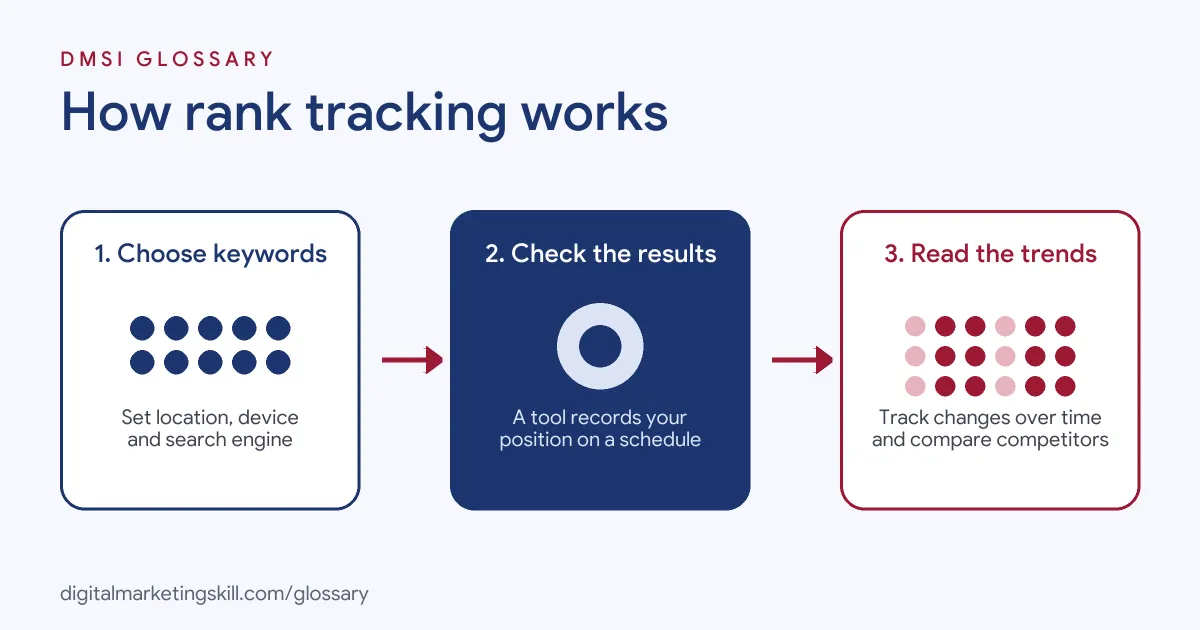
Rank tracking follows a simple loop. First, you choose your keywords and settings. Next, a tool checks the search results on a schedule. Finally, it reports your positions and changes over time.
Choosing keywords and settings
You start with a list of keywords, usually from your keyword research. Then you set the search engine, country or city, and device. For instance, a local plumber would track mobile results in their own town. By contrast, an online shop selling worldwide might track several countries.
Checking the results
Next, the tool runs those searches and records where your domain appears. Tools differ in how often they check. For example, Ahrefs says its Rank Tracker updates weekly, while other tools offer daily checks. Many tools also note SERP features, such as featured snippets, maps and AI answers.
Reading the reports
Then you read the trends. Most tools show average position, position changes and a visibility score. Semrush, for example, describes its Visibility metric as “a metric based on click-through rate (CTR).” It ranges from 0% with no top-100 rankings to 100% if you hold first place for every keyword. Also, many tools compare you with competitors, which links to share of voice.
Search Console as a second view
Finally, Google Search Console gives a different angle. Its average position uses real impressions, not set checks. Google explains that it “averages the position value for all impressions.” So it shows how you rank across all real searches, including ones you never thought to track.
Examples of Rank Tracking
- A local dental clinic. The clinic tracks ten service keywords on mobile in its city. After adding service pages, it sees most keywords move from page two to page one. Then it checks Search Console to confirm clicks are rising too.
- An online furniture shop. The team tracks hundreds of product and category keywords. One week, many rankings drop at once. So they check the site and find a robots.txt change blocking a key folder.
- A software company. The marketing team tracks its main keywords against three competitors. As a result, it spots one rival gaining ground with comparison pages and plans its own.
Rank Tracking Tools vs Google Search Console
| Point | Rank tracking tool | Google Search Console |
|---|---|---|
| Data source | Scheduled checks of set keywords | Real impressions from Google searches |
| Keywords covered | Only the ones you add | All queries where you appeared |
| Location and device | Fixed by you for each check | Mixed, but you can filter |
| Competitor data | Usually included | Not included |
| Cost | Often paid | Free |
How to Set Up Rank Tracking
- Pick your goals. Decide which pages and topics matter most to the business.
- Choose your keywords. Select a mix of main terms and long-tail keywords for each key page.
- Set location and device. Match where and how your customers search, such as mobile in one city.
- Add competitors. Include a few real rivals that show up for your keywords.
- Group your keywords. Tag them by topic, page or funnel stage, so reports are easier to read.
- Record a baseline. Note your starting positions before you make changes.
- Check on a schedule. Review weekly or monthly, and look at trends rather than single days.
- Compare with Search Console. After that, confirm changes with real clicks and impressions.
Best Practices for Rank Tracking
- Track what drives value. Focus on keywords that bring leads or sales, not just big search volume.
- Keep settings stable. Changing location or device can break your history, so plan settings carefully.
- Watch groups, not single keywords. Topic groups show real progress better than one term.
- Note your changes. Log site updates, so you can link ranking moves to their cause.
- Track SERP features. A top spot can still get few clicks if an AI answer or map sits above it.
- Report with context. Pair rankings with traffic and conversions when you share results.
Common Mistakes to Avoid
- Checking your own browser. Personal results vary, so a quick search can mislead you.
- Panicking over daily swings. Small moves up and down are normal, so look at the trend.
- Tracking too few keywords. A short list can hide wider gains or losses.
- Ignoring local results. For local businesses, national rankings may not reflect what nearby customers see.
- Treating rank as the goal. A page can rank well and still bring no business if the intent is wrong.
Where You’ll Use Rank Tracking at Work
Rank tracking is part of SEO, content and marketplace roles. It also applies beyond Google, for example on Amazon search. Real remote job listings ask you to:
- “Monitor organic keyword rankings, analyze competitors, and identify opportunities to improve search visibility.” (Amazon PPC Brand Manager).
- “Track account health, keyword rankings, and product indexing.” (Amazon Account Manager).
- “Maintain keyword tracking and DataDive niche dives.” (Amazon Account Manager).
Learn It in the WordPress and SEO Track
You can learn rank tracking, keyword research and SEO reporting in the AI-Powered WordPress and SEO Specialist track. Every track includes a U.S. Project Internship from day one, with unlimited 1-on-1 mentoring.
Frequently Asked Questions
How often should I check my rankings?
Weekly is enough for most sites. However, daily checks can help during a site launch or migration.
Why do my rankings look different from the tool?
Your own results depend on your location, device and search history. Instead, tools check from fixed settings, so the numbers differ.
Can I track rankings for free?
Yes. Google Search Console shows average position for free. However, dedicated tools add fixed checks and competitor data.
What is a visibility score?
It is one number that sums up your rankings across all tracked keywords. Higher positions on more keywords give a higher score.
Do rankings guarantee traffic?
No. Clicks also depend on your title, the search intent and features like AI answers above the results.
Sources: Search Console Help: What are impressions, position, and clicks?; Semrush Knowledge Base: Position Tracking Overview; Ahrefs: Rank Tracker; remote job listings on Himalayas, Himalayas and Himalayas.