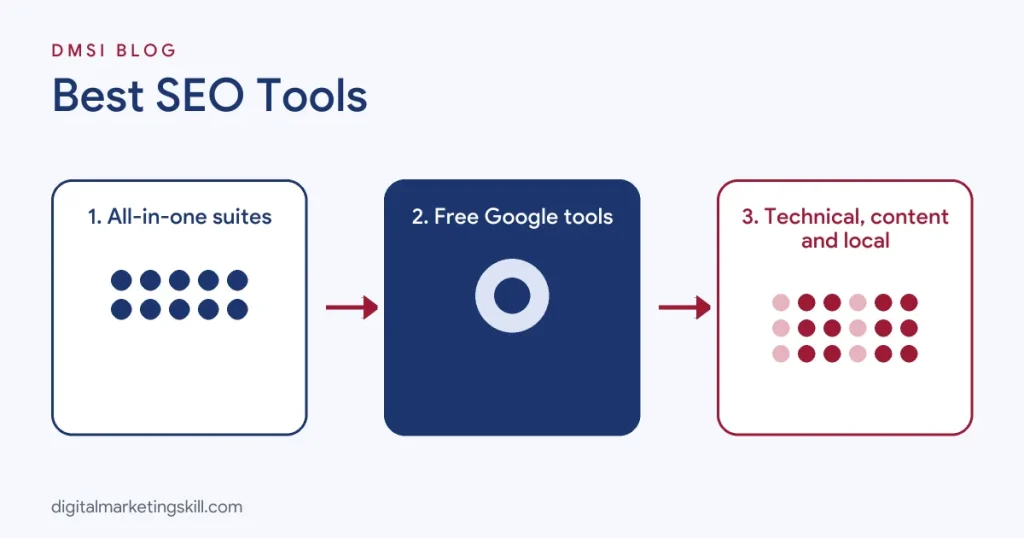
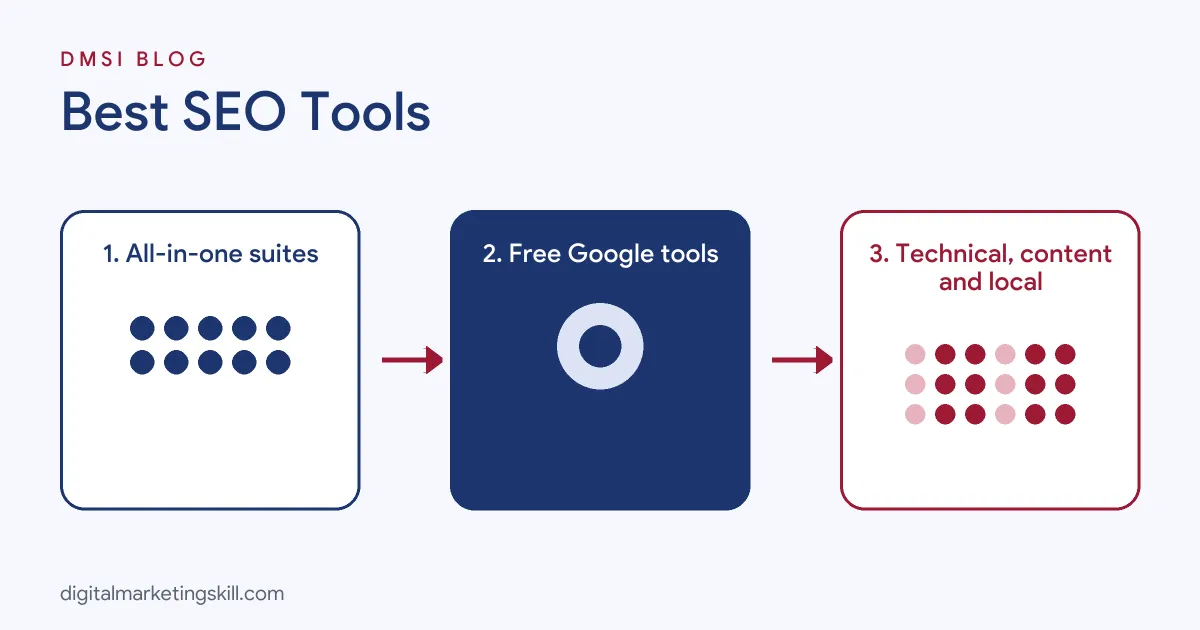
The best SEO tools depend on what you need to do. Semrush and Ahrefs are the leading all-in-one suites for keyword research, competitor analysis, backlinks and rank tracking. Google Search Console is the essential free tool every site needs. Screaming Frog is the standard for technical crawling, Surfer and Clearscope lead content optimisation, BrightLocal and Whitespark specialise in local SEO, and Mangools and SE Ranking offer strong value for beginners and small businesses. A newer category of AI visibility tools now tracks how brands appear in ChatGPT, Gemini and Google’s AI features. This guide reviews the best SEO tools by category, explains what each does best and its limitations, compares them in one table, and shows you how to build a tool stack that fits your budget and goals.
You do not need every tool. Most professionals rely on one suite, Google’s free tools, a crawler and one or two specialist tools. Choosing well saves money and time.
Key Takeaways
- Google Search Console is the only source of Google’s own data on your site’s queries, clicks, indexing and manual actions, and it is free.
- All-in-one suites such as Semrush, Ahrefs, SE Ranking and Moz cover keyword research, backlinks, rank tracking and site audits in one subscription.
- Screaming Frog’s SEO Spider can crawl up to 500 URLs free, making it a common first technical audit tool.
- AI visibility tracking, which monitors brand mentions and citations in AI answers, has become a standard feature in many SEO platforms.
- For most small businesses, one paid suite plus Google’s free tools covers the core SEO tasks: research, audits, tracking and reporting.
In this guide
- What Are SEO Tools?
- Where SEO Tool Data Comes From
- How to Choose the Best SEO Tools
- Best All-in-One SEO Suites
- Best Free Tools From Google and Bing
- Best Technical SEO Tools
- Best Content Optimisation Tools
- Best Keyword and Content Research Tools
- Best Backlink Tools
- Best Local SEO Tools
- Best WordPress SEO Plugins
- Best AI Visibility and Reporting Tools
- Comparison Table
- What Most Tool Lists Miss
- Recommended Tool Stacks by Budget
- Common Mistakes When Choosing SEO Tools
- An Illustrative Example
- Frequently Asked Questions
What Are SEO Tools?
SEO tools are software that help you understand and improve how your website performs in search engines. They gather data you cannot easily collect by hand, such as how many people search for a keyword, which sites link to yours, where you rank, and what technical issues are hurting your pages. Most tools fall into a few categories:
- Keyword research: finding what people search for and how competitive it is.
- Technical auditing: crawling your site to find broken links, slow pages, indexing problems and errors.
- Backlink analysis: seeing who links to you and to competitors.
- Rank tracking: monitoring your positions for target keywords over time.
- Content optimisation: helping pages cover a topic comprehensively.
- Local SEO: managing listings, reviews and local rankings.
- Analytics and reporting: measuring traffic and results.
- AI visibility: tracking how often your brand appears in AI-generated answers.
Where SEO Tool Data Comes From
Understanding where numbers come from helps you trust the right ones:
- First-party data comes from Google and Bing about your own site: Search Console, Bing Webmaster Tools and GA4. It is the most reliable data for your performance, but it only covers your site.
- Crawled data comes from tools that crawl the web, like Ahrefs, Semrush, Moz and Majestic, building their own indexes of pages and links. Coverage varies, so no tool sees every link.
- Clickstream and panel data comes from anonymised browsing data that some tools use to estimate keyword volumes and competitor traffic. These are models, not exact counts.
- SERP data is collected by checking search results for specific keywords and locations, which powers rank tracking and SERP feature monitoring.
- AI answer sampling means AI visibility tools run large sets of prompts through AI assistants and record which brands and sources appear.
This is why two tools can show different traffic estimates for the same competitor, and why your own Search Console numbers will differ from any third-party estimate of your site.
How to Choose the Best SEO Tools
- Start with your goals. A local plumber needs local SEO and reviews; an ecommerce store needs technical audits and product-level tracking; a content site needs keyword and content tools.
- Check data quality for your market. Keyword and backlink databases vary by country. Test tools on keywords and competitors in your own market.
- Consider ease of use. A tool you understand and use weekly beats a powerful one you never open.
- Look at limits. Check how many projects, keywords, pages and reports each plan includes.
- Use free trials. Most paid tools offer a trial or free plan. Run the same tasks in two or three and compare.
- Avoid overlap. Many suites include features you might otherwise buy separately.
How to test an SEO tool before you buy
During a free trial, run the same five tasks in each tool you are considering: research ten keywords in your niche, analyse one competitor’s top pages, check your site’s backlinks, run a site audit and set up rank tracking for twenty keywords. Compare the results with your Search Console data, note which tool’s findings you could act on most easily, and check how long each task took. The tool that gives you clear, accurate, actionable answers fastest is usually the right choice.
Best All-in-One SEO Suites
1. Semrush
Best for: all-round SEO and marketing teams. Semrush covers keyword research, competitor analysis, site audits, rank tracking, backlink analysis, content tools, local SEO and advertising research, with AI visibility features added in recent years. It is especially strong for competitor and keyword gap analysis. Limitations: the breadth can feel overwhelming for beginners, and advanced features sit on higher plans.
2. Ahrefs
Best for: backlink analysis and competitor research. Ahrefs is known for one of the largest backlink indexes, along with Keywords Explorer, Site Explorer, Site Audit, Rank Tracker and AI visibility tracking through Brand Radar. Its free Ahrefs Webmaster Tools gives site owners audits and backlink data for verified sites. Limitations: paid plans can be costly for small teams, and usage limits apply.
3. SE Ranking
Best for: agencies and small businesses wanting value. SE Ranking offers rank tracking, audits, keyword research, backlink monitoring, local SEO and white-label reporting at a lower entry price than the biggest suites, plus AI visibility tracking. Limitations: databases are smaller than the market leaders in some regions.
4. Moz Pro
Best for: teams that value authority metrics and learning resources. Moz offers keyword research, link analysis, site crawls and rank tracking, and created the widely used Domain Authority metric. Its free MozBar extension and learning content are popular with beginners. Limitations: some users find its data less comprehensive than Semrush or Ahrefs.
5. Mangools
Best for: beginners and bloggers. Mangools bundles KWFinder for keyword research, SERPChecker, SERPWatcher for rank tracking, LinkMiner and SiteProfiler in a simple, affordable package. Limitations: less depth for large sites or agencies.
Best Free Tools From Google and Bing
6. Google Search Console
Best for: every website. It shows the queries that bring impressions and clicks, average positions, indexing status, Core Web Vitals, structured data issues, links and manual actions, all from Google’s own data. No paid tool can replace it.
7. Google Analytics 4
Best for: measuring what organic visitors do after they arrive, including engagement and conversions. See our guide to Google Analytics for SEO.
8. PageSpeed Insights and Lighthouse
Best for: page speed and Core Web Vitals. PageSpeed Insights combines real-user data with lab tests and gives specific recommendations. Lighthouse runs in Chrome DevTools for deeper analysis.
9. Google Business Profile
Best for: local businesses managing their presence in Google Maps and local results.
10. Bing Webmaster Tools
Best for: Bing visibility plus free site scanning and keyword research. Bing data also feeds several AI search experiences.
For a full list of free options, see our guide to free SEO tools.
Best Technical SEO Tools
11. Screaming Frog SEO Spider
Best for: detailed technical crawls. This desktop crawler finds broken links, redirects, duplicate titles, missing meta descriptions, canonical issues, structured data errors and much more. The free version crawls up to 500 URLs; a paid licence removes the limit and adds features such as JavaScript rendering and integrations. Limitations: technical interface and a learning curve.
12. Sitebulb
Best for: visual, prioritised audits. Sitebulb crawls sites and explains issues with clear priorities and visualisations, which is helpful for client reporting. Limitations: paid tool.
13. Site audit features in suites
Semrush, Ahrefs, SE Ranking and Moz all include cloud-based site audits that run on a schedule and alert you to new issues, which suits ongoing monitoring.
Best Content Optimisation Tools
14. Surfer
Best for: writing and optimising content against what ranks. Surfer analyses top-ranking pages and suggests topics, terms, headings and length, and has added features for AI search visibility. Limitations: following scores too literally can produce formulaic content.
15. Clearscope
Best for: content teams who want simple, reliable topic coverage guidance. It grades drafts against relevant terms and integrates with common writing tools. Limitations: premium pricing.
Use content tools as guides, not rules. Original insight, examples and expertise matter more than hitting every suggested term.
Best Keyword and Content Research Tools
16. AnswerThePublic
Best for: question research and content ideas based on autocomplete data.
17. BuzzSumo
Best for: finding content that earns shares and links, and identifying journalists and influencers for outreach.
18. Google Keyword Planner
Best for: search volume ranges and commercial value from Google Ads data.
For a deeper comparison of free research options, read our guide to free keyword research tools.
Best Backlink Tools
19. Majestic
Best for: specialist link analysis with Trust Flow and Citation Flow metrics and historical link data.
20. Ahrefs and Semrush backlink tools
Both suites offer comprehensive backlink databases, competitor link gap analysis and link audits. Use them to find opportunities and to review risky links. If you need to clean up a backlink profile, see our link detox guide.
Best Local SEO Tools
21. BrightLocal
Best for: local rank tracking, citation building and auditing, review monitoring and Google Business Profile reporting across multiple locations.
22. Whitespark
Best for: local citation finding and building, local rank tracking and review generation. Whitespark is also known for its research on local ranking factors.
Our local SEO guide explains how to use these tools in a local strategy.
Best WordPress SEO Plugins
23. Yoast SEO, Rank Math and AIOSEO
Best for: managing titles, meta descriptions, XML sitemaps, schema markup, canonical tags and redirects inside WordPress. All three have free versions with premium upgrades. Choose one, not several, to avoid conflicts.
Best AI Visibility and Reporting Tools
24. AI visibility trackers
As AI search grows, tools now track how often your brand is mentioned or cited in ChatGPT, Gemini, Perplexity, Google AI Overviews and AI Mode. Features are available in Semrush, Ahrefs (Brand Radar), SE Ranking and specialist platforms. They are sample-based, so treat results as trends rather than exact numbers. Our guide to SEO vs AEO vs GEO explains what to track.
25. Looker Studio
Best for: free, customisable SEO dashboards combining Search Console, GA4 and other data sources.
26. Enterprise platforms
Large organisations often use platforms such as seoClarity, Conductor or BrightEdge for large-scale data, workflow management and reporting across many sites and teams.
Comparison Table
| Tool | Best for | Free option | Skill level |
|---|---|---|---|
| Semrush | All-round SEO and competitor research | Limited free account | Beginner to advanced |
| Ahrefs | Backlinks and competitor research | Ahrefs Webmaster Tools, free tools | Intermediate to advanced |
| SE Ranking | Value for agencies and small businesses | Free trial | Beginner to intermediate |
| Moz Pro | Authority metrics and learning | Free account with limits, MozBar | Beginner to intermediate |
| Mangools | Simple keyword research and tracking | Free trial | Beginner |
| Google Search Console | Google’s own site data | Free | All levels |
| Google Analytics 4 | Behaviour and conversions | Free | All levels |
| PageSpeed Insights | Speed and Core Web Vitals | Free | All levels |
| Screaming Frog | Technical crawling | Free up to 500 URLs | Intermediate to advanced |
| Sitebulb | Visual technical audits | Free trial | Intermediate |
| Surfer | Content optimisation | Limited | Beginner to intermediate |
| Clearscope | Content optimisation for teams | No | Beginner to intermediate |
| AnswerThePublic | Question research | Limited daily searches | Beginner |
| BuzzSumo | Content and outreach research | Limited | Intermediate |
| Majestic | Specialist link analysis | Limited | Advanced |
| BrightLocal | Multi-location local SEO | Free trial | Beginner to intermediate |
| Whitespark | Citations and local rankings | Limited | Intermediate |
| Yoast, Rank Math, AIOSEO | WordPress on-page SEO | Free versions | Beginner |
| Looker Studio | Dashboards and reporting | Free | Intermediate |
Plans, prices and limits change frequently, so check each tool’s website before you buy.
What Most Tool Lists Miss
1. Tools do not do SEO; people do. A tool can find 500 issues, but deciding which five matter most is a skill. Many sites pay for powerful tools and never act on the data.
2. Third-party metrics are estimates. Search volume, traffic estimates, keyword difficulty and authority scores are models, not Google’s numbers. Use them to compare and prioritise, and use Search Console for real performance.
3. Start with Google’s free data. Many beginners buy a suite before setting up Search Console and GA4 properly. Get the free foundation right first.
4. One suite is usually enough. Paying for Semrush and Ahrefs and Moz rarely makes sense for a small team. Choose one and learn it deeply.
Recommended Tool Stacks by Budget
| Budget | Stack | Who it suits |
|---|---|---|
| Free | Search Console, GA4, PageSpeed Insights, Bing Webmaster Tools, Keyword Planner, Screaming Frog free, a WordPress SEO plugin, Ahrefs Webmaster Tools | Beginners, students, small sites |
| Low | Free stack plus Mangools or SE Ranking | Bloggers, freelancers, small businesses |
| Medium | Free stack plus Semrush or Ahrefs, Screaming Frog licence | In-house marketers, growing businesses |
| Local business | Free stack plus BrightLocal or Whitespark | Multi-location or service-area businesses |
| Agency | One major suite, Screaming Frog or Sitebulb, a content tool, Looker Studio, a local tool | Agencies managing many clients |
| Enterprise | Enterprise platform, major suite, crawler, AI visibility tracking | Large organisations and ecommerce |
Online stores have specific needs; see our ecommerce SEO tips for what to prioritise.
Common Mistakes When Choosing SEO Tools
- Buying before defining goals. Know which problems you need to solve first.
- Paying for overlapping tools. Check what your suite already includes.
- Trusting metrics blindly. Estimates vary between tools and differ from Google’s data.
- Ignoring the learning curve. Budget time to learn the tool properly.
- Chasing tool scores. A perfect audit score does not guarantee rankings; focus on issues that affect users and indexing.
- Forgetting to cancel unused subscriptions. Review tools every quarter.
One rule to remember
Choose the fewest tools that answer your most important questions, set up Google’s free tools first, and spend more time acting on data than collecting it.
An Illustrative Example
This is an illustrative scenario, not a real business. A two-person marketing team at a regional dental group was paying for three overlapping SEO suites but still could not explain why bookings from search were flat. They cancelled two suites and kept one, set up Search Console and GA4 properly for all five clinic websites, added BrightLocal for local rankings and reviews, and ran a free Screaming Frog crawl. The crawl revealed that each clinic site had duplicate service pages and missing location details, while BrightLocal showed inconsistent business listings across directories. Fixing these issues took two months. Local rankings improved for most clinics, online bookings from organic search rose steadily, and the team’s tool costs fell by more than half.
Frequently Asked Questions
What is the best SEO tool?
There is no single best tool for everyone. Semrush and Ahrefs are the leading all-in-one suites, and Google Search Console is the essential free tool. The best choice depends on your goals, budget and experience.
What are the best free SEO tools?
Google Search Console, Google Analytics 4, PageSpeed Insights, Google Keyword Planner, Bing Webmaster Tools, Screaming Frog’s free version, Ahrefs Webmaster Tools and a WordPress SEO plugin such as Yoast or Rank Math.
Is Semrush or Ahrefs better?
Both are excellent. Semrush is often preferred for all-round marketing features and keyword gap analysis; Ahrefs is often preferred for backlink data and a clean interface. Try both with your own competitors before deciding.
Which SEO tool is best for beginners?
Mangools and SE Ranking are popular for their simplicity, alongside Google Search Console. Moz’s learning resources are also helpful for beginners.
Do I need paid SEO tools?
Not to start. Free tools cover the basics well. Paid tools become worthwhile when you need competitor data, larger-scale tracking, backlink analysis or time savings.
What is the best tool for technical SEO?
Screaming Frog SEO Spider is the industry standard for crawling, with Sitebulb as a popular visual alternative. Suites also include scheduled cloud audits.
What is the best local SEO tool?
BrightLocal and Whitespark are leading specialist local SEO tools, used alongside Google Business Profile.
Can AI tools replace SEO tools?
AI assistants help with ideas, outlines and analysis, but they do not have reliable search volume, ranking or backlink data. Use them alongside, not instead of, SEO tools.
How do I track my brand in AI search?
Use AI visibility features in tools like Semrush, Ahrefs or SE Ranking, or specialist trackers, and run regular manual prompt checks in AI assistants.
How many SEO tools do I need?
Most teams need Google’s free tools, one all-in-one suite and possibly one specialist tool, such as a crawler or local SEO platform.
Are SEO tool metrics accurate?
Metrics like search volume, traffic estimates and authority scores are estimates. They are useful for comparison, but Google Search Console shows your actual performance.
Your Next Step
Knowing how to choose and use SEO tools well is a practical skill employers expect from digital marketers. The Master Diploma in Digital & AI Marketing at Digital Marketing Skill Institute covers AI-powered Social Media Management and Advertising, Lead Generation and Email Automation, Google, and a WordPress and SEO track where you build and rank a real website.
From day one, you work on a real U.S. company’s project through the U.S. Project Internship, so you finish with real results and a verified U.S. work reference letter. You also get unlimited one-on-one coaching. The program carries dual US and UK accreditation, is recognised in more than 100 countries, and runs 100% online over three months.
You can build those skills wherever you live, anywhere in your country. Read student reviews, then apply for the 65% partial scholarship to see if you qualify.
Sources checked November 2026: tool providers’ own feature pages (Semrush, Ahrefs, SE Ranking, Moz, Mangools, Screaming Frog, Sitebulb, Surfer, Clearscope, BrightLocal, Whitespark), Google Search Central documentation, and the Zapier, Nexora and Databox guides to the best SEO tools. Features and plans change often.