
An ad library is a public, searchable database where an ad platform shows the ads that advertisers are running, along with details about who is behind them. Meta, Google and TikTok each run one, and anyone can search them. It matters because it lets you study competitors’ ads, find creative ideas and check who is paying for political or issue ads.
Key Takeaways
- Platforms built these tools to make advertising more transparent, but marketers use them heavily for research.
- Meta’s library shows all active ads that any Page is running on its apps.
- For ads about politics or social issues, Meta shows extra data, such as spend and impressions, and keeps those ads for seven years.
- Google’s version is the Ads Transparency Center, and TikTok’s is the Commercial Content Library.
- An ad library shows what competitors run, not how well it performs, so treat it as a source of ideas, not proof.
What Is an Ad Library?
Online ads are usually targeted, so you only see the ads aimed at you. That makes it hard to know what a brand is really saying to everyone else. A public library of ads fixes this. It gathers a platform’s ads in one place, so anyone can look them up.
Meta launched its version to help people learn about ads related to politics or issues. Later, it widened the library to bring in “all active ads any Page is running”. Google calls its version the Ads Transparency Center. It describes it as “a searchable repository of advertisers and the ads they’ve served” on Search, Display, Gmail and YouTube.
For example, a skincare start-up can search for a bigger rival on Meta. Within minutes, it can see every ad that rival is running on Facebook and Instagram right now.
How an Ad Library Works
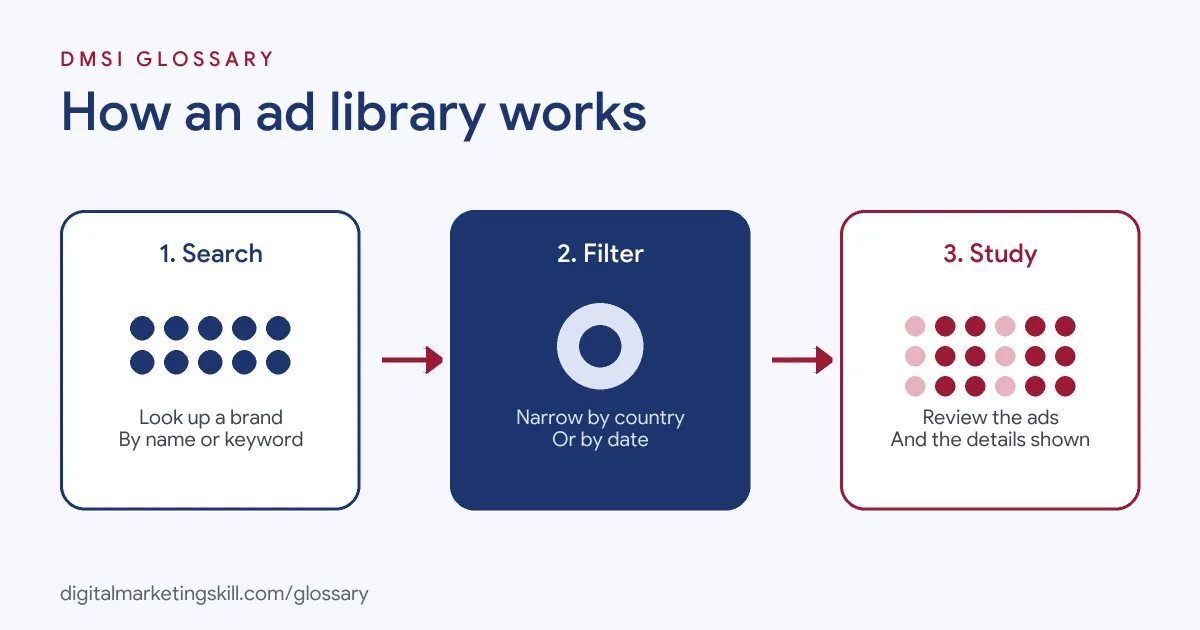
Every library works in a similar way. First, you search by advertiser, page or keyword. Next, you filter the results, for instance by country or date. Finally, you open each ad to see the creative and the details the platform shares.
What You Can See
The details vary by platform and by ad type. Meta adds Page information, such as when the Page was created and any name changes. Google shows who the advertiser is, where they are located and which ads they show. TikTok’s library includes the creative, the dates an ad ran, the main targeting settings, such as age and gender, and the number of people who saw it.
Political and Issue Ads
Ads about politics or social issues get extra transparency. On Meta, these ads show who saw them, how much was spent and how many impressions they had. Meta says its library “houses ads for seven years” in this category. Google also runs a separate Political Advertising Transparency Report in locations where its political content policies apply.
Reporting Ads
Libraries also let the public flag problems. Meta added the ability to report ads from within its library. Similarly, Google lets you report ads that you believe break its policies through the Ads Transparency Center.
Ad Library Examples
Here are three made-up examples of how teams use these tools at work:
- Competitor research: A paid social team checks five rivals each week. It notes which offers, hooks and formats keep appearing, since long-running ads are often worth a closer look.
- Creative briefs: A creative strategist saves ten strong ads from other industries. She then uses them as references when she briefs designers and video editors.
- Client pitches: An agency shows a prospect what its competitors are running. As a result, the pitch starts from real market evidence instead of guesswork.
In each case, the library gives ideas. Your own testing still decides what works for your brand.
Ad Library Tools by Platform
Here is a quick comparison of the main libraries:
| Platform | Name | What it shows |
|---|---|---|
| Meta (Facebook and Instagram) | Meta Ad Library | All active ads by any Page; extra data and seven-year storage for political and issue ads |
| Google (Search, Display, Gmail, YouTube) | Ads Transparency Center | Advertisers and their ads, searchable by name or website, with date and location filters |
| TikTok | Commercial Content Library | Paid ads with creative, run dates, main targeting and reach, plus labelled branded content |
Meta also offers an API for analysing political or issue ads. To use it, you must confirm your identity and create a developer account. Meanwhile, Google shows advertiser details right inside its ads. On a search ad, for instance, you can open the three-dot icon on desktop, or the info icon on mobile, to see who the advertiser is.
How to Use an Ad Library for Research
These steps work in any of the libraries above:
- List your competitors. Include direct rivals and brands that sell to the same audience.
- Search by name or website. On Meta, you can search by Page as well as by keyword.
- Set the country. Ads often differ by market, so check the places you sell in.
- Look for patterns. Note the offers, hooks, formats and calls to action that come up again and again.
- Save the best examples. Keep a swipe file with screenshots and notes on why each ad caught your eye.
- Turn ideas into tests. Write your own versions, then run them against your current ads.
After that, repeat the review on a regular schedule. Rivals change their ads often, so one check is never enough.
What to Record in Your Swipe File
A swipe file is only useful if you can search it later. So, for each ad you save, note a few simple things:
- Brand and platform: who ran it and where you found it.
- Hook: the first line or the first few seconds of video.
- Offer: the discount, free trial or promise in the ad.
- Format: image, carousel, short video or creator-style clip.
- Call to action: what the ad asks people to do next.
Best Practices
- Study angles, not just visuals. The message behind an ad is often more useful than its design.
- Look outside your industry. Great hooks from other markets can feel fresh in yours.
- Track over time. An ad that keeps running for weeks is more interesting than one that appears once.
- Never copy. Use what you see as inspiration, then make something that fits your own brand and claims.
- Combine with your own data. Your results always beat a guess about a rival’s results.
Common Mistakes to Avoid
The most common mistake is assuming that every ad in a library works. You can see that an ad is running, but not whether it makes money. Another mistake is copying a competitor’s ad too closely, which can cause legal and brand problems. Some teams also check only one country, so they miss tests running elsewhere. Finally, many people look once and never return. Instead, make the review a habit.
Where You’ll Use an Ad Library at Work
These tools show up often in paid social and creative job ads. For example, remote listings ask for:
- “Familiarity with tools like Meta Ad Library, Triple Whale, Foreplay, Motion” (Creative Strategist, Paid Social).
- Competitive research “using tools like Magicbrief, TikTok trend trackers, Meta Ad Library, etc.” (Creative Strategist).
- A track record of real ads, “verifiable in the Meta Ads Library” (Direct Response Copywriter).
That last point is worth noting. Some employers check the library to confirm the ads you say you made. So if you want to work as a Paid Social Specialist or Social Media Manager, keep a record of every live campaign you run.
Learn It in the Social Media Track
You can learn to research ads and turn ideas into campaigns in the AI-Powered Social Media Management and Advertising track. You plan, create and run a paid social campaign for a real brand, so you finish with ads you can point to. In addition, you get unlimited 1-on-1 mentoring and a U.S. Project Internship from day one.
To go further, read our guide to Facebook Ads Manager. You can also learn more about competitor analysis and ad creative.
Frequently Asked Questions
Is the Meta Ad Library free to use?
Yes. Anyone can search it, and it shows all active ads that any Page is running on Meta’s apps.
Does an ad library show how well an ad performs?
Not for most ads. Meta shares spend and impressions for political and issue ads, but not sales or clicks for ordinary ads.
What is Google’s ad library called?
It is the Ads Transparency Center. You can search it by advertiser or website name and filter by date and location.
Does TikTok have an ad library?
Yes. TikTok’s Commercial Content Library lists paid ads with details such as run dates, main targeting and how many people saw them.
Can I copy ads I find in an ad library?
You should not. Use them for ideas and patterns, then create your own ads that fit your brand.
Sources: Meta Newsroom: A better way to learn about ads; Google Advertising Policies Help: Ads transparency; TikTok Newsroom: Commercial Content Library; remote job listings on Himalayas.