
Negative keywords are words or phrases you add to a Google Ads campaign to stop your ads showing for searches that include them. They filter out searches that look similar to your keywords but come from people who want something else. As a result, you spend less on clicks that will never turn into customers.
Key Takeaways
- They exclude search terms, so your budget goes on the searches that matter.
- Google says they won’t match to close variants, so you must add synonyms and plurals yourself.
- Search campaigns support broad, phrase and exact match negatives, and each works differently from positive keywords.
- A shared list can hold up to 5,000 terms, and an account can have up to 20 lists.
- An account-level list applies to all eligible search and shopping inventory.
- The search terms report is the best place to find new terms to exclude.
What Are Negative Keywords?
When you run a Search campaign, you choose keywords that tell Google when to show your ad. However, Google often shows ads for searches that are related but not quite right. Negative keywords are your way of saying “not this”.
Google’s own example is an optician who sells spectacles. That business might add negatives such as “wine glasses” and “drinking glasses”. Without them, the word “glasses” could trigger ads for people shopping for barware.
Here is another example. A driving school in Manchester bids on “driving lessons”. Some people search “driving lessons jobs” or “free driving lessons”. Neither group will book a paid lesson, so the school adds “jobs” and “free” as negatives.
That’s why negatives matter so much in Google Ads. Every irrelevant click costs money, and those costs add up quickly on a small budget.
How Negative Keywords Work
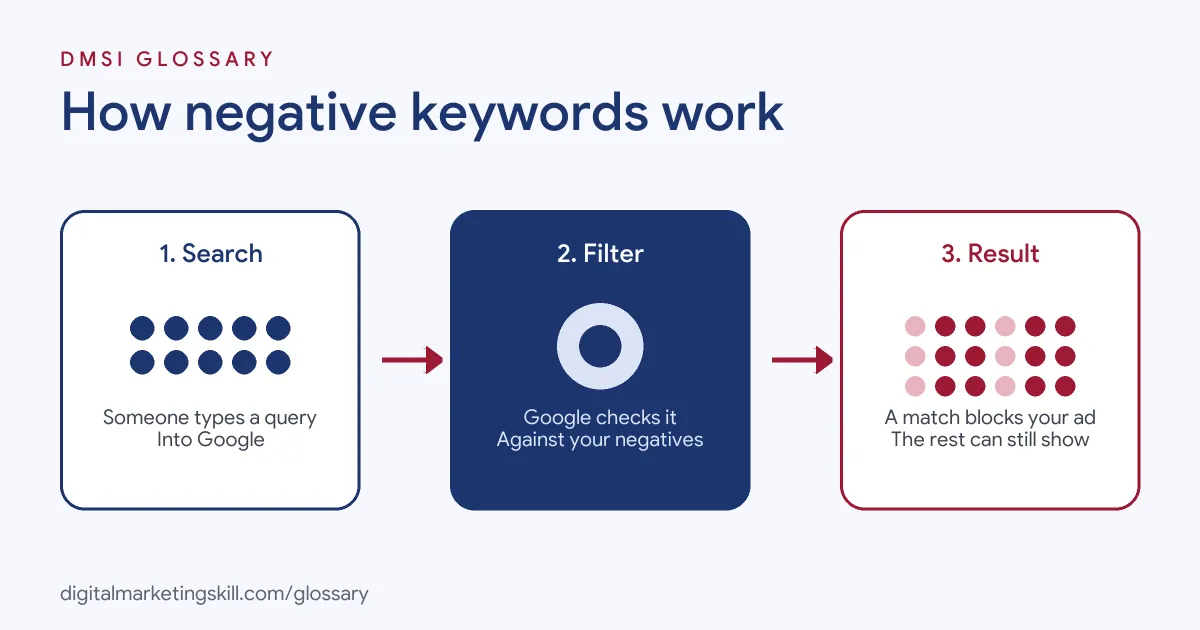
Each time someone searches, Google checks the search against your keywords and your negatives. If the search contains a negative in the way its match type describes, your ad is not eligible to show.
The Three Negative Match Types
For Search campaigns, Google offers three negative match types. Google uses “running shoes” as its example:
- Negative broad match is the default. Your ad won’t show if the search contains all your negative terms, even in a different order.
- Negative phrase match blocks searches that contain the exact terms in the same order.
- Negative exact match blocks searches that contain the exact terms, in the same order, without extra words.
So a negative broad “running shoes” blocks “shoes for running”, while a negative exact [running shoes] blocks only that precise search.
No Close Variants
This is the rule that catches most beginners. Google states that negative keywords “won’t match to close variants or other expansions”. Its example: if you exclude the broad negative “flowers”, your ad won’t show for “red flowers”. But it can still show for “red flower”.
In other words, you need to add singular and plural forms and synonyms yourself. On the other hand, Google says negatives do account for casing and misspellings automatically.
Display and Video Campaigns
Negatives behave differently outside Search. For Display campaigns, Google treats a set of negatives as a topic to exclude. For example, negatives like “women’s trousers” can block a page about women’s jeans, even if that exact phrase isn’t on it. In addition, Google considers a maximum of 1,000 negatives at account level for Display and Video ads.
Negative Keywords Examples
Here are three made-up examples of how different businesses use them:
- Paid software: A project management tool excludes “free”, “open source” and “template”. These searchers are usually not ready to pay.
- Local service: A Bristol electrician excludes “course”, “salary” and “apprenticeship”. As a result, job seekers and students no longer click on the ads.
- Online shop: A shop that sells new sofas excludes “second hand”, “used” and “repair”.
In each case, the negatives come from a simple question: who is searching this, and could they become a customer?
Where You Can Add Negative Keywords
You can add them at several levels. Here is how the options compare:
| Level | Applies to | Best for |
|---|---|---|
| Ad group | One ad group | Stopping overlap between ad groups in the same campaign |
| Campaign | One campaign | Terms that are only irrelevant for that campaign’s offer |
| Negative keyword list | Every campaign you apply it to; up to 5,000 terms per list, 20 lists per account | Common exclusions shared by several campaigns |
| Account level | All eligible search and shopping inventory in the account | Terms you never want, such as “jobs” or rival brand names |
Lists save time. Google notes that when you add a new term to a shared list, the change applies to every campaign that uses it.
How to Find and Add Negative Keywords
Follow these steps to build and maintain your exclusions:
- Brainstorm before launch. List words that signal the wrong intent, such as “free”, “jobs”, “DIY” or “reviews”, if they don’t fit your offer.
- Open the search terms report. In Google Ads, go to Insights and reports, then Search terms. This shows the real searches that triggered your ads.
- Sort by cost. Look at the searches that spent money without converting first.
- Pick the right match type. Use phrase or exact match when a broad negative would block good searches too.
- Add variants. Include plurals and synonyms, because negatives won’t match close variants.
- Use a shared list for terms that apply to several campaigns.
- Repeat weekly while a campaign is new, then less often once it settles.
How to Measure the Impact
You can check whether your exclusions work with a simple before-and-after view. Here is a made-up example. A campaign spends £1,000 in a month. In the search terms report, £180 of that went on searches with no conversions and no clear link to the offer. After adding negatives for those themes, the next month shows £40 on irrelevant searches.
That freed £140 can now go to searches that convert. So track three numbers each month: spend on irrelevant terms, conversions and cost per conversion. If conversions drop after a change, however, a negative may be blocking good searches, so review your latest additions first.
Best Practices for Negative Keywords
- Start with obvious mismatches. Job, training and free-product searches are common wasted spend.
- Check before you exclude. Google advises you to “choose your negative keywords carefully”. After all, too many exclusions can stop your ads reaching real customers.
- Keep lists tidy. Name them clearly, for example “Jobs and careers” or “Competitor brands”.
- Mind the symbols. Google ignores full stops, removes the “site:” operator and treats a leading minus sign differently, so keep entries plain.
- Review after changes. When you add new keywords, check that your old negatives don’t block them.
Common Mistakes With Negative Keywords
The biggest mistake is adding a broad negative that blocks your own best keywords. For example, excluding “cheap” would also stop “cheap flights” ads for a budget airline. Another error is forgetting plurals, since Google won’t match close variants. Some advertisers also never open the search terms report, so they keep paying for the same bad searches. Finally, a few teams add negatives once at launch and never review them again.
Where You’ll Use Negative Keywords at Work
Managing exclusions is a routine part of paid search jobs. For example, remote job listings ask candidates to:
- “Conduct keyword research, search term analysis, negative keyword management, bidding, and campaign optimization” (Senior Google Ads Manager).
- Handle “keyword targeting & negative keyword management” (PPC / Google Ads Trainee).
- “Conduct keyword research, search term analysis, and negative keyword management” (PPC Specialist).
So if you want to work as a Google Ads Specialist or PPC Specialist, expect to review search terms and update negatives every week.
Learn It in the Google Specialist Track
You can practise this in the AI-Powered Google Specialist track. There, you launch and measure a Google Ads campaign with conversion tracking, so you can show how your negatives cut wasted spend. You also get unlimited 1-on-1 mentoring and a U.S. Project Internship from day one.
For more ways to protect your budget, read our guide to common Google Ads mistakes, or see how keyword match types decide which searches you enter.
Frequently Asked Questions
What are negative keywords in simple terms?
They are words you tell Google Ads to avoid. If a search includes one, your ad won’t show for it.
Do negative keywords match plurals and misspellings?
Misspellings and casing, yes. Plurals and synonyms, no. Google says negatives won’t match close variants, so add those yourself.
How many negative keywords can I add?
A shared negative keyword list holds up to 5,000 terms, and you can create up to 20 lists in an account.
What is the difference between negative broad and negative exact match?
Negative broad blocks searches containing all your terms in any order. Negative exact blocks only the exact search, with no extra words.
How often should I review my negatives?
Check the search terms report often while a campaign is new. Once results settle, a regular review is usually enough.
Sources: Google Ads Help: About negative keywords; Google Ads Help: About negative keyword lists; Google Ads Help: About the search terms report; remote job listings on Himalayas.