
Schema markup is code you add to a web page to tell search engines exactly what the page is about, such as a product, a recipe, an event or a business. It uses a shared vocabulary from Schema.org, so machines can read facts like a price, a rating or opening hours. It matters because it can make your pages eligible for rich results, which stand out in search.
Key Takeaways
- Schema markup is a type of structured data. Google says most Search structured data uses the Schema.org vocabulary.
- There are three formats: JSON-LD, Microdata and RDFa. Google recommends JSON-LD where your set-up allows it.
- It can make pages eligible for rich results, but Google does not guarantee they will appear.
- Only mark up content that visitors can see. Misleading markup can lead to a manual action.
- Test every page with Google’s Rich Results Test before and after you publish.
What Is Schema Markup?
A human can look at a page and see that “£24.99” is a price. A search engine has to guess. Schema markup removes the guesswork by labelling each fact in a format machines understand.
Google describes structured data as “a standardized format for providing information about a page and classifying the page content.” Schema.org provides the labels. It calls itself “a collection of shared vocabularies webmasters can use to mark up their pages.” Its site says the major search engines, including Google and Microsoft, can understand it.
The vocabulary covers many common types. Schema.org lists examples such as Article, Event, Organization, Person, LocalBusiness, Product, Offer, Review and Recipe. Each type has its own properties. For example, a Product can have a name, image, brand and offer.
Schema markup is a key part of technical SEO. It doesn’t change how your page looks to visitors. Instead, it changes how clearly search engines can read it.
How Schema Markup Works
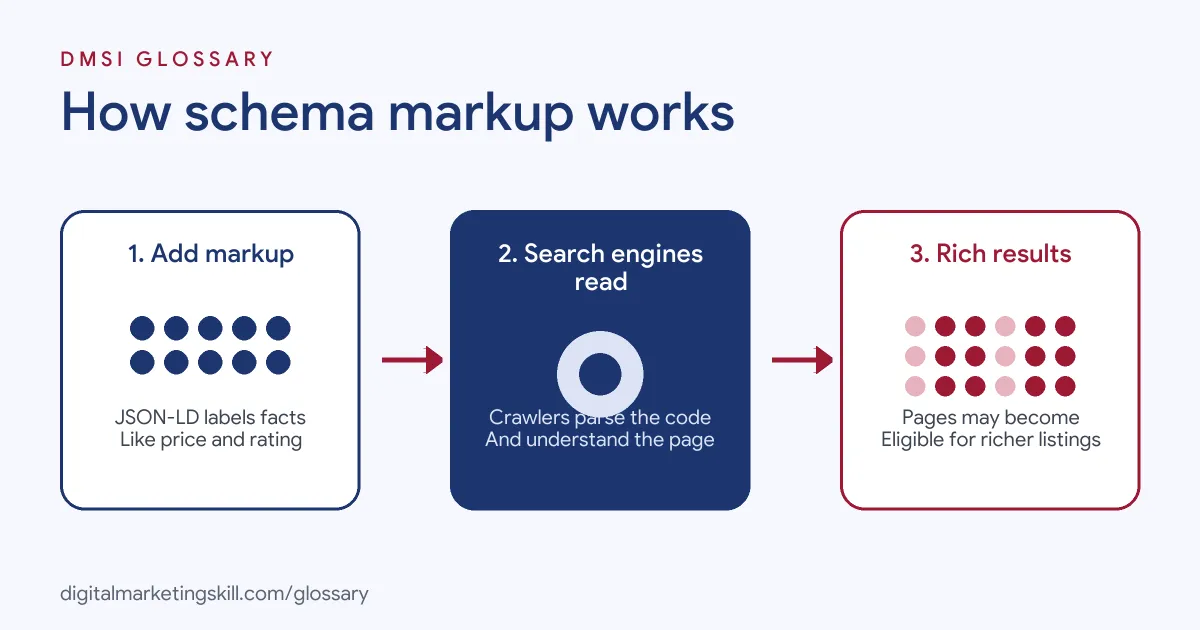
The process has three steps. First, you add markup to the page that describes its main content. Next, search engines crawl the page and read the markup. Then they may use those facts to show richer search features.
Schema Markup Formats
Google supports three formats:
- JSON-LD: a block of code, usually in the page head, kept separate from the visible HTML. Google says it recommends JSON-LD “if your site’s setup allows it.”
- Microdata: attributes added straight into your HTML tags. Schema.org’s guide shows the main ones: itemscope, itemtype and itemprop.
- RDFa: another set of HTML attributes that describe visible content.
Even so, Google says “all 3 formats are equally fine for Google, as long as the markup is valid and properly implemented.” Most teams choose JSON-LD because it’s easier to add and maintain.
What It Can Unlock
Valid markup can make a page eligible for rich results, such as review stars, product prices or event dates in search. Google’s own case studies show the effect. Rotten Tomatoes added structured data to 100,000 pages and measured a 25% higher click-through rate on those pages. Food Network converted 80% of its pages and saw a 35% increase in visits. Meanwhile, Nestlé found that pages shown as rich results had an 82% higher click-through rate than other pages.
These are one company’s results each, not promises. Still, they show why SEO teams care about markup.
Rules Google Applies
Google sets clear quality rules. Its guidelines say: “Don’t mark up content that is not visible to readers of the page.” They also say: “Don’t mark up irrelevant or misleading content, such as fake reviews.” If you break these rules, a page can lose its eligibility to appear as a rich result. And even with perfect markup, Google says it “does not guarantee that your structured data will show up in search results.”
Schema Markup Examples
Here are three made-up examples of how different sites use it:
- Example 1, online shop: A shop adds Product and Offer markup to each product page, with the name, image, price and stock status. As a result, its pages can show prices in search.
- Example 2, local café: A café adds LocalBusiness markup with its address, phone number and opening hours on its contact page.
- Example 3, events venue: A theatre adds Event markup to each show page, with the date, location and ticket link.
JSON-LD vs Microdata vs RDFa
Here is how the three formats compare:
| Format | Where it goes | Best for |
|---|---|---|
| JSON-LD | A separate script block, often in the head | Most sites; Google’s recommended format |
| Microdata | Attributes inside visible HTML tags | Older templates built around inline markup |
| RDFa | Attributes inside visible HTML tags | Sites that already use RDFa for other data |
In practice, most WordPress SEO plugins output JSON-LD for you. That’s one reason it has become the standard choice.
How to Add Schema Markup to a Page
- Pick the main type. Decide what the page is mainly about, such as a Product, Article or LocalBusiness.
- Check Google’s feature guide. Each rich result has its own required and recommended properties in Google’s Search Central documentation.
- Write the markup. Use JSON-LD, or let a trusted plugin generate it. Only include facts that appear on the page.
- Test it. Paste the URL or code into Google’s Rich Results Test. Then fix any errors and review warnings.
- Publish and request indexing. Use the URL Inspection tool in Search Console to ask Google to recrawl the page.
- Monitor the reports. Finally, check Search Console’s rich result reports for errors across the site.
A Simple JSON-LD Example
Here is a made-up, plain-language outline of what Product markup includes. First, the type is Product. Next, the name is “Oak Desk”, and an image field links to the main photo. Then an offer lists a price of 249, a currency of GBP and a stock status of in stock. On the page itself, a visitor should see that same name, photo and price.
Best Practices for Schema Markup
- Mark up the main content only. Describe what the page is truly about, not every small detail.
- Keep it in sync. If the price changes on the page, the markup must change too.
- Use the most specific type. For instance, a restaurant should use Restaurant rather than a broad type.
- Validate after every template change. A theme update can break markup across hundreds of pages.
- Don’t chase AI Overviews with it. Google says there is “no special schema.org structured data” needed to appear in its AI features.
Common Mistakes to Avoid
The most common mistake is marking up content that isn’t on the page, such as hidden reviews. Another is copying the same markup onto every page, so each one claims to be the homepage. Some sites also leave out required properties, which blocks rich results. Others forget to update prices or dates. Finally, many add markup once and never test it again.
Where You’ll Use Schema Markup at Work
Markup skills appear often in SEO job listings. For example, remote roles ask for:
- A “Working knowledge of schema markup and structured data for AEO” (Remote SEO Content Editor, AI Search and AEO).
- Someone to “Own structured data across Purple.com: Product, Offer, Review, FAQ, Organization, and LocalBusiness schema in JSON-LD. Write, validate, and audit it.” (Sr. Manager, AI Search Visibility).
- The ability to “Optimize metadata, schema markup, heading structures, internal links, and semantic relevance” (Senior SEO Specialist).
So if you want to work as an SEO Specialist, WordPress Developer or Website Manager, expect to write, test and audit structured data.
Learn It in the WordPress and SEO Track
You can practise adding markup in the AI-Powered WordPress and SEO Specialist track. There, you build a WordPress site or store and rank it with an SEO content plan. You also get unlimited 1-on-1 mentoring and a U.S. Project Internship from day one.
For tools that add markup for you, see our guide to WordPress SEO plugins and our on-page SEO checklist.
Frequently Asked Questions
What is schema markup in simple terms?
It is code that labels the facts on your page, such as a price or a date, so search engines can read them clearly.
Is schema markup a ranking factor?
Google presents it as a way to become eligible for rich results, not as a ranking boost. Even so, rich results may attract more clicks.
Which schema markup format should I use?
Google recommends JSON-LD where your site allows it. Still, it says all three formats work if the markup is valid.
How do I test my markup?
Use Google’s Rich Results Test, which Google calls an easy and useful tool for validating structured data. After launch, check the rich result reports in Search Console.
Do I need markup for AI Overviews?
No. Google says there’s no special structured data you need to add to appear in its AI features.
Sources: Google Search Central: Introduction to structured data; Google Search Central: General structured data guidelines; Schema.org: Getting started; Google Search Central: AI features and your website; remote job listings on Himalayas.