
A search terms report is a Google Ads report that shows the actual words people typed into Google before your ad appeared. It sits next to your keyword data, so you can see which real searches triggered your ads and how each one performed. It matters because it shows where your budget really goes, so you can add the searches that work and block the ones that waste money.
Key Takeaways
- A search term is what a person types. A keyword is what you, the advertiser, add to your account. The report links the two.
- You find it in Google Ads under Campaigns, then Insights and reports, then Search terms.
- Google leaves out some low-volume searches to protect privacy, so the report never shows every single search.
- The two main actions are adding good searches as keywords and adding bad ones as negative keywords.
- Checking it often is one of the simplest ways to cut wasted spend in a Search campaign.
What Is a Search Terms Report?
Google explains the difference with a simple example. A shopper types “red roses” into Google. That phrase is the search term. Meanwhile, a flower shop has added “roses” as a keyword. Because the two match, the shop’s ad may show on that results page.
The report collects these real searches for you. For each one, it shows numbers such as impressions, clicks and conversions. In other words, it turns a list of keywords you chose into a list of searches your customers actually made.
That difference matters more than many beginners expect. Broad and phrase match keywords can match many searches you never thought of. Some will be great, while others will have nothing to do with what you sell.
How the Search Terms Report Works
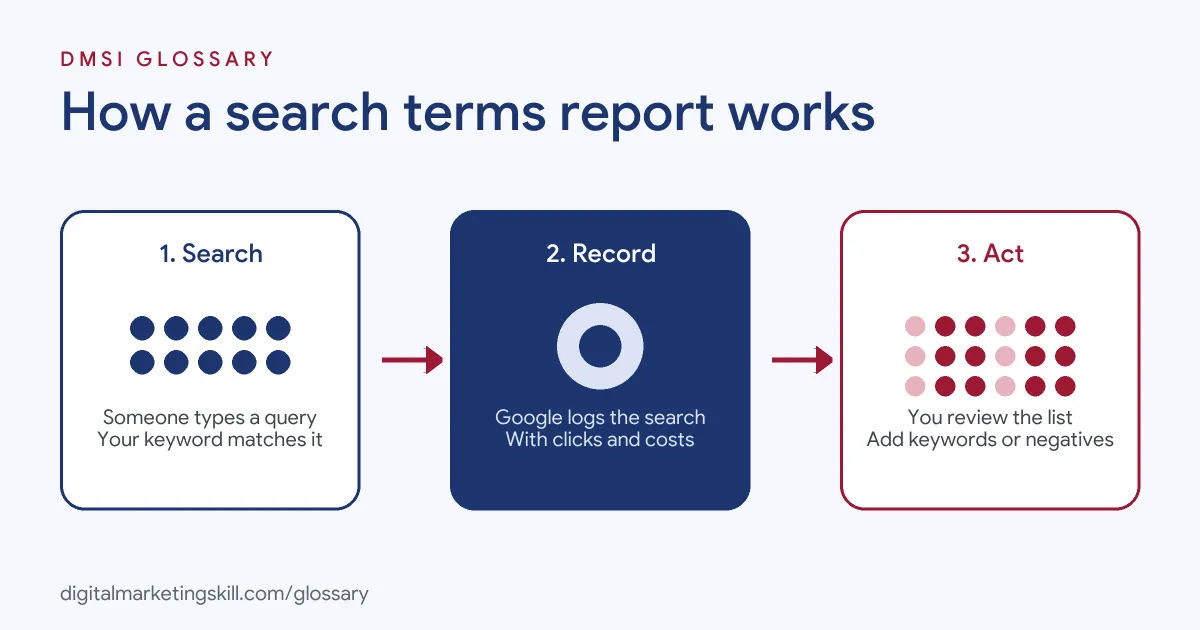
The process has three parts. First, a person searches and your keyword matches their search. Next, Google records that search with its results. Finally, you review the list and decide what to add, exclude or leave alone.
The Keyword Column
The Keyword column tells you which of your keywords matched each search. Google notes that this column doesn’t show by default. To turn it on, select the column icon, choose Attributes and tick Keyword.
This column is where the insight comes from. For example, Google describes a tulip seller whose broad match keyword “flowers” triggers ads for “red roses” and “purple orchids”. The seller doesn’t sell those flowers, so they refine the keyword list to focus on tulips.
The Match Type Column
The Match type column shows how closely each search relates to the keyword that triggered it. Close variants can include singular and plural forms, acronyms, stem words, abbreviations and accents.
However, the match type in the report might not equal the match type you set on the keyword. Google explains that keywords with broader match types can still match searches in narrower ways. So a broad match keyword can show up as an exact match for one search.
What the Report Leaves Out
The report shows searches “used by a significant number of people”. Google omits some search terms without enough query activity, in line with its data privacy standards. Search terms insights, a related view, groups these smaller searches into themes instead. As a result, totals in the two views may not match exactly.
Searches from Google’s search partners can also look a little odd. Google says these terms may appear longer than normal or be formatted differently, depending on the partner site. So don’t panic if you see a strange string there.
Search Terms Report Examples
These made-up examples show what a weekly review can find:
- Optician: The keyword “glasses” matches “wine glasses”. The optician adds “wine” as a negative keyword. This mirrors an example from Google’s own help page on negative keywords.
- Training provider: The search “free digital marketing course” gets clicks but no sign-ups. So the team adds “free” as a negative keyword for its paid course.
- Plumber: The search “emergency plumber near me” converts well. The plumber adds it as an exact match keyword with its own ad.
In each case, the report turns guesswork into a clear decision.
Search Terms vs Keywords vs Negative Keywords
These three ideas often get mixed up, so here is a quick comparison:
| Item | Who sets it | What it does |
|---|---|---|
| Search term | The person searching | The exact words typed into Google |
| Keyword | The advertiser | Tells Google which searches your ad may match |
| Negative keyword | The advertiser | Stops your ad from showing for chosen searches |
Put simply, keywords cast the net, search terms show what you caught, and negatives throw back what you don’t want.
How to Use a Search Terms Report
Follow these steps once a week for active Search campaigns:
- In Google Ads, select Campaigns, then go to Insights and reports and choose Search terms.
- Set a date range with enough data, such as the last 30 days.
- Turn on the Keyword and Match type columns, so you can see why each search matched.
- Sort by cost. Then look for searches with spend but no conversions.
- Add irrelevant searches as negative keywords at the campaign, ad group or account level.
- Add strong searches as keywords, often as exact or phrase match.
- Use the Download button if you want to share the data or work on it in a spreadsheet.
Note that Google says you can’t add keywords or negatives directly when you open this data through the Report editor. So make those changes from the Search terms page itself.
A Worked Example
Here is a made-up example to show the maths. Say a campaign spent £600 last month. When you sort the report by cost, you find 40 searches with spend but no conversions. Together, they cost £150. That means a quarter of the budget went on searches that never turned into a sale. Next, you add the clearly irrelevant ones as negatives. The money they used can now go to searches that do convert.
Best Practices for a Search Terms Report
- Review on a schedule. New searches appear all the time, especially with broad match.
- Add plural and synonym negatives. Google says negative keywords don’t match close variants, so you need to add singular and plural forms yourself.
- Use an account-level list. Google lets you build one negative list that applies across eligible Search and Shopping inventory.
- Read searches for ad ideas. Google notes the report can also give you ideas for ad copy and landing pages.
- Judge on conversions, not clicks. A search with many clicks and no sales is still wasting money.
Common Mistakes to Avoid
Many beginners make the same errors. First, they never open the search terms report, so waste builds up for months. Second, they add negatives that are too broad, such as a single word that blocks good searches too. Third, they forget that negatives don’t cover plurals or synonyms. Finally, they judge a search after only a handful of clicks. Give each search enough data before you act on it.
Where You’ll Use a Search Terms Report at Work
Search term reviews are a routine part of paid search roles. For example, remote job listings ask candidates to:
- “Manage keyword structures, search terms and negatives” (Google Ads Specialist, PPC / Search).
- Work on “Analysing search terms, auction insights and conversion paths across multiple accounts” (Google Ads Specialist, Advanced Tracking and AI Automation).
So if you want to work as a Google Ads Specialist or PPC Specialist, employers will expect you to read this report, act on it and explain your changes. They will also want proof, such as a campaign where you cut wasted spend.
Learn It in the Google Ads Track
You can learn to use a search terms report in the AI-Powered Google Specialist track. There, you launch and measure a Google Ads campaign with conversion tracking, so you can show real decisions backed by data. You also work on a U.S. Project Internship from day one, with unlimited 1-on-1 mentoring.
For more ways to improve an account, read our guide to Google Ads optimisation. You can also see how keyword match types decide which searches your ads can match.
Frequently Asked Questions
What is a search terms report in simple terms?
It is a list of the real searches that made your Google ad appear, with results for each one. It shows you what people typed, not just the keywords you chose.
Where do I find the search terms report?
In Google Ads, select Campaigns, then open Insights and reports and choose Search terms.
Why are some searches missing?
Google leaves out searches with too little activity to protect privacy. Search terms insights groups some of these into themes instead.
How often should I check search terms?
Weekly is a common habit for active campaigns. Accounts that spend a lot or use broad match may need checks more often.
Is a search term the same as a keyword?
No. A search term is what a person types. A keyword is what an advertiser adds to target those searches.
Sources: Google Ads Help: About the search terms report; Google Ads Help: About negative keywords; remote job listings on Himalayas.