
A nofollow link is a hyperlink with the attribute rel=”nofollow” added to its HTML, which tells search engines you don’t want to vouch for the page it points to. Readers can still click it as normal, but Google treats the tag as a hint about how to handle the link. It matters because the right tag keeps paid and untrusted links from looking like an attempt to game search rankings.
Key Takeaways
- You add nofollow inside the link’s HTML. Nothing changes for the person who clicks it.
- Google offers three values: sponsored for paid links, ugc for user content, and nofollow for everything else you don’t want to endorse.
- Google now treats all three values as hints, not strict commands.
- Buying or selling links that pass ranking value breaks Google’s spam policies. Tagging paid links is how you stay safe.
- Nofollow is not a way to keep a page out of search results. Google points to stronger methods for that.
What Is a Nofollow Link?
Most links on the web act like a quiet vote. When one site links to another, search engines read it as a sign that the target page is useful. A nofollow link removes that vote, or at least asks Google not to count it.
Here is what the code looks like. A normal link reads <a href="https://example.com">. A tagged one reads <a href="https://example.com" rel="nofollow">. The only difference is the rel attribute, short for “relationship”.
For example, a travel blogger might link to a hotel that paid for a review. The link is fine for readers. However, the blogger should tag it so Google knows the link was paid for and not a free editorial choice.
How a Nofollow Link Works
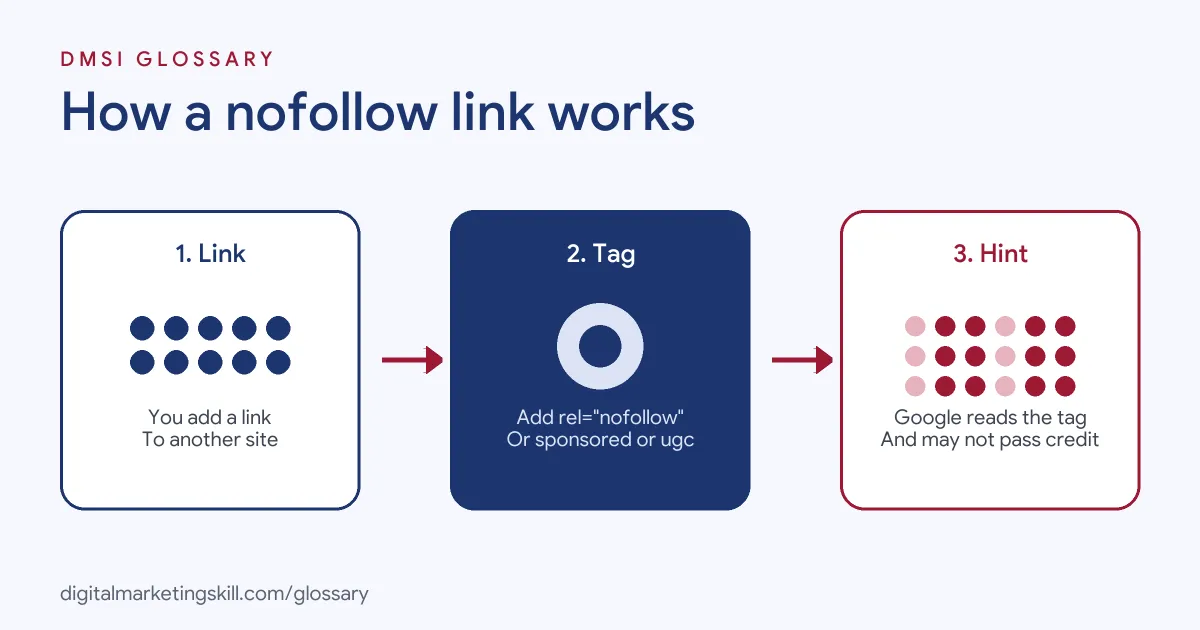
When Google crawls a page, it reads each link and any rel values on it. It then uses those values, along with other signals, to decide how much weight the link should carry. In short, the tag is a message from you to the search engine.
The Three Rel Values
Google Search Central lists three values you can use on outbound links:
- rel=”sponsored”: for “advertisements or paid placements (commonly called paid links)”.
- UGC (rel=”ugc”): for user-generated content, “such as comments and forum posts”.
- rel=”nofollow”: for cases “when other values don’t apply, and you’d rather Google not associate your site with, or crawl the linked page from, your site.”
You can also combine them. Google says you may list multiple values, separated by a space or a comma, such as rel=”nofollow sponsored”.
Why the Nofollow Link Is a Hint
Google once ignored these links completely for ranking. That changed. In its own announcement, Google said that sponsored, ugc and nofollow “are treated as hints about which links to consider or exclude within Search.” It also made nofollow a hint for crawling and indexing.
Why the change? Google explained that links hold useful information, such as how the words in a link describe the page it points to. So it now uses the tag as one signal among many, rather than a hard block.
Paid Links and Google’s Spam Rules
Google’s spam policies describe link spam as “creating links to or from a site primarily for the purpose of manipulating search rankings.” Examples include exchanging money, goods or services for links. They also include sending someone a product so they write about it and link back.
That’s why the tag matters. Google says nofollow “is still an acceptable way to flag” paid links, though it prefers sponsored. Either way, you show that the link was not an editorial vote.
Nofollow Link Examples
Here are three common cases you will meet on real sites. The brands are made-up examples:
- Sponsored post: A food blog publishes a paid recipe feature for a sauce brand. Every link to the brand gets rel=”sponsored”, or rel=”nofollow” as a fallback.
- Blog comments: A software company lets readers post links in comments. It marks those links with rel=”ugc” because it can’t vouch for them.
- Untrusted source: A news site links to a page it is criticising. The editor adds nofollow so the site doesn’t appear to endorse it.
In each case, the reader still gets a working link. Only the signal to search engines changes.
Nofollow vs Sponsored vs UGC vs Followed Links
This table sums up when to use each option, based on Google’s guidance:
| Link type | Code | Use it for |
|---|---|---|
| Followed (normal) | No rel value | Editorial links you trust and choose freely |
| Sponsored | rel=”sponsored” | Ads, paid placements and affiliate deals |
| UGC | rel=”ugc” | Comments, forum posts and other user content |
| Nofollow | rel=”nofollow” | Links you don’t want to endorse when the others don’t fit |
Google also notes that site owners may drop the ugc tag for trusted members who have “consistently made high-quality contributions over time.”
How to Add a Nofollow Link
You don’t need to be a developer to do this. Follow these steps on most sites:
- Decide why you are linking. Is it paid, user content or simply a page you don’t trust?
- Pick the value that fits. Use sponsored for paid links and ugc for user content.
- Open the link in your editor. In WordPress, you can switch the block to HTML view.
- Add the rel attribute inside the opening <a> tag, for example rel=”sponsored”.
- Save, then view the page source to check the tag is there.
- Audit old posts. Search your site for past sponsored content and tag any links you missed.
Best Practices for Using Nofollow
- Tag every paid link. This includes gifts and free products given in return for a link, not just cash deals.
- Prefer the precise value. Google prefers sponsored for paid links, even though nofollow still works.
- Keep editorial links followed. If you trust a source and chose it freely, there is no need to tag it.
- Write clear anchor text. Readers still need to know where the link goes.
- Use the right tool for indexing. To keep a page out of Google, use a noindex rule or a password, not nofollow.
Common Mistakes With a Nofollow Link
A few errors come up again and again. First, people tag every outbound link on a site. That sends a strange signal and gives readers nothing. Second, they forget to tag paid guest posts and gifted reviews. Third, they rely on nofollow to hide a page from search. Google warns that this “was never recommended” and points to stronger options. Finally, some teams tag their own internal links. For pages on your own site that you don’t want crawled, Google suggests a robots.txt disallow rule instead.
Where You’ll Use Nofollow Links at Work
Job listings rarely name the attribute itself. Even so, link-building roles depend on knowing which links count and which ones break the rules. For example, recent remote listings ask for:
- A “Proven ability to acquire high-quality organic backlinks through guest posts, link insertions, etc.” (SEO Specialist).
- “a proven track record of acquiring high-authority backlinks through outreach and relationship-building rather than automated tools or paid placements” (SEO Specialist).
- Someone to “Get high-quality links and mentions from trusted financial websites, news outlets, and blogs to build our domain authority” (Global SEO Manager).
So if you want to work as an SEO Specialist or Website Manager, you will need to spot paid links, tag them correctly and explain your choices to clients.
Learn It in the WordPress and SEO Track
You can learn to manage links on a live site in the AI-Powered WordPress and SEO Specialist track. It covers WordPress website and eCommerce development, search engine optimisation and content marketing. Your portfolio project is a WordPress site or store that you build and rank with an SEO content plan. You also get unlimited 1-on-1 mentoring and a U.S. Project Internship from day one.
Next, read our guide to quality backlinks and our list of link-building strategies. You may also like our glossary entry on backlinks.
Frequently Asked Questions
Does a nofollow link help SEO?
It may not pass ranking credit, since Google treats the tag as a hint to exclude it. However, it can still send real visitors, and Google may use it to understand the web.
What is the difference between nofollow and sponsored?
Sponsored is for paid links and ads. Nofollow is a general tag for links you don’t want to endorse. Google accepts nofollow on paid links but prefers sponsored.
Can I use nofollow to stop a page being indexed?
No. Google says relying on nofollow to block indexing was never recommended. Use a noindex rule or password protection instead.
Should all outbound links be nofollow?
No. Tag paid, user-generated and untrusted links. Leave editorial links you trust as normal links.
Can I combine rel values?
Yes. Google lets you list several values separated by a space or comma, such as rel=”nofollow ugc”.
Sources: Google Search Central: Qualify your outbound links; Google Search Central Blog: Evolving nofollow; Google Search Central: Spam policies; remote job listings on Himalayas.