
Crawling is the process search engines use to discover pages on the web, where automated programs called crawlers visit URLs and download what they find. Google’s crawler is called Googlebot, and it follows links and sitemaps to find new and updated pages. It matters because a page that is never crawled can never be indexed or shown in search results.
Key Takeaways
- Google Search works in three stages: crawling, indexing and serving results. Not every page makes it through each stage.
- Crawlers find new pages mainly by following links from pages they already know, and from sitemaps you submit.
- A robots.txt file controls which URLs a crawler can access. However, it is not a way to keep a page out of Google.
- Google renders pages with a recent version of Chrome, so it can usually see content that JavaScript adds.
- Server errors and slow responses make Google crawl less. A fast, stable site gets crawled more easily.
What Is Crawling?
Think of the web as a huge library with no central catalogue. Google explains that “there isn’t a central registry of all web pages,” so it must keep looking for new and updated pages. That search is what crawling means.
Google describes it simply: “Once Google discovers a page’s URL, it may visit (or ‘crawl’) the page to find out what’s on it.” The program that does the fetching is Googlebot, which Google says is “also known as a crawler, robot, bot, or spider.” Other search engines, such as Bing, run their own crawlers in the same way.
Crawling is the first job in technical SEO. In other words, if Google cannot reach a page, nothing else you do for that page will help it rank.
How Crawling Works
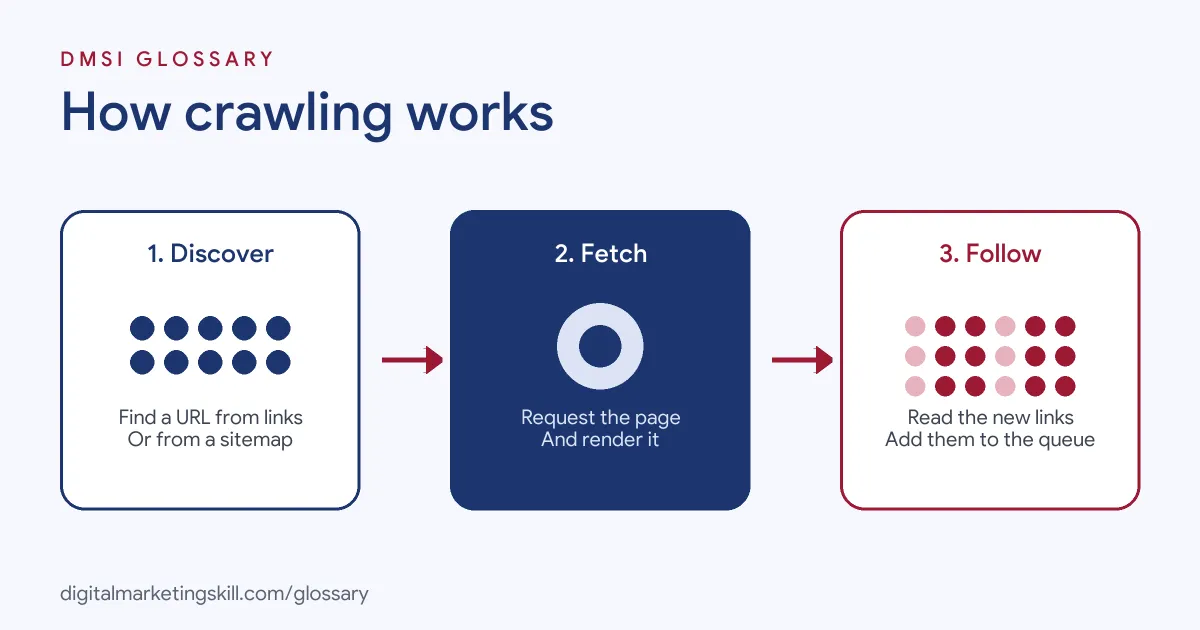
Crawling follows a simple loop. First, the crawler finds a URL. Next, it requests the page from your server and downloads it. Then it reads the page, renders it, and adds any new links it finds to its list of URLs to visit.
How Crawlers Discover URLs
Most pages are found through links. Google explains that crawlers “crawl the web by accessing URLs found in previously crawled pages.” For example, a new blog post becomes discoverable when your blog’s home page links to it.
You can also hand Google a list of URLs in a sitemap. Google’s documentation says a sitemap is most useful when your site is large, new with few external links, or rich in videos, images or news. Even so, a sitemap does not guarantee that every URL in it will be crawled.
Crawl Rate and Server Health
Google decides which sites to crawl, how often, and how many pages to fetch. It also tries not to overload your server. According to Google, “for most sites, Googlebot shouldn’t access your site more than once every few seconds on average.”
Your server’s responses steer this process. For instance, Google notes that HTTP 500 errors mean “slow down.” Similarly, its crawl budget guide says slow response times, 5xx errors and HTTP 429 rate-limit signals all make Google crawl less. Meanwhile, a site that responds quickly and reliably can be crawled with more connections.
Rendering and File Limits
During the crawl, Google “renders the page and runs any JavaScript it finds using a recent version of Chrome.” This matters because many sites load content with JavaScript, and without rendering Google might miss it.
There are size limits, too. Google’s Googlebot page says that, for Google Search, it crawls “the first 2MB of a supported file type, and the first 64MB of a PDF file.” So keep important content near the top of very long pages.
Crawling Examples
Here are three everyday situations where crawling decides what happens next:
- New blog post: You publish an article and link to it from your blog’s home page and a related post. As a result, Googlebot finds it the next time it visits those pages.
- Online shop filters: An example store creates a new URL for every colour, size and price filter. Google’s crawl budget guide warns that duplicate URLs like these waste crawling time, so the store blocks the filter URLs in robots.txt.
- Login-only content: A members’ area sits behind a login. Google notes that some pages “may not be accessible without logging in to the site,” so that content will not appear in search.
Crawling vs Indexing vs Ranking
These three words are often mixed up. However, they are separate stages, and a page can pass one and fail the next:
| Stage | What happens | What you control |
|---|---|---|
| Crawling | Google downloads text, images and videos from pages it has found | Links, sitemaps, robots.txt, server speed |
| Indexing | Google analyses the page and may store it in its index | Content quality, noindex rules, canonical tags |
| Serving (ranking) | Google returns the most relevant indexed pages for a search | Relevance, quality and usability of the page |
In short, crawling gets Google to the page, indexing gets the page into Google’s database, and ranking decides who sees it. Google also stresses that it “doesn’t accept payment to rank pages higher.”
How to Check and Improve Crawling on Your Site
You do not need special software to start. Google Search Console covers the basics. Follow these steps:
- Verify your site in Search Console. This gives you Google’s own data about your pages.
- Inspect a key URL. The URL Inspection tool shows Google’s indexed version of a page, and its live test checks whether the page might be indexable.
- Check your robots.txt file. Make sure you are not blocking pages, CSS or JavaScript that Google needs.
- Submit a sitemap. Google says a single sitemap is limited to 50MB uncompressed or 50,000 URLs, so split larger lists into several files.
- Link to every important page. Use clear internal linking, so no page is left without a link pointing to it.
- Fix errors and speed up the server. After that, watch the Crawl Stats report in Search Console for changes.
Best Practices for Crawling
A few habits keep crawlers moving through your site with less waste:
- Use real links. Crawlers follow standard links, so avoid hiding important pages behind buttons or search boxes only.
- Keep one URL per piece of content. Consolidate duplicates, so Google spends its time on unique pages.
- Return honest status codes. Google’s guide says a 404 status code “is a strong signal not to crawl that URL again.” By contrast, soft 404 pages keep getting crawled.
- Avoid long redirect chains. Google says they have a negative effect on crawling.
- Support caching. Returning a 304 (Not Modified) code tells Google to reuse its cached copy of an unchanged page.
Common Crawling Mistakes
Beginners often trip over the same issues. First, they use robots.txt to hide a page from search. Google warns this “is not a mechanism for keeping a web page out of Google,” and a blocked URL can still appear without a description. Second, they block a page in robots.txt and also add noindex. In that case, Google can never see the noindex rule. Third, they forget that a site launched with “discourage search engines” still switched on will stay hidden. Finally, they assume a sitemap alone is enough, when strong internal links matter just as much.
Where You’ll Use Crawling at Work
Crawl checks are a routine part of SEO roles. For example, remote job listings ask candidates to:
- “Identify and resolve technical SEO issues, such as crawl errors, broken links, and sitemap submissions” (SEO Specialist).
- “Make sure websites load fast, work perfectly on mobile, and are easy for search engines to crawl” (Global SEO Manager).
- “Run technical SEO audits, maintain a prioritized fix list, improve site architecture, crawlability, indexation, page speed, and Core Web Vitals” (Senior SEO Specialist).
So if you want to work as an SEO Specialist, WordPress Developer or Website Manager, employers will expect you to read crawl reports, spot blocked pages and fix the cause. They will also want to see a site you have improved.
Learn It in the WordPress and SEO Track
You can learn how crawling works, and how to fix crawl problems, in the AI-Powered WordPress and SEO Specialist track. There, you build a WordPress site or store and rank it with an SEO content plan, so you can show real work to an employer. You also join a U.S. Project Internship from day one, with unlimited 1-on-1 mentoring.
Want a practical list to work through? Our on-page SEO checklist covers the page-level fixes that sit alongside crawl health.
Frequently Asked Questions
What is crawling in SEO?
It is how search engines find pages. A crawler, such as Googlebot, visits a URL, downloads the page and follows its links to find more pages.
Is crawling the same as indexing?
No. Crawling is the visit, while indexing is when Google analyses the page and may store it. A page can be crawled and still not be indexed.
How do I get Google to crawl my site?
Link to new pages from pages Google already knows, submit a sitemap in Search Console, and use the URL Inspection tool to request indexing for key URLs.
Can I stop Google from crawling a page?
Yes. A robots.txt rule can block crawling. However, to keep a page out of search results, Google recommends a noindex rule or password protection instead.
Can I pay Google to crawl my site more often?
No. Google states that it does not accept payment for crawling, and ranking is done programmatically.
Sources: Google Search Central: In-depth guide to how Google Search works; Google Search Central: Googlebot; Google Search Central: Introduction to robots.txt; Google Search Central: Crawl budget management for large sites; Google Search Central: Build and submit a sitemap; remote job listings on Himalayas.