
Keyword cannibalisation happens when two or more pages on the same website target the same or very similar search, so they compete with each other in Google. Instead of one strong page, you end up with several weaker ones. It matters because it can split your links and clicks, confuse search engines and keep your best page from ranking as well as it should.
Key Takeaways
- It means several of your own pages chase the same keyword and the same search intent.
- Yoast notes that Google often limits how many results it shows from one site per query, so your pages can crowd each other out.
- You can spot it with a site: search and the Performance report in Google Search Console.
- The usual fix is to merge the pages into one stronger page and redirect the old URL.
- A canonical tag only suits cases where the overlap is small and both pages still serve a purpose.
What Is Keyword Cannibalisation?
Yoast defines it simply: it “happens when multiple pages on your website target the same or very similar keywords.” The name comes from the idea that your pages eat into each other’s results.
For example, a garden centre might publish “How to Plant Tulips”, then later write “Tulip Planting Guide” and “When to Plant Tulip Bulbs.” All three answer the same question. As a result, Google has to choose between them, and none of them may rank as well as one complete guide would.
Not every overlap is a problem, though. Two pages can share a word but serve different needs. For instance, “tulip bulbs for sale” is a shopping search, while “how to plant tulips” is a how-to search. Those pages should stay separate.
How Keyword Cannibalisation Works
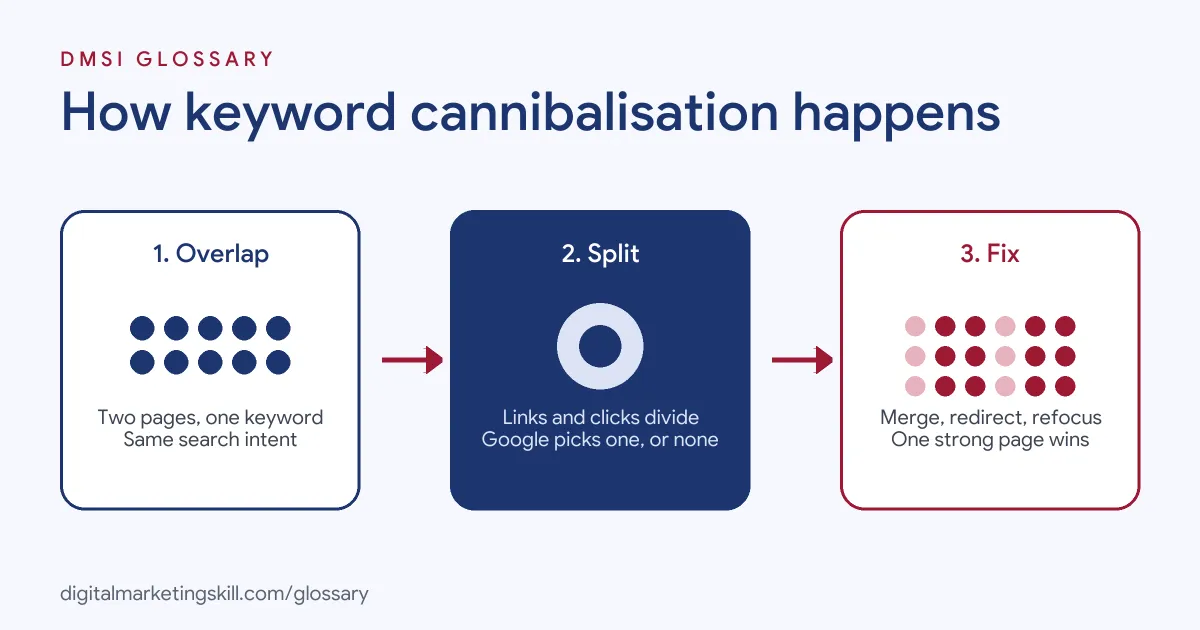
The problem builds in three steps. First, two pages target the same keyword and intent. Next, links, clicks and signals split between them. Finally, Google picks one, swaps between them or ranks both lower.
Split Signals
Every page earns its own backlinks and internal links. When two pages cover the same topic, those links divide between them. Yoast points out that backlinks then spread across weaker pages, instead of building up one strong page.
Confused Rankings
Search engines may also struggle to decide which page to show. So you might see the ranking URL change from week to week. Meanwhile, Yoast adds that clicks can spread across similar listings, which may lower your click-through rate.
How Google Chooses a Preferred Page
Google Search Central explains how to tell Google which version you prefer when pages are duplicates or very similar. It calls redirects and rel=”canonical” tags strong signals, while a sitemap is only a weak signal. Google adds that this helps it combine signals, such as links, into “a single, preferred URL.” If you don’t give a preference, Google picks the version it thinks is best.
Keyword Cannibalisation Examples
Here are three common cases:
- Blog posts on one topic: A marketing blog has three posts on “email subject lines” written over time. In the end, it merges them into one guide and redirects the two older URLs.
- Product and category pages: An online shop’s category page and a single product page both target “running shoes.” The shop refocuses the product page on the exact model name instead.
- Service pages: A local plumber has both “Emergency Plumber” and “24-Hour Plumber” pages with almost the same text. So the plumber combines them into one page and links to it from the menu.
In each case, the fix gives Google one clear page for one search.
Ways to Fix Keyword Cannibalisation
The right fix depends on how much the pages overlap:
| Fix | What you do | When to use it |
|---|---|---|
| Merge and redirect | Combine the best parts into one page, then 301 redirect the old URL to it | Pages answer the same question |
| Refocus | Rewrite one page to target a different keyword or intent | Both pages are useful but too similar |
| Canonical tag | Point the weaker page to the preferred one with rel=”canonical” | Overlap is small and both pages still serve a purpose |
| Internal links | Link related pages to the main page with clear anchor text | Alongside any of the fixes above |
Yoast warns that “adding a canonical tag isn’t always the right fix.” In most cases, a merge gives the clearest result.
How to Find and Fix Keyword Cannibalisation
Follow these steps to check your own site:
- List your main keywords. Start with the searches that matter most to your business.
- Run a site: search. Type
site:yourdomain.com "keyword"into Google to see which of your pages target the term. - Check Search Console. In the Performance report, filter by query, then open the Pages tab. If several URLs get impressions for one query, look closer.
- Compare intent. Decide whether the pages answer the same need or different ones.
- Choose the main page. Pick the one with the best content, links and results.
- Merge or refocus. Move the useful parts into the main page, or retarget the other page.
- Redirect old URLs. Yoast advises 301 redirects from deleted pages to the updated one.
- Update internal links. Point links at the main page, then track rankings over the next few weeks.
Check the Result
A fix for keyword cannibalisation takes time to show. Google has to recrawl the pages and follow the redirects first. So come back to Search Console after a few weeks and check three things. First, does one URL now get most of the impressions for the query? Second, has its average position improved? Third, has its click-through rate gone up? If two URLs still share the query, look for internal links or old sitemap entries that still point at the page you retired.
Best Practices to Prevent It
- Keep a keyword map. Give each page one main keyword, and check the map before you write.
- Update, don’t duplicate. When a topic needs fresh content, improve the existing page instead of writing a new one.
- Plan by intent. Group keywords by what the searcher wants, not just by the words they use.
- Audit regularly. Review Search Console every few months for queries with more than one ranking page.
- Link with purpose. Use consistent anchor text that points to the main page for each topic.
Common Mistakes to Avoid
People often handle keyword cannibalisation the wrong way. First, they delete a page without a redirect, so its links and visitors hit an error page. Second, they treat any shared word as cannibalisation, even when the intent is different. Third, they add canonical tags everywhere instead of merging pages. Finally, they keep writing new posts on old topics, which recreates the problem a few months later.
Where You’ll Deal With Keyword Cannibalisation at Work
Job listings rarely name this term directly. However, SEO job listings regularly ask for content audits and skill with Google Search Console, and this is one of the main issues those audits uncover.
So as an SEO Specialist or Website Manager, you may be asked to audit a site, find pages that compete and plan merges and redirects. On a WordPress site, you may also set up those redirects yourself.
Learn It in the WordPress and SEO Track
You can learn to find and fix keyword cannibalisation in the AI-Powered WordPress and SEO Specialist track. There, you build a WordPress site or store and rank it with an SEO content plan, which is where a clear keyword map starts. You also work on a U.S. Project Internship from day one, with unlimited 1-on-1 mentoring.
Want to plan pages that don’t compete? Read our guide to keyword strategy, then see where to place terms with keyword placement.
Frequently Asked Questions
What is keyword cannibalisation in simple terms?
It is when your own pages compete for the same search. Instead of one strong result, you get several weak ones, and Google may not rank any of them well.
Is keyword cannibalisation always bad?
No. If two pages target the same word but serve different needs, such as buying and learning, they can both rank. It is a problem when they answer the same question.
How do I check for it?
Search Google for site:yourdomain.com plus the keyword. Then check the Performance report in Search Console to see if several pages get impressions for one query.
Should I use a canonical tag or a redirect?
Use a 301 redirect when you merge pages. Yoast suggests a canonical tag only when the overlap is small and both pages still need to exist.
Is it the same as duplicate content?
Not quite. Duplicate content means pages with the same or very similar text. Cannibalisation can also happen between different pages that simply target the same search.
Sources: Yoast: Keyword and content cannibalisation; Google Search Central: Consolidate duplicate URLs; Search Console Help: Performance report; SEO job listings on Himalayas.