
A hard bounce is an email that cannot be delivered for a permanent reason, such as an address that does not exist or a server that has blocked delivery for good. Sending again will not fix it, so the address should come off your list. It matters because repeated hard bounces damage your sender reputation, which can push your other emails into spam.
Key Takeaways
- Mailchimp defines it as “a permanent reason an email can’t be delivered.”
- Mail servers use status codes starting with 5 for permanent failures, and codes starting with 4 for temporary ones.
- Most email platforms remove hard-bounced addresses automatically.
- Repeated soft bounces can turn into a hard bounce. Mailchimp converts them after 7 or 15 soft bounces, depending on past activity.
- Double opt-in and regular list cleaning are the best ways to prevent them.
What Is a Hard Bounce?
When you send an email, the receiving server either accepts it or sends back an error. If the error is permanent, that is a hard bounce. Mailchimp lists two common causes: the address doesn’t exist, or the “recipient email server has permanently blocked delivery.”
For example, someone might sign up with a typo, such as “[email protected].” Every email to that address will fail, because the mailbox is not real. No amount of waiting will change that.
A hard bounce is different from an unsubscribe or a spam complaint. Those are choices a reader makes. By contrast, a bounce means the email never reached anyone at all. It also differs from a soft bounce, which is a temporary problem such as a full inbox.
How a Hard Bounce Works
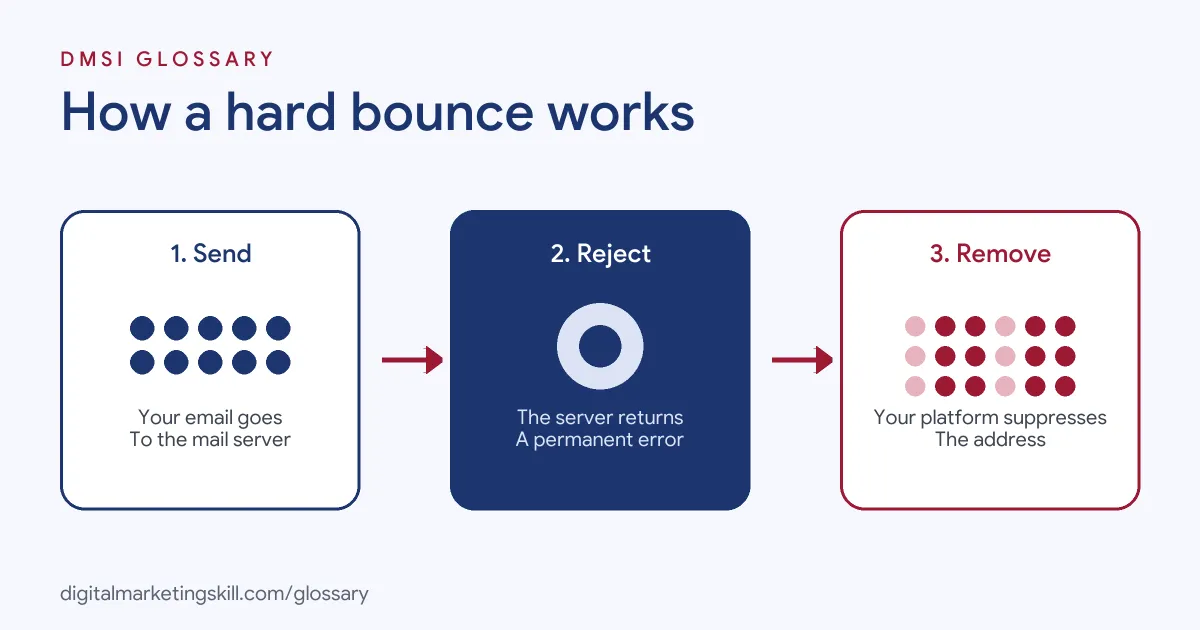
The process happens in seconds. First, your email platform sends the message to the recipient’s mail server. Next, the server rejects it and returns an error code. Finally, your platform reads the code, records a hard bounce and stops sending to that address.
Status Codes
Email servers explain failures with standard codes, set out in RFC 3463. Codes that begin with 5 mean a “Permanent Failure,” which the standard describes as one “not likely to be resolved by resending the message in the current form.” Codes that begin with 4 mean a “Persistent Transient Failure,” where “sending in the future may be successful.” In simple terms, 5 means hard and 4 means soft.
What Platforms Do
Most tools act on hard bounces for you. Mailchimp says hard-bounced addresses are typically removed from your audience automatically and immediately, and excluded from all future sends. Similarly, Google’s sender guidelines tell bulk senders to “automatically unsubscribe recipients who have multiple bounced messages.”
When Soft Becomes Hard
A soft bounce can become a hard one. Mailchimp converts a repeatedly soft-bouncing address into a hard bounce after 7 soft bounces for contacts with no subscriber activity, or after 15 for contacts with past activity. As a result, a mailbox that stays full or inactive for a long time is eventually removed.
Hard Bounce Examples
Here are three made-up situations that lead to hard bounces:
- Typo at sign-up: A visitor types “@hotmial.com” instead of “@hotmail.com.” The first welcome email bounces, and the platform removes the address.
- Former employee: A B2B contact leaves their company, and their work mailbox is closed. Every email after that bounces permanently.
- Old list: A business imports a list it has not used for a long time. As a result, a large share of addresses bounce on the first send, which harms its reputation.
How to Measure Bounces
Most platforms show bounces as a rate. Infobip’s email metrics reference gives the formula as “(Bounced / Total Sent) × 100,” and counts both soft and permanent failures in the total. Many tools also split the figure into permanent and temporary failures, so you can see each one.
Here is a made-up example. A shop sends 5,000 emails, and 60 of them bounce. That gives a bounce rate of 1.2%. If 50 of those 60 are permanent failures, most of the problem comes from bad addresses, not busy servers. So the fix is to clean the list and check the sign-up form, rather than wait and resend.
It also helps to look at bounces by source. For instance, compare addresses from your website form with those from an event or a partner list. If one source bounces far more than the others, you know exactly where to look. Over time, this kind of check keeps your list accurate and protects your reputation with inbox providers.
Hard Bounce vs Soft Bounce
This table shows how the two types differ:
| Feature | Hard bounce | Soft bounce |
|---|---|---|
| Cause | Permanent, such as an address that does not exist | Temporary, such as a full mailbox or a server that is down |
| Status code class | 5.X.X (Permanent Failure) | 4.X.X (Persistent Transient Failure) |
| Will a retry work? | No | Possibly, later |
| What Mailchimp does | Removes the address automatically | Converts it to a hard bounce after 7 or 15 soft bounces |
How to Reduce Hard Bounces
Follow these steps to keep your list clean:
- Use double opt-in. Yahoo suggests you “reduce the number of invalid recipients by using double/confirm opt-in.”
- Check sign-up forms. Add a confirmation field or a simple typo warning for common domains.
- Never buy lists. Purchased lists may contain old or fake addresses, and the people on them never agreed to hear from you.
- Re-confirm old contacts. Send a short check-in email before you mail a list you have not used for a long time.
- Remove bounces promptly. Yahoo also advises you to “remove invalid recipients from your list promptly.”
- Watch bounce rates per send. A sudden rise often points to one bad import or form.
- Sync your CRM. Finally, make sure suppressed addresses are not re-added from other systems.
Best Practices for Handling a Hard Bounce
- Let your platform suppress it. Do not try to re-send to a hard-bounced address.
- Keep a suppression list. This stops removed addresses from returning through imports.
- Monitor hard and soft bounces together. Yahoo recommends watching both, as well as inactive recipients.
- Build consent properly. A clean double opt-in process confirms that every address is real.
- Track list health as a team. Report bounces alongside the unsubscribe rate and spam complaints.
Common Hard Bounce Mistakes
Some errors cause repeat problems. First, teams re-upload old lists that include addresses already removed. Second, they buy or rent lists, which may be full of dead addresses. Third, they ignore a spike in bounces after a new form goes live. Finally, they assume a bounce is the reader’s fault, when the real issue is usually how the list was built or kept up to date. Each of these hurts your reputation with mailbox providers.
Where You’ll Handle a Hard Bounce at Work
Bounce management is a standard part of email and CRM roles. For example, recent remote job listings ask candidates to:
- “Maintain list hygiene, including managing unsubscribes, bounces, and deliverability” (Email Marketing Specialist).
- “Monitor email deliverability, bounce rates, spam complaints, engagement, and sender reputation” (HubSpot Email Marketing Specialist).
- Meet a target described as “Global Hard Bounce Rate: Kept consistently below 2.0%” (Senior Systems Engineer, Email Deliverability and Infrastructure).
So as an Email Marketing Specialist or Marketing Automation Specialist, you will spot bounce spikes, find the cause and keep the list healthy. In many teams, you will also explain bounce trends in monthly reports and suggest changes to forms or imports.
Learn It in the Lead Generation and Email Track
You can learn to build and protect a healthy list in the AI-Powered Lead Generation and Email Automation track. There, you build a lead magnet and an automated email sequence that converts, so you can show real results. You also join a U.S. Project Internship from day one, with unlimited 1-on-1 mentoring.
To understand how bounces affect inbox placement, read our guide to email deliverability.
Frequently Asked Questions
What is a hard bounce in simple terms?
It is an email that failed for a permanent reason, such as a fake or closed address. Trying again will not help.
What causes a hard bounce?
The most common causes are addresses that do not exist and servers that have permanently blocked delivery, often after typos or job changes.
What is the difference between a hard and soft bounce?
A hard bounce is permanent, so the address should be removed. A soft bounce is temporary, such as a full inbox, and a later send may work.
Should I delete hard-bounced contacts?
Your platform should suppress them automatically. Keep them on a suppression list, so they are not added back by mistake.
Do hard bounces hurt deliverability?
Yes. Many bounces suggest a poor-quality list, which can damage your sender reputation and lead more of your emails to land in spam.
Sources: Mailchimp: Soft vs hard bounces; IETF: RFC 3463 Enhanced Mail System Status Codes; Google: Email sender guidelines; Yahoo Sender Hub: Sender best practices; Infobip: Email metrics reference; remote job listings on Himalayas.