
An SPF record is a short line of text in your domain’s DNS settings that lists which mail servers are allowed to send email for your domain. When a message arrives, the receiving server checks that list to see if the sender is on it. It matters because without one, your emails are more likely to land in spam, and scammers find it easier to fake your address.
Key Takeaways
- SPF stands for Sender Policy Framework. It is an internet standard published as RFC 7208.
- Your SPF record is a DNS TXT record that starts with v=spf1 and lists every service that sends mail for you.
- Gmail and Yahoo require SPF or DKIM from all senders, and both from bulk senders.
- A domain should have only one SPF record, and checks are limited to 10 DNS lookups.
- SPF works best alongside DKIM and DMARC, which close the gaps it leaves.
What Is an SPF Record?
Email was built with very few checks. In fact, the SPF standard notes that existing email protocols place no restriction on which domain a sending server can claim. So anyone could send mail that says it is from your domain.
SPF fixes part of that problem. First, you publish a list of the servers you trust. Then, when someone receives an email claiming to be from you, their mail server looks up your list. If the sending server is on it, the check passes. Otherwise, the message may be treated as suspicious.
Google’s help centre gives a simple example of an SPF record for a business that only sends through Google Workspace:
v=spf1 include:_spf.google.com ~all
In plain English, that says: “This is SPF version 1. Mail from Google’s servers is allowed. Treat anything else with suspicion.”
How an SPF Record Works
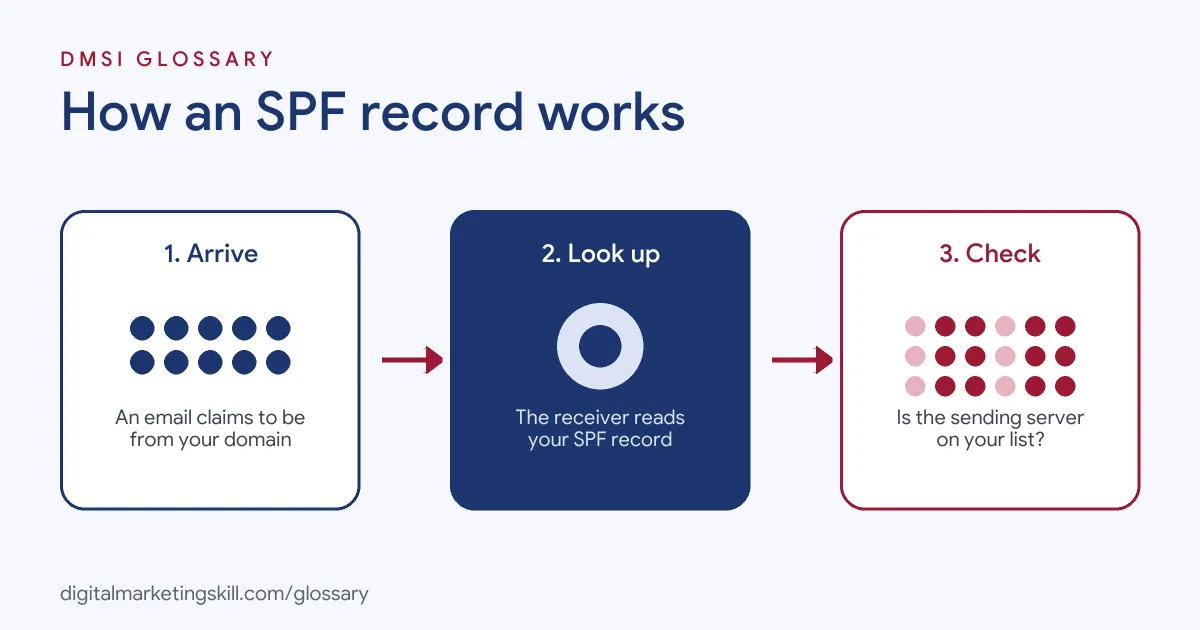
The process takes a split second. First, a server sends an email that claims to come from your domain. Next, the receiving server looks up your SPF record in DNS. Finally, it compares the sending server with your list and decides whether the check passes.
The Parts of an SPF Record
Every record uses the same building blocks:
- v=spf1: the version tag. Google notes that every SPF record starts with it.
- include: lets another domain’s SPF list count as yours. For example, email tools give you their own include value.
- ip4 and ip6: list specific server addresses, such as your own mail server.
- a and mx: allow the servers in your domain’s A or MX records.
- all: the catch-all at the end. RFC 7208 says it always matches and acts as the default for anything not listed before it.
What the Symbols Mean
In addition, each part can carry a symbol, called a qualifier, that sets the result. RFC 7208 defines four:
| Qualifier | Result | Common use |
|---|---|---|
| + (or none) | Pass | Allowed senders. It is the default, so you rarely type it. |
| ~ | Softfail | Used as ~all to mark unlisted senders as suspicious |
| – | Fail | Used as -all to say unlisted senders are not allowed |
| ? | Neutral | Makes no claim either way |
Google recommends ending your record with ~all. It says this tag tells receiving servers to mark messages as spam if they come from servers not listed in the record.
The 10-Lookup Limit
However, some parts of a record make the receiving server do extra DNS lookups. These include include, a, mx, ptr and exists, plus the redirect modifier. RFC 7208 says servers must limit these to 10 per check. So if a record needs more, the result is a permanent error. Google’s guide puts it simply: an SPF record can have up to 10 include tags.
SPF Record Examples
Here are three made-up examples for different set-ups:
- Google Workspace only (example):
v=spf1 include:_spf.google.com ~all. This is Google’s own suggested record for domains that only send through Workspace. - Workspace plus an email tool (example):
v=spf1 include:_spf.google.com include:mail.example-esp.com ~all. The second include stands in for the value your newsletter tool provides. - Your own server (example):
v=spf1 ip4:203.0.113.10 include:_spf.google.com ~all. Here, the IP address is a placeholder for a web server that sends contact form emails.
In each case, there is one record, it starts with v=spf1, and it ends with an all tag.
SPF Record vs DKIM vs DMARC
SPF is one of three checks that work as a team. Google’s sender guidelines describe each one’s job:
| Check | What it does | Where it lives |
|---|---|---|
| SPF | Stops spammers sending unauthorised mail that appears to be from your domain | A TXT record listing allowed servers |
| DKIM | Lets receiving servers verify that the domain owner actually sent the message | A public key in DNS and a signature on each email |
| DMARC | Tells receiving servers what to do with mail that fails SPF or DKIM | A TXT record with your policy |
In short, SPF checks the server, DKIM checks the message, and DMARC sets the rules and sends you reports.
How to Set Up an SPF Record
Google’s set-up guide breaks the job into a few clear steps:
- List every sender. Include your email provider, newsletter tool, CRM, help desk, web server and website forms. Google stresses that the record should cover all servers that send mail for your domain.
- Check for an existing record. Use a free online lookup tool. If one exists, edit it instead of adding a second.
- Collect the include values. Usually, each email service publishes the exact text to add.
- Build the record. Start with v=spf1, add each include or IP, and end with ~all.
- Add it to DNS. Next, log in to your domain host and create a TXT record with that text.
- Test it. Send a test email to a Gmail account and check that SPF passes in the message details.
Best Practices for Your SPF Record
A few habits keep it working:
- Keep one record only. RFC 7208 says a domain must not have multiple records that a check could select.
- Stay under 10 lookups. Remove tools you no longer use, so that old includes don’t eat your limit.
- Update it when you add a tool. Google warns that senders missing from the record are more likely to be marked as spam.
- Add DKIM and DMARC too. Bulk senders to Gmail need all three, and together they give far stronger protection.
Common Mistakes to Avoid
First, many people add a second SPF record for a new tool instead of merging it into the first. Second, they pile on includes until they pass 10 lookups, which breaks the check. Third, they forget services such as contact forms or invoicing tools. Finally, some think SPF alone stops spoofing. In practice, it checks the hidden “return path” address, so DMARC is needed to link the result to the From address people see.
Where You’ll Use SPF Records at Work
Above all, email authentication appears often in email, outbound and IT job listings. For example, current remote roles ask for:
- “Working knowledge of email authentication (SPF, DKIM, DMARC, BIMI), domain and IP warming, reputation monitoring, and inbox placement testing” (Growth Marketing Consultant, B2B Strategy).
- “Strong technical knowledge of email deliverability, inbox placement, sender reputation, and email authentication protocols, including SPF, DKIM, and DMARC” (Email Infrastructure and Deliverability Specialist).
- Someone to “Configure and maintain email security controls including DMARC, SPF, and DKIM” (Cyber Security Analyst).
So as an Email Marketing Specialist or Marketing Automation Specialist, you will often be the person who checks SPF when a new tool goes live. It is also a key part of your sender reputation.
Learn It in the Lead Generation and Email Track
You can learn to set up a sending domain properly in the AI-Powered Lead Generation and Email Automation track. There, you build a lead magnet and an automated email sequence that converts. You also get unlimited 1-on-1 mentoring and a U.S. Project Internship from day one.
For more on reaching the inbox, read our guide to email deliverability.
Frequently Asked Questions
What is an SPF record in simple terms?
It is a list in your domain settings. In other words, it tells other mail servers which servers may send email for you.
Can I have two SPF records?
No. The SPF standard says a domain must not have multiple records. Instead, merge all your senders into one record.
Should I use ~all or -all?
Google recommends ~all, which marks unlisted senders as suspicious. The -all tag is stricter and says unlisted senders fail.
What happens if my SPF record has too many lookups?
If the check needs more than 10 DNS lookups, the standard says it must return a permanent error, so SPF fails.
Is SPF enough on its own?
No. Gmail and Yahoo expect bulk senders to use SPF, DKIM and DMARC together for full protection.
Sources: IETF RFC 7208: Sender Policy Framework; Google Workspace Help: Set up SPF; Google: Email sender guidelines; Yahoo Sender Hub: Sender best practices; remote job listings on Himalayas.