
The unsubscribe rate is the percentage of delivered emails that lead a recipient to opt out of your future messages. You work it out by dividing unsubscribes by delivered emails and multiplying by 100. It matters because it shows whether your emails still feel relevant and welcome, and a sudden rise is often the first sign that your list or content needs attention.
Key Takeaways
- The usual formula is unsubscribes ÷ delivered emails × 100.
- Mailchimp’s published benchmark table lists an average unsubscription rate of 0.22% across all users.
- An easy unsubscribe is a legal and technical must. Gmail and Yahoo require one-click unsubscribe for marketing messages from bulk senders.
- Yahoo asks senders to honour unsubscribes within two days.
- A person who unsubscribes is better than one who marks you as spam, so never hide the link.
What Is Unsubscribe Rate?
Every marketing email should give people a way to leave your list. When someone uses it, that counts as an unsubscribe. The unsubscribe rate turns those exits into a percentage, so you can compare campaigns of different sizes.
Infobip’s metrics reference defines it as “the percentage of recipients who unsubscribed (opted out) from future communications,” and gives the formula “(Unsubscribed / Delivered) × 100.” For example, if 10,000 emails are delivered and 25 people opt out, your rate is 0.25%. These numbers are an example only.
The metric sits alongside open, click and click-to-open rate. While those show interest, this one shows when interest has run out.
How Unsubscribe Rate Works
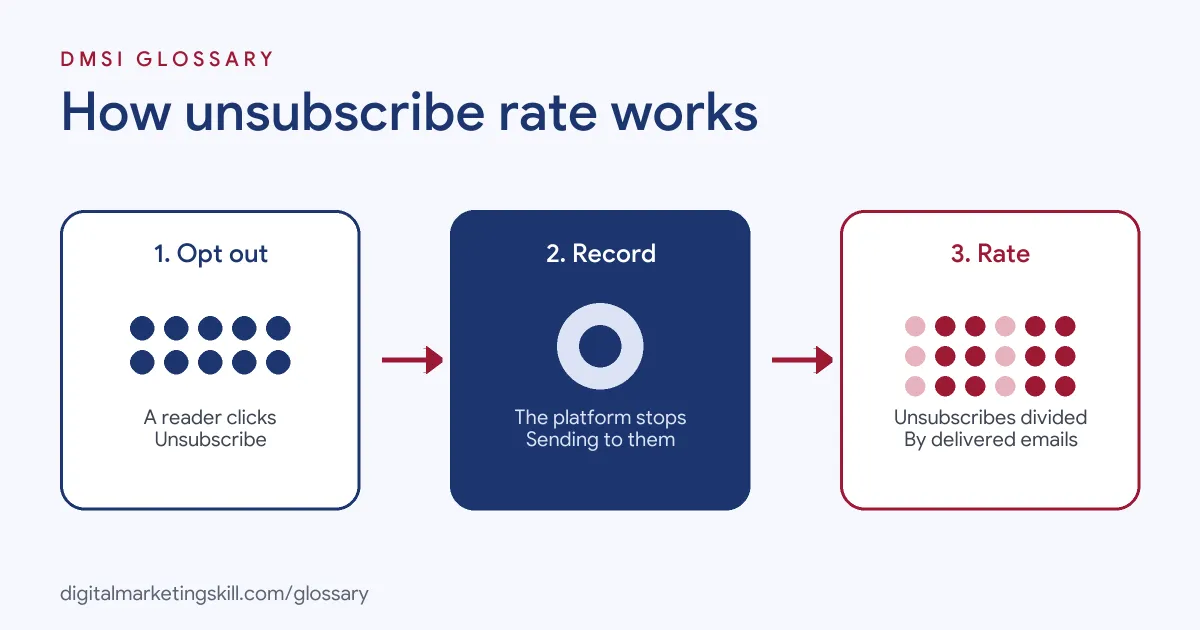
The process is simple. First, a reader clicks the unsubscribe link or a one-click button in their inbox. Next, your email platform records the opt-out and stops sending to that address. Finally, it divides all opt-outs from that send by the number of emails delivered.
One-Click Unsubscribe
Many inboxes now show an unsubscribe button next to the sender’s name. That button relies on a technical standard. RFC 8058 says a sender “places one List-Unsubscribe header field and one List-Unsubscribe-Post header field in the message.” The second header must contain “List-Unsubscribe=One-Click.”
Google’s sender guidelines say that, for bulk senders, “marketing messages and subscribed messages must support one-click unsubscribe, and include a clearly visible unsubscribe link in the message body.” Yahoo’s best practices say the same, and add: “Honor unsubscribes within 2 days.”
The Legal Side
Laws also require a way out. In the UK, the Information Commissioner’s Office (ICO) explains the rules under PECR. For existing customers contacted under the “soft opt-in,” you must give “a simple way to opt out both when you first collected their details and in every message you have sent.” You must also “provide a valid contact address so they can opt out or unsubscribe.”
Unsubscribes and Spam Complaints
Unsubscribes are not the worst outcome. If people cannot find the link, they may press “report spam” instead. Google asks senders to keep spam rates in Postmaster Tools below 0.3%, and Yahoo sets the same limit. So a clear unsubscribe link actually protects your sender reputation.
Why People Unsubscribe
People leave a list for a few simple reasons. Knowing them helps you fix the right thing.
- Too many emails. They liked you, but not every day.
- Not what they signed up for. They wanted tips, but got sales emails.
- No longer relevant. They bought what they needed, or their job changed.
- They forgot who you are. A long gap makes your name look strange in the inbox.
- Poor fit from the start. A prize draw or a bought list brought in the wrong people.
Some of these you can fix, and some you cannot. For example, you can send less often or match content to what people asked for. However, you cannot stop every person whose needs have changed. So aim for a steady, low rate rather than zero.
Unsubscribe Rate Examples
Here are three made-up examples of how a team might read the number:
- Frequency test: A clothing shop moves from one email a week to three. Its unsubscribe rate jumps, so it goes back to one main email and lets people choose extras.
- Old list: A business emails contacts it has not mailed in a long time. Many opt out at once. As a result, it learns to send a short re-permission email first.
- Welcome flow: A software company sees most unsubscribes on email four of its welcome series. After that, it rewrites that email to be shorter and more useful.
Unsubscribe Rate vs Spam Rate vs Bounce Rate
These three list-health metrics are often reported together. Here is how they differ:
| Metric | What it counts | Typical formula |
|---|---|---|
| Unsubscribe rate | People who chose to opt out | Unsubscribed ÷ delivered × 100 |
| Spam complaint rate | Emails that recipients reported as spam | Complaints ÷ delivered × 100 |
| Bounce rate | Emails that could not be delivered | Bounced ÷ total sent × 100 |
Infobip’s reference defines the spam complaint rate as the “percentage of delivered emails reported as spam” and the bounce rate as the “percentage of sent emails that bounced.” In short, unsubscribes and complaints reflect reader choices, while bounces reflect delivery problems.
How to Measure and Reduce Unsubscribe Rate
Follow these steps to keep your rate healthy:
- Track it per campaign and per flow. A single average can hide one email that drives most opt-outs.
- Compare with your own baseline. Use your past sends first, then outside benchmarks as a rough guide.
- Set expectations at sign-up. Tell people what you will send and how often.
- Offer a preference centre. Yahoo notes the unsubscribe link “may direct to a preference page,” where people can choose fewer emails.
- Segment your list. Send each group content that matches its interests.
- Clean out inactive contacts. Send a reconfirmation email, then remove people who never respond.
- Review the content of high-exit emails. Finally, rewrite or retire the messages that cause spikes.
Best Practices for Unsubscribe Rate
- Make leaving easy. A visible link and one-click header are required by major inboxes for bulk marketing mail.
- Honour opt-outs fast. Yahoo’s guideline is within two days.
- Get clear consent. Build your list with a proper opt-in, so people expect your emails.
- Ask why, briefly. A one-question exit survey can reveal patterns.
- Watch it with complaints. A low unsubscribe rate with high spam complaints is a warning sign, not a success.
Common Mistakes to Avoid
Some habits make the problem worse. First, senders hide the unsubscribe link in tiny grey text, which pushes people to the spam button. Second, they ask people to log in before they can leave. Third, they keep emailing someone after they opt out, which breaks inbox rules and, in many places, the law. Finally, they panic over one small spike instead of looking at the trend across several sends.
Where You’ll Use Unsubscribe Rate at Work
List health is a standard part of email roles. For example, recent remote job listings ask candidates to:
- “Maintain domain reputation and list health: bounce, spam, and unsubscribe rates, as well as consent and compliance requirements across the Tier-1 markets” (Email Marketing Manager).
- Deliver results “alongside healthy unsubscribe, complaint, bounce, and deliverability metrics” (Lifecycle Marketing Manager).
- “Flag bounced, unsubscribed, or invalid contacts and apply suppression lists” (Marketing CRM Manager).
So as an Email Marketing Specialist or Marketing Automation Specialist, you will track this number, explain changes and fix the causes.
Learn It in the Lead Generation and Email Track
You can learn to grow and protect an email list in the AI-Powered Lead Generation and Email Automation track. There, you build a lead magnet and an automated email sequence that converts, so you can show real results. You also join a U.S. Project Internship from day one, with unlimited 1-on-1 mentoring.
Want to grow your list the right way from the start? Read our guide to growing your email list.
Frequently Asked Questions
What is unsubscribe rate in simple terms?
It is the share of delivered emails that lead someone to opt out of your list. For example, 20 opt-outs from 10,000 delivered emails is 0.2%.
What is a good unsubscribe rate?
Lower is better, but it depends on your audience and how often you send. Mailchimp’s benchmark table lists an average of 0.22% across all users, which you can use as a rough guide.
Do I have to include an unsubscribe link?
Yes. Gmail and Yahoo require a clearly visible link and one-click unsubscribe for bulk marketing mail, and UK rules require a simple way to opt out in every message.
How quickly must I remove people who unsubscribe?
Yahoo’s sender best practices say to honour unsubscribes within two days. Faster is better, because every extra email after an opt-out risks a complaint.
Is a high unsubscribe rate bad?
It is a warning to review your content, frequency and targeting. However, people who leave cleanly are better for your reputation than people who mark you as spam.
Sources: Google: Email sender guidelines; Yahoo Sender Hub: Sender best practices; IETF: RFC 8058 One-Click Unsubscribe; ICO: Electronic mail marketing; Infobip: Email metrics reference; Mailchimp: Email marketing benchmarks; remote job listings on Himalayas.