
A Google algorithm update is a change Google makes to the systems that rank pages in its search results. Some updates are small and go unnoticed, while others are broad changes that can move a site up or down for many searches. It matters because one update can raise or cut your organic traffic overnight, so you need to know how to read the change and what to do next.
Key Takeaways
- Google makes broad changes to its ranking systems several times a year. It calls these core updates.
- Google lists notable updates, with start dates and how long they took, on its Search Status Dashboard.
- Core updates do not target single sites. Instead, they change how Google judges content across the whole web.
- Google advises waiting at least a full week after an update finishes before you analyse your data.
- Recovery can take months, and Google says there is no guarantee that changes will bring traffic back.
What Is a Google Algorithm Update?
Google uses many automated systems to decide which pages to show for a search. Together, people call these systems “the algorithm”. When Google changes how they work, that change is an update.
Google says it is “continually making updates” to its search algorithms. Most are small, so Google does not announce them. However, a few times a year it makes “significant, broad changes”. These are the ones it names and lists, and they are the ones SEO teams watch closely.
For example, imagine a recipe blog that has ranked on page one for years. After a core update, newer and more helpful recipe pages may move above it. The blog did nothing wrong. Rather, Google now judges other pages to be a better answer.
How a Google Algorithm Update Works
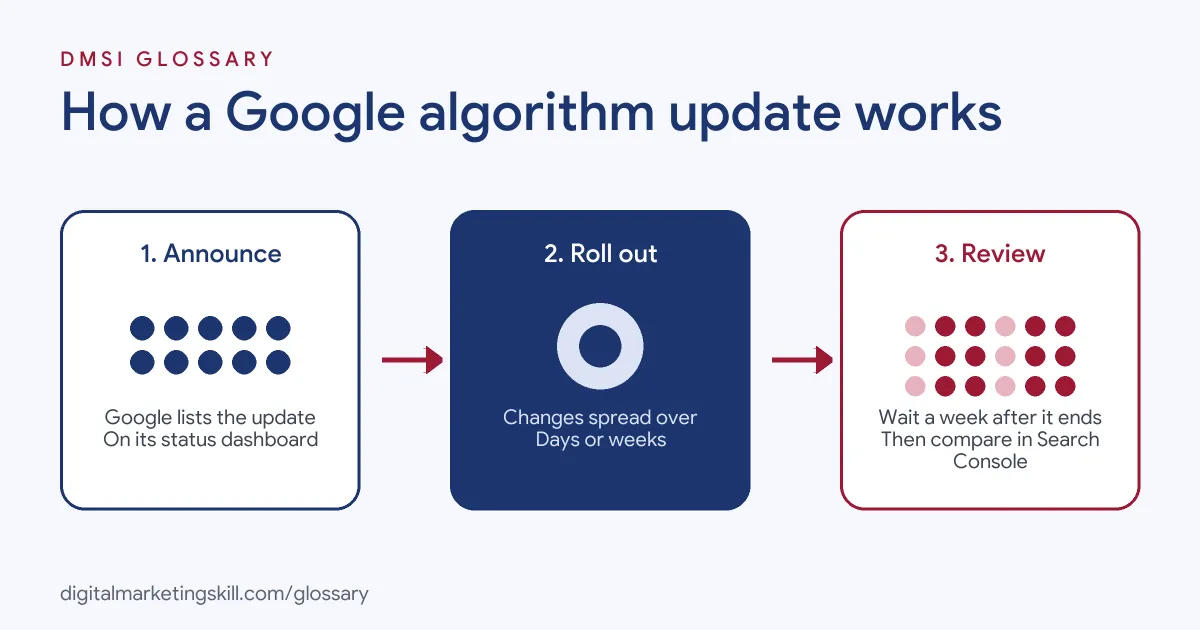
Each named update follows the same broad pattern. First, Google announces it. Next, it rolls out over days or weeks. Finally, rankings settle, and site owners can measure what changed.
Announced on the Status Dashboard
Google posts notable ranking changes on its Search Status Dashboard. Each entry shows the type of update, when it started and how long the rollout took. So this is the first place to check when your traffic moves.
The Rollout Period
An update does not switch on in one moment. Instead, it spreads across Google’s systems over a set period. On the dashboard, rollouts have lasted from under a day to as long as 45 days. During that time, rankings can jump around before they settle.
What Core Updates Change
Google explains that core updates “don’t target specific sites or individual web pages”. Rather, they change how its systems assess content as a whole. Google compares this to updating a list of your 20 favourite restaurants. New places open, so some old favourites drop down the list, even though they are not “bad”.
Types of Google Algorithm Update
The Search Status Dashboard groups updates by type. Here are the main ones you will see:
| Type | What it does | What to check |
|---|---|---|
| Core update | Broad change to how Google assesses content | Whether your pages are helpful, reliable and people-first |
| Spam update | Improves systems that detect search spam, such as SpamBrain | Whether your site follows Google’s spam policies |
| Smaller core update | Routine changes Google does not announce | Steady gains once you improve content |
The dashboard also lists reviews, helpful content and Discover updates. In short, a core update is about quality, while a spam update is about rules. As a result, the fix for each one is quite different.
Google Algorithm Update Examples
Here are three made-up examples of how a site might react to an update:
- Small drop: An online shop’s top page falls from position 2 to 4. Google’s own advice is that there is no need for drastic action here. So the team watches the page but leaves it alone.
- Large drop: A finance blog falls from position 4 to 29 on its main pages. This calls for a deeper review of the whole site against Google’s helpful content questions.
- Spam hit: A site that bought links loses rankings after a link spam update. In this case, Google says the lost benefit from those links cannot be regained.
In each case, the size and type of the drop decide the response. That is why you measure before you act.
How to Respond to a Google Algorithm Update
These steps follow the process Google sets out in its Search Central documentation:
- Confirm the update has finished. Check the Search Status Dashboard and note the start and end dates.
- Wait a full week. Google recommends waiting at least a week after the rollout ends before you analyse anything.
- Compare the right weeks. In Search Console, compare the week after the update with a week before it started.
- Review top pages and queries. Next, check whether each drop is small or large.
- Split by search type. Look at Web Search, Images, Video and News on their own, since the change may affect only one.
- Assess large drops honestly. Use Google’s self-assessment questions on the pages that fell most. You can also ask someone outside your team to review them.
- Make lasting changes. Improve content for readers, then give it time.
After that, keep a simple log of each update and its effect on your site. Over time, this log shows patterns that one week of data cannot.
Best Practices for Handling Updates
A few habits make every update easier to manage:
- Build for people first. Google says core updates aim to show “helpful and reliable results”. So content that truly helps readers is your best defence.
- Avoid quick fixes. Google warns against changes like removing a page element because you heard it was bad for SEO.
- Leave strong pages alone. Google advises against changing content that already performs well.
- Delete only as a last resort. Google says deleting content should only be considered if it cannot be saved.
- Annotate your reports. Mark each update date in your analytics, so you can link traffic changes to causes.
Common Mistakes to Avoid
Many site owners panic when traffic falls. First, they make changes while the update is still rolling out. Second, they rewrite pages that only dropped a place or two. Third, they blame the update for drops caused by other things, such as a broken page or a seasonal dip. Finally, they expect a quick bounce back. Google says it “could take several months” for its systems to confirm that a site has improved. In fact, you may need to wait for the next core update to see the full effect.
Core Update vs Spam Update
These two types cause the most worry, so it helps to compare them side by side:
| Question | Core update | Spam update |
|---|---|---|
| What is it about? | Overall quality and helpfulness | Breaking Google’s spam policies |
| Does it target sites? | No, it is broad | It affects sites that break the rules |
| How do you recover? | Improve content over time | Fix policy issues, then wait months |
| Can lost gains return? | Possibly, after improvements | Not for link spam benefits |
Where You’ll Use Google Algorithm Updates at Work
Tracking updates is a routine part of SEO work. For example, remote job listings ask candidates to:
- “Assess the impact of Google algorithm updates, figure out what happened and why, and put a clear plan in place to recover traffic” (SEO Manager).
- “Stay updated on Google algorithm updates and SEO trends” (SEO Executive).
So if you want to work as an SEO Specialist or Website Manager, employers will expect you to spot an update, measure its effect and explain it in plain words. In practice, clients mostly want to know two things: what happened, and what you will do about it.
Learn It in the WordPress and SEO Track
You can learn to track and respond to each Google algorithm update in the AI-Powered WordPress and SEO Specialist track. There, you build a WordPress site or store and rank it with an SEO content plan, so you see how rankings move in real life. You also work on a U.S. Project Internship from day one, with unlimited 1-on-1 mentoring.
To strengthen your basics first, read our guides to common SEO mistakes and SEO tips for beginners. You can also learn what Google means by helpful content.
Frequently Asked Questions
How often does Google release a core update?
Google says it makes significant, broad changes several times a year. It also makes many smaller updates that it does not announce.
Where can I see if a Google algorithm update is happening?
Check the Google Search Status Dashboard. It lists notable updates with their start date and how long each rollout took.
Was my site penalised by a core update?
Not in the usual sense. Google says core updates do not target specific sites. Instead, other pages may now be judged more helpful than yours.
How long does it take to recover?
Some changes can take effect in a few days. However, Google says it could take several months for its systems to confirm a site has improved.
Should I change my site during a rollout?
No. Wait until the update has finished, then wait a further week before you compare your data in Search Console.
Sources: Google Search Central: Core updates and your website; Google Search Central: Spam updates; Google Search Status Dashboard: Ranking history; remote job listings on Himalayas.