
ThruPlay is a Meta ads video metric and optimisation option that counts a view when someone watches your video to the end, or for at least 15 seconds if the video is longer. In other words, it measures real watching, not just a quick scroll past. So it is one of the main ways to judge and buy video views on Facebook and Instagram. It also helps you build audiences of people who actually paid attention.
Key Takeaways
- A ThruPlay counts when a video plays to completion, or for at least 15 seconds.
- You can use ThruPlay as a performance goal for video views in Meta Ads Manager.
- Cost per ThruPlay tells you how much you pay for each engaged video view.
- It differs from 2-second continuous video views, which count much shorter watching.
- People who reach a ThruPlay are often a strong audience for later retargeting.
What Is ThruPlay?
When you run video ads on Meta, you need a way to tell if people watched. Many people scroll past in less than a second. So Meta offers different view metrics. ThruPlay is the one that asks for a longer, more meaningful watch.
Meta’s Marketing API explains the rule clearly. The ThruPlay billing option means you “Pay for ads that are played to completion, or played for at least 15 seconds.” In other words, a 10-second video counts when someone watches all 10 seconds. Meanwhile, a 60-second video counts once someone reaches 15 seconds.
Think of a street performer. Lots of people glance as they walk by. However, only some stop and watch the whole act. ThruPlay counts the people who stopped, not the ones who glanced.
ThruPlay shows up in three places. First, it is a metric in your ad reports. Second, it is a delivery goal, so Meta tries to show your ad to people likely to watch. Third, it can be a billing event, so you pay per ThruPlay instead of per thousand impressions.
Why It Matters
Video ads often aim to build brand awareness or teach people about a product. For that, a two-second glance is weak proof. By contrast, a ThruPlay shows that someone heard your message. As a result, it gives you a fairer way to compare videos. It also helps you spend budget on people who are more likely to care. Finally, it gives you a warm audience for later ads.
How ThruPlay Works
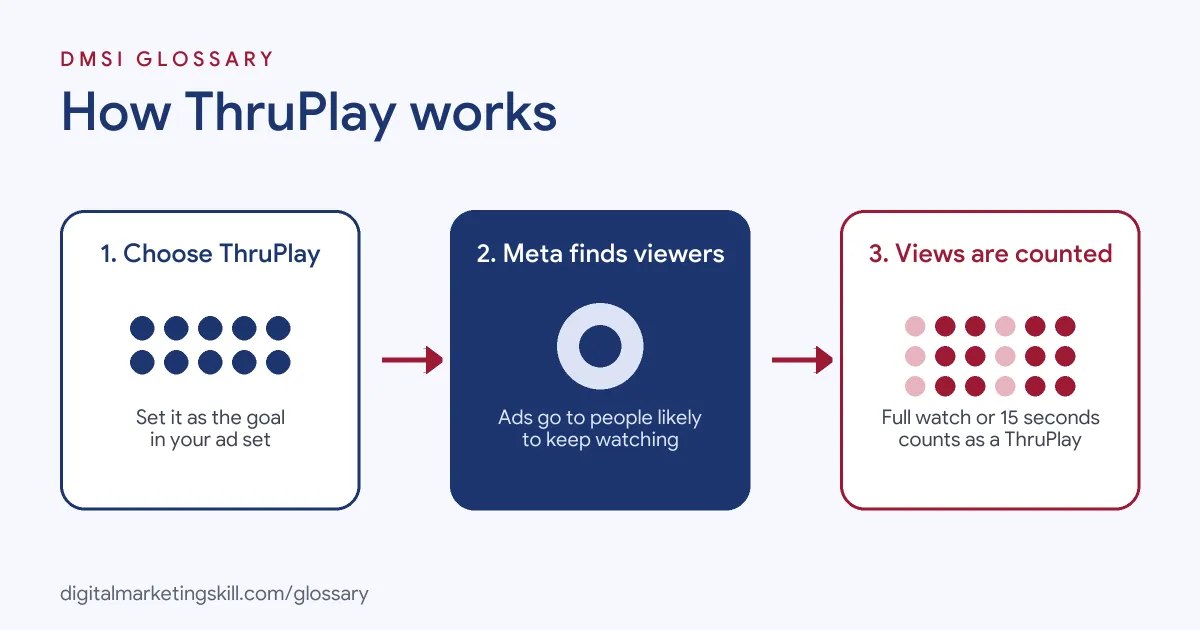
ThruPlay works in three steps. First, you choose it as your goal in Ads Manager. Then Meta shows your video to people it predicts will keep watching. Finally, each full or 15-second watch is counted as a ThruPlay in your results.
Choosing ThruPlay in Ads Manager
You set this up at the ad set level. In Meta Ads Manager, ThruPlay is offered as a performance goal under the Awareness and Engagement objectives. For Engagement, you pick video views as the engagement type. However, menu names can change, so always check the options in your own account.
How Meta Delivers the Ad
Next, Meta’s system looks for likely viewers. The Marketing API says the ThruPlay goal will “Optimize delivery of your ads to people who are more likely to play your ad to completion, or play it for at least 15 seconds.” So Meta uses past behaviour to find people who tend to watch videos. As a result, you may reach fewer people than with a pure reach goal, but they tend to watch longer.
How You Are Charged
Then you choose how to pay. Often you can pay per impression or per ThruPlay. If you pay per ThruPlay, you are only charged when the view rule is met. However, billing options vary by objective and format. So check what Ads Manager shows before you launch.
ThruPlay vs Shorter Views
Finally, it helps to compare ThruPlay with 2-second continuous video views. That goal counts people who watch for at least two seconds in a row. It usually brings more views at a lower cost. On the other hand, those views show far less attention. So match the goal to what you need the video to do.
Short Videos and Long Videos
Video length changes what a ThruPlay means. For a short clip, a ThruPlay is a full watch. Jon Loomer notes that Meta will “try to show your video ads to people who will watch the entire video when it’s shorter than 15 seconds.” So short videos with a late call to action suit this goal well. By contrast, on a long video, a ThruPlay only proves 15 seconds of watching. In that case, you should also check how many people reached 50% or 100% of the video.
Reading Your Results
After launch, open your ad reports and add the video columns. For example, look at ThruPlays, cost per ThruPlay and video plays at 25%, 50%, 75% and 100%. Then compare these numbers across ads, not just across campaigns. As a result, you can spot which opening holds people and where they drop off. Also, check frequency, because the same people seeing a video too often can push costs up.
Examples of ThruPlay in Use
- A skincare brand launches a product. It runs a 30-second demo video with a ThruPlay goal. Then it compares cost per ThruPlay across three edits. As a result, it keeps the edit that holds attention best.
- A local gym builds a warm audience. The gym runs a short tour video with a ThruPlay goal. Later, it creates a custom audience of people who watched. Then it shows those people a free trial offer.
- A software company explains a feature. It runs a 15-second clip in Reels. Because the clip is short, a ThruPlay means people saw the call to action at the end.
ThruPlay vs 2-Second Video Views and Impressions
| Point | ThruPlay | 2-second continuous views | Impressions |
|---|---|---|---|
| What counts | Watched to the end, or at least 15 seconds | At least 2 seconds in a row | Ad shown on screen |
| Attention shown | High | Low to medium | None guaranteed |
| Typical cost per result | Higher | Lower | Lowest per unit |
| Best for | Telling a story, warm audiences | Cheap, broad video reach | Reach and frequency goals |
How to Use ThruPlay in a Campaign
- Set your goal. Decide what the video should achieve, such as awareness or a warm audience.
- Pick the objective. In Ads Manager, choose Awareness or Engagement.
- Choose the performance goal. At the ad set level, select ThruPlay views. For Engagement, set video views as the engagement type first.
- Prepare strong video. Hook viewers in the first seconds, and add captions for sound-off viewing.
- Choose placements. Review where the ad will run, such as Feeds, Stories and Reels.
- Check billing. Pick impressions or ThruPlay billing if both are offered.
- Launch and watch the data. Track ThruPlays, cost per ThruPlay and average watch time.
- Build an audience. Create a video viewer audience and use it for follow-up ads.
Best Practices for ThruPlay
- Hook fast. Show the main idea in the first few seconds, before people scroll.
- Put key points early. On long videos, place your brand and message before the 15-second mark.
- Design for silent viewing. Add captions and clear visuals, so the video works without sound.
- Test several edits. Compare cost per ThruPlay across lengths and openings, as part of creative testing.
- Check placements. Jon Loomer warns to “Watch for placements that force ThruPlays, thereby inflating results.”
- Use the audience. Retarget ThruPlay viewers with a clear next step.
Common Mistakes to Avoid
- Using ThruPlay for sales goals. If you want purchases, use a sales objective instead.
- Judging by views alone. A cheap ThruPlay is useless if the video doesn’t move people to act later.
- Hiding the message. If the key point comes after 15 seconds, many counted viewers never see it.
- Comparing unlike metrics. Don’t compare cost per ThruPlay with cost per 2-second view as if they were the same.
- Ignoring watch time. Also check average play time and how many people watch to the end.
Where You’ll Use ThruPlay at Work
We did not find current remote job listings on Himalayas that name ThruPlay itself. Still, the metric is part of daily work in paid social roles. For example, Meta ads specialists, paid social managers, media buyers and performance marketers use it to plan video campaigns. They report cost per ThruPlay to clients, test video edits and build viewer audiences. Also, social media managers who run boosted video posts often check it.
Learn It in the Social Media and Paid Social Track
You can learn ThruPlay and wider Meta video ads in the AI-Powered Social Media Management and Advertising track. Every track includes a U.S. Project Internship from day one, with unlimited 1-on-1 mentoring.
Frequently Asked Questions
What counts as a ThruPlay?
A ThruPlay counts when someone watches your video to the end, or for at least 15 seconds. The shorter of the two applies.
What is cost per ThruPlay?
It is your spend divided by the number of ThruPlays. So it shows how much you pay for each engaged view.
Is ThruPlay better than 2-second video views?
Not always. ThruPlay shows more attention. However, 2-second views are cheaper, so pick the one that fits your goal.
Which objectives offer ThruPlay?
In Ads Manager, ThruPlay is a performance goal under Awareness and Engagement. Options can vary, so check your account.
Can I retarget people who reached a ThruPlay?
Yes. You can build a video engagement custom audience from people who watched, then show them follow-up ads.
Sources: Meta for Developers: Ad Set reference (Marketing API); Jon Loomer: Performance Goals in Meta Ads; Social Media Examiner: Facebook ThruPlay Video Ads, What Marketers Need to Know.