
Shopify is a hosted commerce platform that lets you build an online store, take payments and sell in person, all from one dashboard. You don’t need to buy hosting or install software, because Shopify runs the technical side for you. As a result, many small brands and growing retailers use it to start selling quickly. For marketers, it is also a common place to set up products, track sales and connect ads, email and SEO.
Key Takeaways
- Shopify is a paid, hosted platform for online and in-person selling.
- You build your store with themes and add features with apps.
- Store designs use Liquid, Shopify’s own template language.
- Every store gets a sitemap automatically, and key SEO fields are editable.
- It differs from WooCommerce, which you install on your own WordPress site.
What Is Shopify?
Shopify describes itself simply: “Shopify is a commerce platform that helps you sell online and in person.” In other words, it gives you everything you need to run a shop on the web. That includes product pages, a basket, a checkout and order management.
Think of renting a fully fitted shop on a busy high street. The landlord handles the building, the locks and the lights. Meanwhile, you choose the window display, stock the shelves and serve customers. In the same way, Shopify handles servers, security and updates. So you can focus on products and marketing.
Technically, Shopify is a hosted, or software-as-a-service, platform. So you pay a monthly plan, and your store runs on Shopify’s systems. By contrast, a self-hosted option such as WooCommerce runs on hosting you manage yourself. According to Shopify, it “powers online stores and retail businesses in more than 175 countries.”
Shopify also supports selling beyond your own website. For example, you can link your store to social channels and marketplaces. In addition, Shopify POS handles in-person sales. Shopify says it “keeps inventory synced across your online and physical storefronts.”
Why It Matters
Why should a marketer know Shopify? Because many ecommerce brands run on it. So if you work on ads, email or SEO for an online shop, there is a good chance you will log into a Shopify admin. Also, you will often need to edit product pages, set up discount codes or install tracking. Knowing your way around the platform makes that work much faster.
How Shopify Works
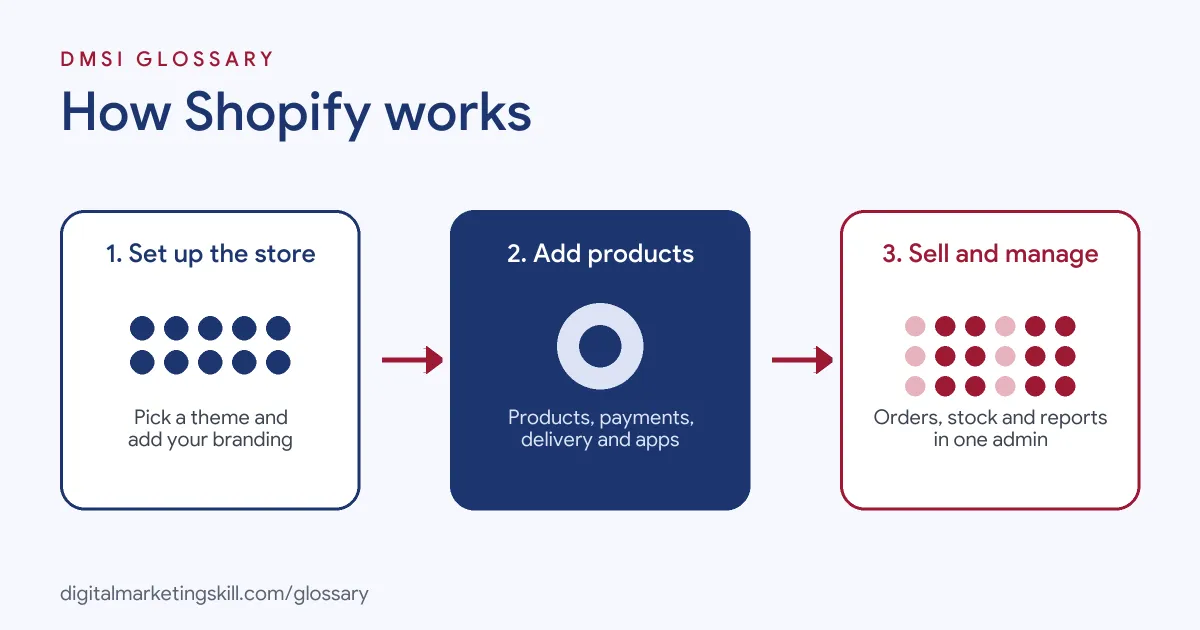
Shopify works in three broad stages. First, you set up your store. Then you add products and features. Finally, you sell and manage orders from one admin.
Themes and Design
To begin with, you choose a theme. A theme controls how your store looks, from the homepage to the checkout. Most themes are mobile-friendly and can be changed with a drag-and-drop editor. For deeper changes, developers edit the theme code. Shopify explains that “Liquid is a template language created by Shopify.” So Liquid is what developers use to build custom layouts.
Products and Payments
Next, you add your products. Here, each one gets a title, description, images, price and stock level. Then you set up payments. Shopify has its own payment option, Shopify Payments, in many countries. However, where it isn’t available, you can use approved third-party payment providers instead.
Apps and Integrations
Then you extend the store with apps. For example, apps can add reviews, email marketing, subscriptions or loyalty programmes. Shopify describes these as “third-party apps developed by Shopify partners”. Also, many ad and analytics tools connect through apps, so you can send product data to channels such as Google Merchant Center.
SEO Basics
Finally, Shopify covers several SEO basics for you. For instance, Shopify states that “All Shopify stores automatically generate a sitemap.xml file.” In addition, you can edit page titles, meta descriptions and image alt text. You can also customise the robots.txt file through a theme template. So the core tools for search are already in place.
Orders and Reports
Once the store is live, orders arrive in the admin. From there, you can fulfil orders, issue refunds and contact customers. In addition, Shopify includes reports on sales, orders and customers. For example, you can see which products sell best and where shoppers come from. As a result, you can spot trends without exporting data. Also, you can set up discount codes and automatic discounts for promotions. Then you can check in the reports whether those offers lifted sales. In short, the admin becomes your daily base for running and marketing the shop.
Examples of Shopify in Use
- A handmade candle brand. The founder picks a simple theme and adds a dozen products. Then she installs a reviews app and an email app. As a result, she can collect reviews and send an abandoned cart email without writing code.
- A clothing shop with a physical store. The shop uses Shopify POS at the till and Shopify online. So stock levels stay in sync, and staff can see online orders in the shop.
- A coffee equipment retailer. The marketing team connects the store to Google Merchant Center. After that, products appear in Shopping ads with live prices and stock.
Shopify vs WooCommerce
| Point | Shopify | WooCommerce |
|---|---|---|
| Type | Hosted platform | Plugin for a self-hosted WordPress site |
| Hosting and security | Handled by Shopify | Handled by you or your host |
| Cost model | Monthly plan, plus app and payment fees | Free plugin, plus hosting, extensions and payment fees |
| Customisation | Themes, apps and Liquid code | Full access to WordPress code and plugins |
| Best fit | Teams that want less technical work | Teams that want full control on WordPress |
In short, both are popular choices. Overall, the right one depends on your budget, skills and whether you already run a WordPress site.
How to Set Up a Shopify Store
- Sign up for an account. Create a store on the Shopify website and choose a plan.
- Pick a theme. Choose a theme that suits your products. Then add your logo, colours and fonts.
- Add products. Write clear titles and descriptions, and upload good photos.
- Set up payments and delivery. Turn on a payment provider and add your delivery rates.
- Connect a domain. Use your own domain name, so the store looks professional.
- Add key apps. Install only the apps you need, such as reviews or email.
- Check your SEO settings. Edit titles, meta descriptions and alt text for key pages.
- Test and launch. Place a test order. After that, remove the store password and go live.
Best Practices for Shopify
- Keep apps lean. Too many apps can slow your store, so remove ones you don’t use.
- Write unique product copy. Don’t copy maker descriptions, because unique text helps both shoppers and search.
- Compress images. Smaller files help pages load faster on mobile.
- Set up tracking early. Connect analytics and ad pixels before you launch campaigns.
- Use clear collections. Group products logically, so shoppers and search engines can find them.
- Test the checkout. Place test orders after every big change.
- Back up theme edits. Duplicate your theme before you change code, so you can roll back if something breaks.
- Review reports monthly. Check top products, traffic sources and discount results, then plan the next month.
Common Mistakes to Avoid
- Installing every app. Extra scripts can slow pages and clash with each other.
- Skipping SEO fields. Default titles and blank meta descriptions waste easy wins.
- Ignoring mobile. Many shoppers browse on phones, so always check the mobile view.
- Forgetting redirects. If you change a product URL, set up a redirect so old links still work.
- Launching without tracking. Without analytics and pixels, you can’t measure which marketing works.
Where You’ll Use Shopify at Work
Shopify skills show up in ecommerce, marketing, assistant and developer roles. For example, real remote job listings ask for people who can:
- “You’ll take ownership of the Shopify storefront, ensuring promotions, merchandising, landing pages, apps, and customer journeys are managed effectively and consistently.” (E-Commerce Manager).
- “Set up, customize, and maintain Shopify storefronts to align with brand standards.” (Shopify Virtual Assistant).
- “The Shopify Developer will be responsible for developing, customizing, and maintaining Shopify stores to ensure optimal functionality, performance, and user experience.” (Shopify Developer).
Learn It in the WordPress and SEO Track
You can learn to build and optimise online stores in the AI-Powered WordPress and SEO Specialist track. Every track includes a U.S. Project Internship from day one, with unlimited 1-on-1 mentoring.
Frequently Asked Questions
Is Shopify free?
No. Shopify uses paid monthly plans, and many apps cost extra. However, it often offers a free trial so you can test it first.
Do I need to code to use Shopify?
No. You can build a store with themes and the visual editor. Still, developers use Liquid code for custom designs.
Is Shopify good for SEO?
Shopify covers the basics, such as an automatic sitemap and editable titles and meta descriptions. So good SEO still depends on your content, site speed and links.
Can I sell in person with Shopify?
Yes. Shopify POS lets you sell in a physical shop and keeps stock in sync with your online store.
What is the difference between Shopify and WooCommerce?
Shopify is a hosted platform that runs the technical side for you. By contrast, WooCommerce is a plugin you install on your own WordPress site.
Sources: Shopify: What Is Shopify and How Does It Work?; Shopify Dev Docs: Liquid reference; Shopify Help Center: Finding and submitting your sitemap; Shopify Help Center: Improving search engine optimization (SEO); remote job listings on Himalayas, Himalayas and Himalayas.