
The Google tag is a single piece of tracking code, also called gtag.js, that you add to every page of your website so it can send data to Google products such as Google Ads and Google Analytics. One tag replaces the many separate tags you once needed for each product. It matters because without it, you can’t measure visits, conversions or ad results accurately.
Key Takeaways
- gtag.js is one tag that can send data to several Google products at once.
- It replaced the older global site tag. Existing global site tags were converted, so you don’t need to re-install them.
- Each tag has a tag ID that you copy from Google Ads or Google Analytics and place on every page.
- Once installed, you can turn on features such as automatic page view and click tracking without new code.
- Google recommends Tag Manager when you need more control or many third-party tags.
What Is the Google Tag?
Every time someone visits your site, a small script can record what they did, such as which pages they saw or whether they bought something. In Google’s tools, that script is gtag.js.
Google’s help centre describes it as a single tag you can add to your website to use a variety of Google products and services. Instead of managing multiple tags for different product accounts, you use one across your whole site and connect it to several “destinations”.
For example, a shop might send the same tag’s data to its Google Analytics property and its Google Ads account. Analytics then reports on visits and behaviour, while Ads counts conversions and feeds its bidding.
How the Google Tag Works
The tag loads on each page and sends events to Google. You then decide in your Google products which data they receive and which features to switch on.
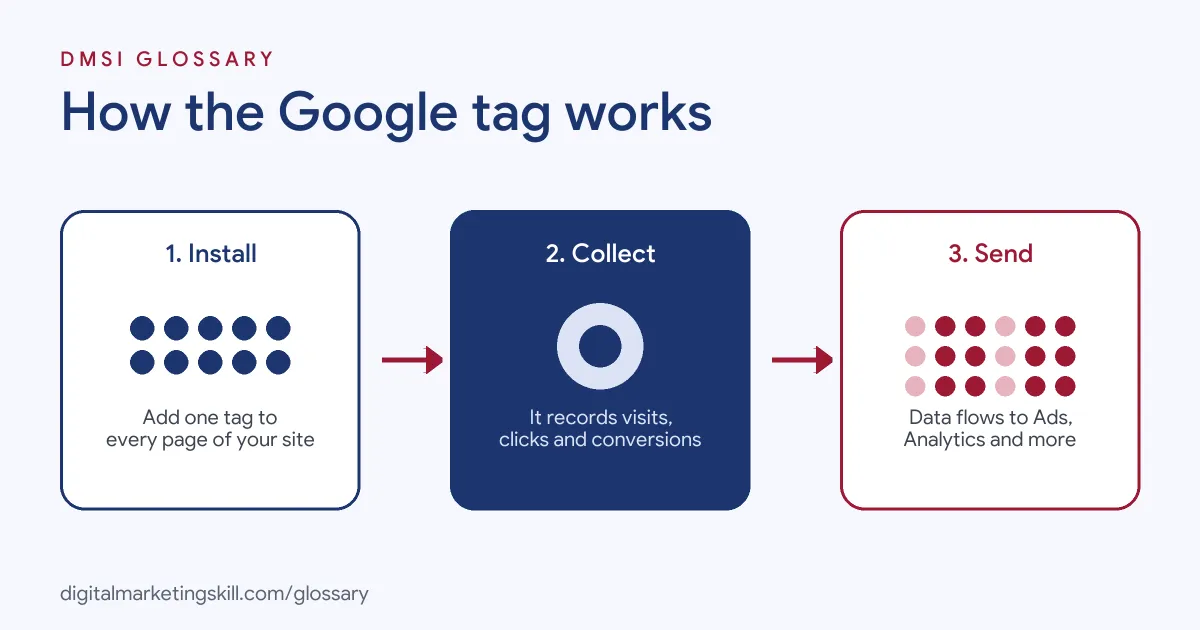
Tag IDs and Destinations
Each tag has a single tag ID. According to Google, you copy that ID from a product such as Google Ads or Analytics, paste it into the code snippet and place the snippet on every page you want to track. You can then link that one tag to more than one destination. Google’s developer guide lists Google Ads, Google Analytics, Campaign Manager, Display & Video 360 and Search Ads 360 as products it can serve.
What It Measures Automatically
Google says the tag lets you automatically measure page views, clicks, scrolls and more in Google Analytics. It also measures conversions and campaign performance in Google Ads. In addition, you can change many settings from a “Google tag” screen in Google Ads, Google Analytics and Campaign Manager 360, so you don’t need to edit code after the first set-up.
Keep one thing in mind, though. Changing settings in your tag affects every destination linked to it.
Combining Several Tags
Many older sites have more than one tag, often added by different people over the years. Google lets you combine them, so you manage all your settings in one place. It says this can help you get better data. In addition, you can manage who has access to tag settings separately from access to your other products. That gives you more control over who can change your key measurement settings. So if a freelancer only needs to check reports, you don’t have to let them edit tracking.
From Global Site Tag to Google Tag
You may still see the name “global site tag”. That was the older name for gtag.js. Google says all global site tags have been converted into Google tags, so a site with the old code doesn’t need updating to use the new features.
Google Tag Examples
Here are three made-up examples of the tag in use:
- Small business site (example): A florist builds its site in a website builder. It pastes the tag ID into the builder’s Google settings, and page views start appearing in Analytics the same day.
- Online shop (example): A shop links one tag to both Google Analytics and Google Ads. Then it adds a purchase event on the order confirmation page, so Ads can count sales and Analytics can report revenue.
- Agency client (example): An agency finds three old tags on a client site, each for a different product. It combines them into one tag and manages access from the tag’s admin screen.
In each case, one tag does the job that several used to.
Google Tag vs Google Tag Manager
These two are often confused. Google’s help centre explains the difference:
| Option | What it is | Best for |
|---|---|---|
| gtag.js | One tag that sends data to Google products | Sites that only need default tracking, such as page views, clicks and scrolls |
| Tag Manager | A system for managing many tags, triggers and variables without editing site code | Sites with many tags, including non-Google ones, or custom tracking needs |
Google calls its tag the basis for all measurement. It adds that the tag-only option is great for marketers without a web team or who use a CMS. However, its developer guide recommends Tag Manager to set up and deploy tags on your site when you need more control.
How to Set Up the Google Tag
Follow these steps to install it:
- Find your tag. In Google Ads or Google Analytics, open the Google tag settings. If you already use these products, Google auto-generates a tag for you.
- Copy the tag ID or code snippet. You will use it in the next step.
- Add it to every page. Use your website builder or CMS settings, or paste the snippet into the page head of each page.
- Accept the terms. Google notes that each product receiving data needs its Terms of Service accepted.
- Turn on features. In the tag settings, switch on options such as enhanced measurement in Analytics.
- Check it works. Use Tag Assistant to confirm the tag is sending data with the right tag ID.
Best Practices for the Google Tag
A few habits keep your tracking clean:
- Tag every page. Google says the best way to measure conversions is to place tags on every page of your site.
- Avoid duplicates. Two copies of the same tag can count visits twice, so check before you add another.
- Combine old tags. Merge separate tags into one to keep data and access in one place.
- Control who can edit. Google lets you manage access to tag settings separately from your other product access.
- Respect consent. Set up consent options so the tag follows your visitors’ choices.
Common Mistakes to Avoid
First, many site owners install the tag on the home page only, so conversions on other pages go missing. Second, they add it twice, once by hand and once through a plugin. Third, they change a setting without realising it affects every linked product. Finally, they never test with Tag Assistant. Each of these leads to data you can’t trust.
Where You’ll Use the Google Tag at Work
We didn’t find current remote listings that name this exact term. Even so, it sits behind every request to “set up tracking” in Google Ads and analytics roles. As a Google Ads Specialist, you will install it so that conversions feed your bidding. As a Web Analytics Specialist, you will check that every page sends clean data to Analytics. And as a PPC Specialist, you will often be the first person to spot a missing or doubled tag when numbers look wrong.
It also underpins enhanced conversions, which use the tag to send hashed customer data.
Learn It in the Google Specialist Track
You can learn to set up tags and tracking in the AI-Powered Google Specialist track. There, you launch and measure a Google Ads campaign with conversion tracking, and you work with Google Analytics too. You also get unlimited 1-on-1 mentoring and a U.S. Project Internship from day one.
For a beginner’s view of reports, read our guide to Google Analytics for beginners.
Frequently Asked Questions
What is the Google tag in simple terms?
It is one piece of code on your website that sends visit and conversion data to Google products such as Google Ads and Google Analytics.
Is the Google tag the same as gtag.js?
Yes. It uses the gtag.js framework. It was once called the global site tag.
Do I need the Google tag if I use Tag Manager?
Google calls the tag the basis for all measurement. You can deploy it through Tag Manager instead of adding the code by hand.
Where do I put the Google tag?
Place it on every page you want to track, either through your CMS or website builder settings, or in each page’s code.
How do I check my Google tag is working?
Use Google’s Tag Assistant. It shows whether the tag is firing and sending data with the correct tag ID.
Sources: Google Ads Help: About the Google tag; Google for Developers: gtag.js set-up; Tag Manager Help: Tag Manager vs gtag.js.