
Hreflang is an HTML attribute that tells search engines which language and region each version of a page is for, so they can show the right version to each searcher. If your site has pages in English, French and Spanish, hreflang links them together as one set. As a result, a searcher in Paris sees the French page, not the English one. It also stops your language versions from competing with each other in search.
Key Takeaways
- Hreflang links the language and region versions of the same page.
- You can add it in HTML link tags, HTTP headers or an XML sitemap.
- Every version must point to every other version, and to itself.
- Codes use ISO 639-1 for language and ISO 3166-1 Alpha 2 for region.
- The x-default value sets a fallback page for everyone else.
What Is Hreflang?
Hreflang is a small piece of code. It sits on a page and lists the other versions of that page. Each entry gives a URL and a code, such as en-gb for English in the UK or fr for French.
Google explains the goal simply: “Use hreflang to tell Google about the variations of your content.” So the tag does not translate anything. Instead, it acts like a map that shows which page belongs to which audience.
Think of a hotel lobby with signs in several languages. Each sign says the same thing. However, every guest walks to the sign they can read. In the same way, hreflang points each searcher to the page that suits them.
The attribute also exists in plain HTML. For example, MDN says it “indicates the language of the linked resource” and is “purely advisory.” In other words, it is a hint, not a command. Search engines can still choose a different page if other signals disagree.
Why It Matters
Hreflang is a key part of technical SEO for any site that serves more than one market. Without it, Google may show your US page to UK users. Then prices appear in dollars, spelling looks wrong and people leave. Also, similar pages for the UK, US and Australia can look like duplicates. Hreflang tells Google they are deliberate versions, not copies. So each market gets its own page in search.
How Hreflang Works
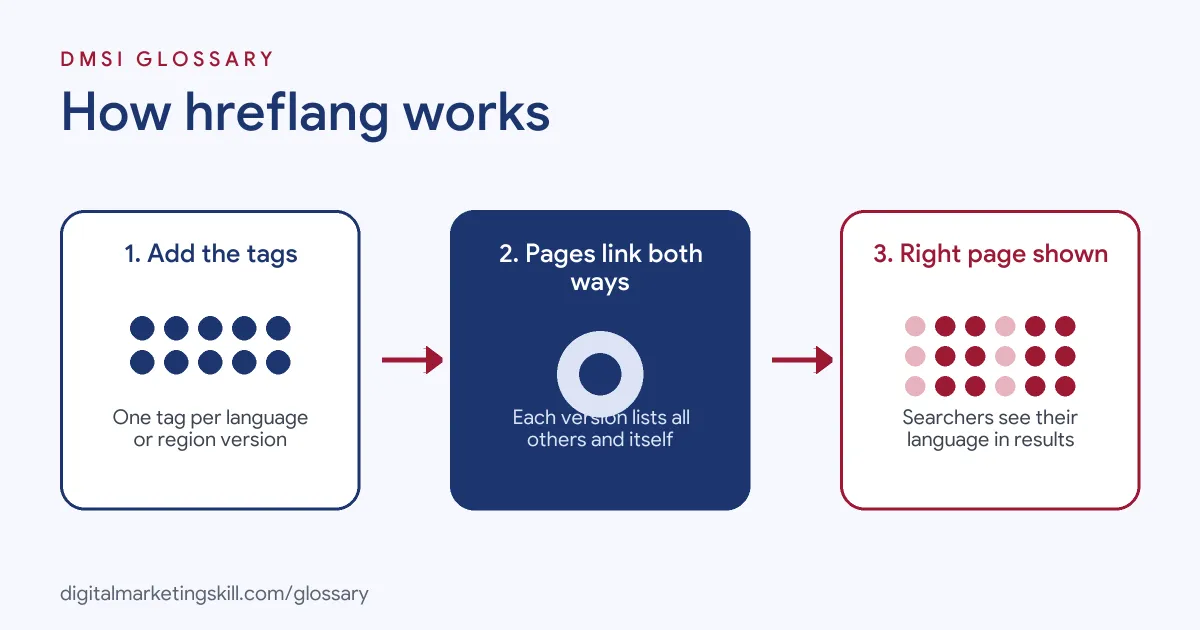
Hreflang works as a cluster. Every page in the set lists all the others, and the search engine reads the links in both directions. Then, when someone searches, it picks the version that best matches their language and location.
The Codes
Each hreflang value starts with a language code. Google says this code is “in ISO 639-1 format”, such as en, de or es. After that, you can add an optional region code. That part uses “ISO 3166-1 Alpha 2 format”, such as gb, us or mx. So es-mx means Spanish for Mexico. Note that you can’t use a region code on its own.
Return Links
Hreflang only works when pages confirm each other. Google is strict here: “If two pages don’t both point to each other, the tags will be ignored.” So if your UK page lists the US page, the US page must list the UK page too. Also, Google says “Each language version must list itself as well as all other language versions.” This self-reference is easy to forget.
Three Ways to Add It
You can add hreflang in three places. First, you can use <link> tags in the page head. Second, you can send HTTP headers, which suits files such as PDFs. Third, you can list the versions in your XML sitemap. Google says “The three methods are equivalent from Google’s perspective.” So pick the one your site can maintain best.
The x-default Value
Finally, there is a special value called x-default. Google says it “is used when no other language/region matches the user’s browser setting.” For example, you might point it at a country selector page. Then anyone outside your target markets still lands somewhere useful.
Examples of Hreflang
- An online shop selling in three countries. The shop has English pages for the UK, the US and Australia. Each one shows local prices and delivery details. So the team adds
en-gb,en-usanden-autags, and each market sees its own page. - A software company with a translated blog. The blog runs in English, German and French. As a result, the team lists hreflang in the sitemap, because editing every page head would take too long.
- A travel brand with a global home page. The brand has local sites plus a page where visitors pick their country. So it sets that page as
x-defaultfor everyone outside its main markets.
Hreflang vs Canonical Tag vs Lang Attribute
| Point | Hreflang | Canonical tag | HTML lang attribute |
|---|---|---|---|
| Main job | Links language and region versions | Names the preferred URL among duplicates | Declares the page language for browsers |
| Points to | Other versions and itself | One main URL | Nothing, it labels the page |
| Used by Google for language | To choose the version to show | No | No |
| Typical use | Sites for several markets | Duplicate or filtered pages | Accessibility and screen readers |
Each version should use a self-referencing canonical tag. However, don’t point all versions to one canonical page, or the other versions may drop out of search.
How to Set Up Hreflang
- List your versions. Write down every page that has a translated or local copy. Then note the language and region for each one.
- Choose your codes. Use ISO 639-1 for language and add an ISO 3166-1 region only when content differs by country.
- Pick one method. Choose page tags, HTTP headers or the sitemap. Using one method keeps things simple to check.
- Add every version to every page. Include a self-reference, and make sure each URL is the full, absolute address.
- Add x-default. Point it at a global page or a language selector.
- Check canonicals and status codes. Each listed URL should return a 200 code and carry its own canonical tag.
- Test the set-up. Crawl the site with an SEO tool that reports hreflang errors. After that, watch your international traffic in Google Search Console.
Hreflang on WordPress Sites
On WordPress, you rarely type hreflang tags by hand. Instead, many multilingual plugins add them for you when you link a page to its translations. However, you still need to check the output. For example, view the page source and search for “hreflang”. Then confirm that every version appears, that the codes are right and that the URLs are complete. Also, check that your SEO plugin and your language plugin don’t both print tags. Two sets of tags with different data can confuse search engines. Finally, test again after you add a new language, because new versions must join every existing cluster.
Best Practices for Hreflang
- Keep links two-way. Every page in a cluster must point back to every other page.
- Use full URLs. Include the protocol and domain, not just a path.
- Match real content. Only tag a page as
deif the main content is in German. - Don’t force redirects. Google advises you to “Avoid automatically redirecting users from one language version of a site to a different language version.” Instead, add clear links so people can switch.
- Localise, not just translate. Do local keyword research for each market, because people search with different words.
- Audit after changes. Site moves, new pages and deleted pages often break clusters, so check again after each release.
Common Mistakes to Avoid
- Missing return links. One-way tags are ignored, so the whole effort can fail.
- Wrong codes. For example,
en-ukis wrong. The correct region code for the UK isgb. - Region without language. A code such as
usalone is not valid. - Pointing to broken pages. Tags that lead to redirects or 404 errors weaken the cluster.
- Cross-version canonicals. If the French page names the English page as canonical, the signals clash.
- Mixing methods badly. Using tags and a sitemap with different data creates conflicts that are hard to debug.
Where You’ll Use Hreflang at Work
Hreflang appears in technical and international SEO roles, often next to canonicals and sitemaps. For example, real remote job listings ask you to:
- “Drive technical SEO across our international sites, including hreflang, regional sitemaps, canonical strategy, and localized templates.” (Senior Technical SEO Specialist).
- “Own regional SEO localization including locale-specific keyword research, localized content briefs, hreflang governance, and coordinated ASO refreshes for each market.” (SEO/ASO Manager).
- “Own international SEO architecture, GEO strategy, hreflang, and localization to support launches in new markets.” (Head of SEO).
Learn It in the WordPress and SEO Track
You can learn hreflang and wider international SEO in the AI-Powered WordPress and SEO Specialist track. Every track includes a U.S. Project Internship from day one, with unlimited 1-on-1 mentoring.
Frequently Asked Questions
Does hreflang help my rankings?
Not directly. Instead, it helps Google show the right version of a page to each searcher, which can improve clicks and engagement.
Do I need hreflang for a site in one language?
No. You only need it when you have versions of a page for different languages or regions.
Which method should I use to add hreflang?
Google treats page tags, HTTP headers and sitemaps the same. So choose the one your team can keep accurate. Large sites often prefer the sitemap.
What is the code for English in the UK?
Use en-gb. The region code is gb, not uk.
Does Google use hreflang to detect a page’s language?
No. Google says it doesn’t use hreflang or the HTML lang attribute for that. Instead, it reads the visible content of the page.
Sources: Google Search Central: Localized Versions of your Pages; Google Search Central: Managing Multi-Regional and Multilingual Sites; MDN: The link element; remote job listings on Himalayas, Himalayas and Himalayas.